NVR/RAID Setup: Difference between revisions
From Luminys WIKI
Techsupport (talk | contribs) Created page with "= <div class="center">RAID Setup via NVR WebGUI</div> = ===Description=== This tutorial will go over how to setup up RAID in NVR webGUI. ===Prerequisites=== * Access NVR web interface. ===Video Instructions=== <!-- <youtube>https://www.youtube.com/watch?v=IQCQncIXNGM&ab_channel=LuminysSystemsCorporation</youtube> -->Coming Soon ===Step by Step Instructions=== 1. After logging into the NVR webGUI, access Storage > RAID Management > RAID Configuration. File:RAID_Se..." |
(No difference)
|
Latest revision as of 10:25, 18 June 2025
RAID Setup via NVR WebGUI
Description
This tutorial will go over how to setup up RAID in NVR webGUI.
Prerequisites
- Access NVR web interface.
Video Instructions
Coming Soon
Step by Step Instructions
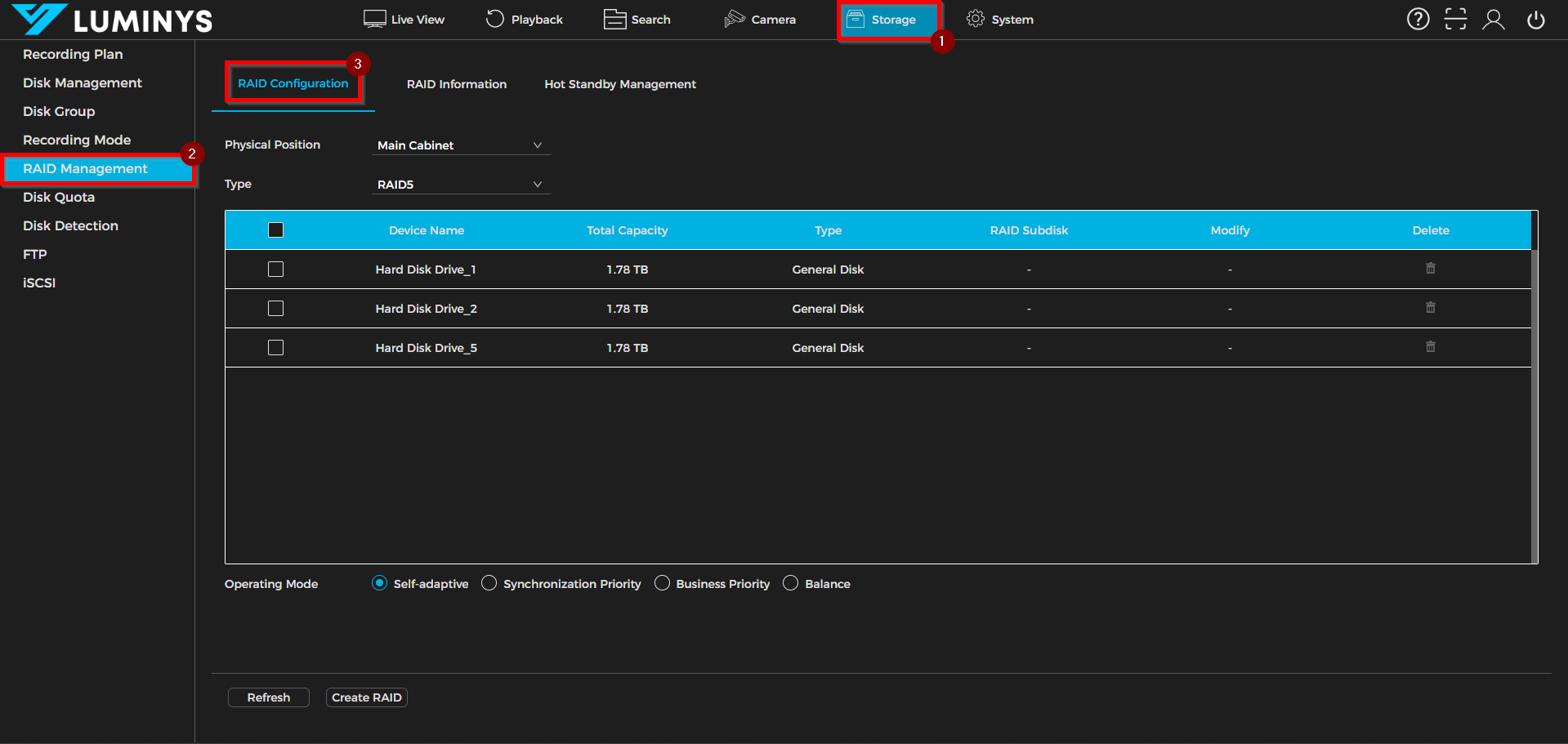
1. After logging into the NVR webGUI, access Storage > RAID Management > RAID Configuration.
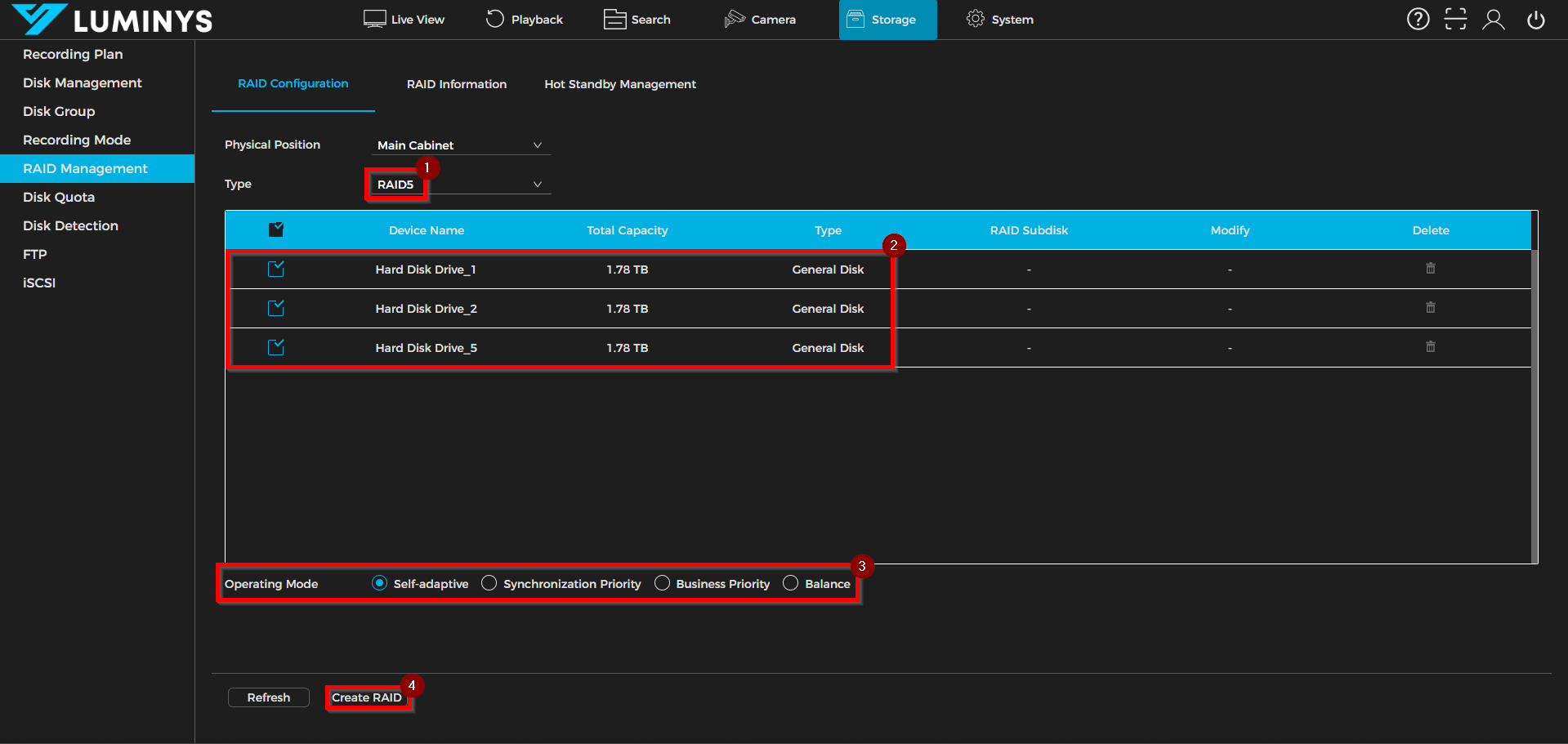
2. Select the type of RAID after expanding the dropdown list (RAID 0, 1, 5, 6, 10). In the configuration, we will be using RAID 5. Select hard drive(s) to be configured as part of the RAID. Choose which Operating Mode as needed, if there is no preference leave it as default. Click on Create RAID to initiate the RAID creation process.
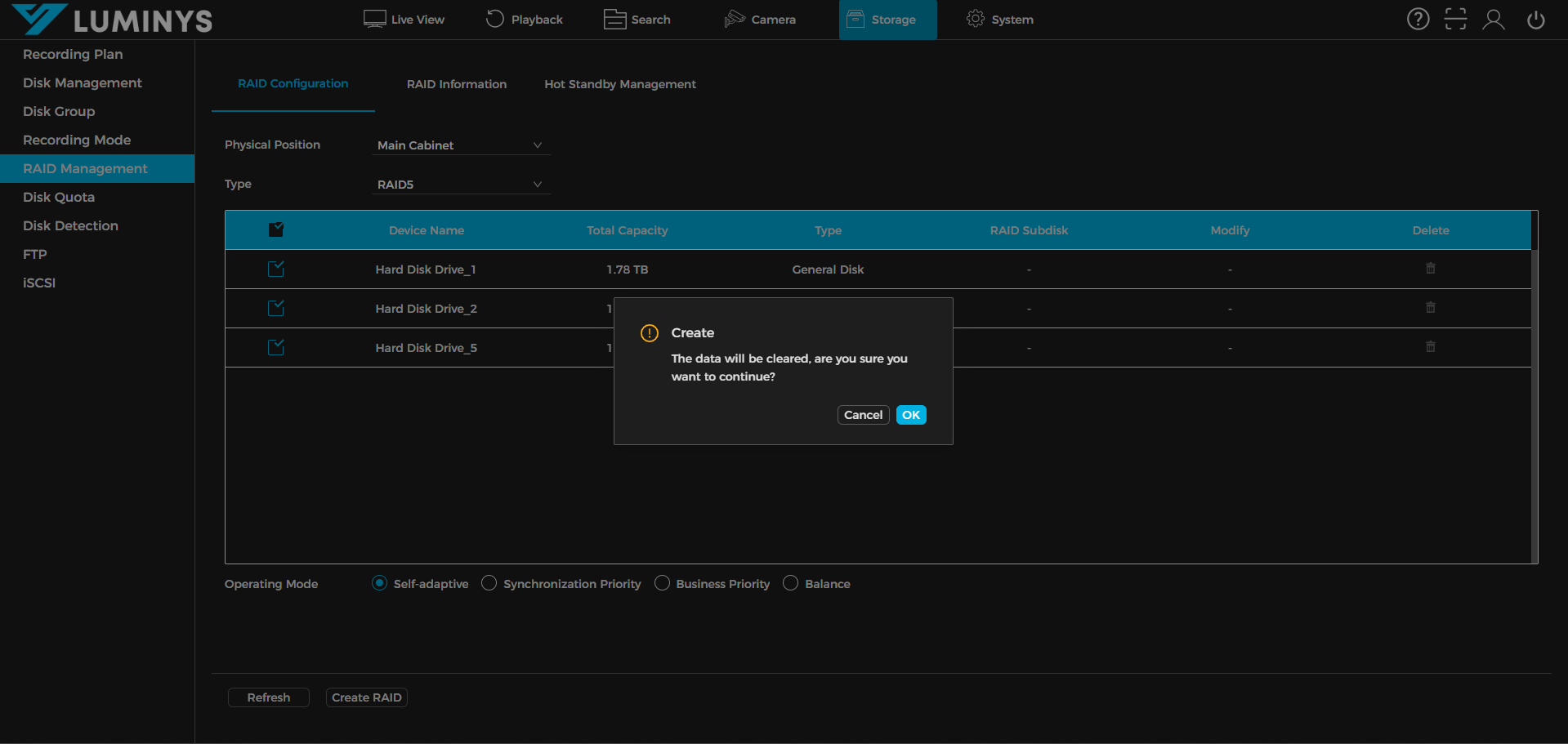
3. The hard drives will be wiped to create the new RAID.
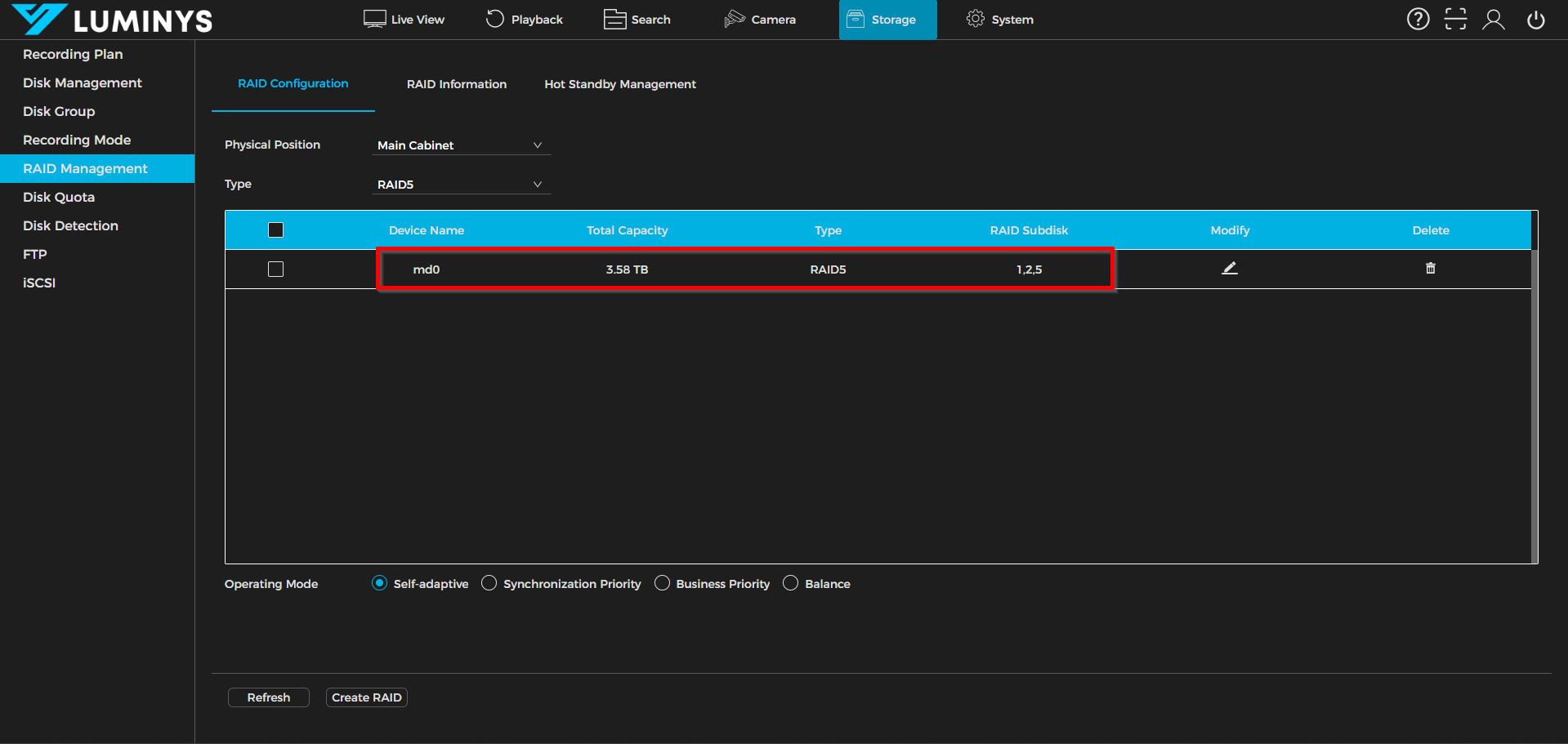
4. After the RAID is created successfully, you see Device Name as md0 indicating a RAID. The first RAID is always starts with md0, second RAID is md1 and so on.