NVR/Backup: Difference between revisions
From Luminys WIKI
Techsupport (talk | contribs) Created page with "= <div class="center">How to Backup Video Recordings</div> = ===Description=== This tutorial will go over how to backup video recordings on recorder via webGUI. ===Prerequisites=== * Web browser on computer. ===Video Instructions=== <!--<youtube>https://www.youtube.com/watch?v=IQCQncIXNGM&ab_channel=LuminysSystemsCorporation</youtube>--> Coming Soon ===Step by Step Instructions=== 1. Access the Search function and navigate to the Video tab. Prior to executing the se..." |
Techsupport (talk | contribs) |
||
| Line 8: | Line 8: | ||
===Video Instructions=== | ===Video Instructions=== | ||
<youtube>https://www.youtube.com/watch?v=hpzM1LbHwRA</youtube> | |||
===Step by Step Instructions=== | ===Step by Step Instructions=== | ||
Latest revision as of 14:57, 24 July 2026
How to Backup Video Recordings
Description
This tutorial will go over how to backup video recordings on recorder via webGUI.
Prerequisites
- Web browser on computer.
Video Instructions
Step by Step Instructions
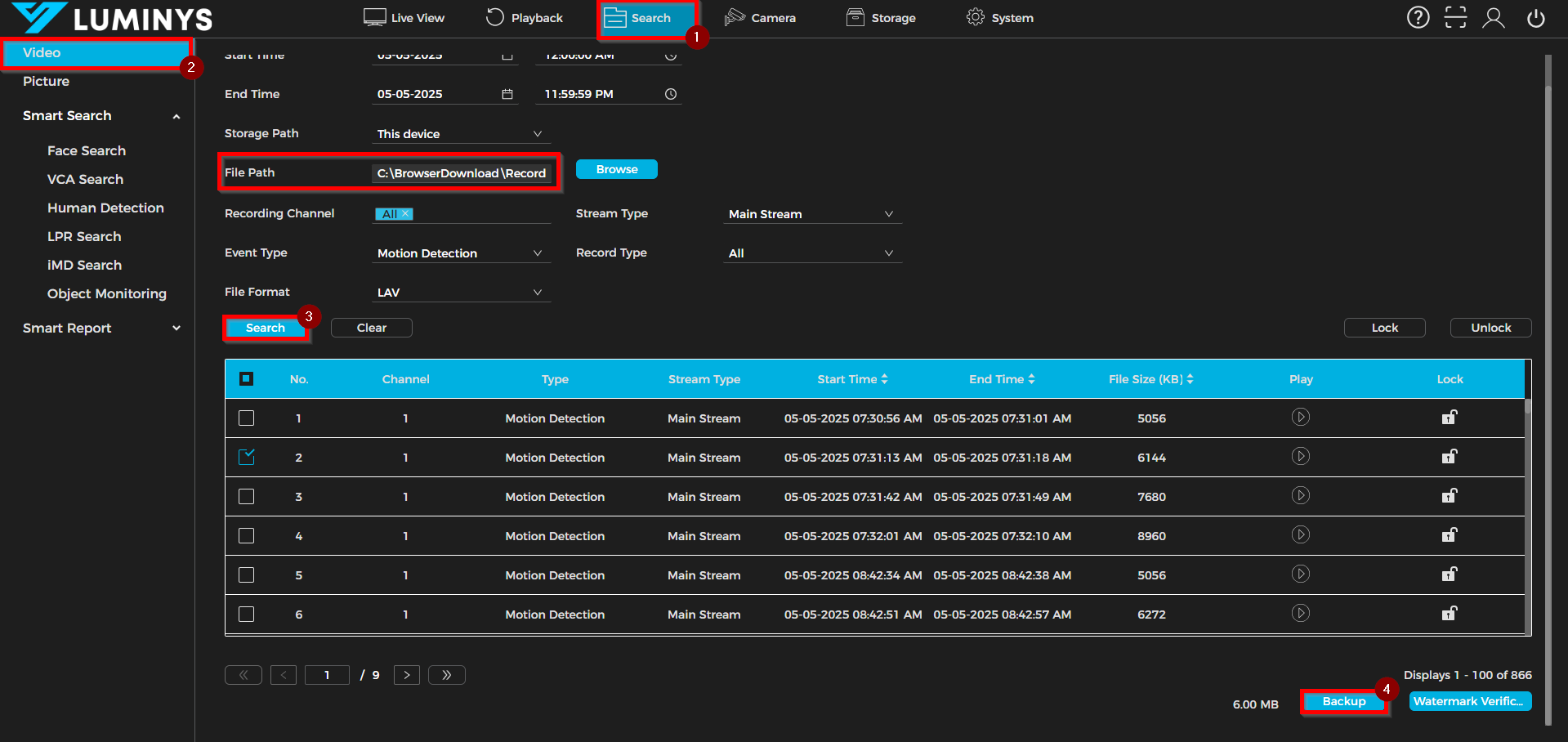
1. Access the Search function and navigate to the Video tab. Prior to executing the search query, verify that parameters such as Start Time, End Time, File Path, Recording Channel, Stream Type, Event Type, Record Type, and File Format are configured accurately.
Once the relevant video clips are identified, select the required files and activate the Backup function at the bottom of the interface to initiate the download procedure.
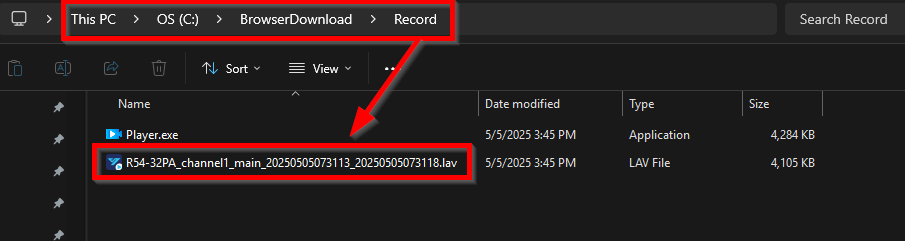
2. Upon completion of the download, access the specified computer directory where the file has been saved (for example, C:\BrowserDownload\Record in this case).