Video doorbell/Installation Instruction: Difference between revisions
From Luminys WIKI
Techsupport (talk | contribs) |
Techsupport (talk | contribs) |
||
| Line 8: | Line 8: | ||
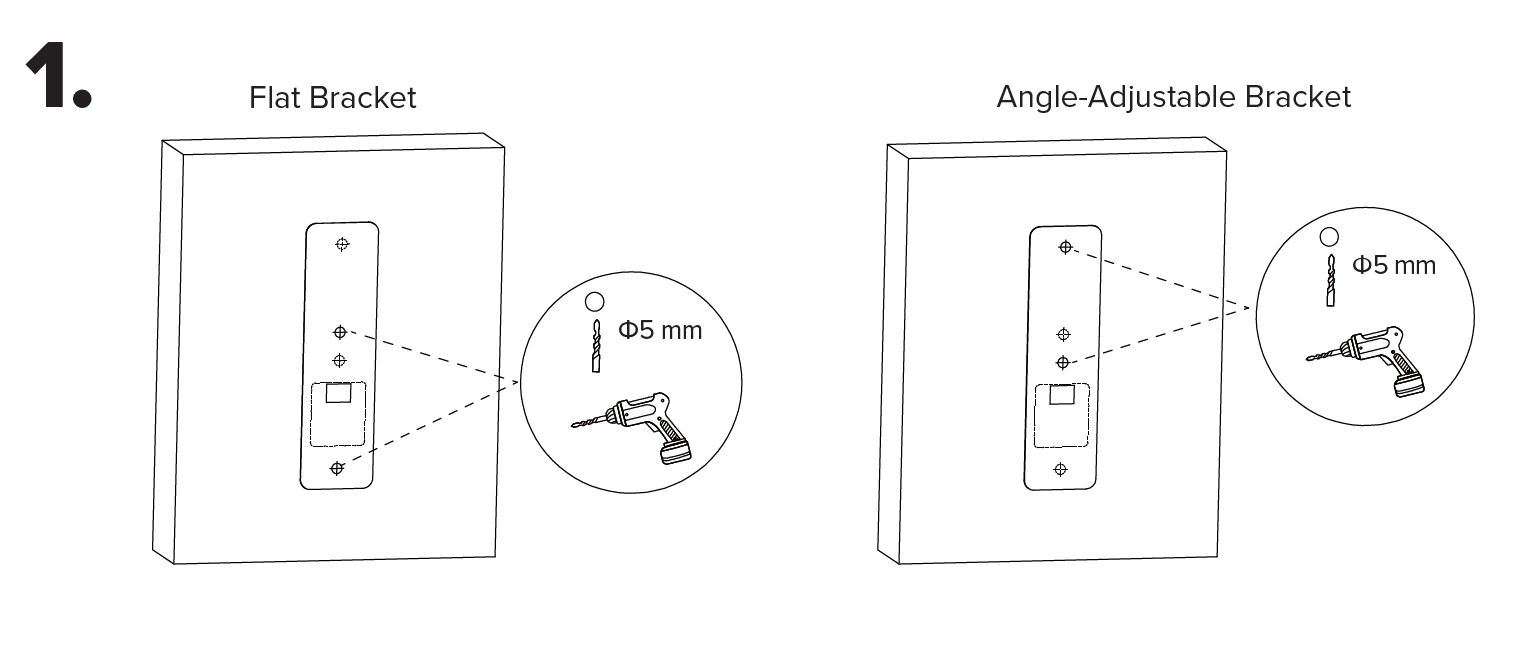
1. Remove any existing doorbell system(s). Position and level the mounting template on the wall and drill 5 mm holes at the marked points for your selected bracket. | 1. Remove any existing doorbell system(s). Position and level the mounting template on the wall and drill 5 mm holes at the marked points for your selected bracket. | ||
[[File:Vdb_installation_1.png| | [[File:Vdb_installation_1.png|1080px|link=https://wiki.luminyscorp.com/images/3/3e/Vdb_installation_1.png]] | ||
Revision as of 14:57, 13 May 2026

Description
This tutorial will go over on how to physically setup the video doorbell.
Step by Step Instructions
1. Remove any existing doorbell system(s). Position and level the mounting template on the wall and drill 5 mm holes at the marked points for your selected bracket.