NVR/Doorbell event Setup on NVR
From Luminys WIKI

Configure Doorbell event on NVR
Description
This tutorial will go over how to configure Doorbell event on the NVR.
Prerequisites
- Adding Video Doorbell to NVR
- Access the WebUI of the NVR
Step by Step Instructions
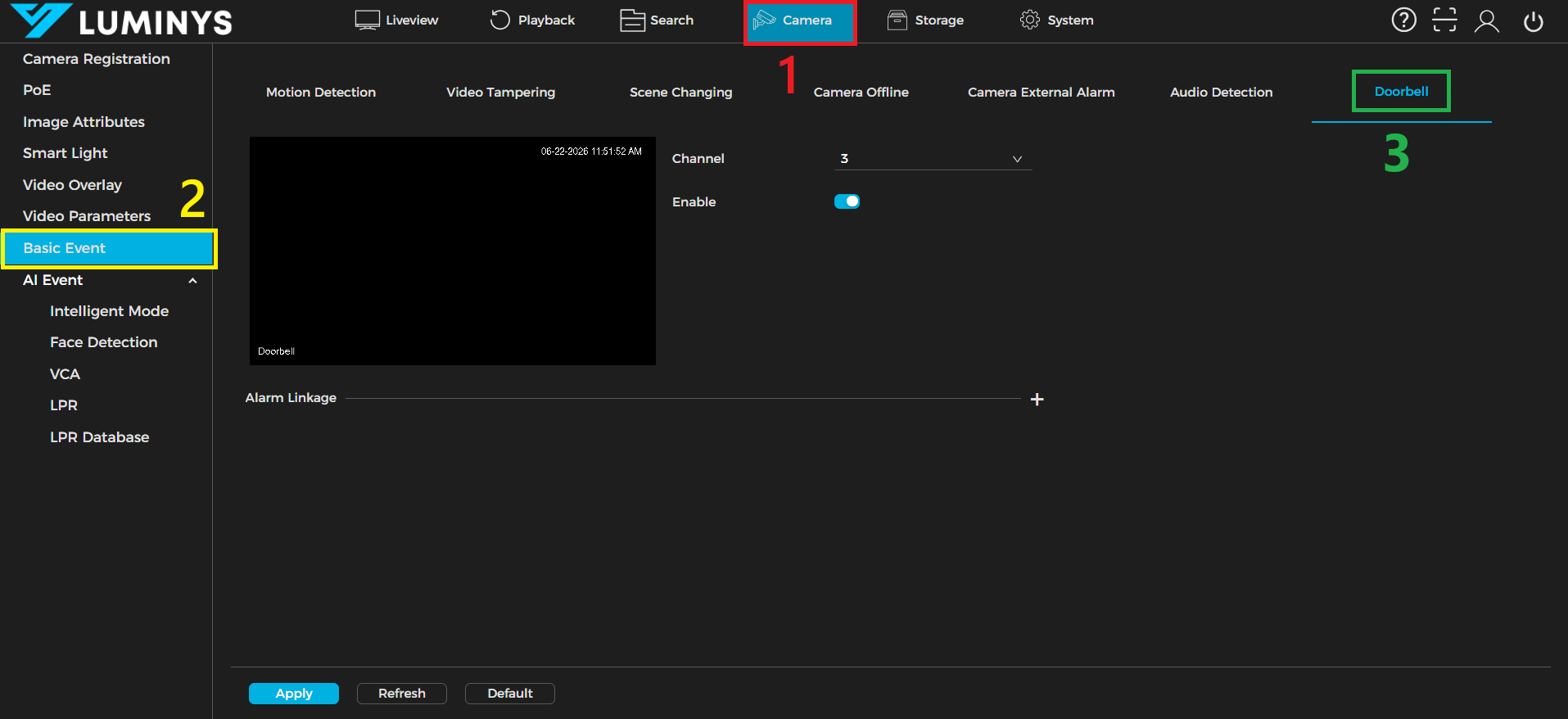
1. From the NVR WebUI, click the Camera (1) tab, then select Basic event (2) from the left panel. Locate the Doorbell subtab (3).
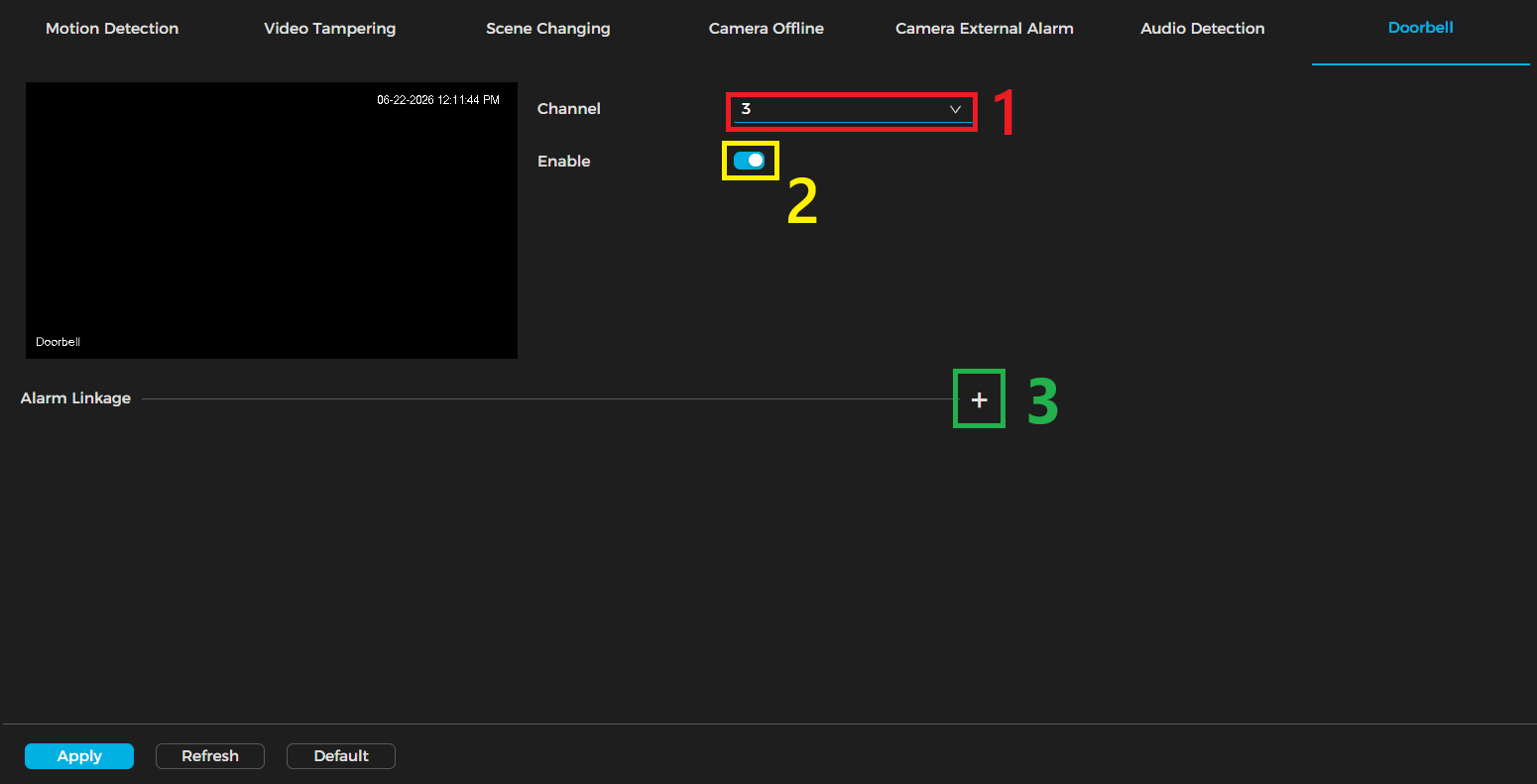
2. Click the Channel dropdown (1) and select the channel you connected the doorbell to. Then, enable the toggle switch (2) to activate the alarm function. After that, click the Alarm Linkage plus sign (3) to expand the linkage menu.
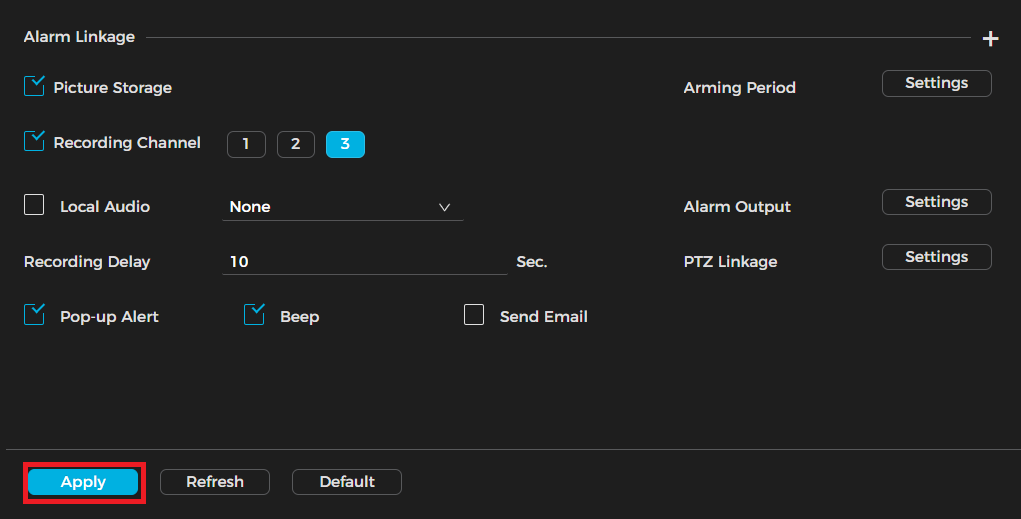
3. Configure all linkages, then click Apply.
| Term | Description |
|---|---|
| Enable | This toggle switch is used to enable or disable the function. |

