NVR/Video and Audio Settings
From Luminys WIKI
Video and Audio Settings
Description
This tutorial will go over how to configure video and audio settings via NVR webGUI.
Prerequisites
- Web browser on a computer.
Video Instructions
Coming Soon
Step by Step Instructions
1. Click on Camera then Video Parameters.
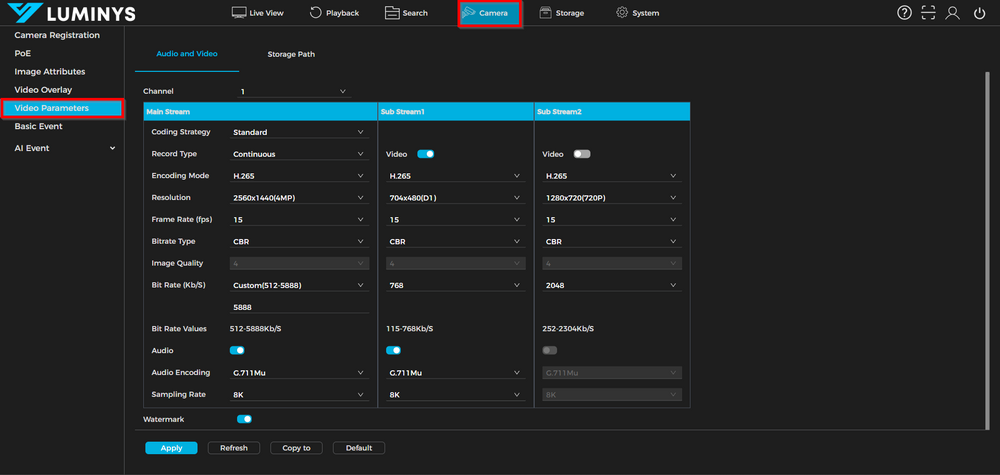
| Coding Strategy | *Standard (uses basic H.264 or H.265 for video compression. This is recommended for general usage.) *Smart Codec (improves compression efficiency by reducing bitrate while maintaining image quality, especially in static scenes.) *AI Codec (focuses on prioritizing human and vehicle targets during encoding.) |
| Record Type | *Continuous (ensures uninterrupted video capture, providing a complete record of all activities.) *Motion Detection (starts capturing only when motion is detected.) *Alarm (triggers recording based on alarms.) |

