NVR/Adding Video Doorbell to NVR
From Luminys WIKI

Adding Video Doorbell to NVR
Description
This tutorial will go over how to add Video Doorbell to the NVR.
Prerequisites
- Install the Doorbell
- Initial setup the Doorbell
- Access the WebUI of the NVR
Step by Step Instructions
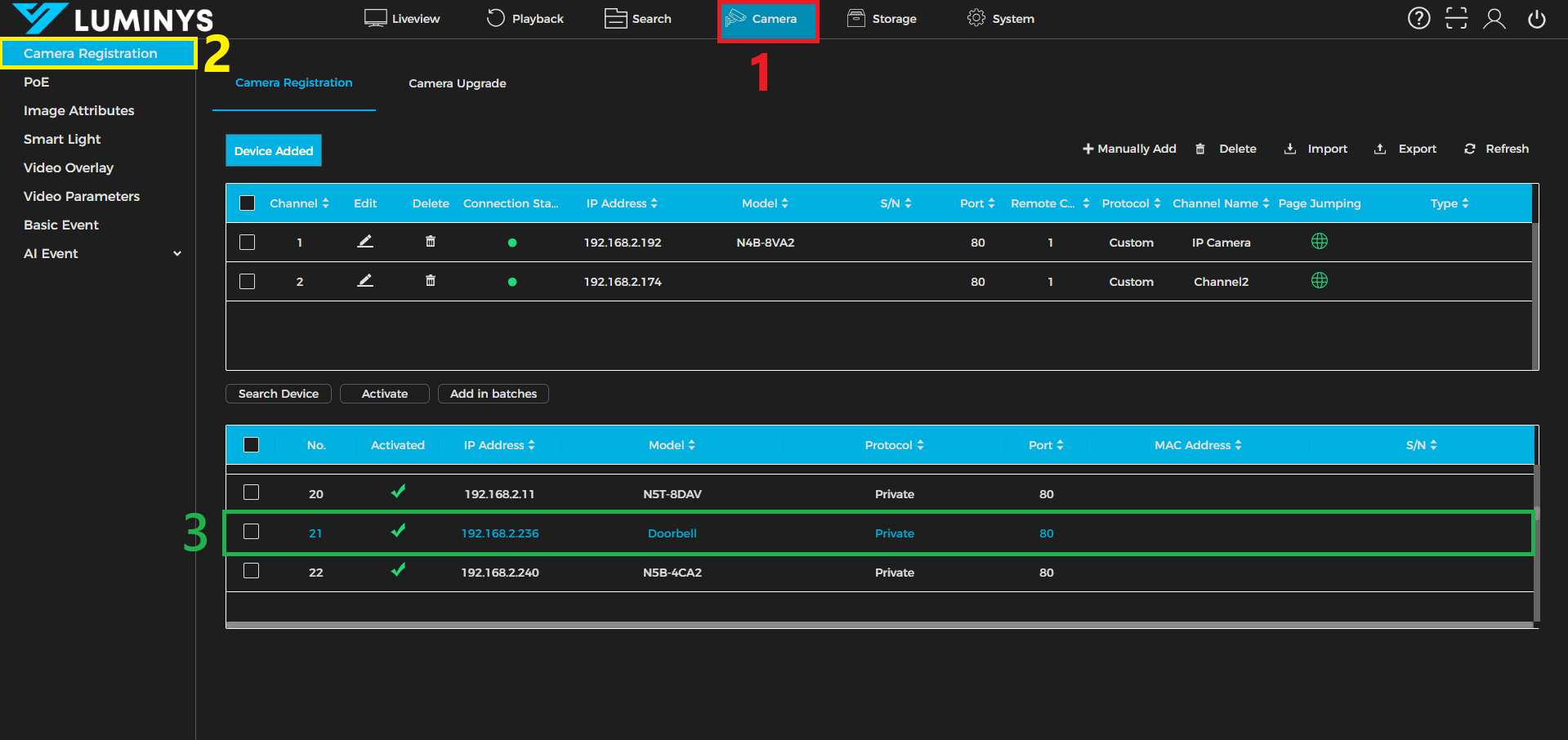
1. From the NVR WebUI, click the Camera (1) tab, then select Camera Registration (2) from the left panel. Locate the doorbell in the device list (3), then double-click the doorbell’s IP address.