LumiPlayer/How to use Watermark Detection in LumiPlayer
From Luminys WIKI

Watermark Detection in LumiPlayer
Description
This tutorial will go over how to use Watermark Detection feature in LumiPlayer.
Prerequisites
- Ensure the LumiViewer application is installed on the computer.
- Download the playback video to the computer.
- Verify that the playback video uses the LAV extension (REQUIRED).
Step by Step Instructions
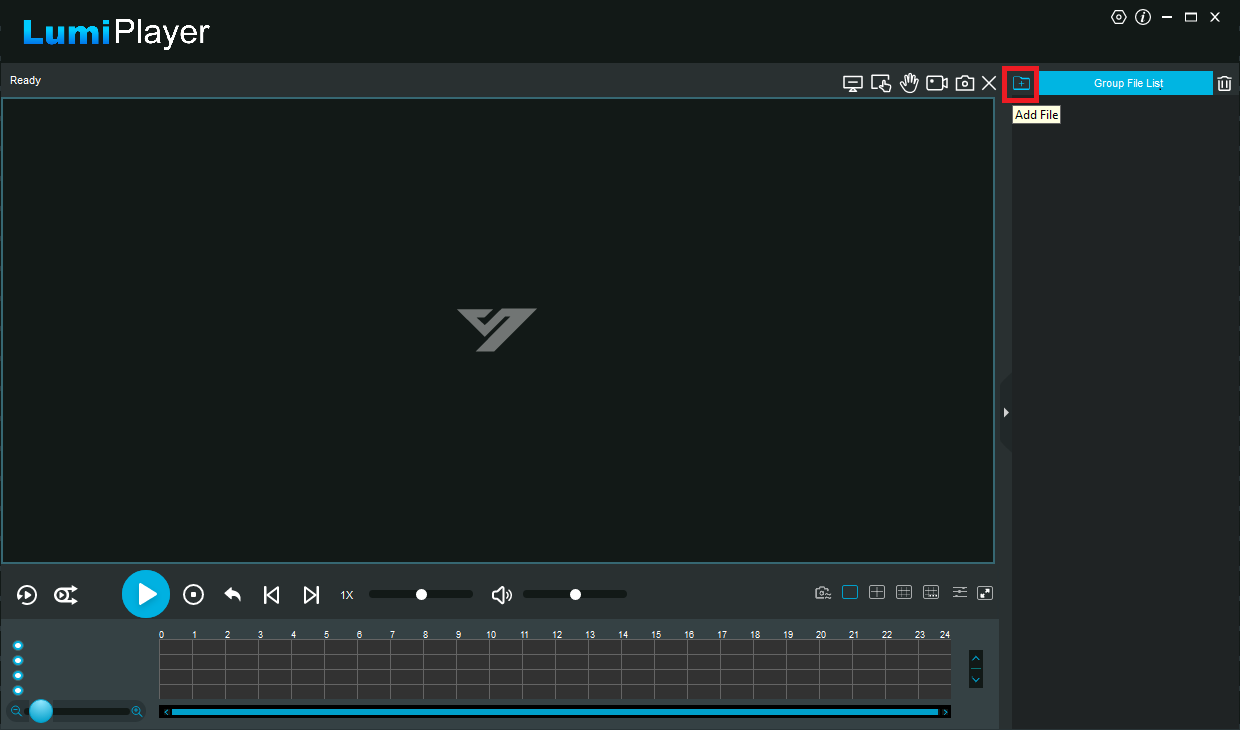
1. Launch the LumiPlayer software. Then, in the top-right corner, click the "Add File" icon.
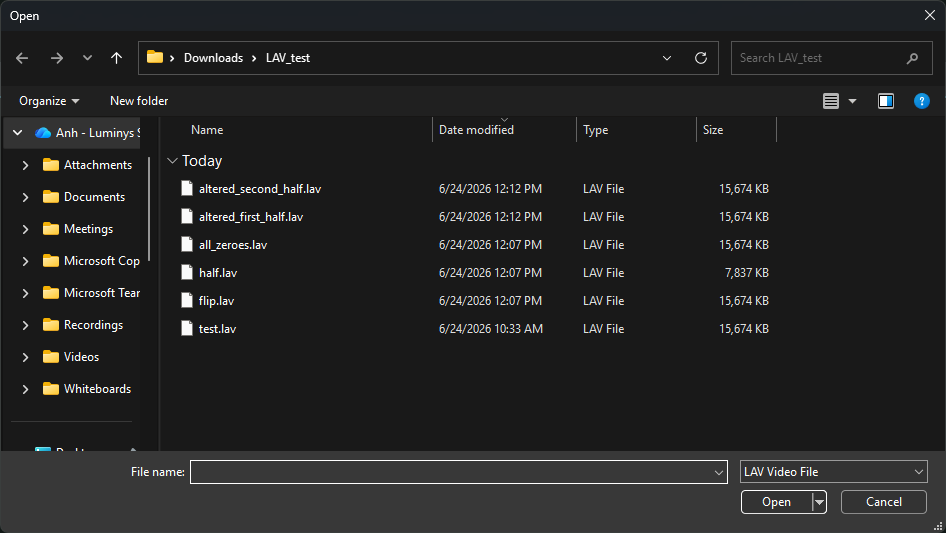
2. Select the LAV file you want to use to check the watermark. Note: All files in the same folder will also be automatically added to the list.
3. Click the Watermark Detection icon at the bottom.

