NVR/Hard Drive Configurations
From Luminys WIKI
Setup Hard Drives via WebGUI
Description
This tutorial will go over how to format hard drives and related configurations.
Prerequisites
- Web browser on a computer.
Video Instructions
Coming Soon
Step by Step Instructions
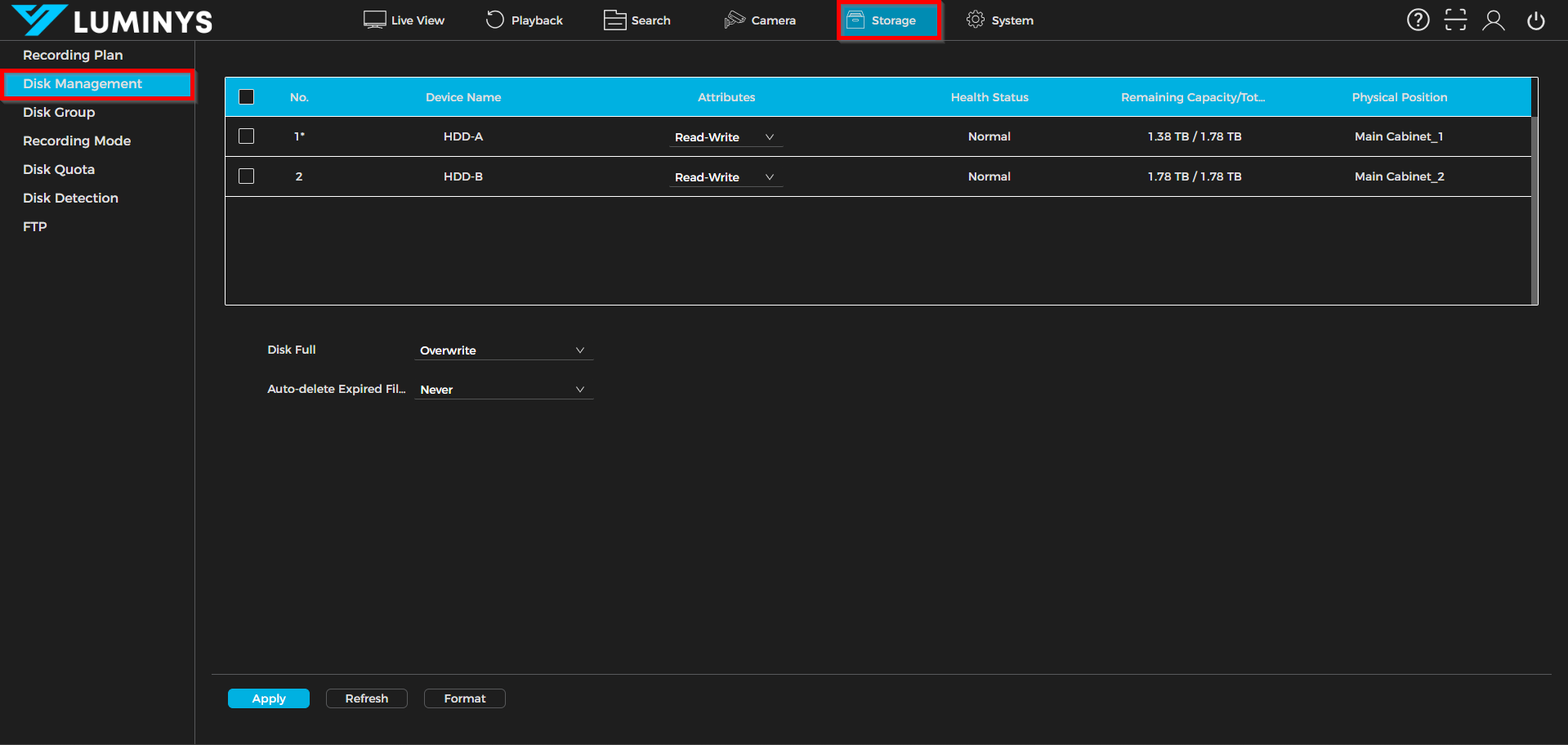
1. Under Storage, the list will display the connected hard drives. In this case, two hard drives are inserted.
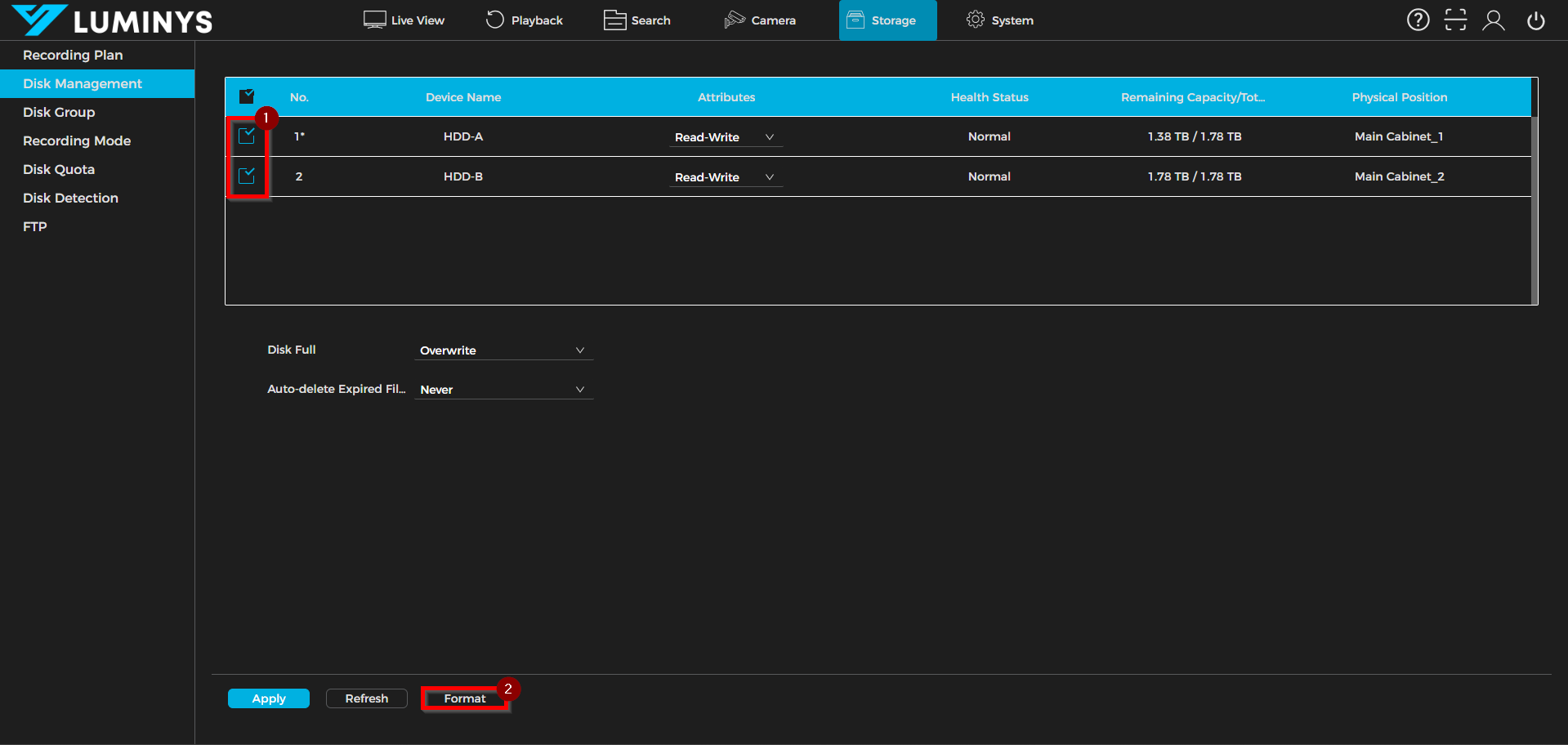
2. Select the desired hard drives for formatting, then click Format to begin the process.
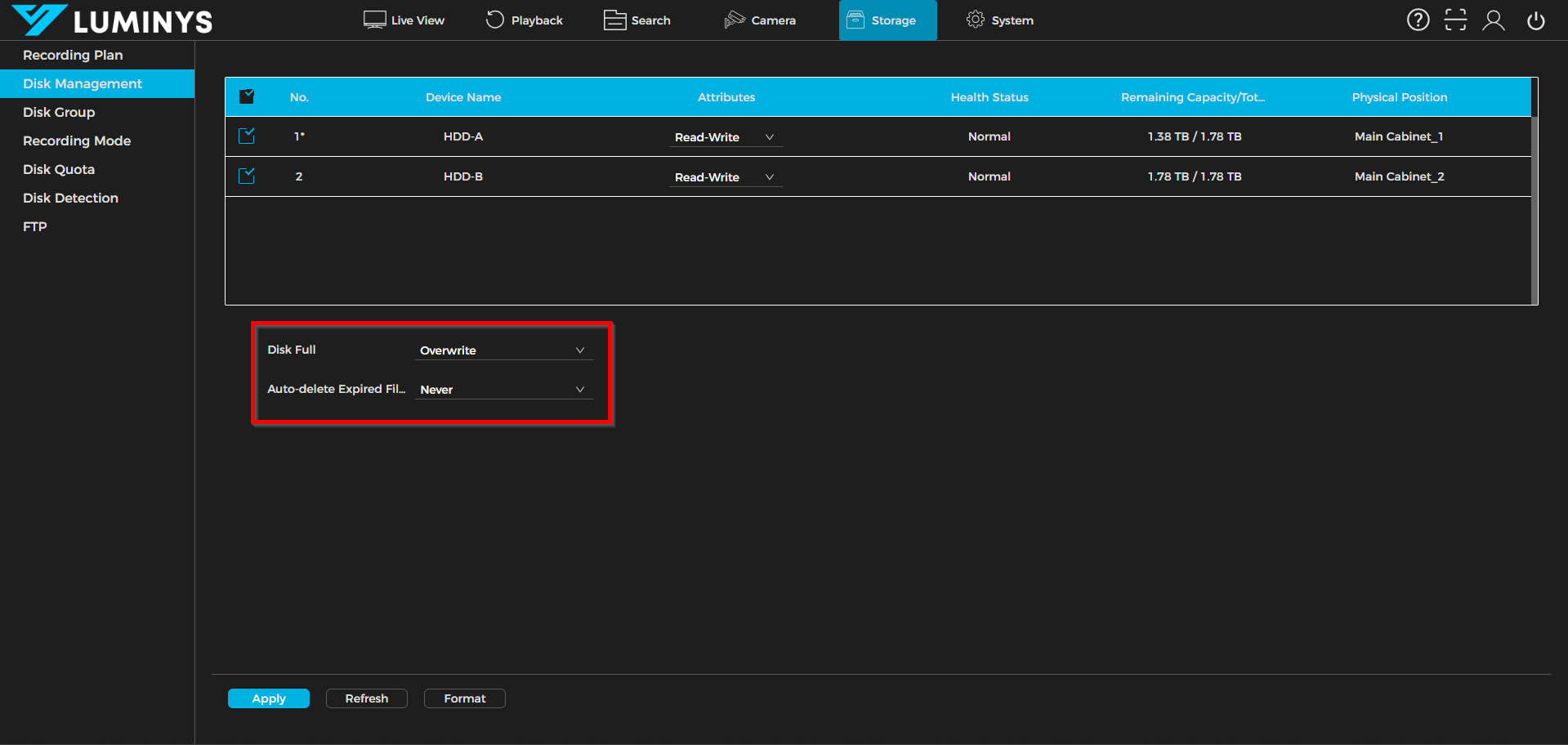
3. By default, when the drives reach full capacity, the system will begin overwriting the oldest recordings. It is recommended to set Auto-delete expired Files to Never to ensure that recordings are only removed when the drives are full.