DB Installation Instruction

Description
This tutorial will go over on how to physically setup LumiGuardian.
Prerequisites
- All necessary tools will be provided inside the storage box.
Video Instructions
Step by Step Instructions
1. Unlock the support access with the attached keys and remove it from the support.
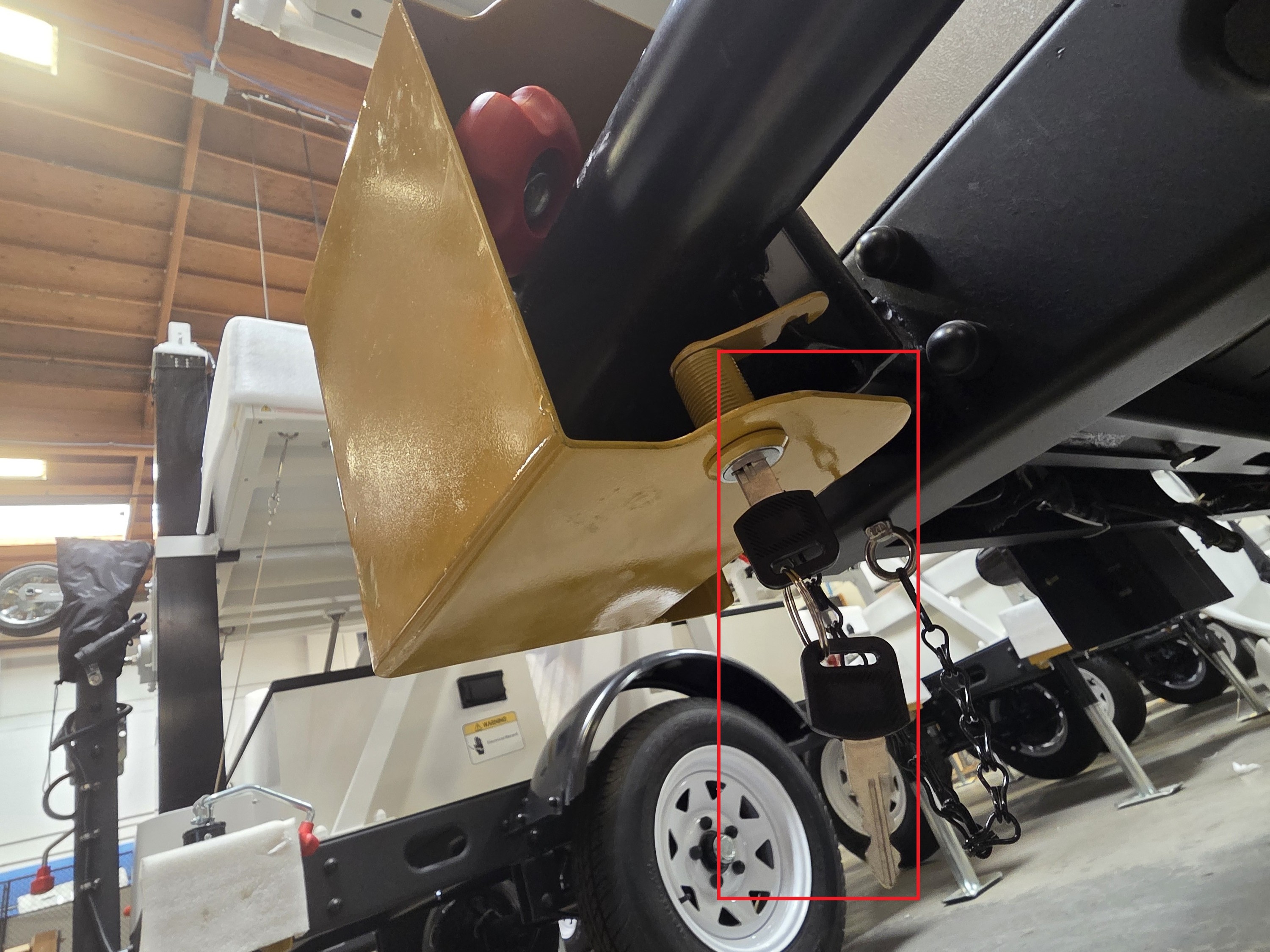
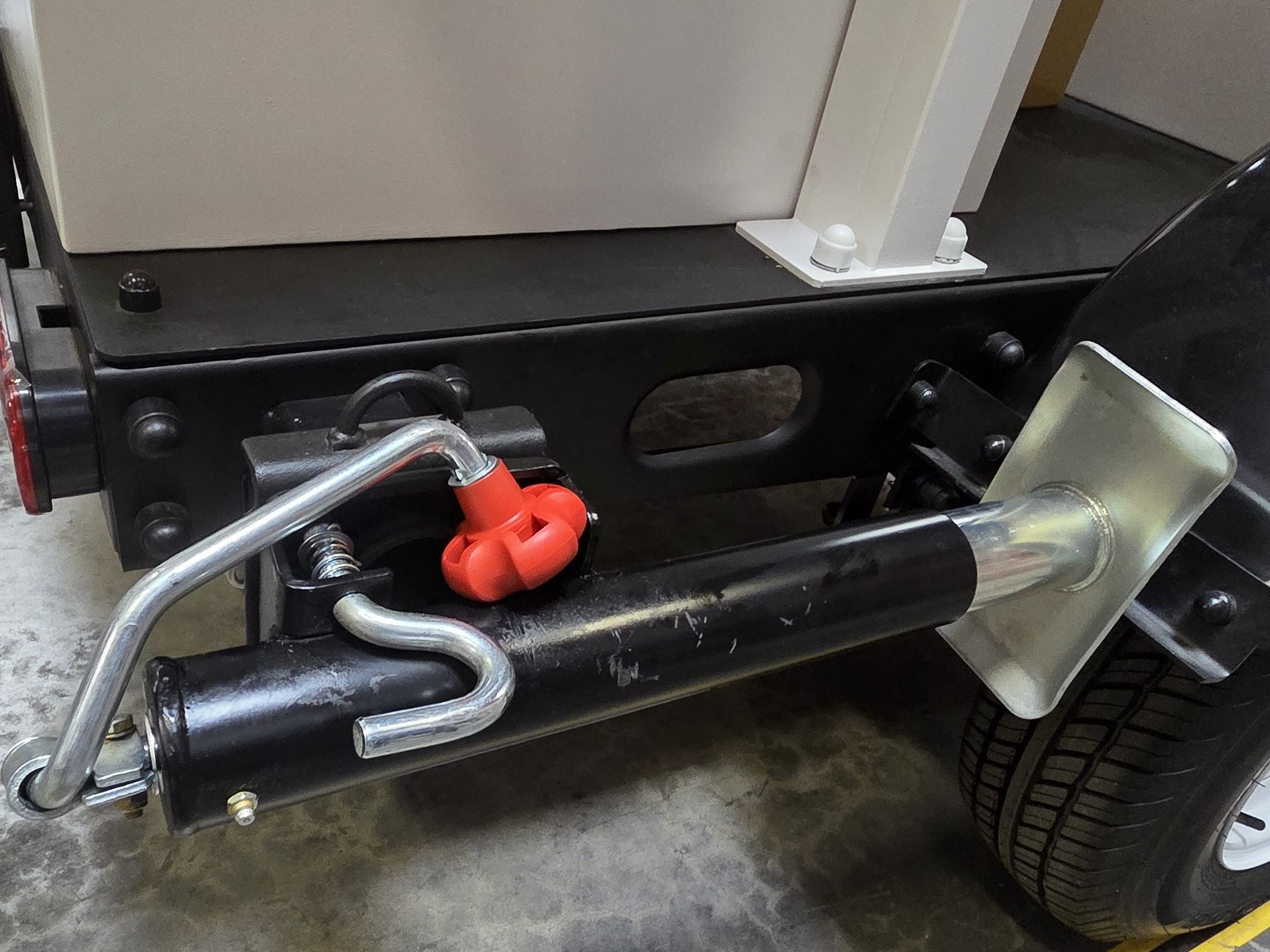
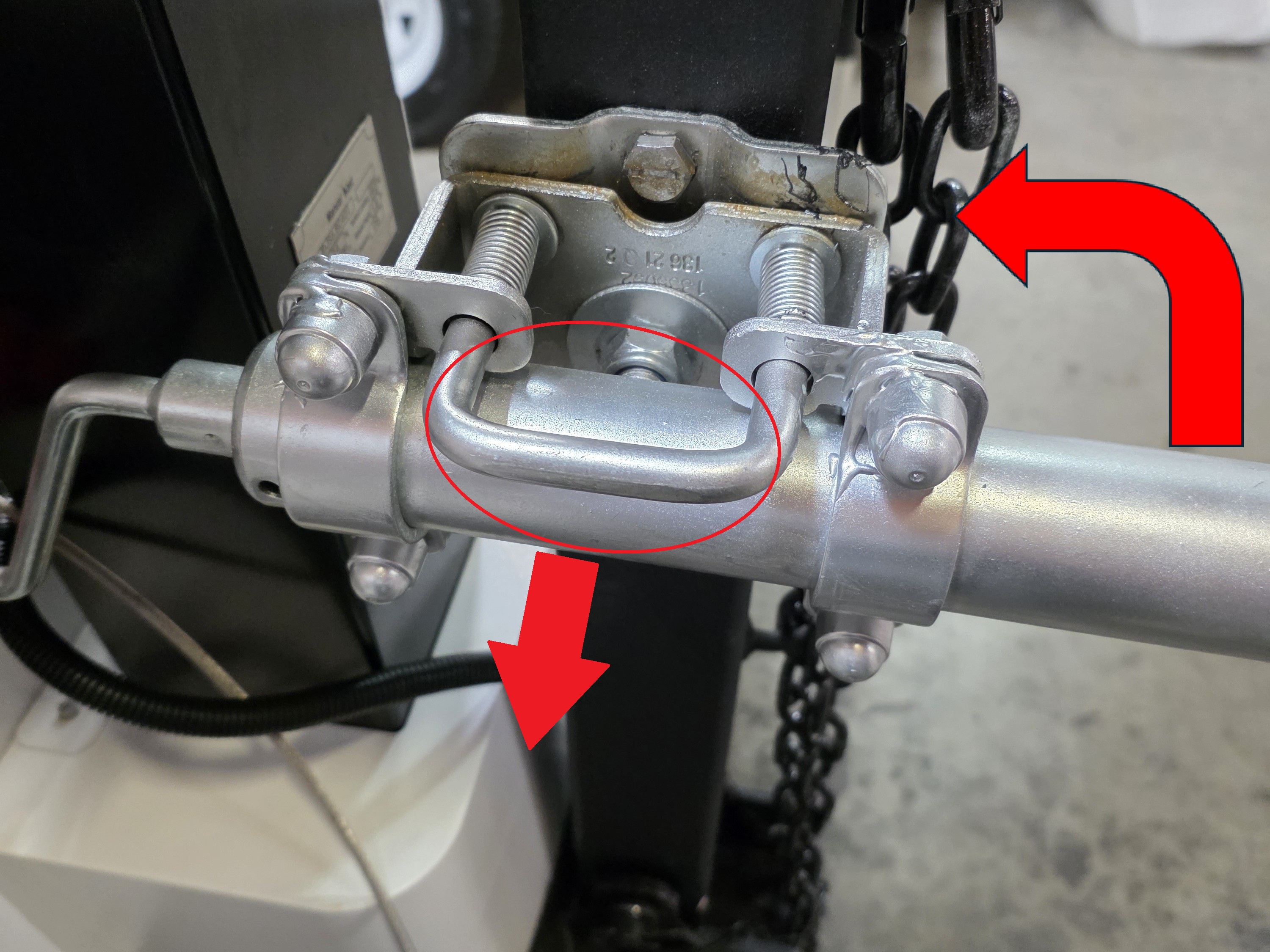
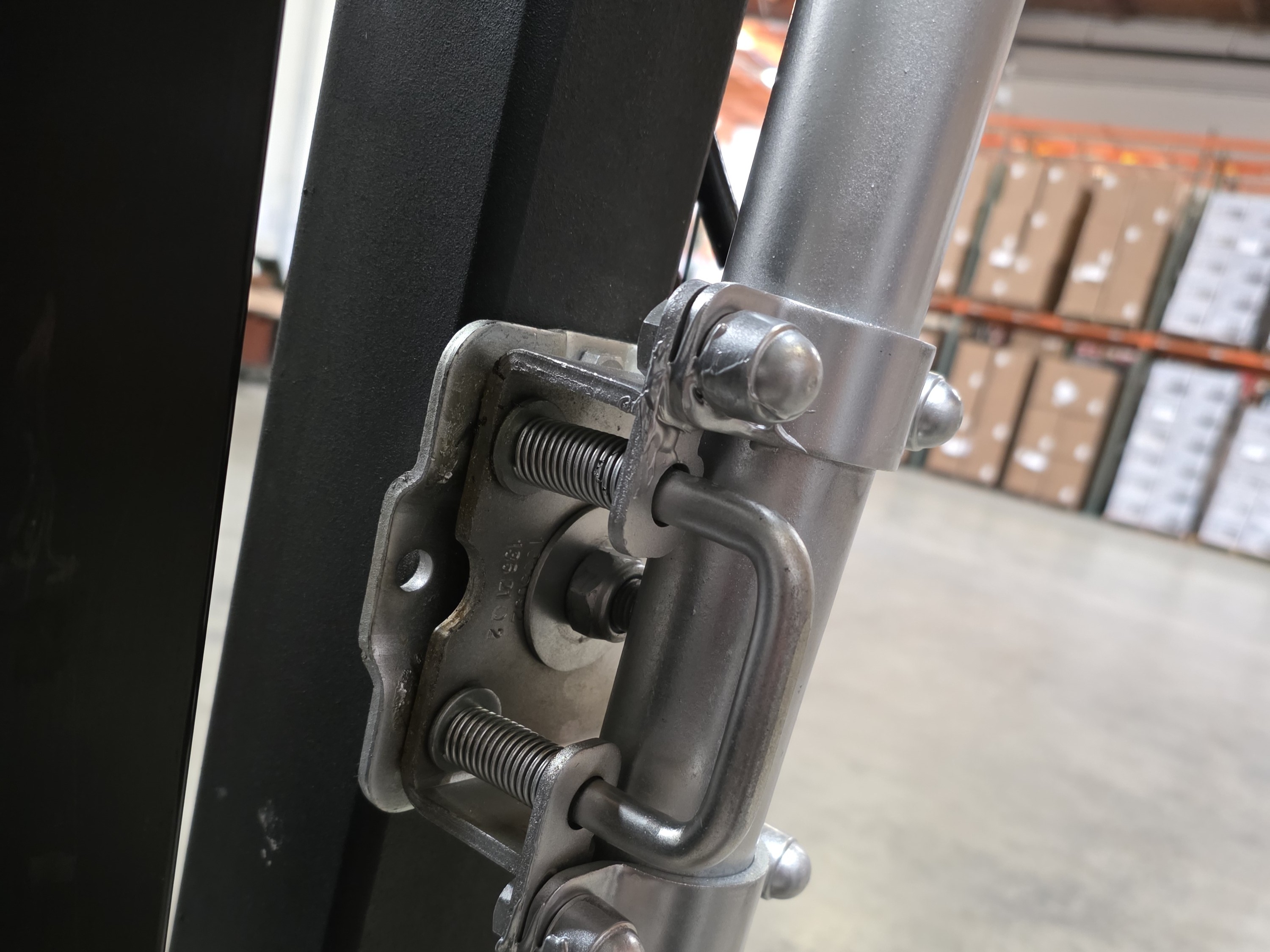
2. Pull out and hold the hook-like metal bolt and turn the support clockwise until the bolt can reach the hole on the other side and lock in place. Then release the bolt.
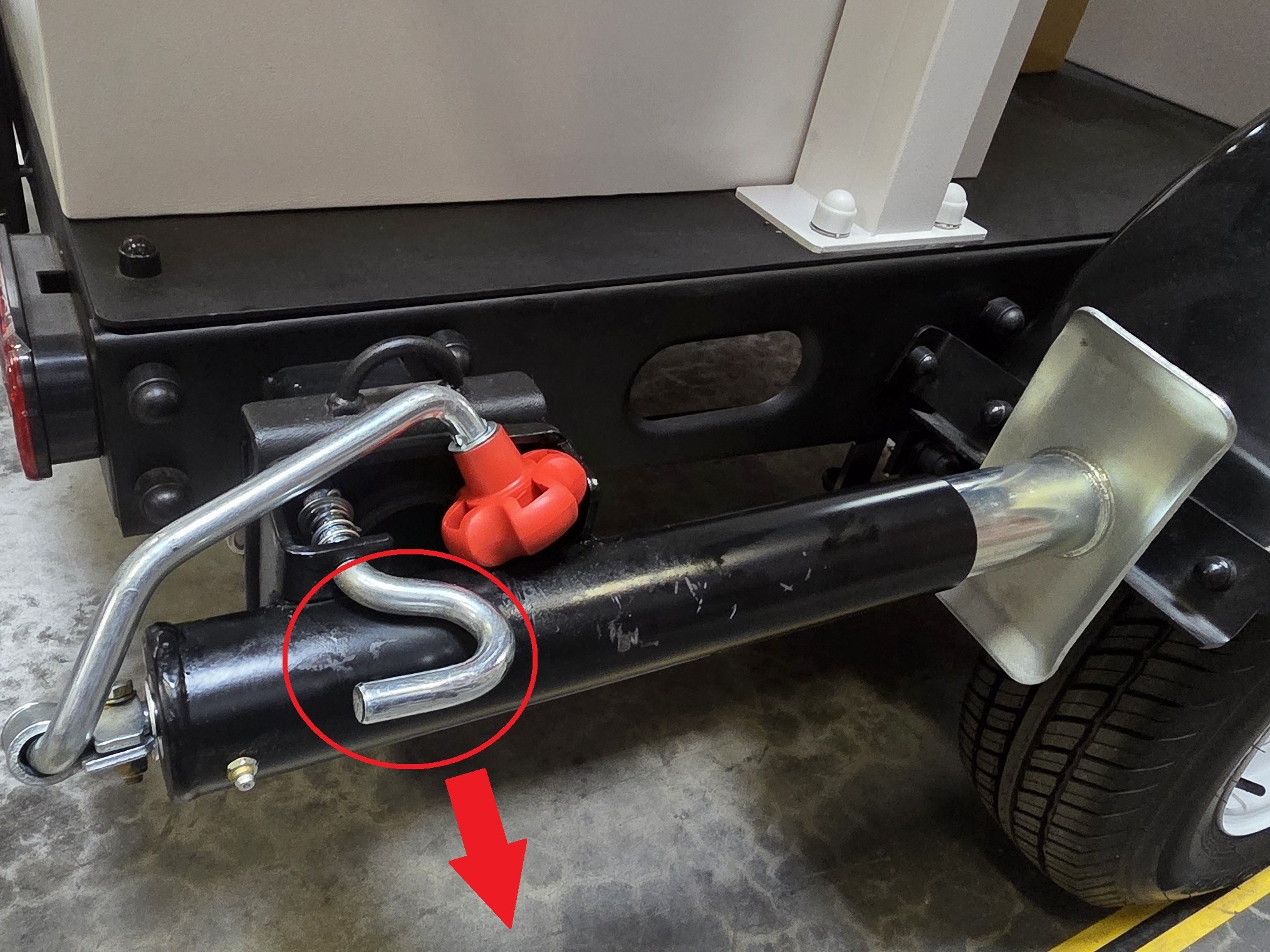
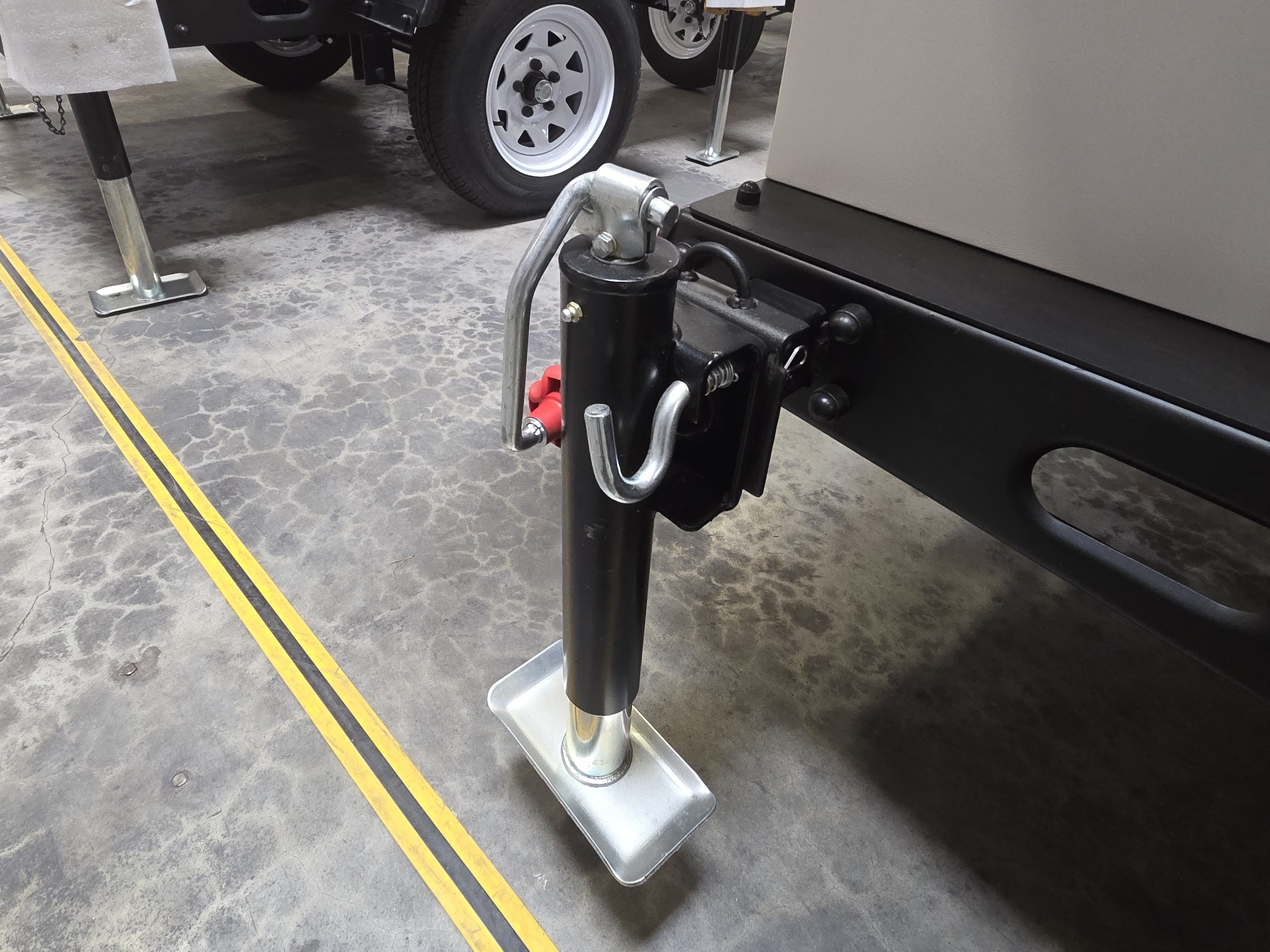
3. Pull out the curved pin, then remove the metal bolt to unlock the support.
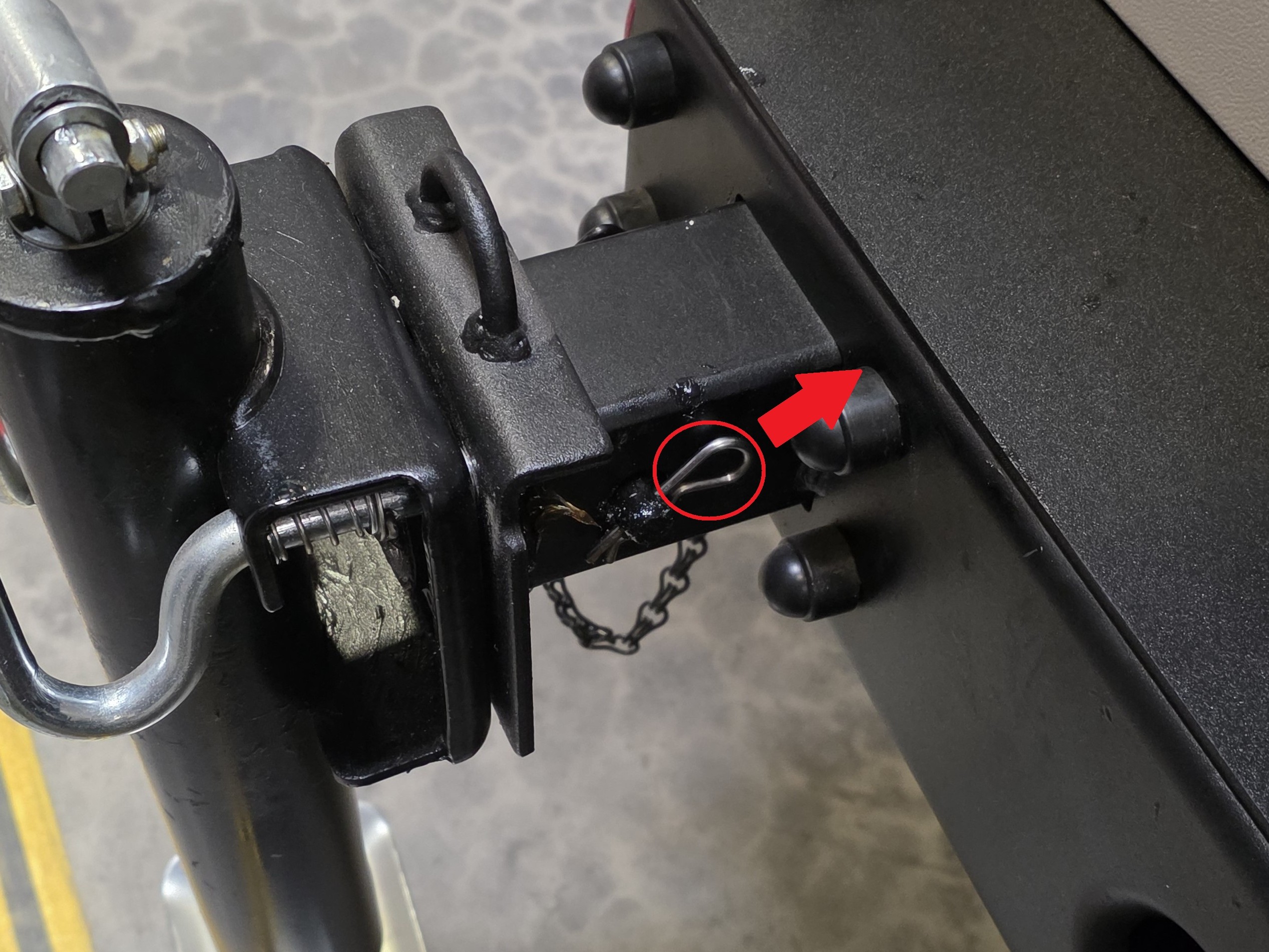
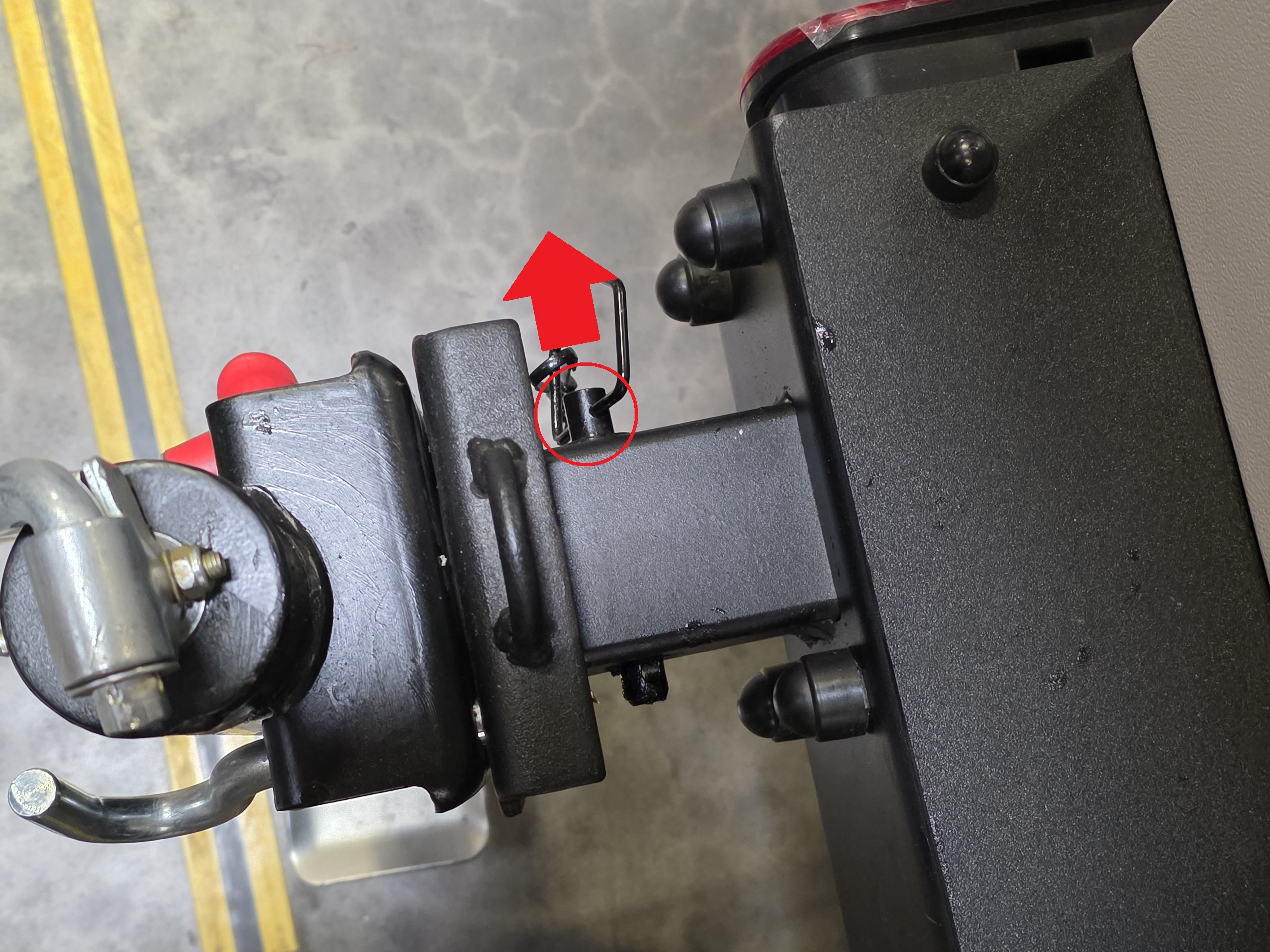
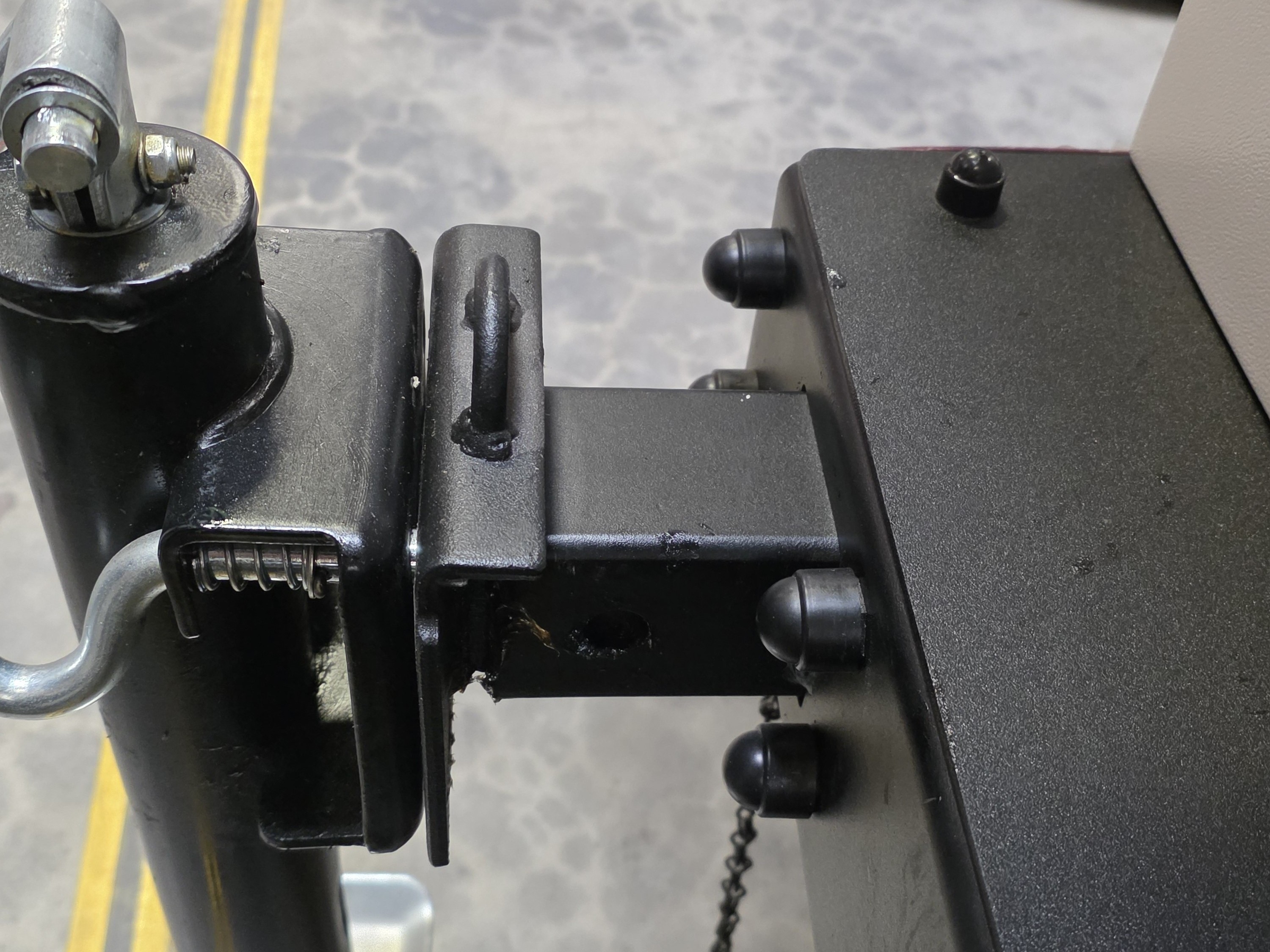
4. Once unlocked, pull out the support.
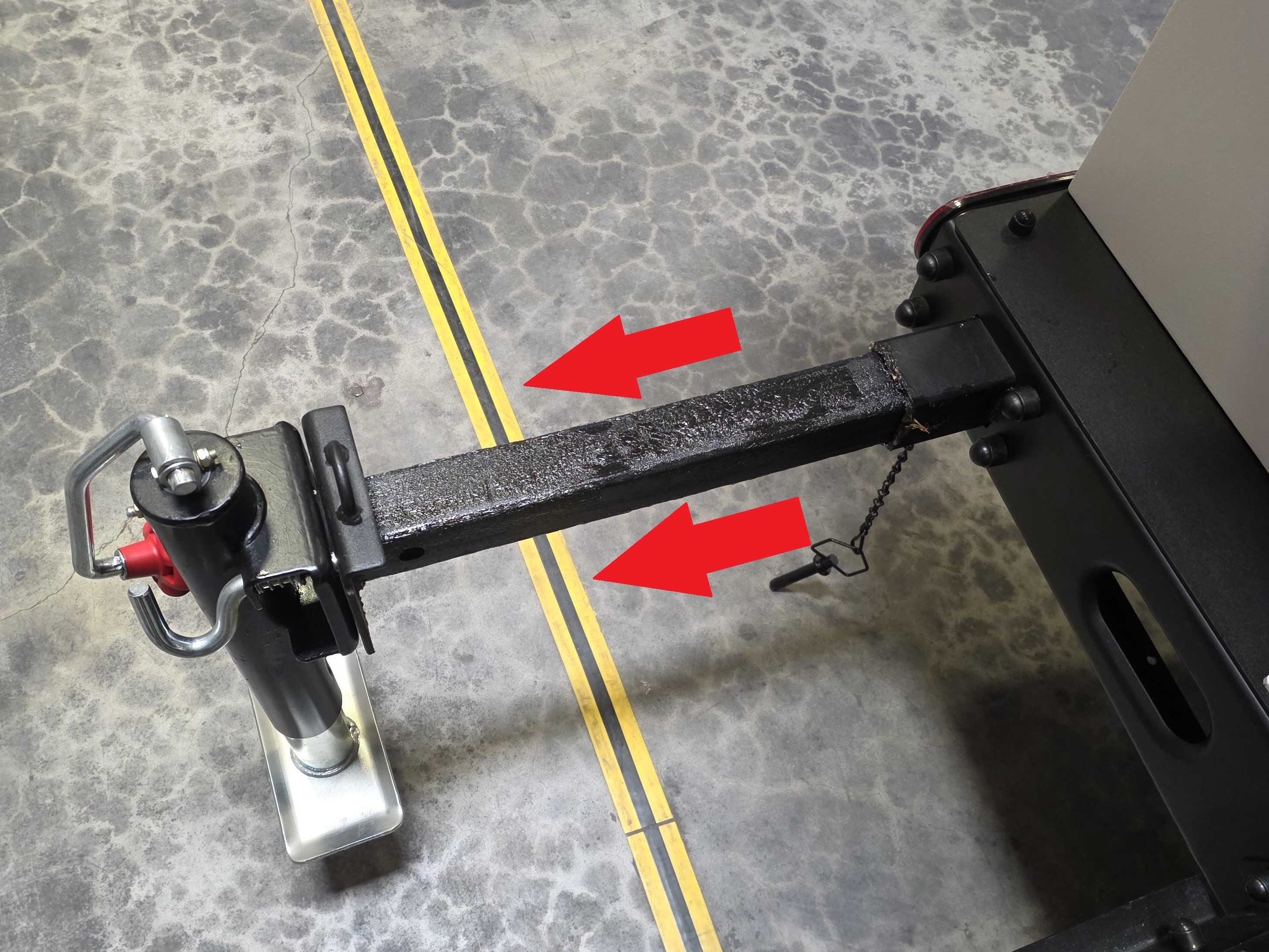
5. Rotate the hand crank clockwise to raise the LumiGuardian trailer and secure it in place.
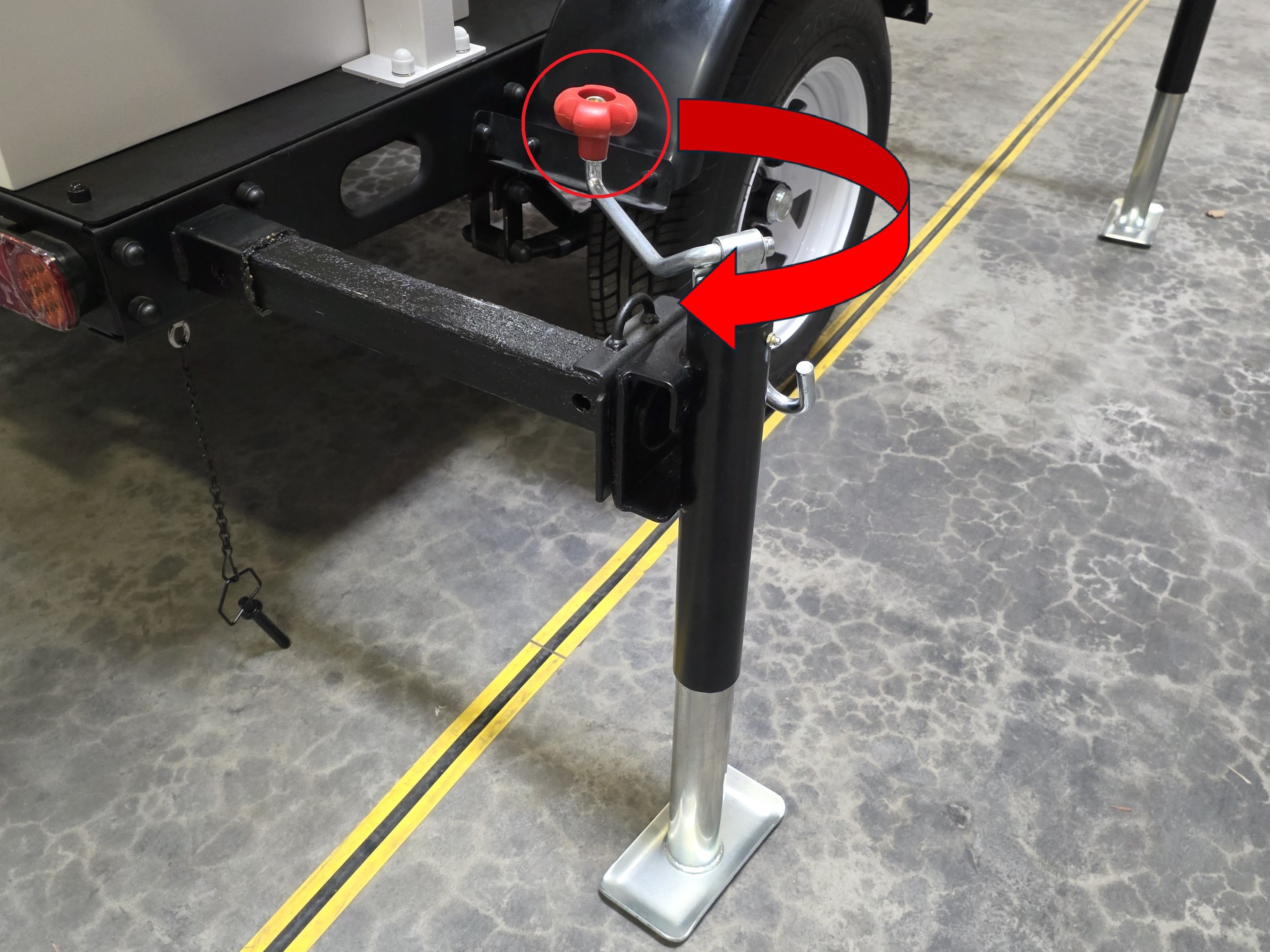
6. Store the hand crank. Then replace the yellow support access and lock it back into position with the keys.
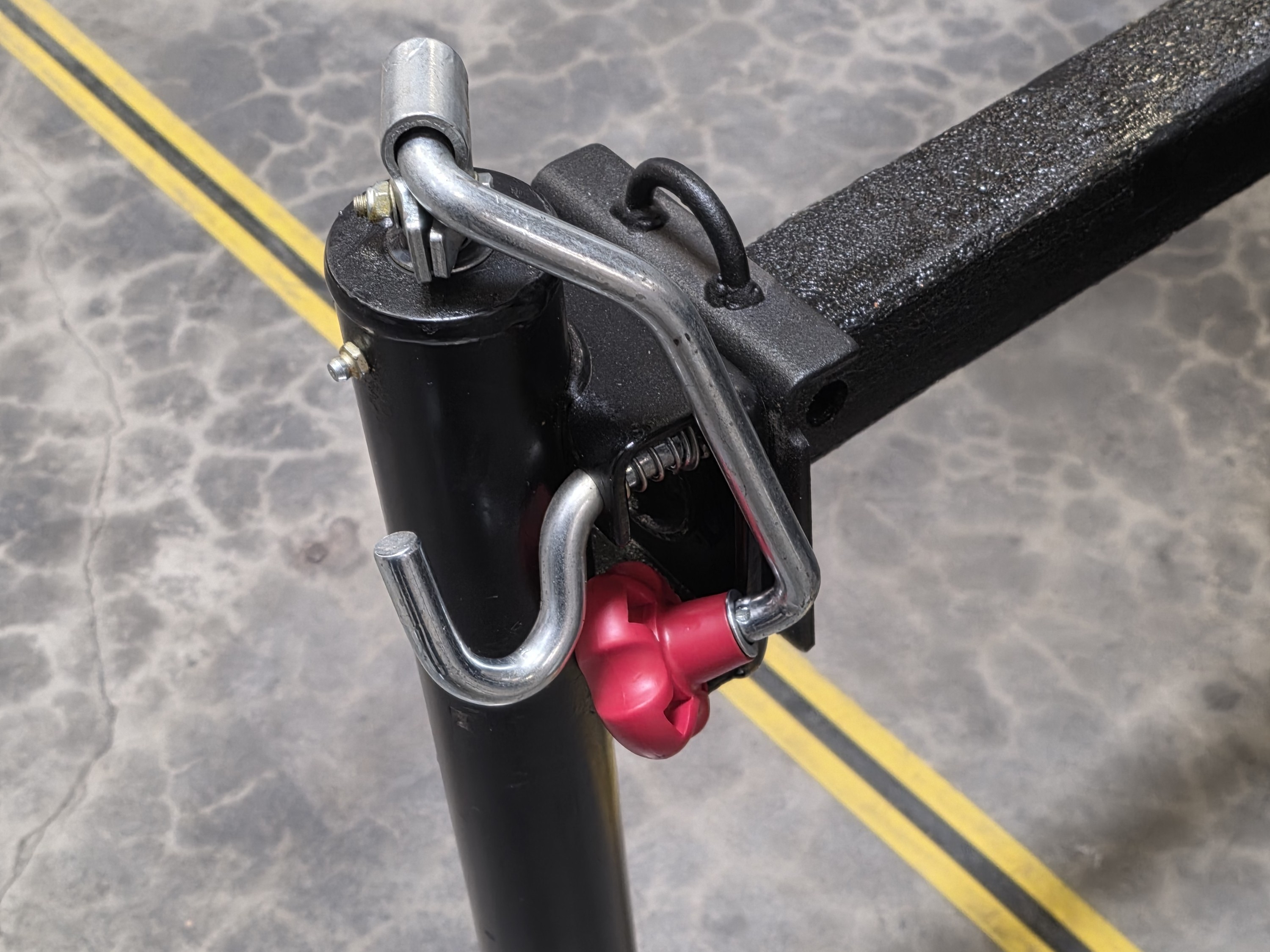


7. Repeat Steps 1 - 6 for the other 3 support arms.
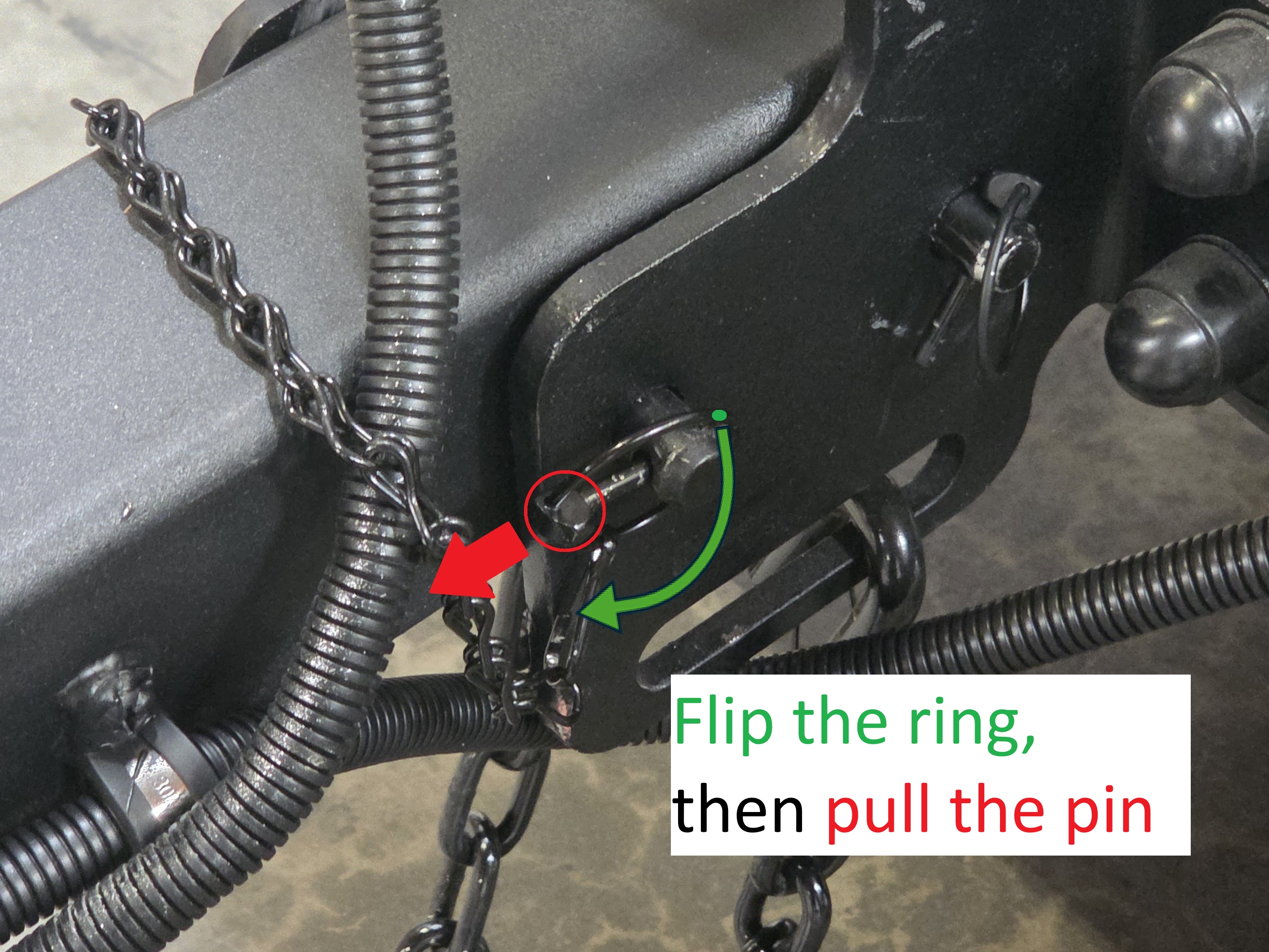
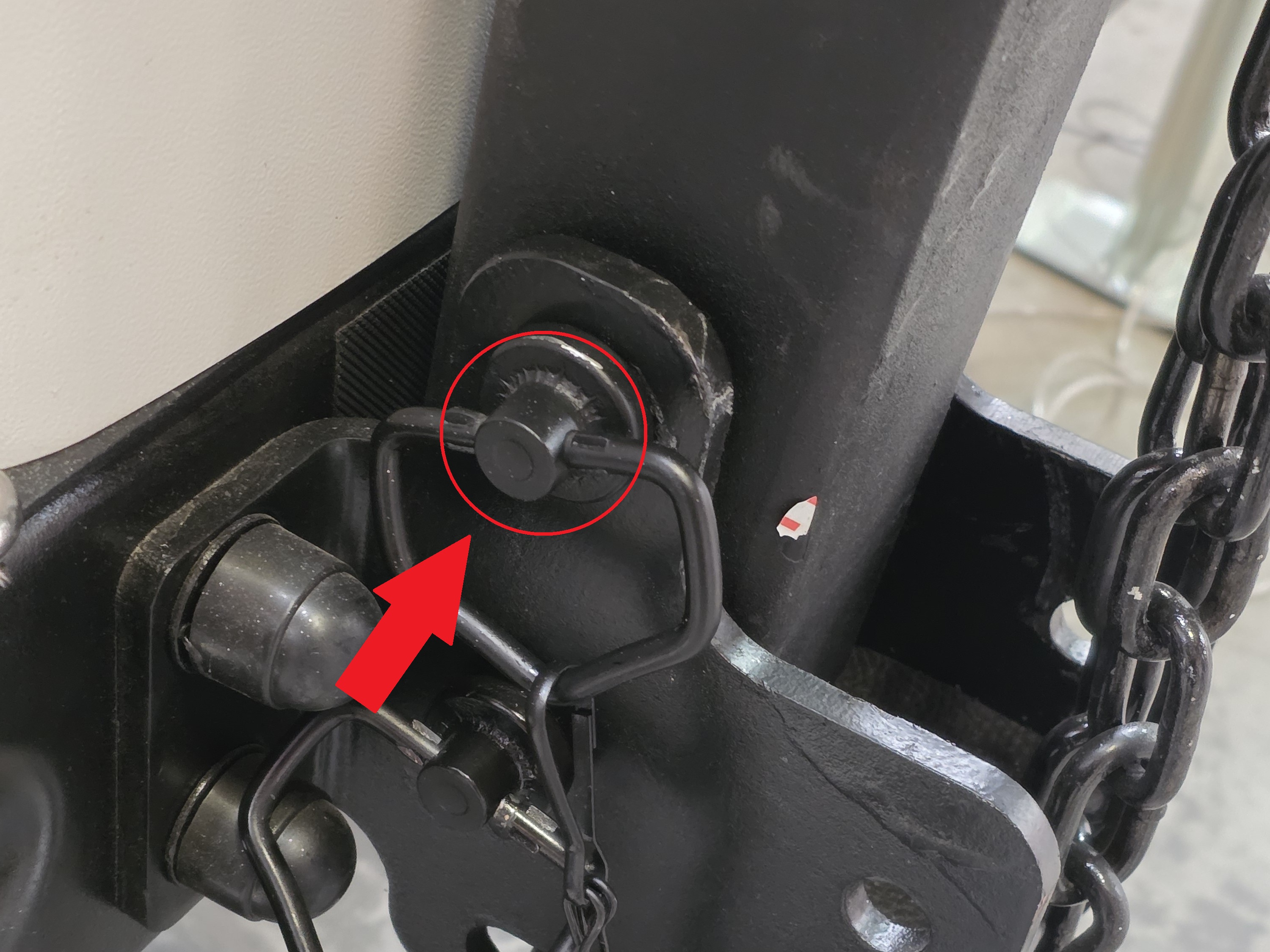
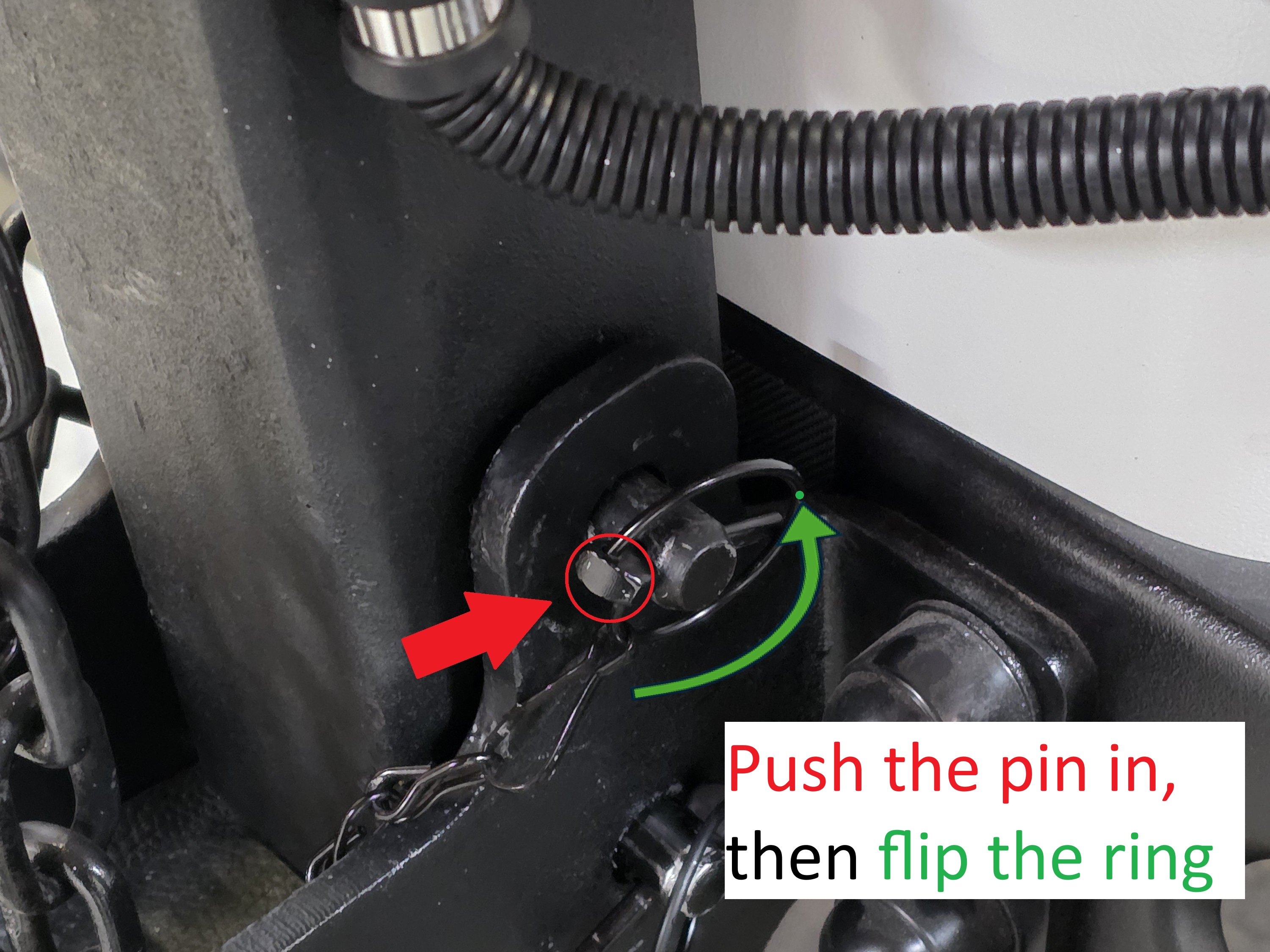
8. Flip the retaining ring and remove the small metal pin, then move to the opposite side and remove the large metal pin. Lift the tow arm and hold it steady in position; once it is fully stabilized, reinsert the large metal pin into the tow arm, then small pin goes into the big pin to secure it, and finish by flipping the retaining ring back into place.
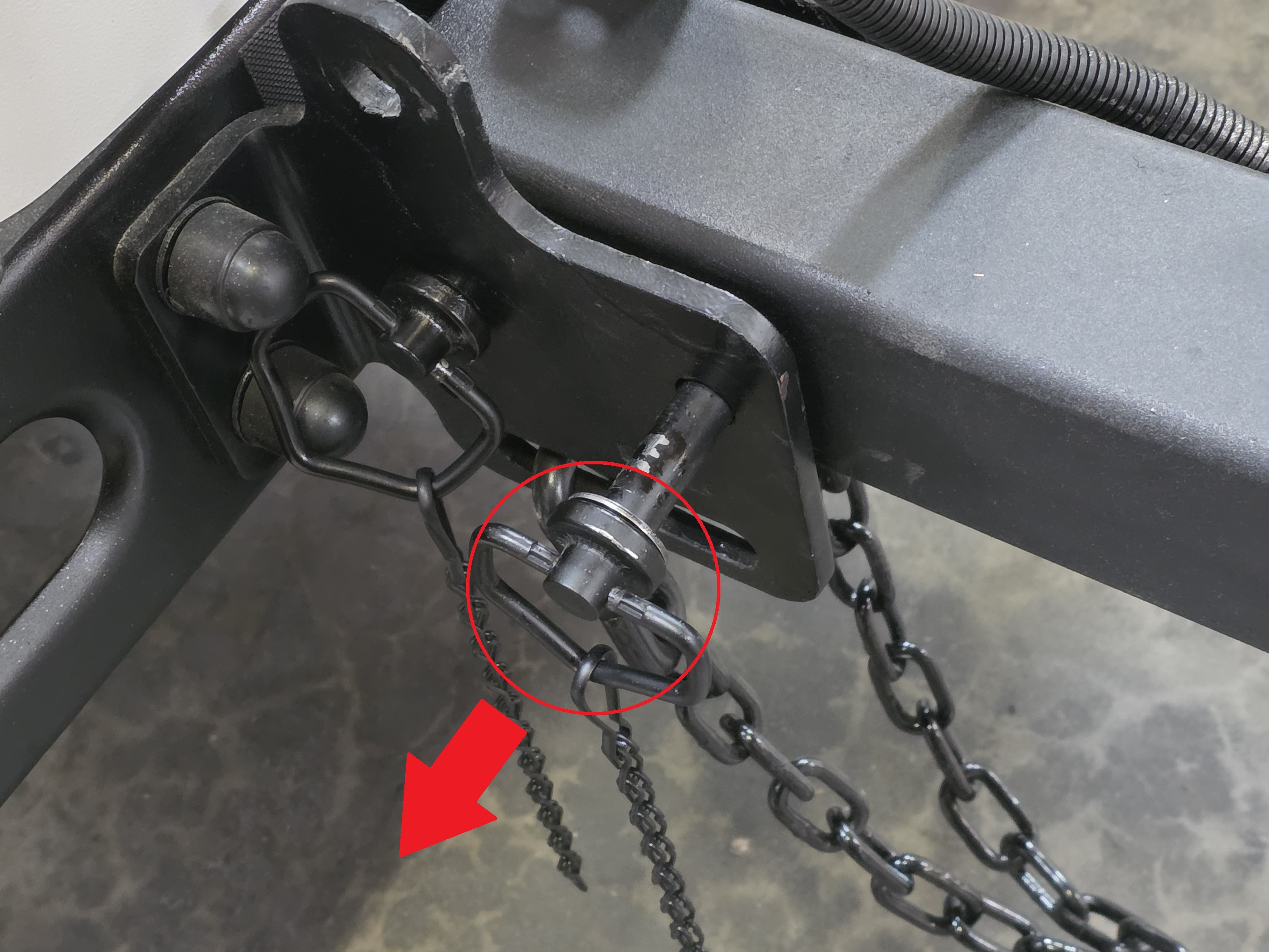
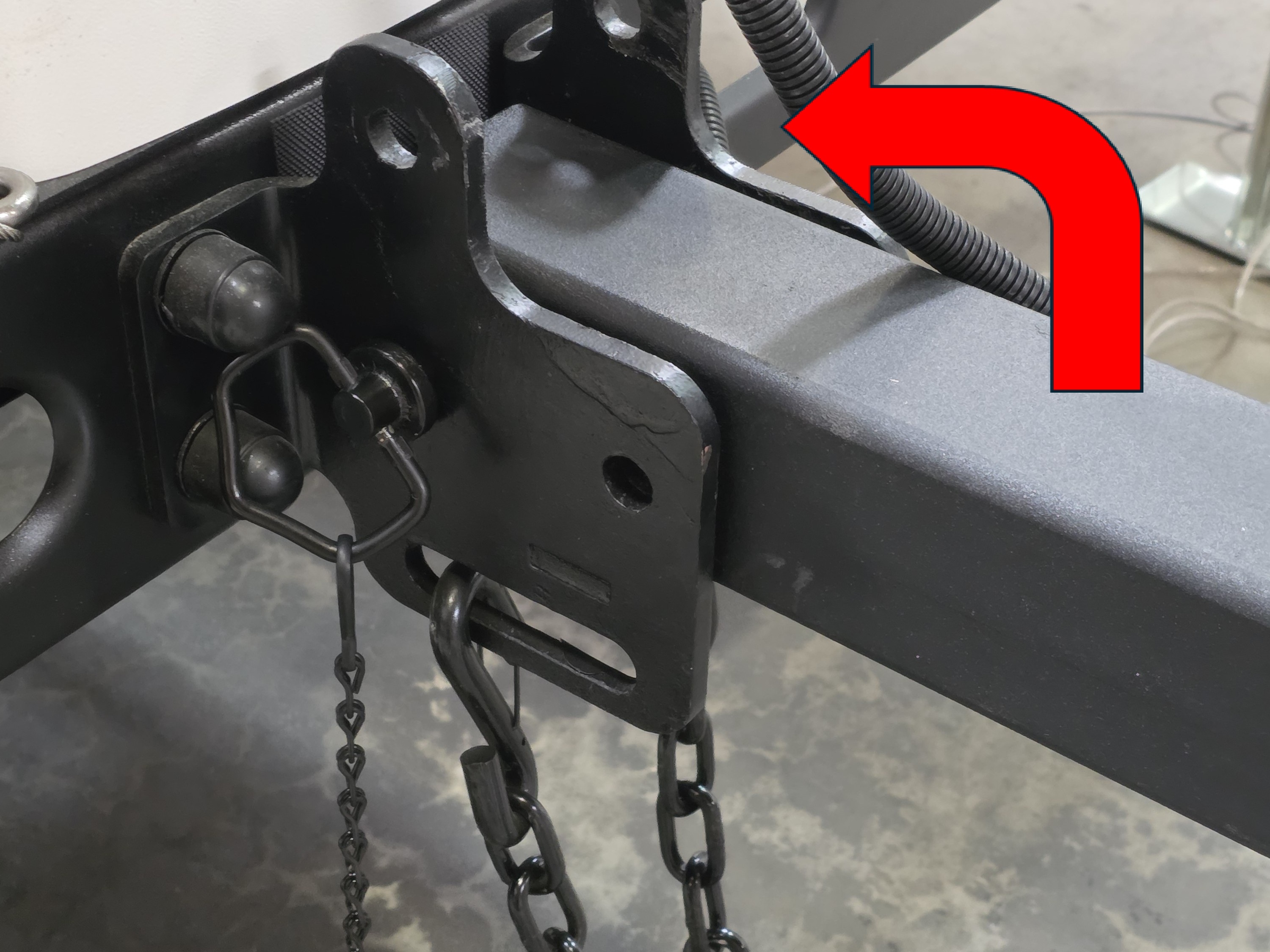
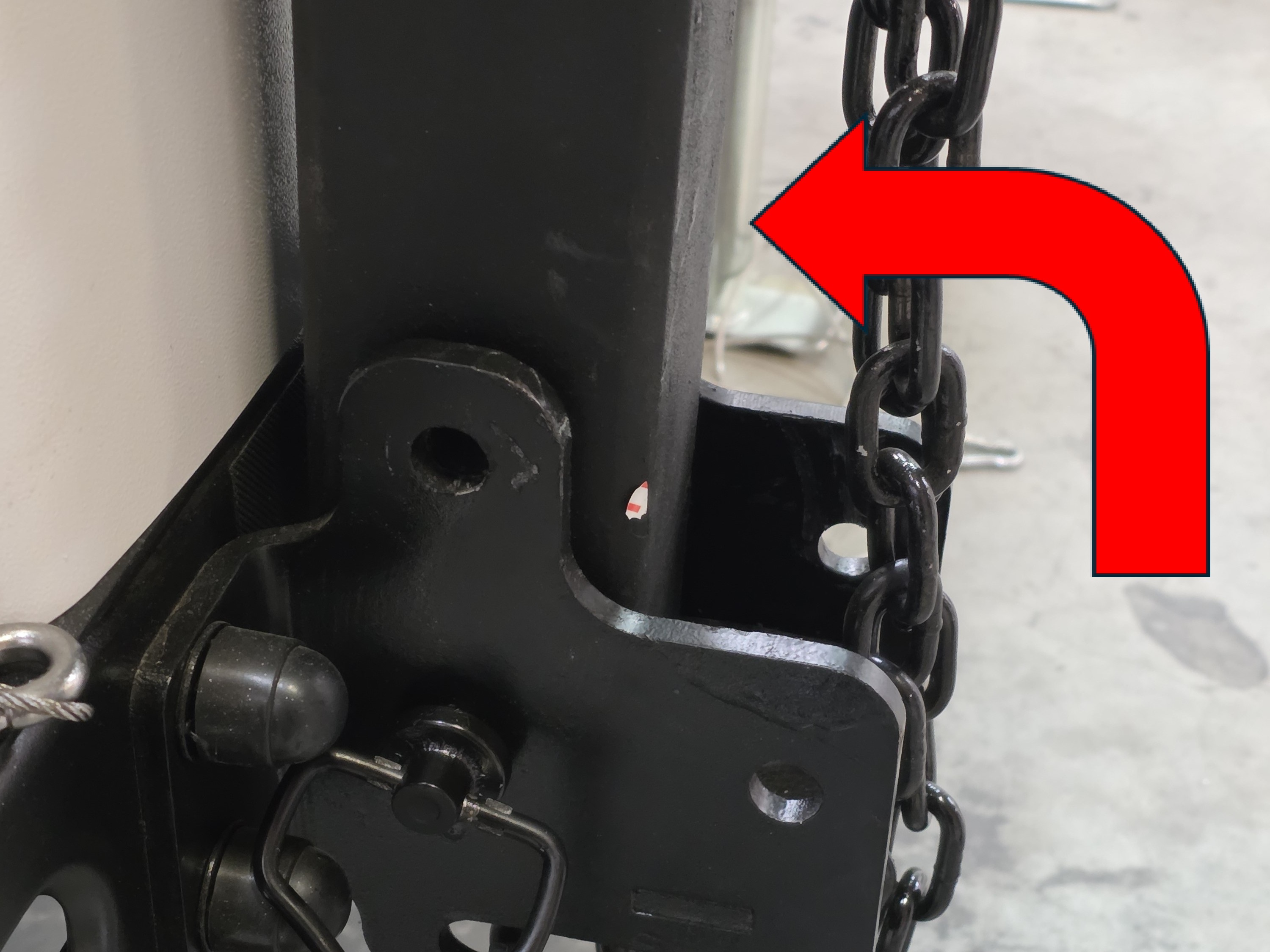
9. To lift the wheel, pull and hold the metal handle out while raising the wheel. Once the wheel is lifted, release the handle to allow it to fall back into the lock mechanism.
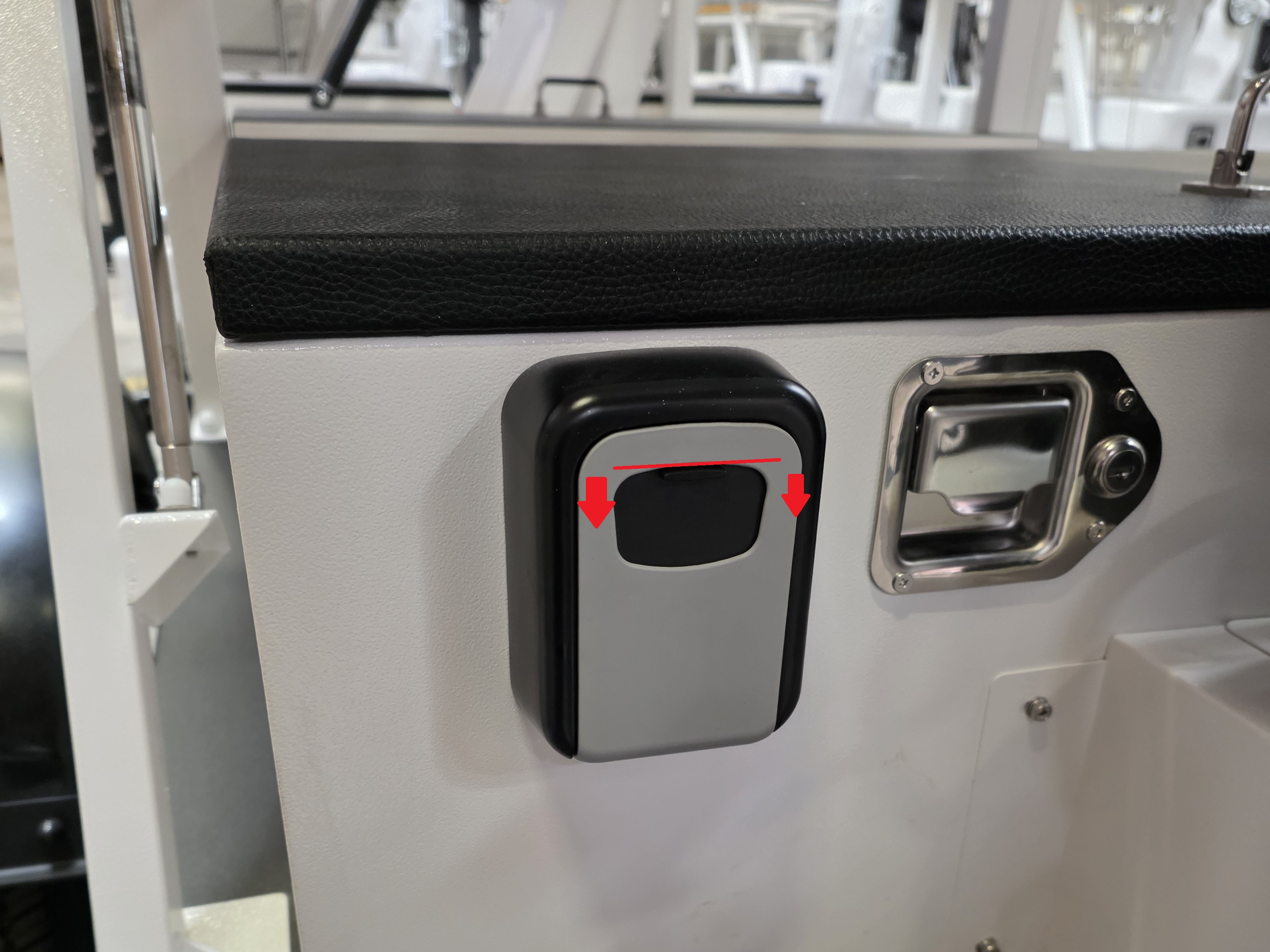
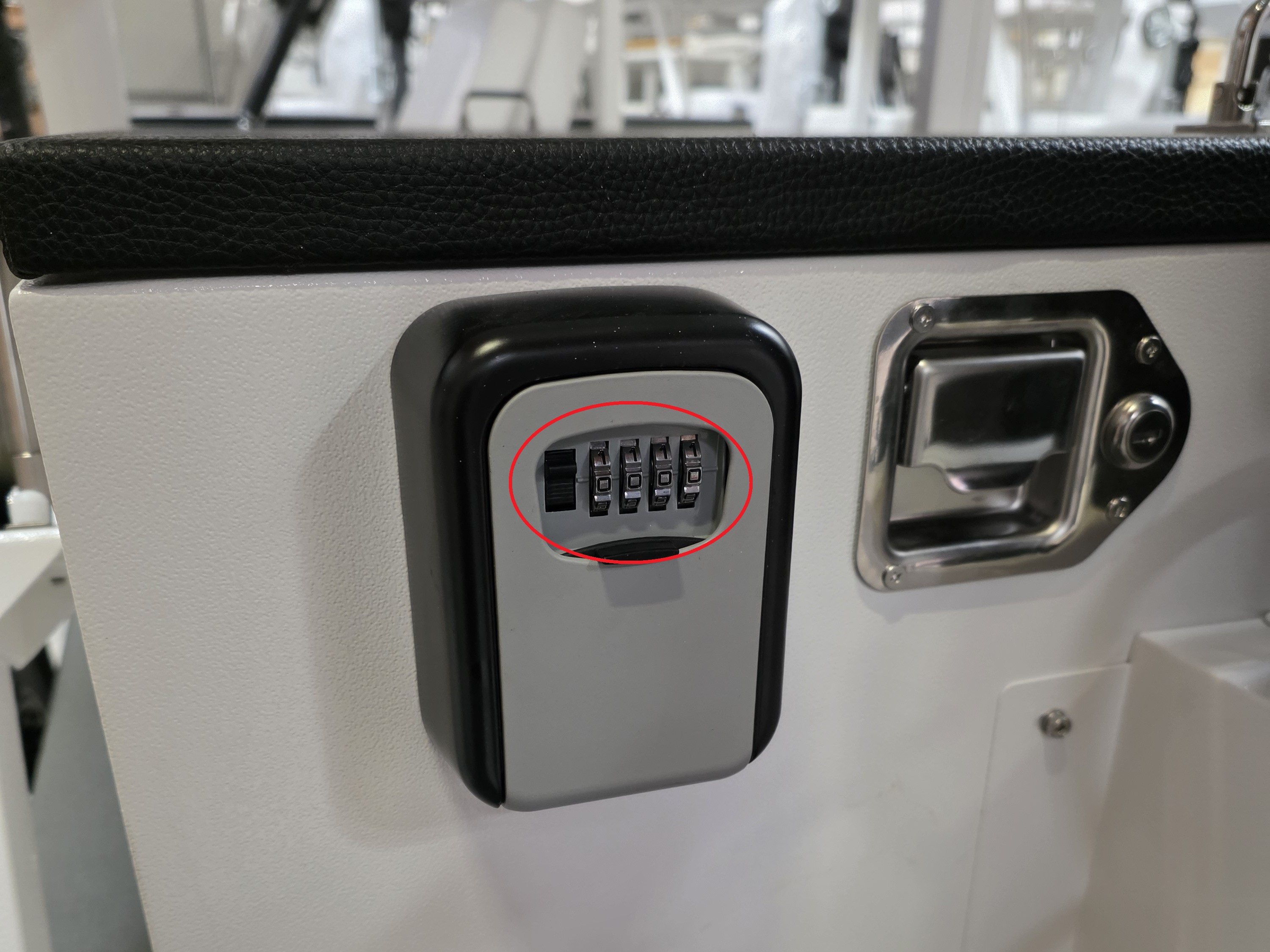
10. Pull down the black cover on the lockbox to reveal the keypad.
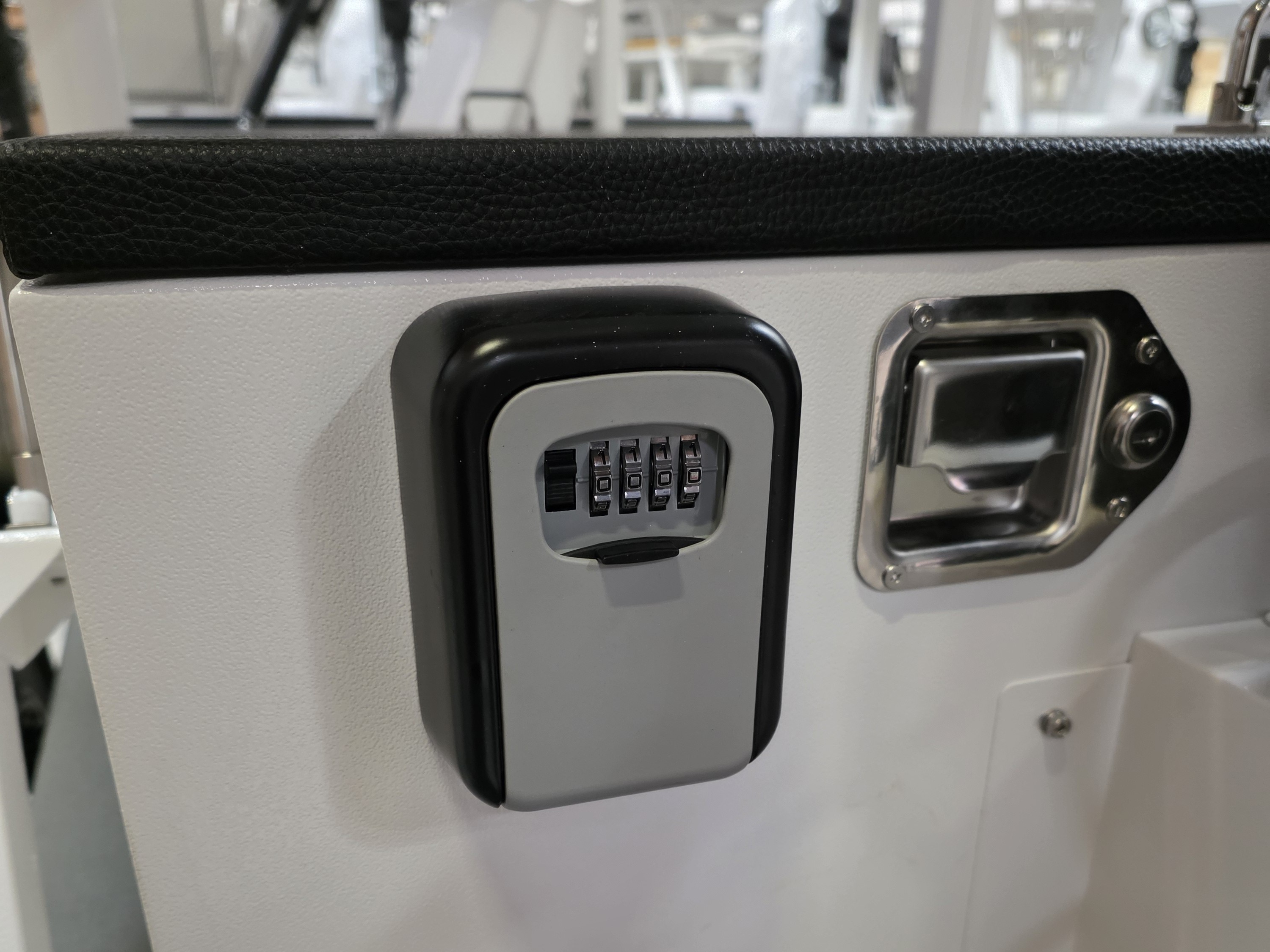
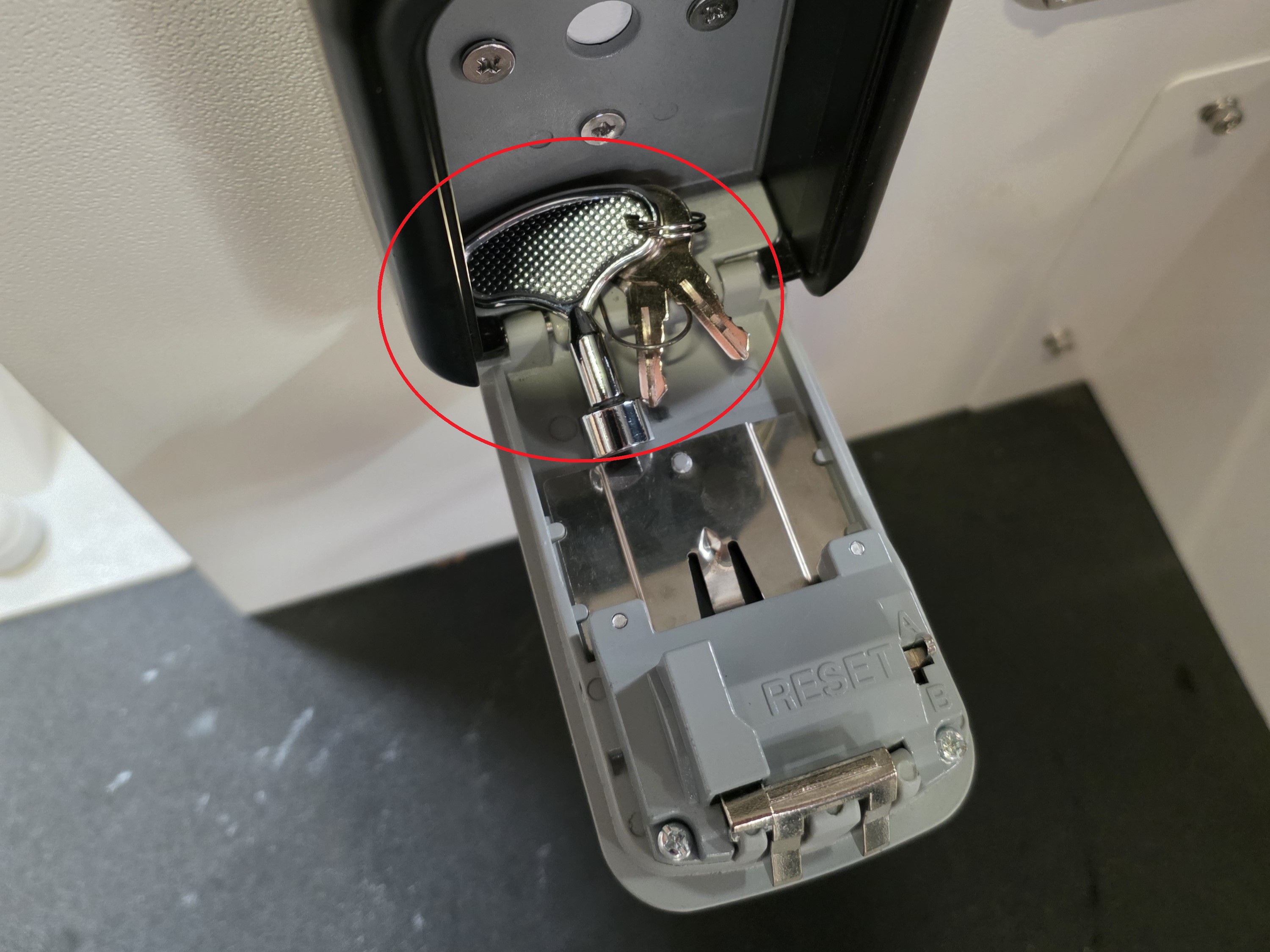
11. Set the dials to the default key code of 0000. To unlock the lockbox, use one hand to pull down the left black handle and the other hand to pull the bottom black cover outward. Inside are the 3 keys for the storage box, electrical box, and control box.
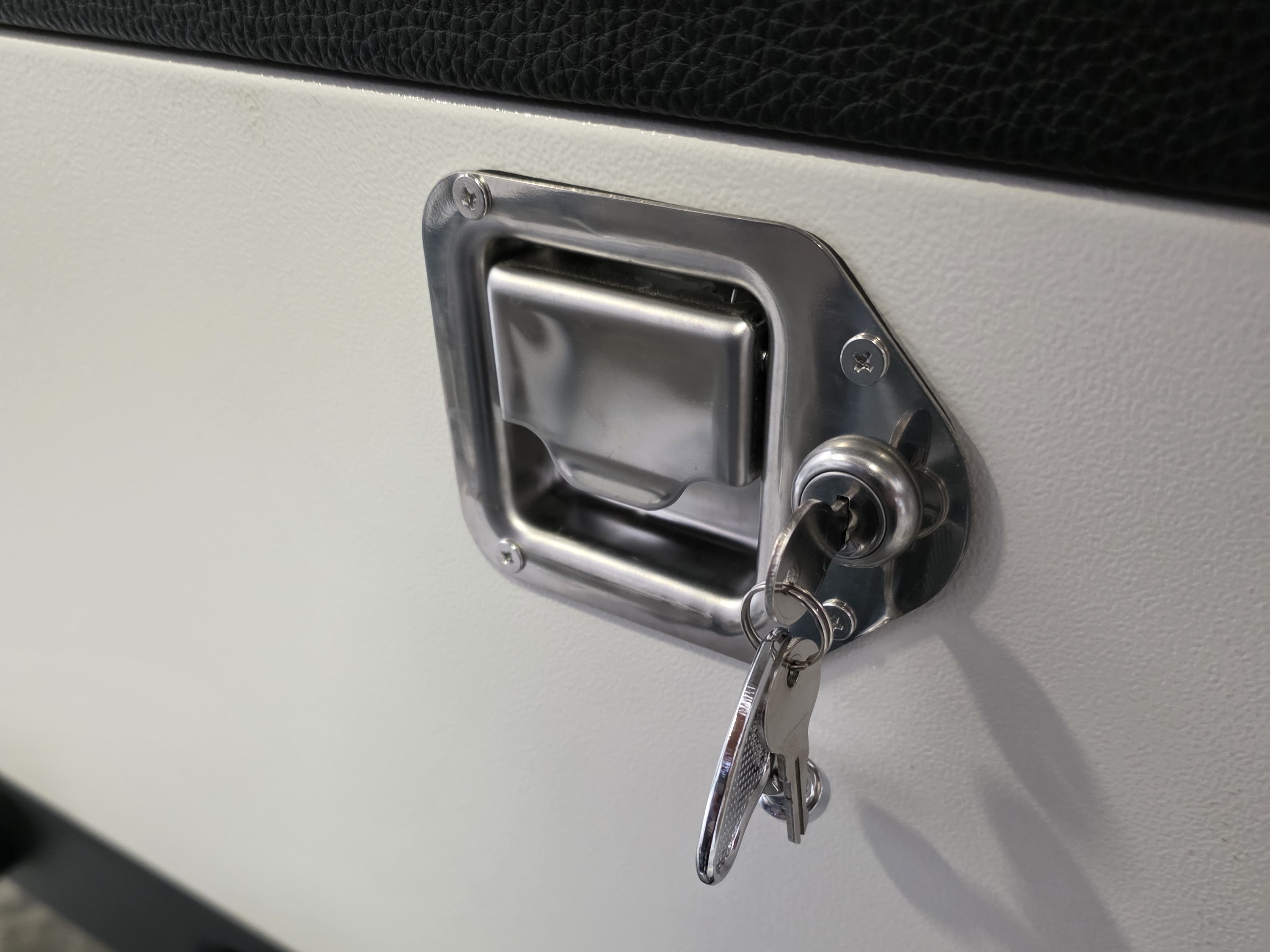
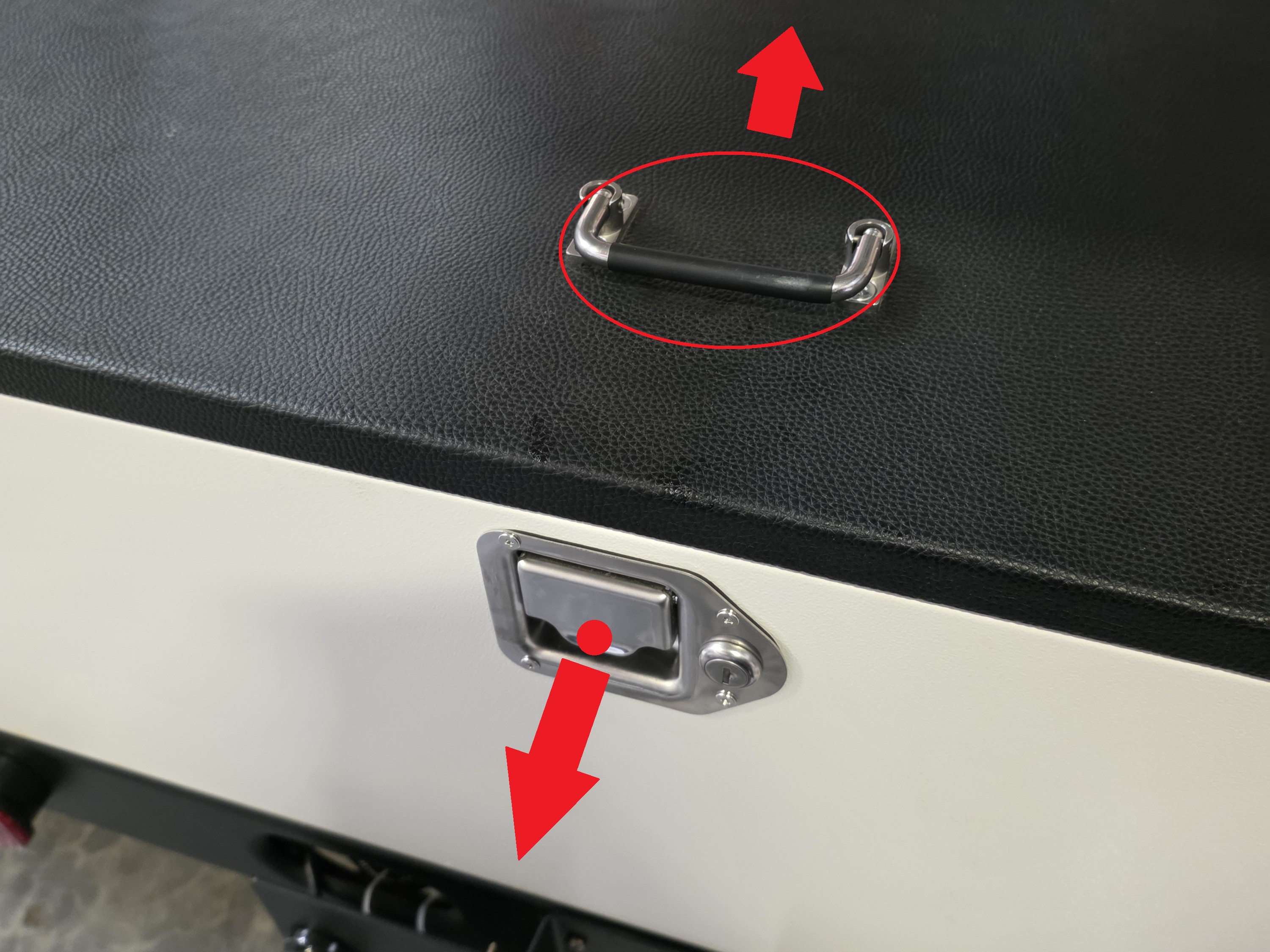
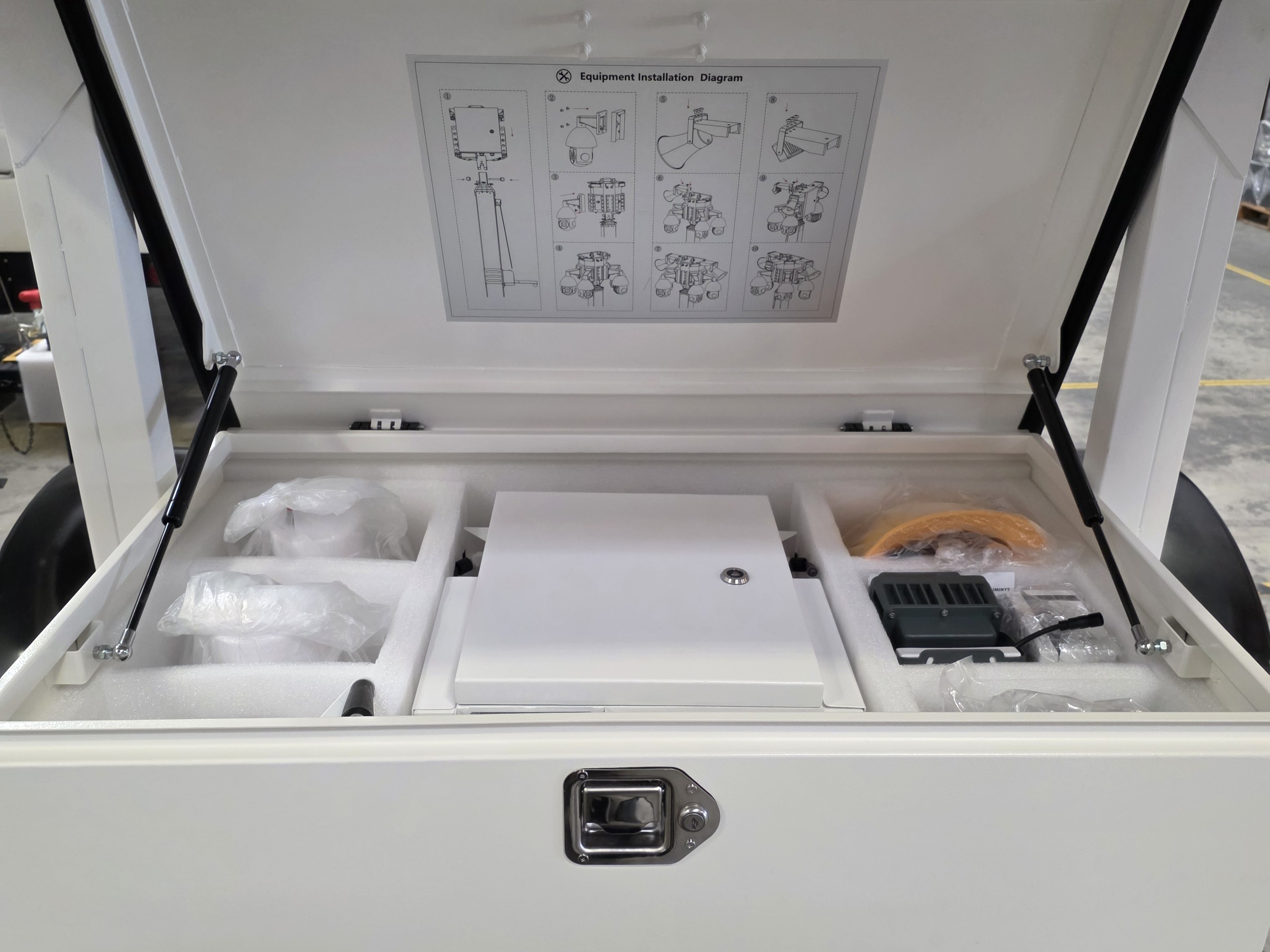
12. Unlock the storage box using the silver metal key. Pull and hold the metal handle outward with one hand, while using the other hand to lift the plastic black handle upward to open the storage box.
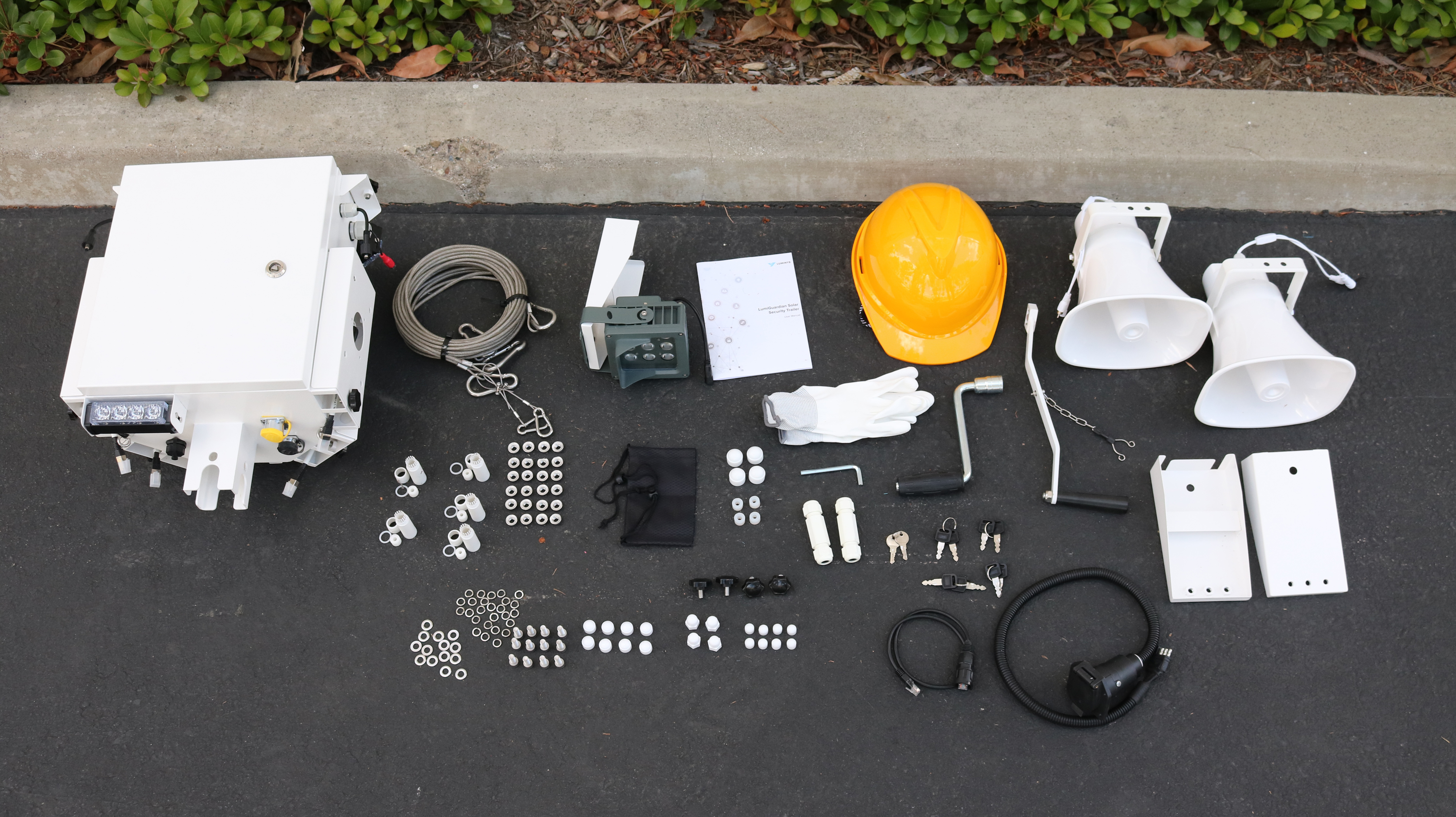
13. Remove all the equipment from the storage box and verify the contents: 1 Control Box, 2 Analog Speakers, 1 Floodlight, 2 Speaker Mounts, 1 Silver Hand Crank, 1 White Hand Crank, 2 Steel Cables, 1 Safety Helmet, 1 User Manual, 1 Bag of 1 Towing Power Connector, 1 Bag of 2 Small Silver Keys, 1 Bag of 4 Black Plastic Screw Knobs, 1 Bag of 24 Hex Screws, 1 Bag of 1 Hex Key, 1 Bag of 24 Flat Metal Washers, 1 Bag of 24 Split Lock Metal Washers, 1 Bag of 24 Metal Flange Nuts, 1 Bag of 4 Sets of Ethernet Waterproofing Connectors, 1 Bag of 6 Small Black Keys, 1 Bag of 1 Black Ethernet Cable, 1 Bag of 1 Pair of Gloves, 1 Bag of 24 White Bolt Waterproof Caps
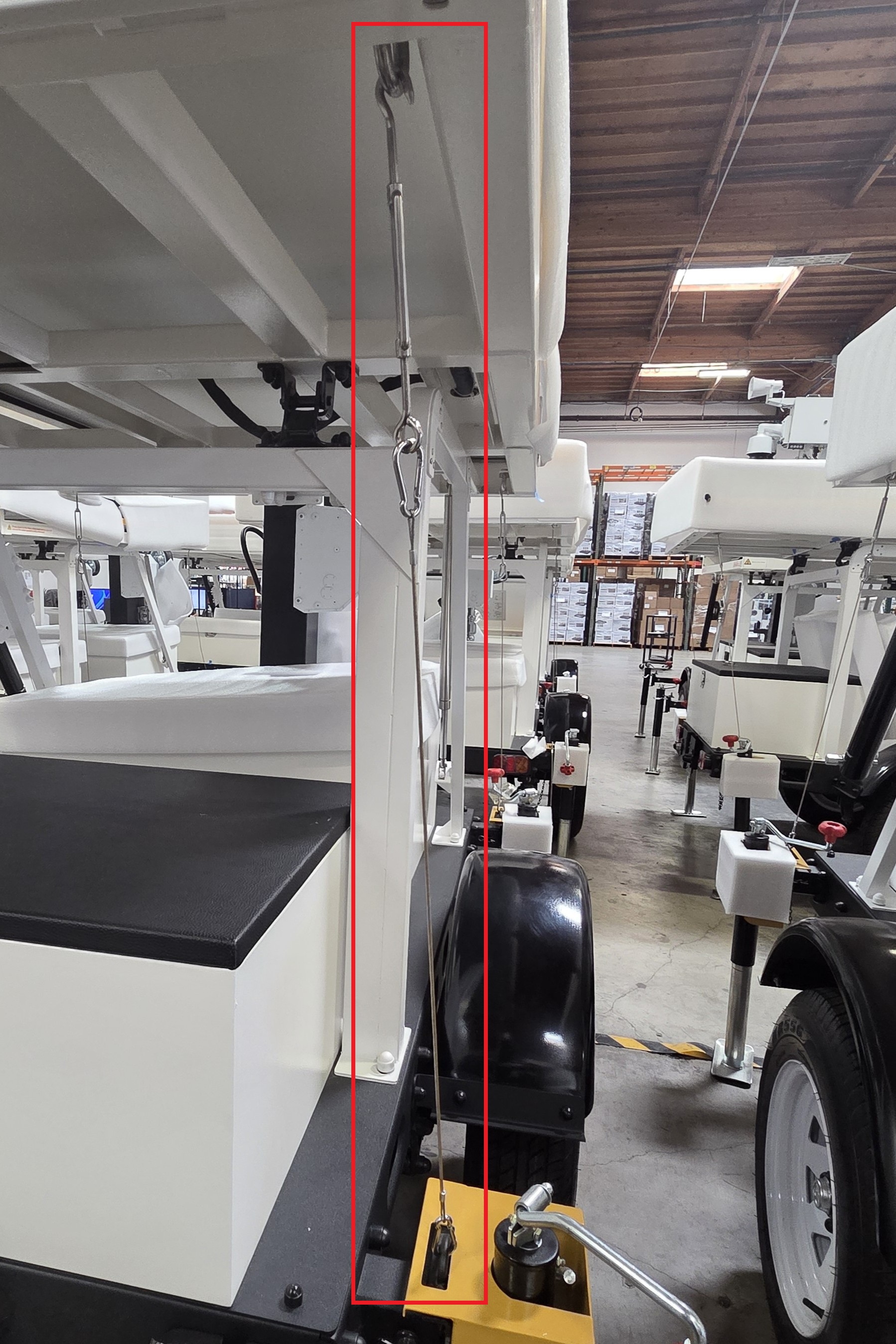
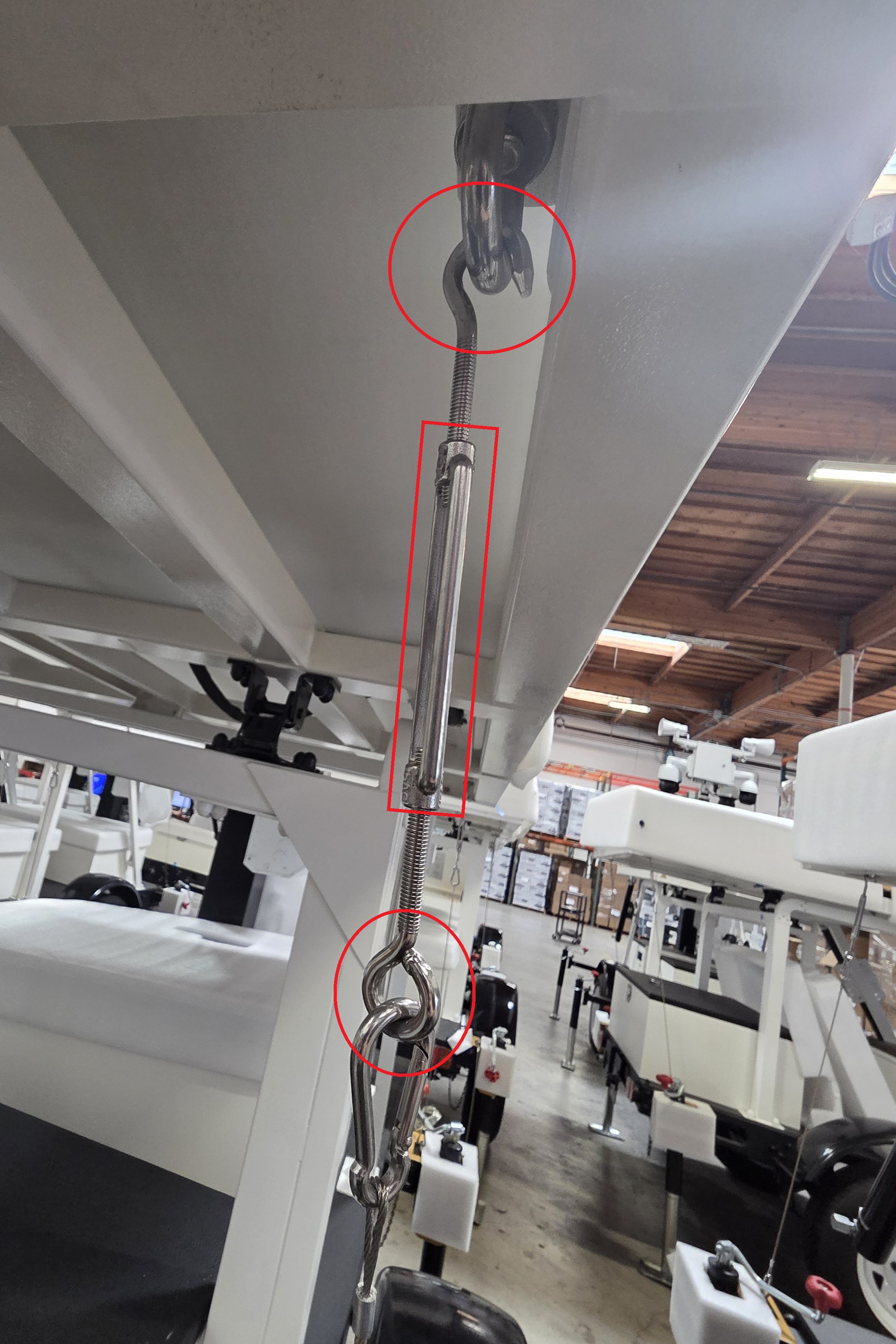
14. Detach one of the stabilizing cables by holding onto the o-ring screw while twisting the rectangular connector counter-clockwise. Remove the hook screw at the top. Then detach the carabiner at the bottom of the cable and stow them in the storage box.
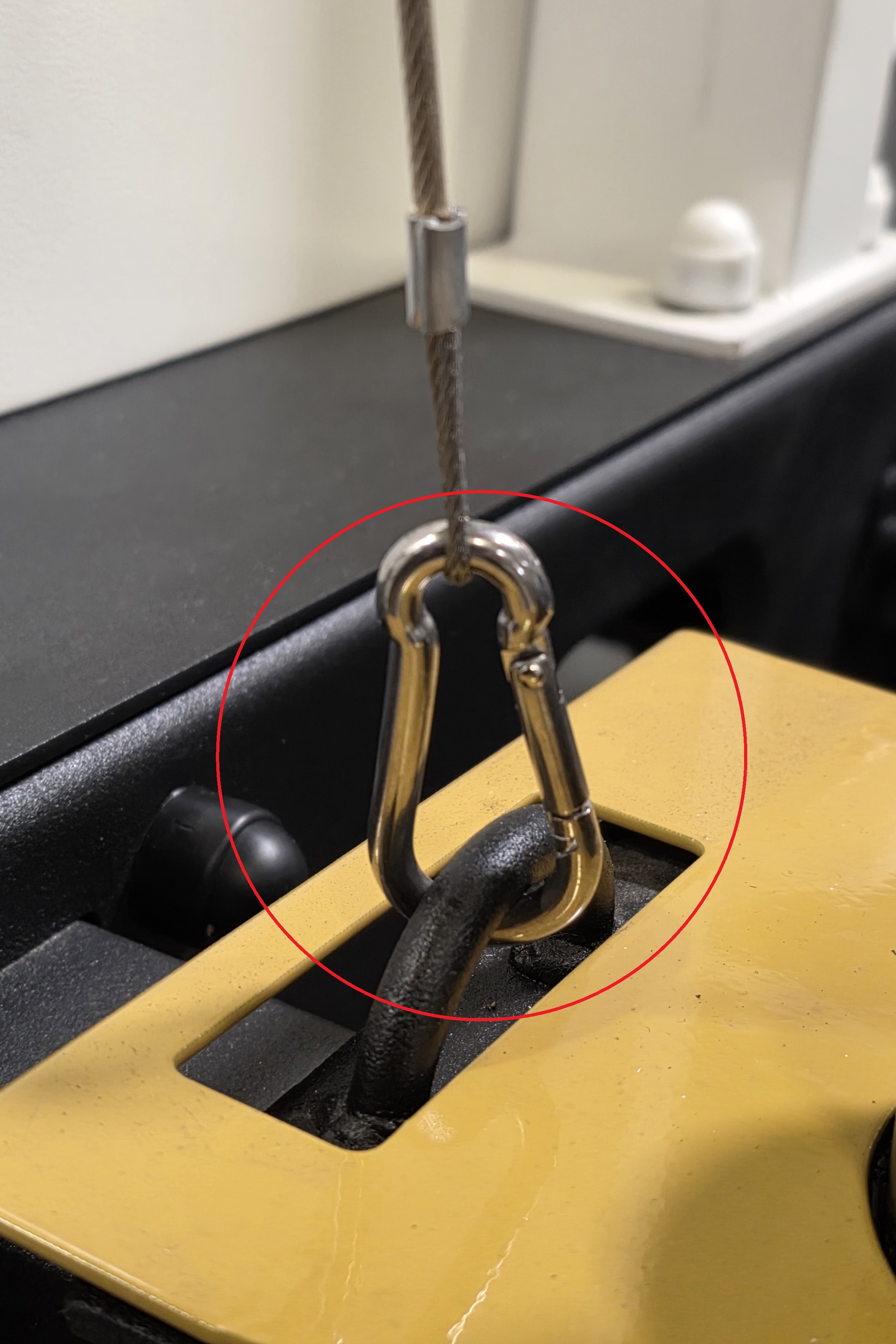
15. Repeat the process for the 3 other stabilizing cables.
16. Locate and retrieve the silver hand crank with the black handle.
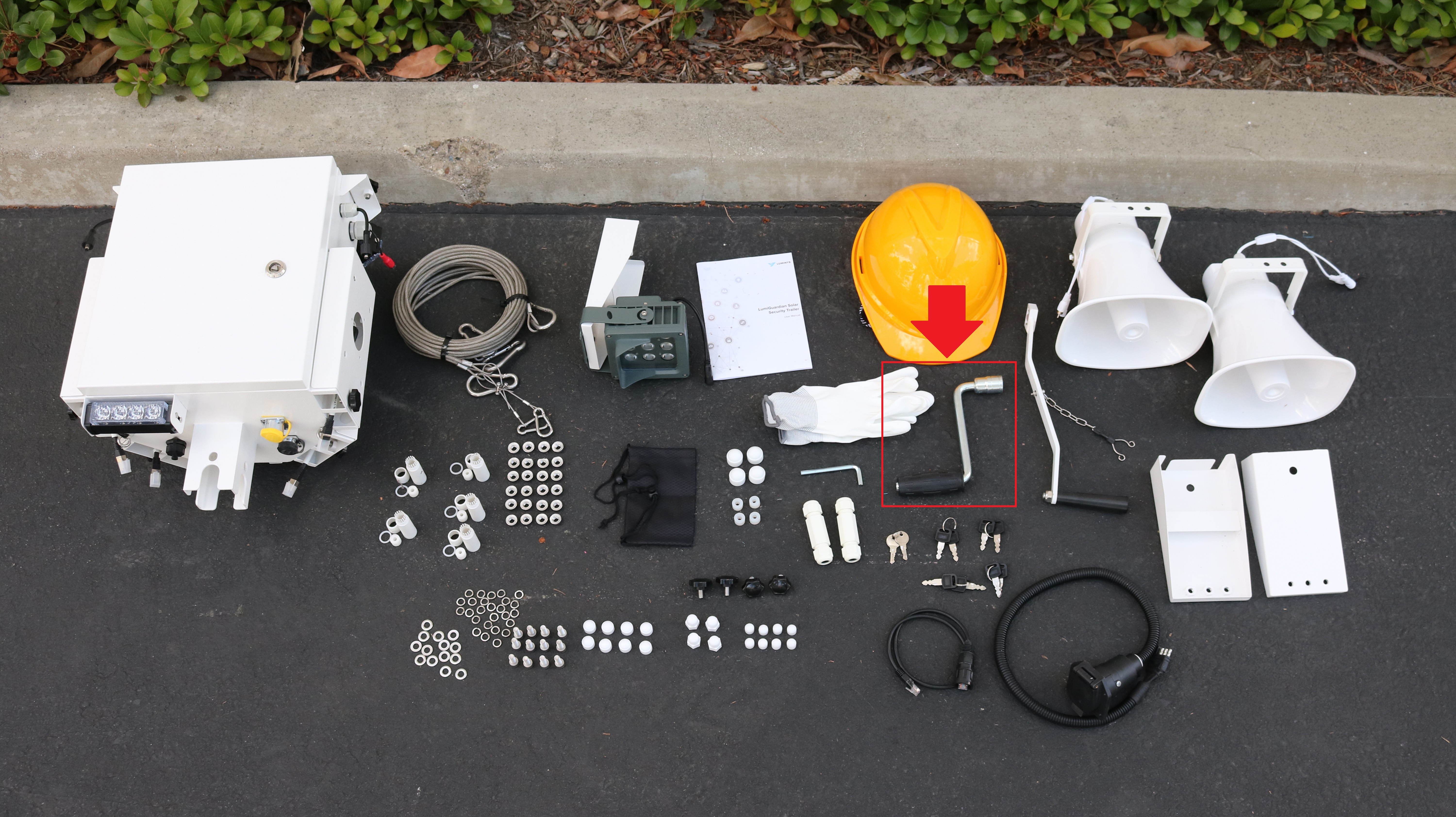
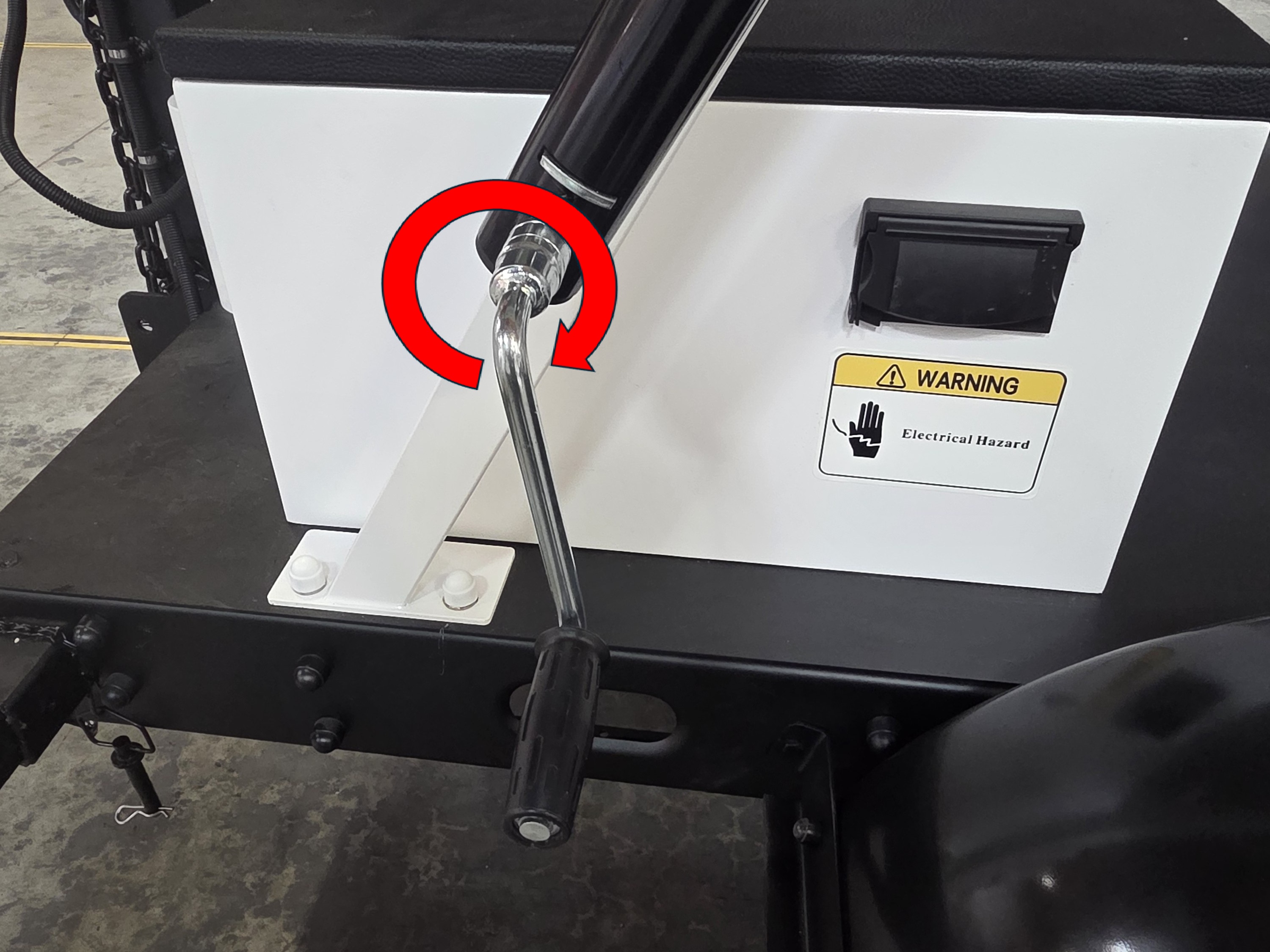
17. Attach the silver hand crank with the black handle to solar panel support and rotate it clockwise to adjust the solar panel. Continue until it’s at the desired angle. Do not raise it past 50 degrees from horizontal. Remove and store the hand crank when finish.
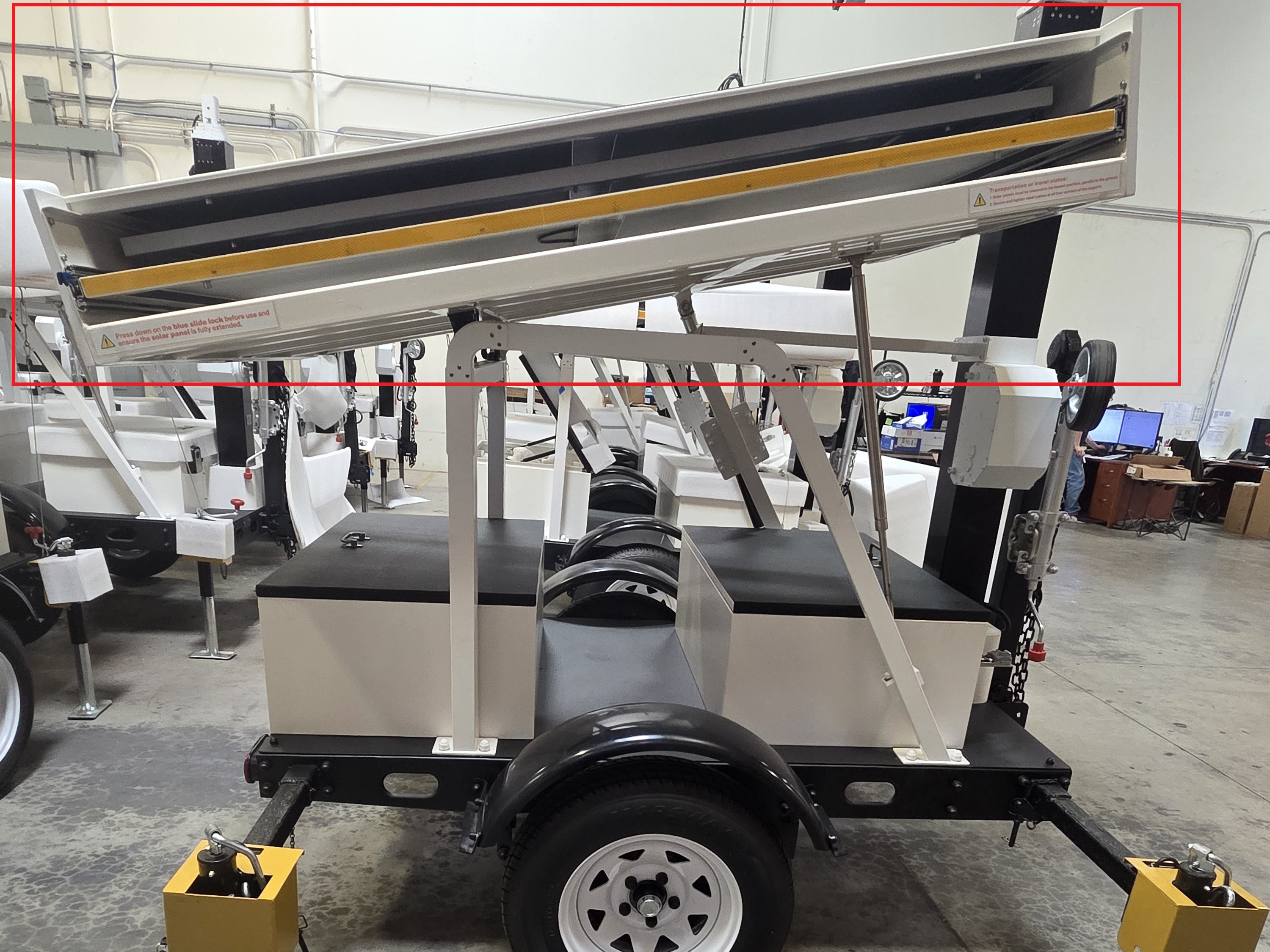
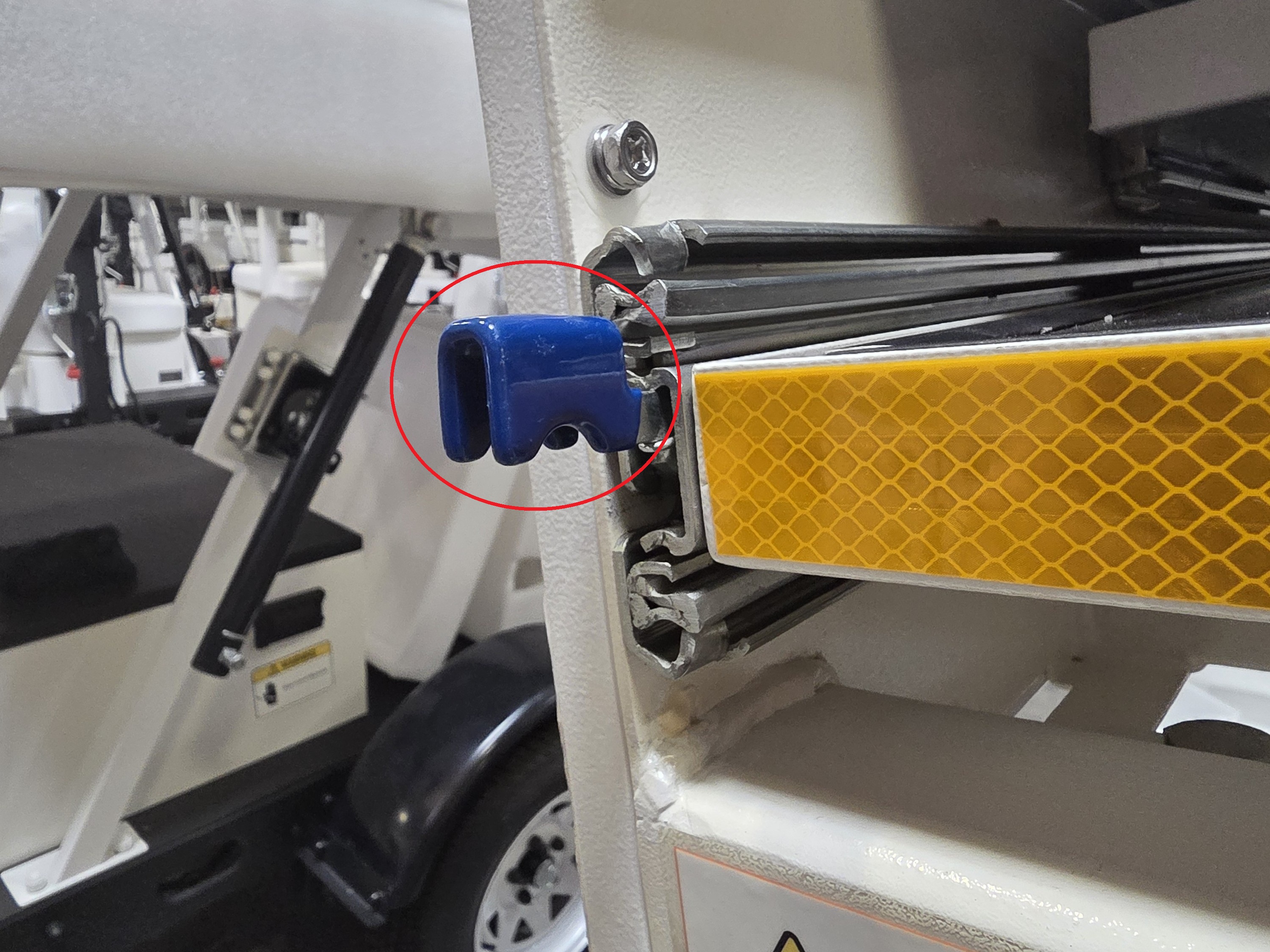
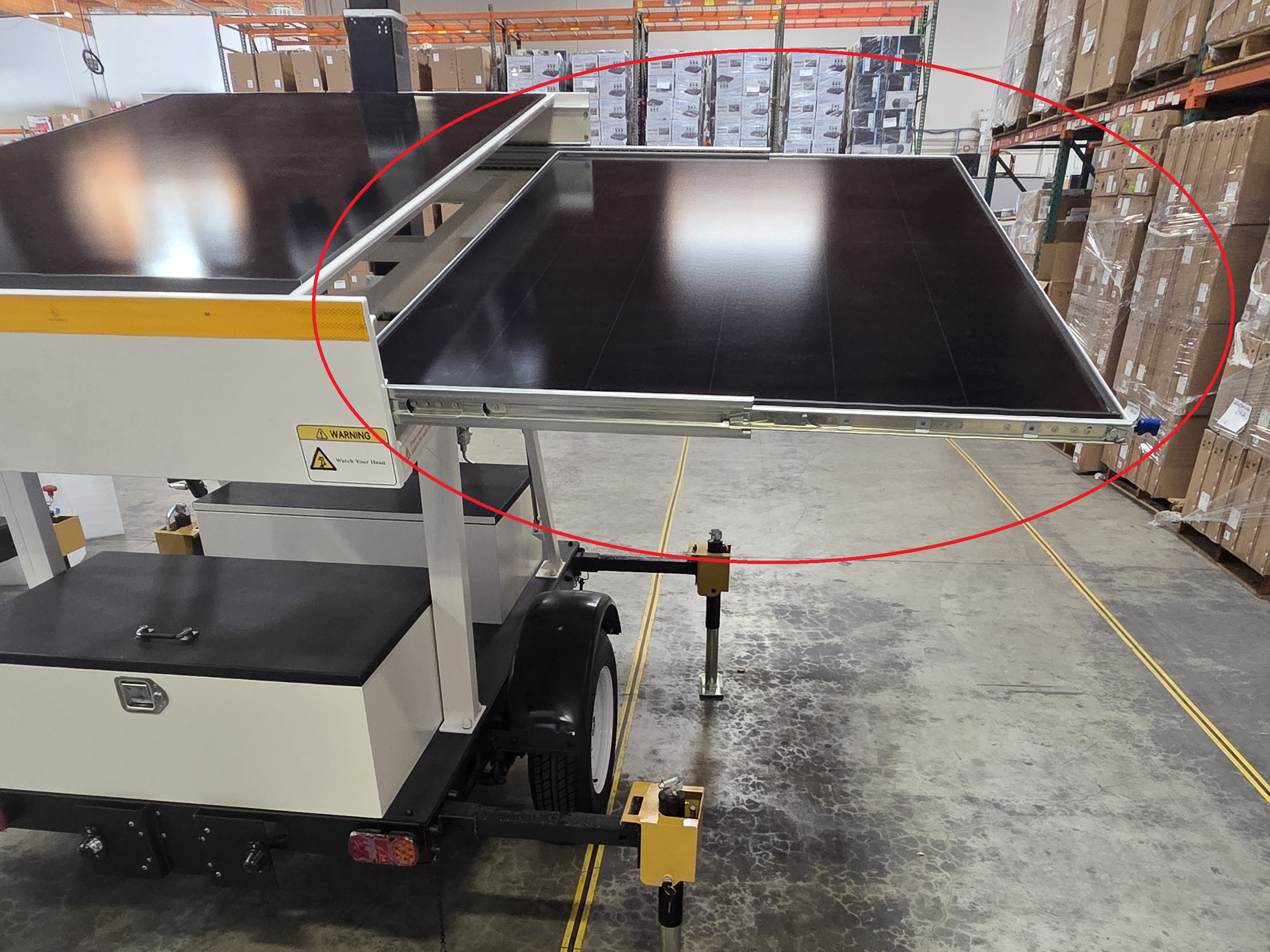
18. Press and hold down on the blue lever at the base of one side of the solar panel. Pull one of the side solar panels outward until it’s fully extended. Repeat on the other side solar panel.
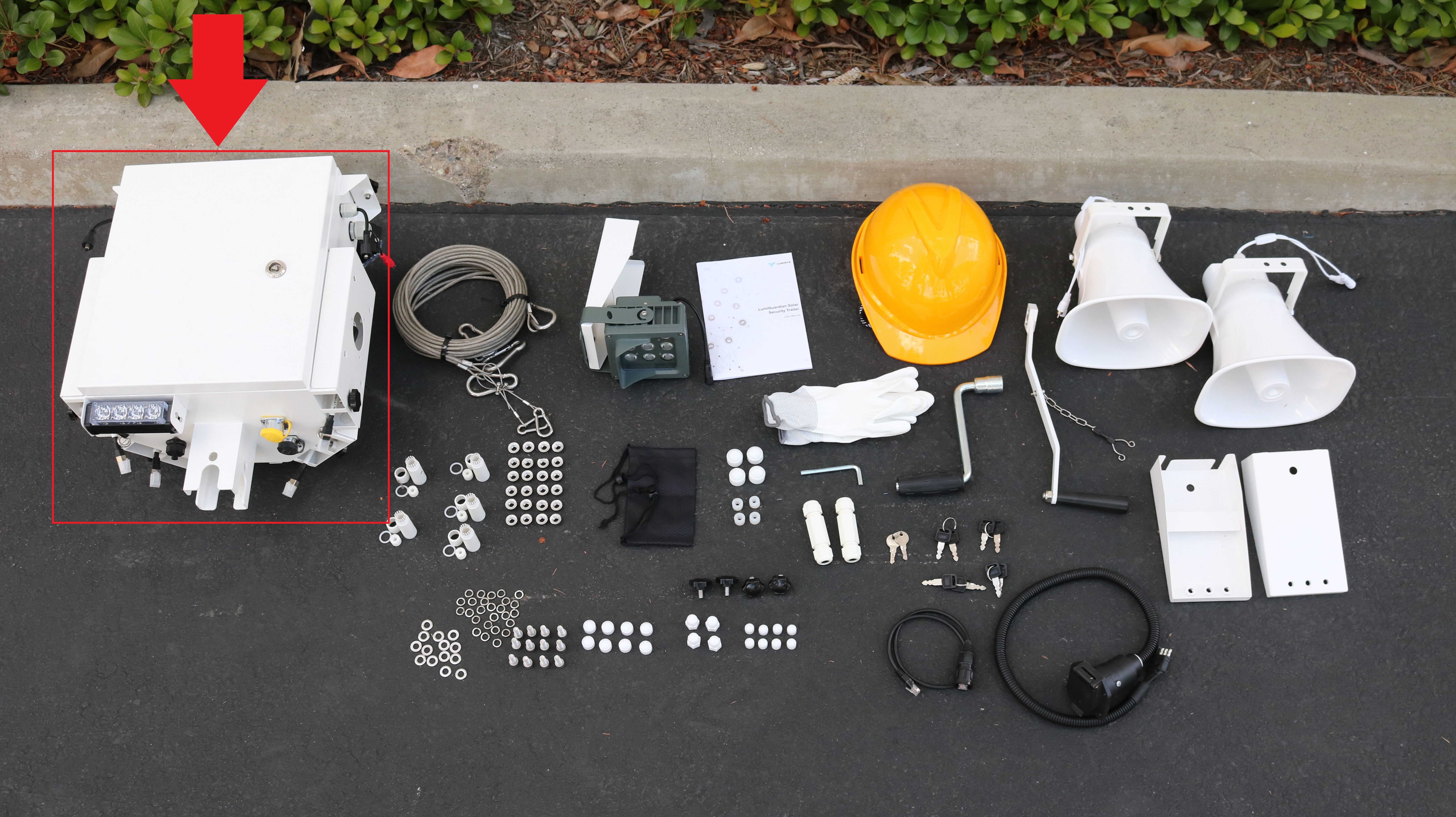
19. Locate and retrieve the control box.
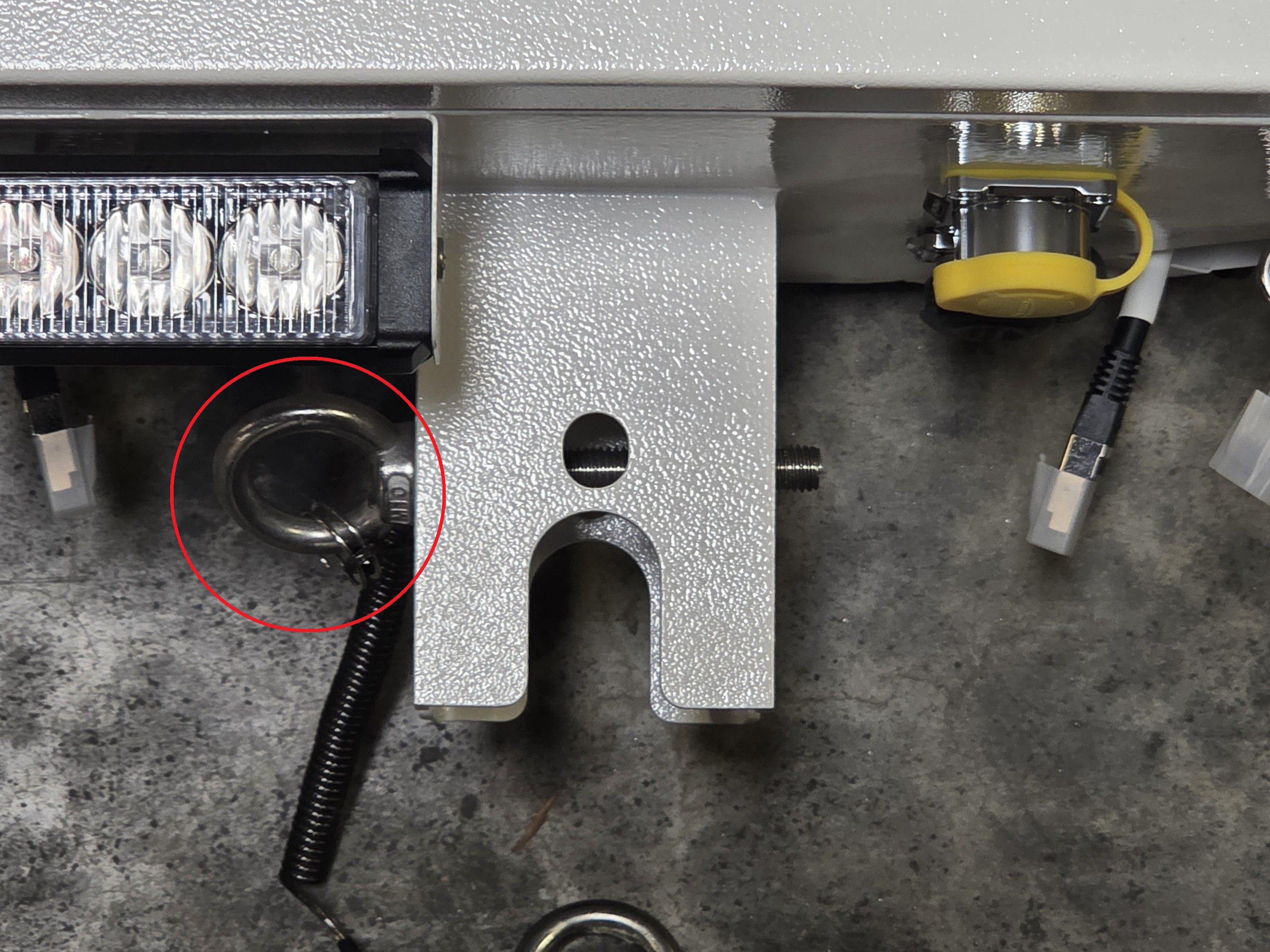
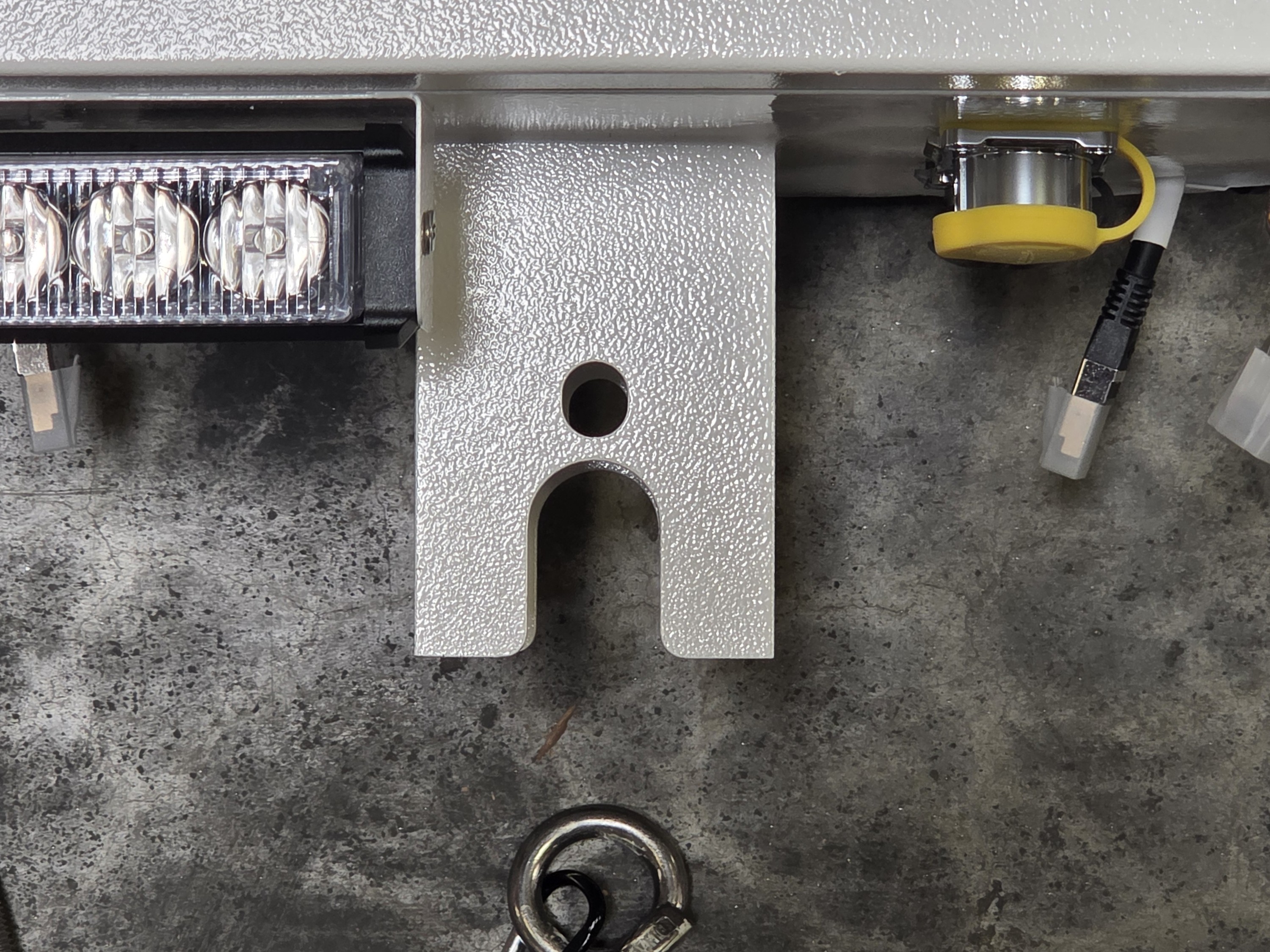
20. Unscrew the O-Nut from the bolt on the base of the control box.
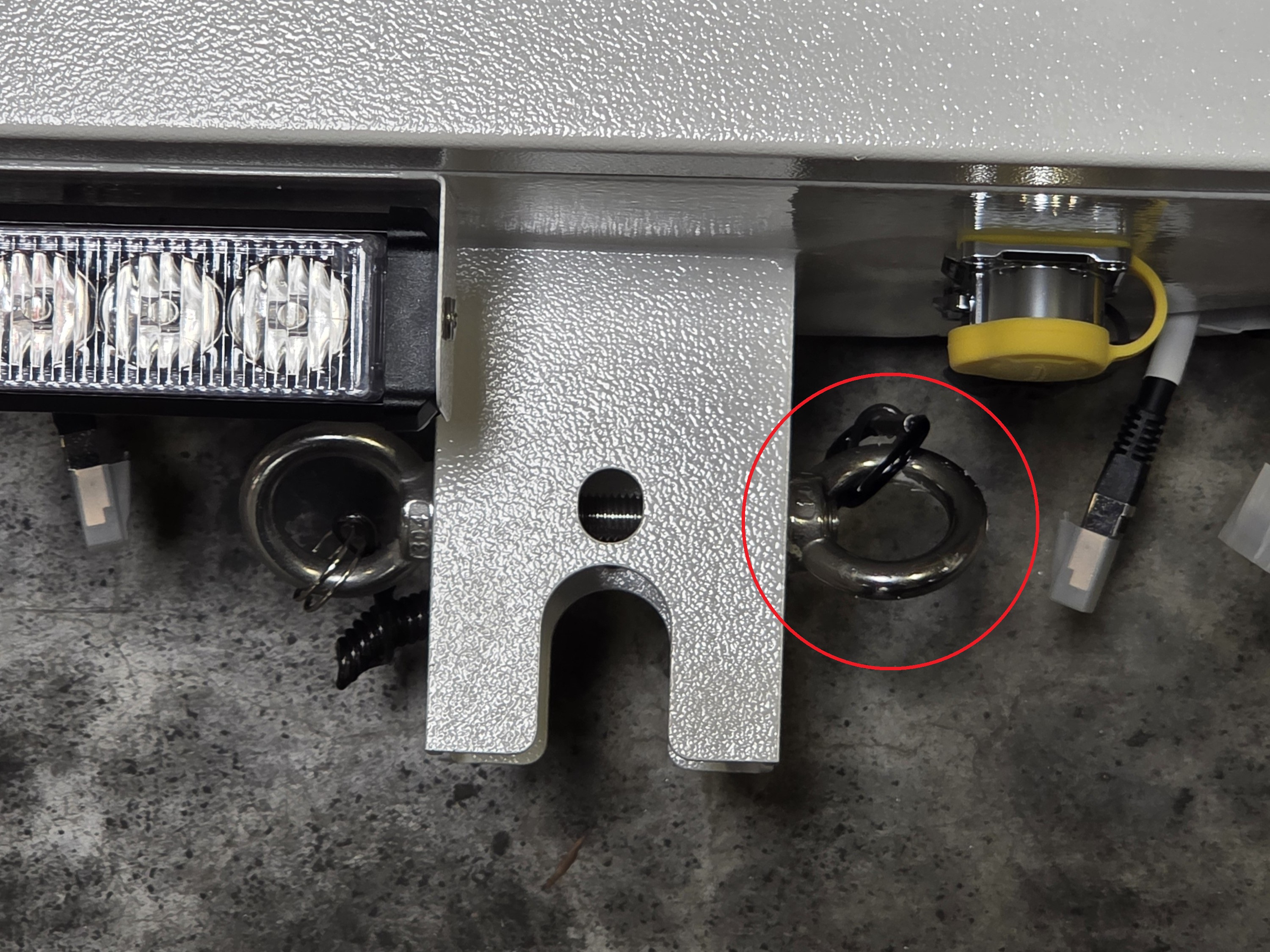
21. Remove the bolt from the base of the control box via the O Ring.
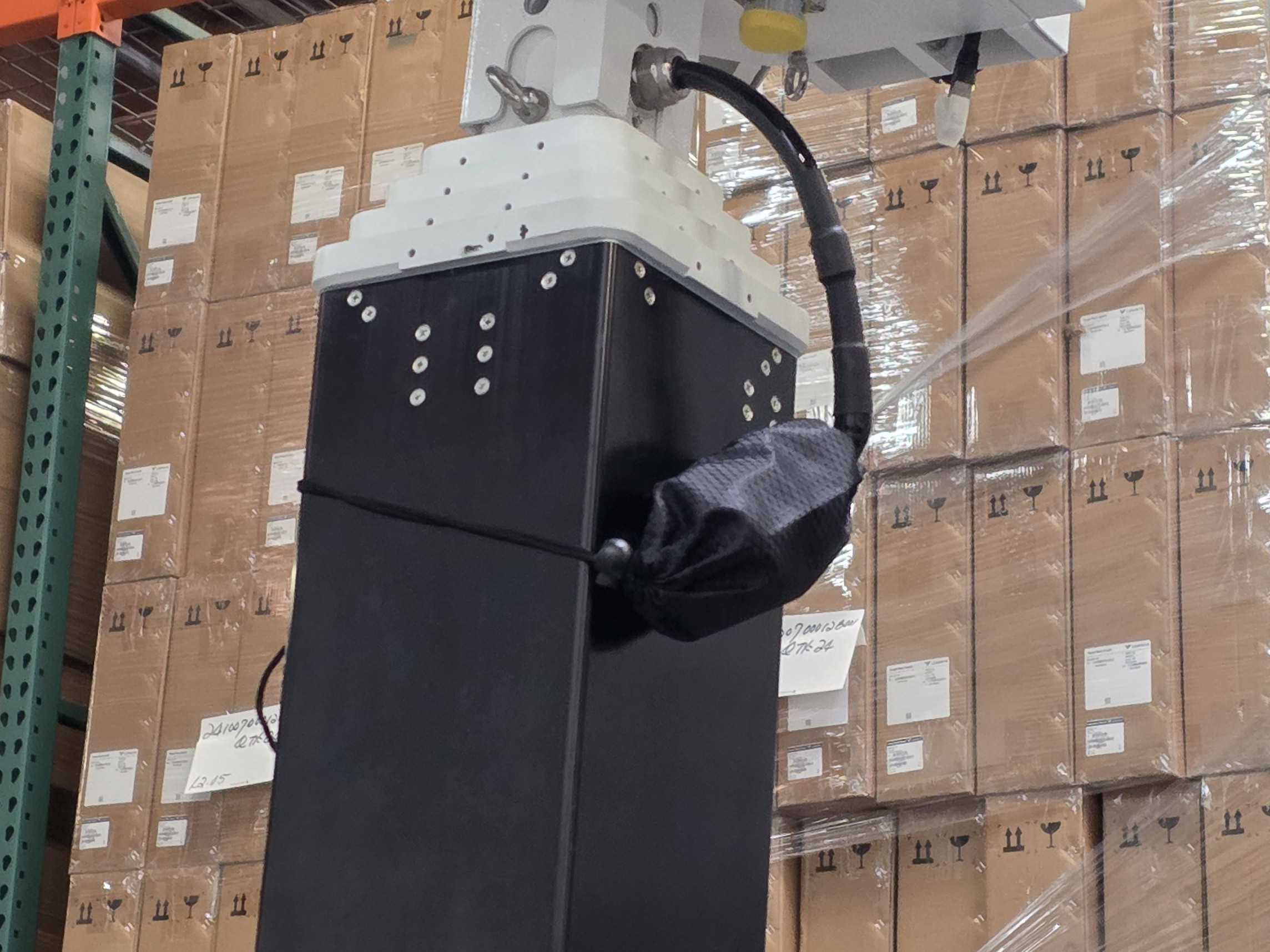
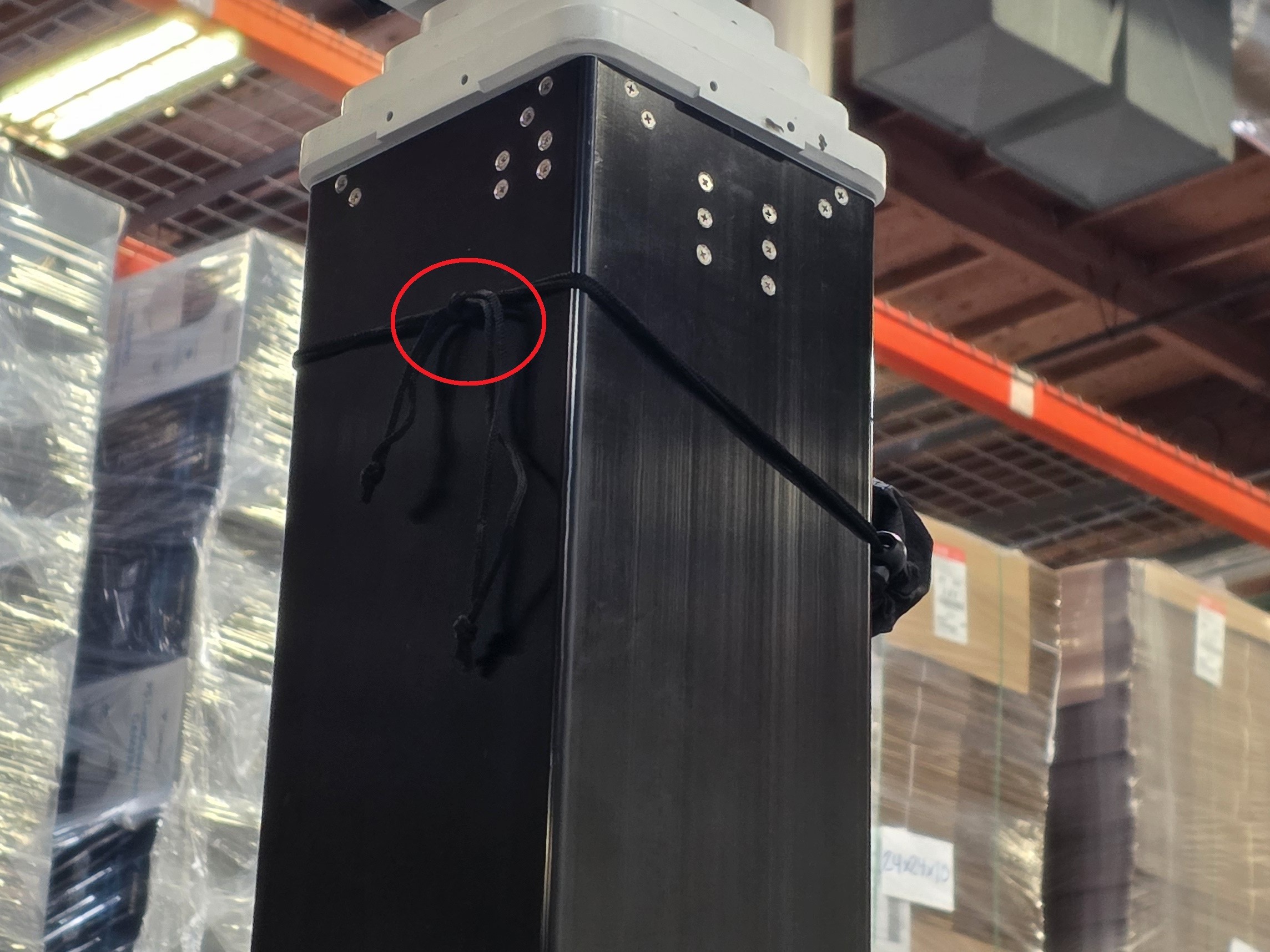
22. Locate a black bag on the mast. Untie the knot at the back of the bag to remove it, then unlock the cord lock to release the cable from the bag.
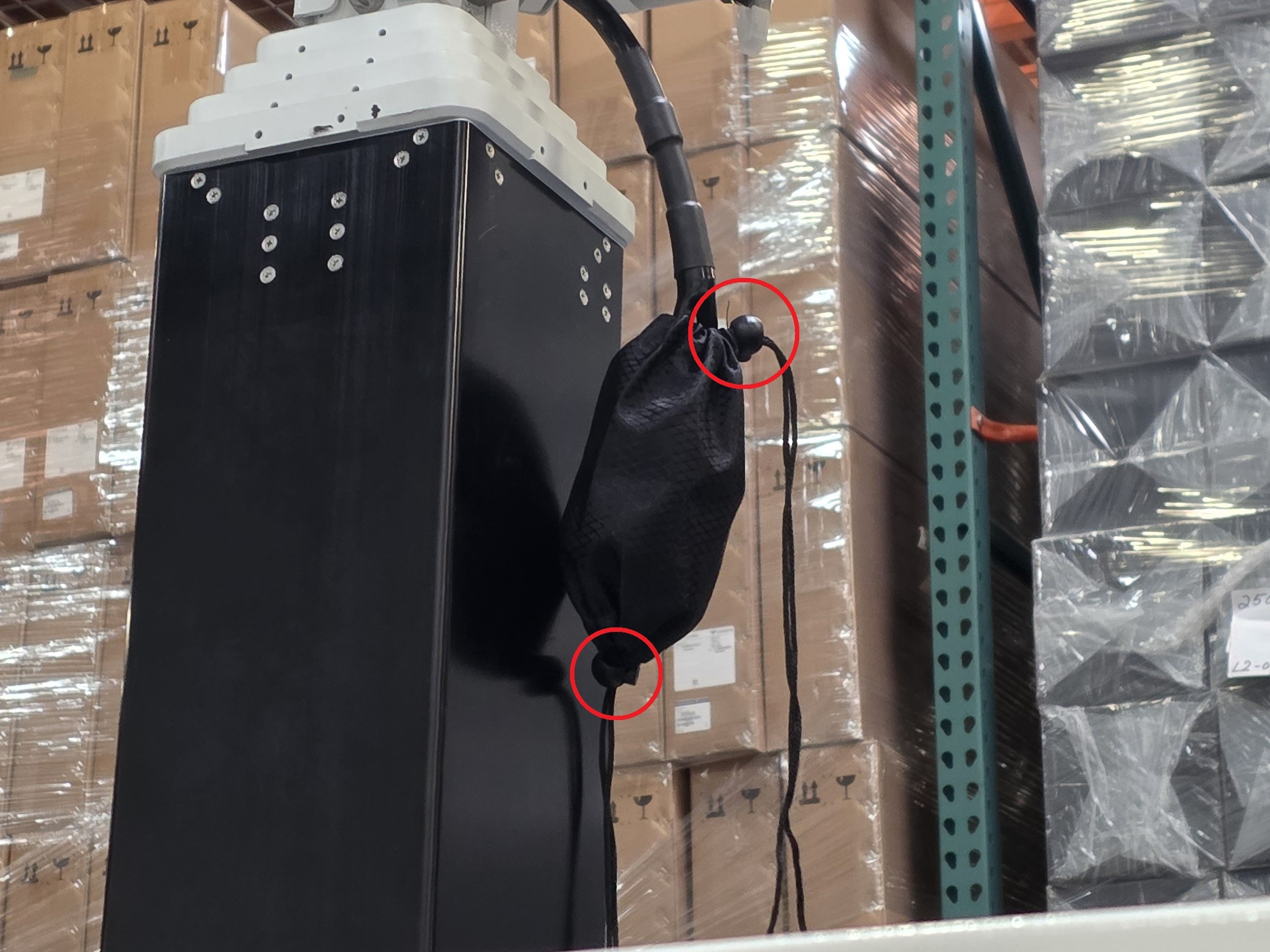
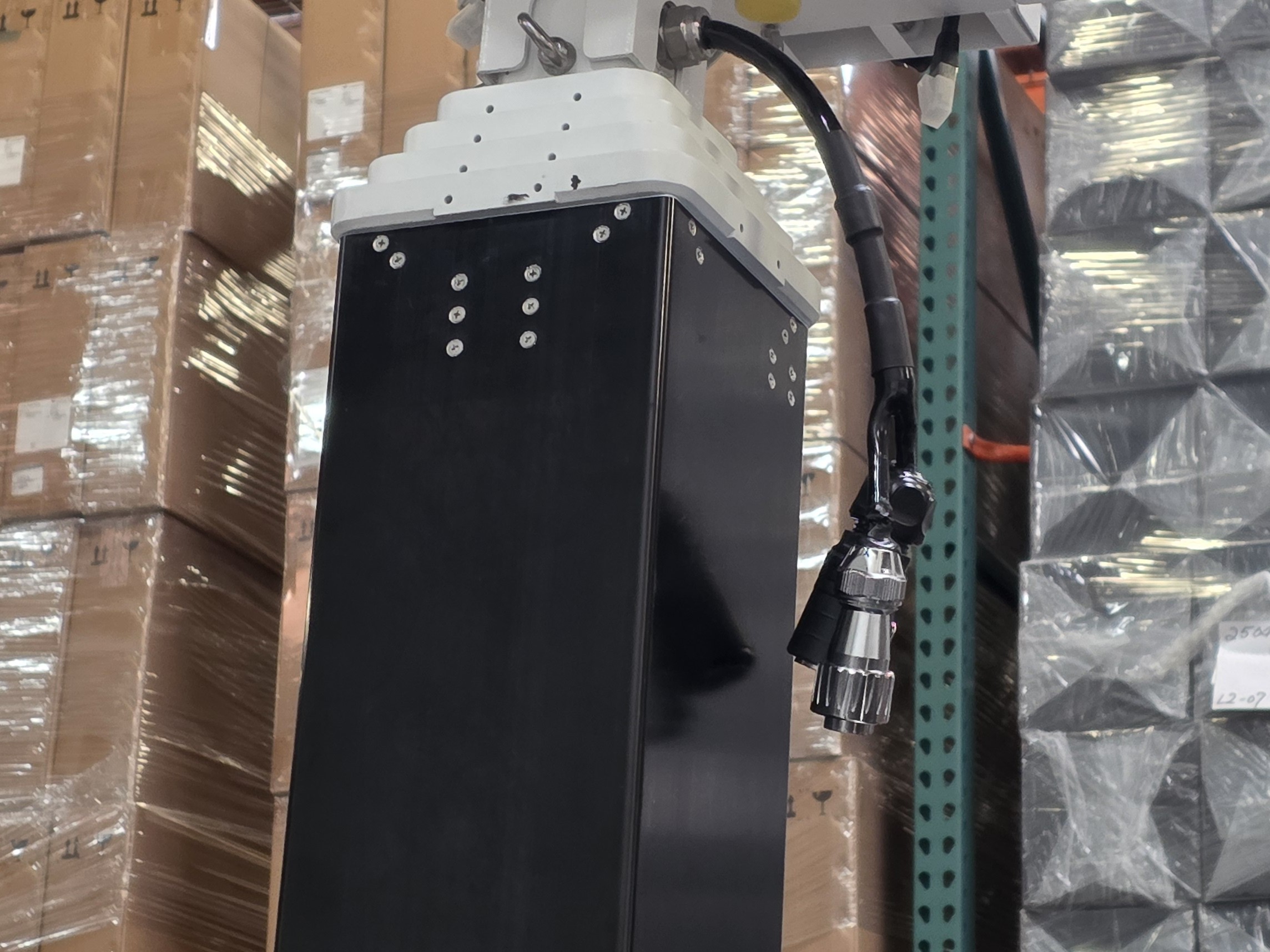
23. Place the base of the Control Box on top of the Mast in whatever direction you prefer.
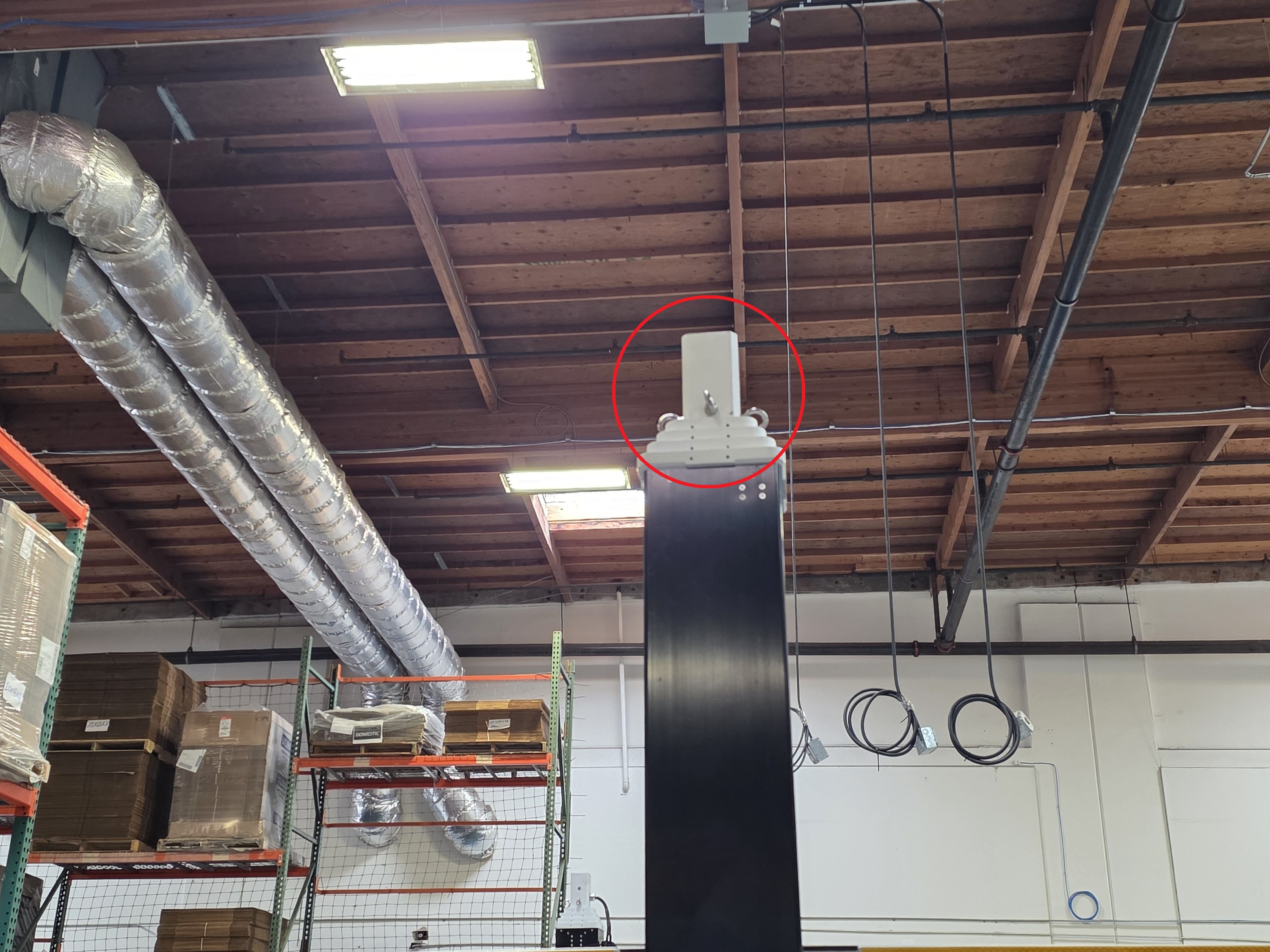
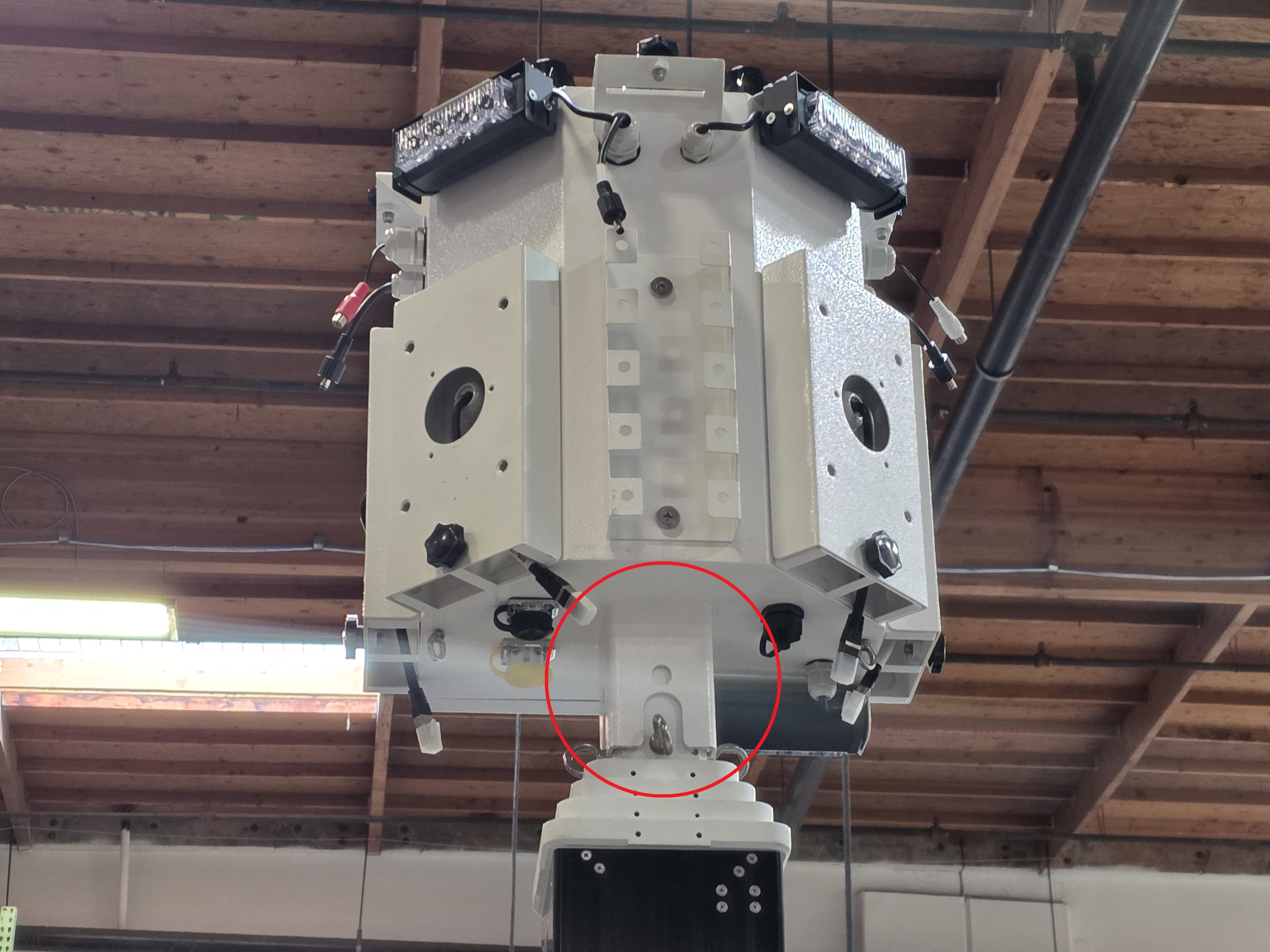
24. Slide the O Ring Bolt through the holes on both sides of the control box base and mast.
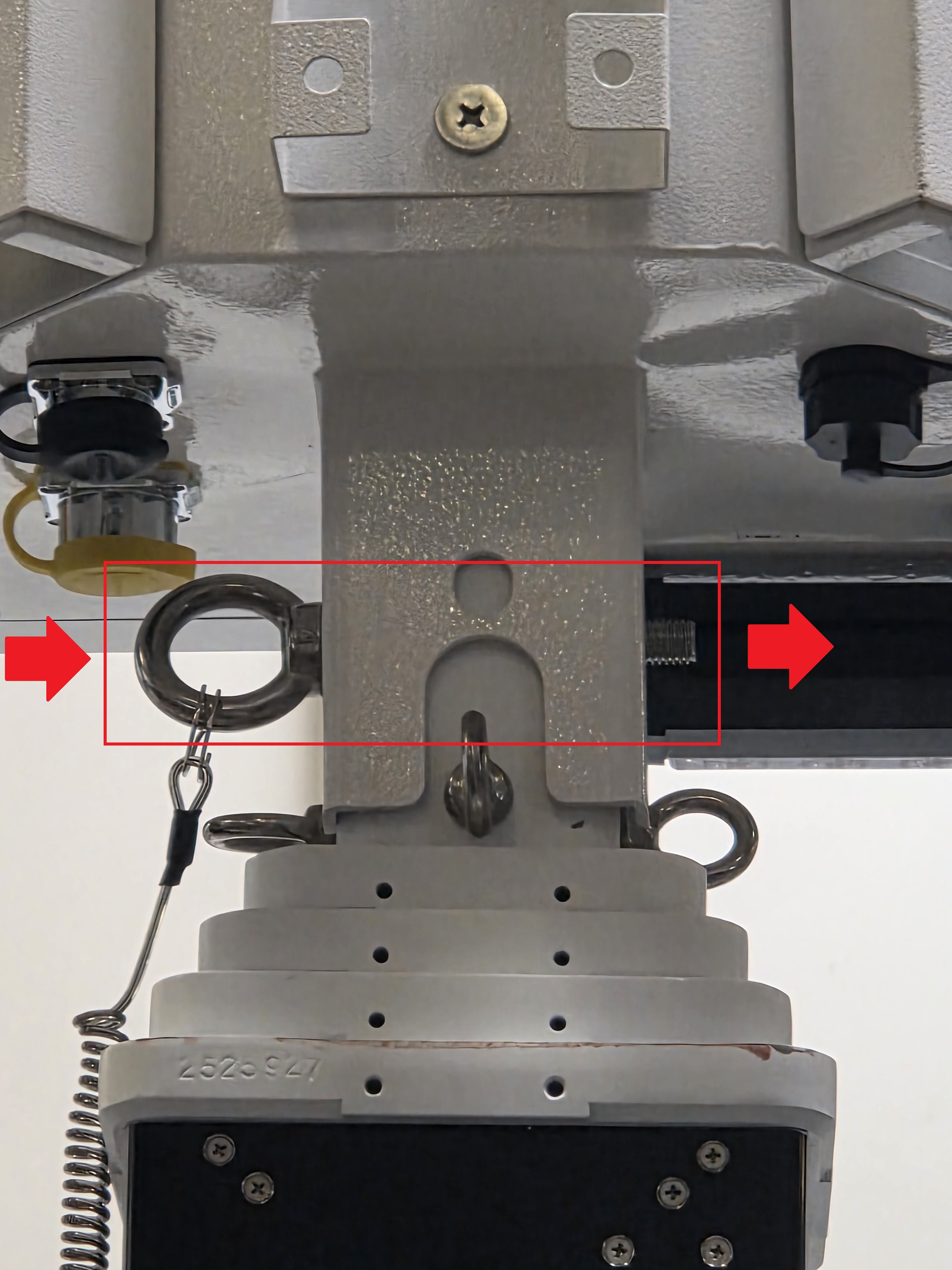
25. Secure the O Ring Bolt with the O Ring Nut.
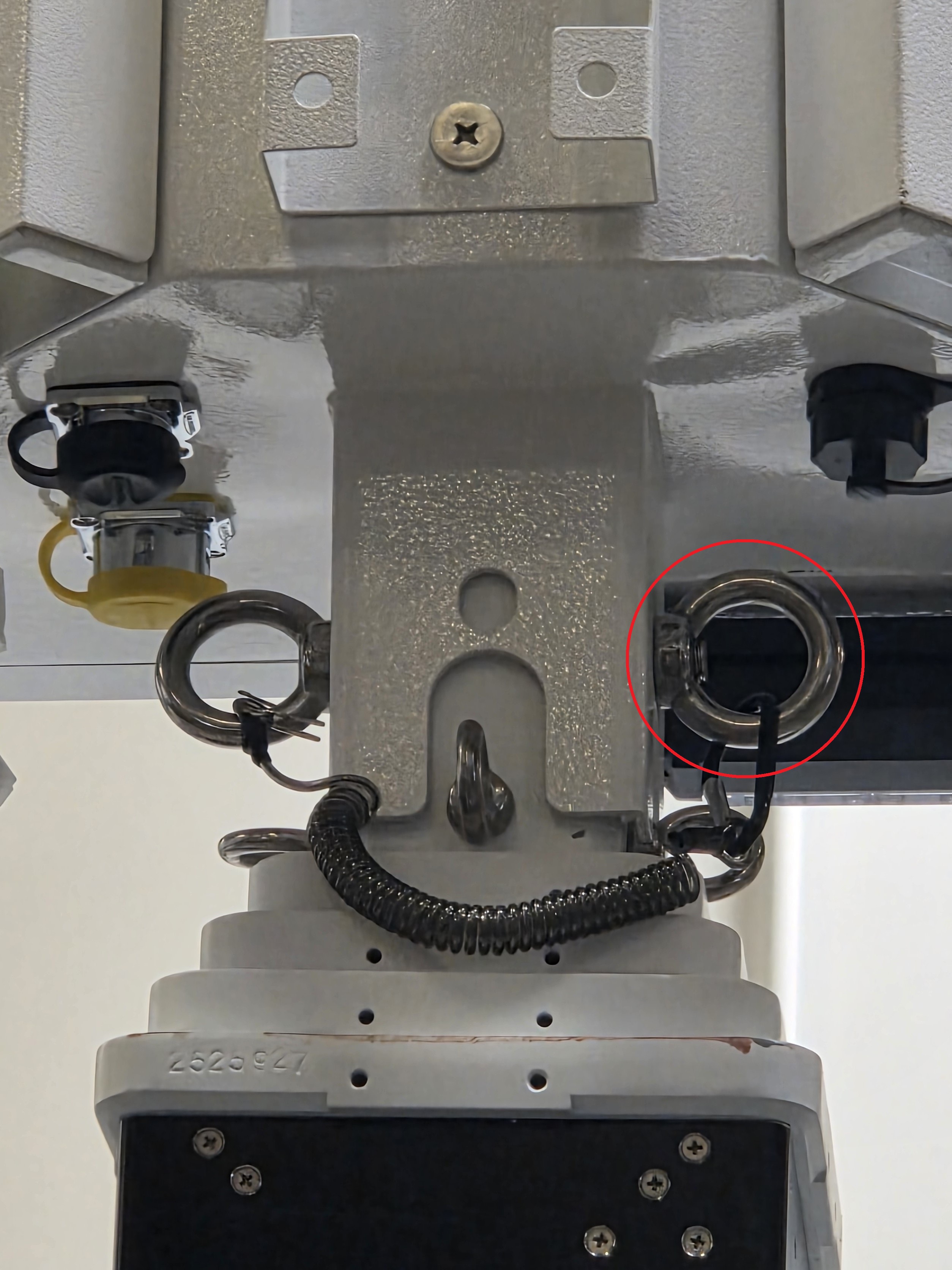
26. Remove the plastic covers of the power ports on the bottom of the Controller Box.
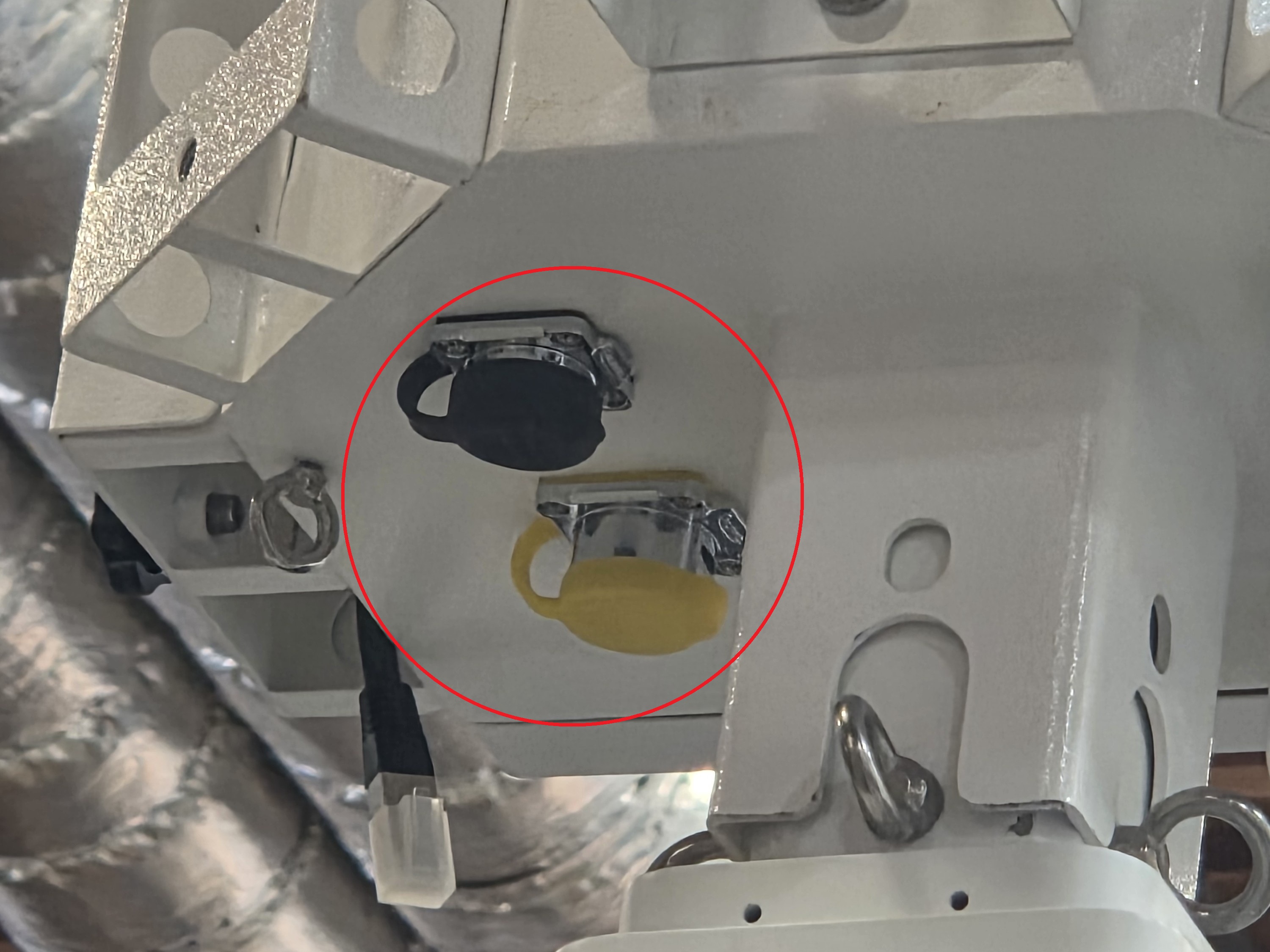
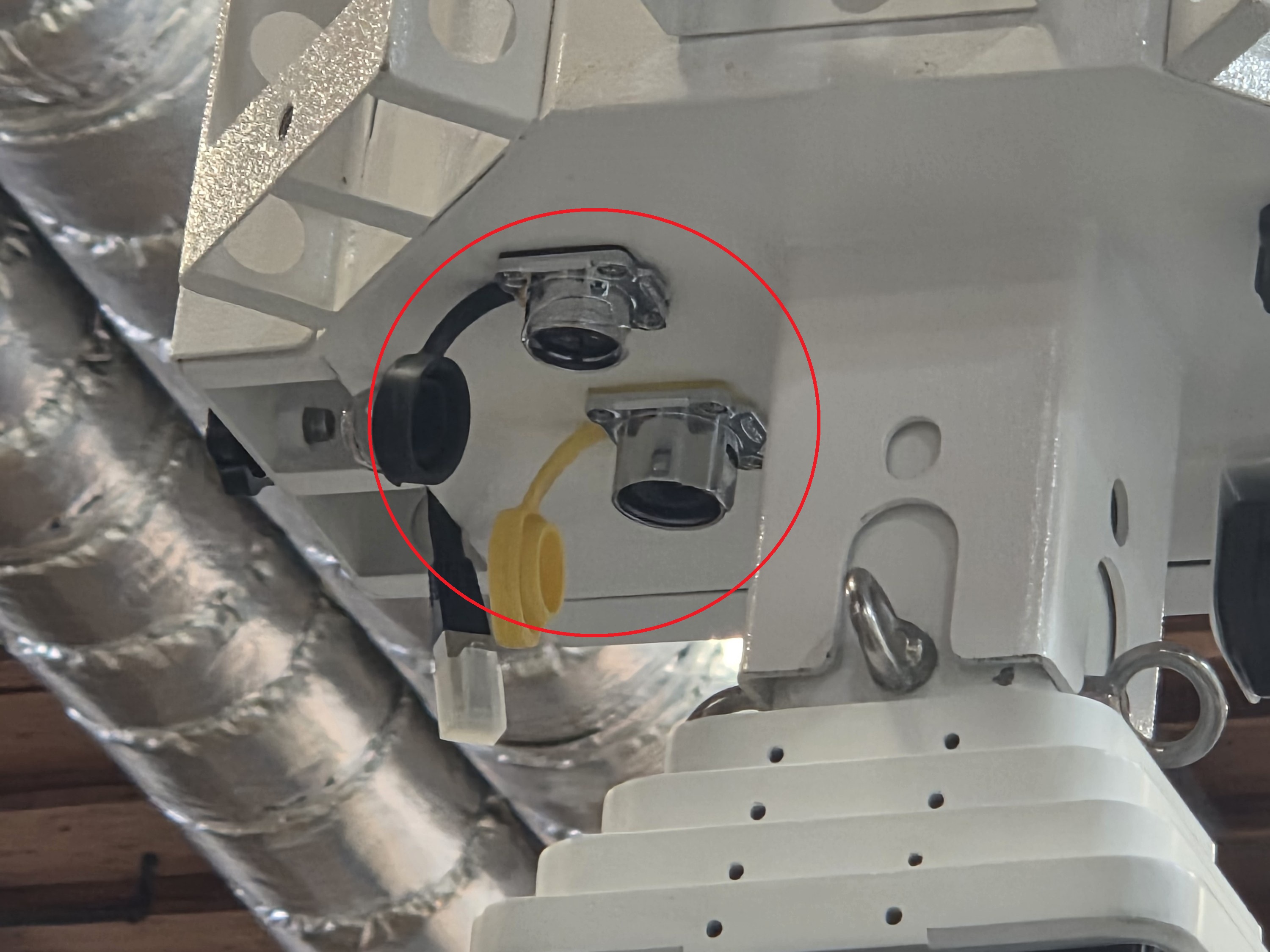
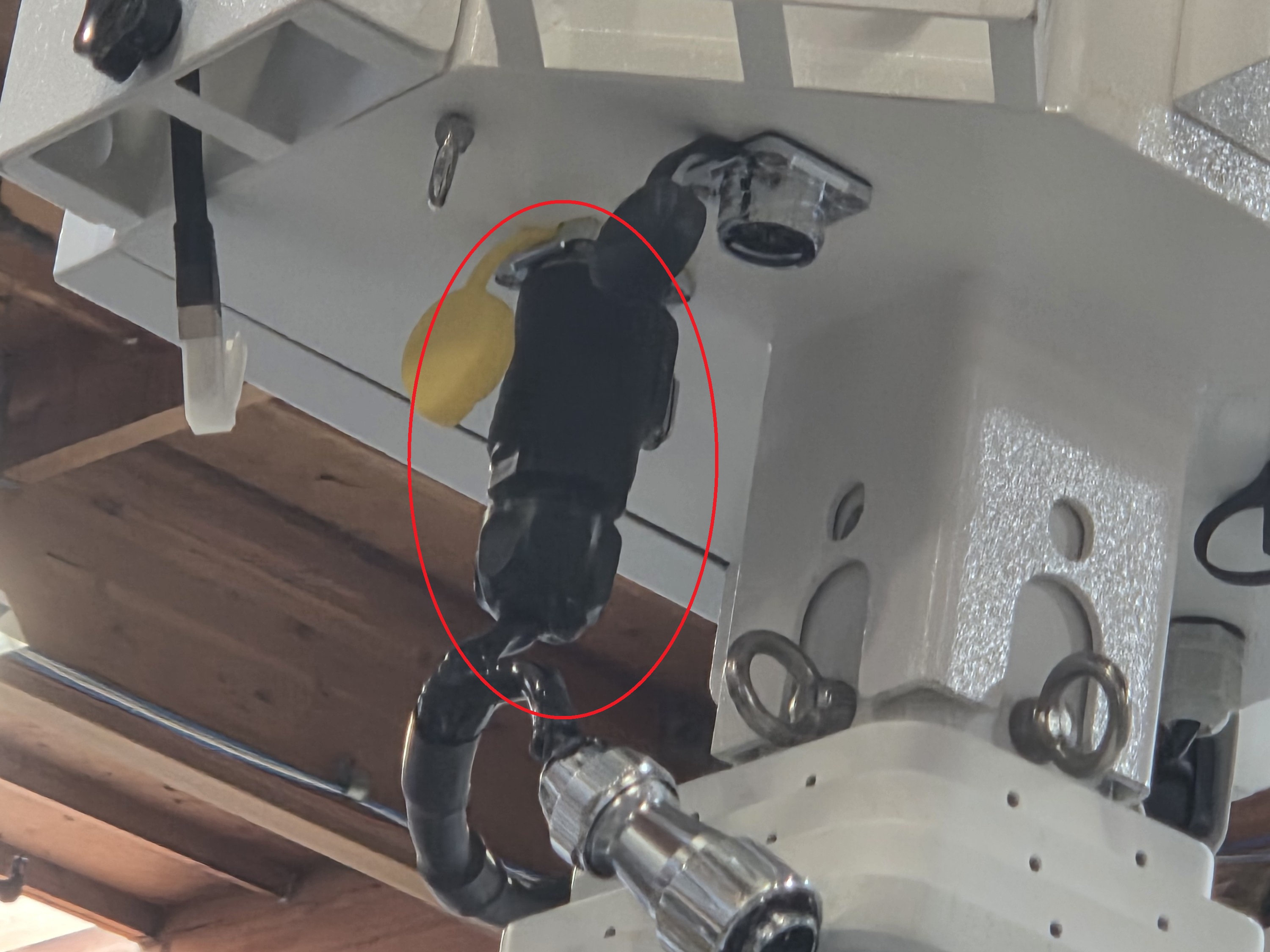
27. Connect the Black power connector, attached to the black power cable on the side of the mast, to the port with the yellow cover. Make sure it locks in place.
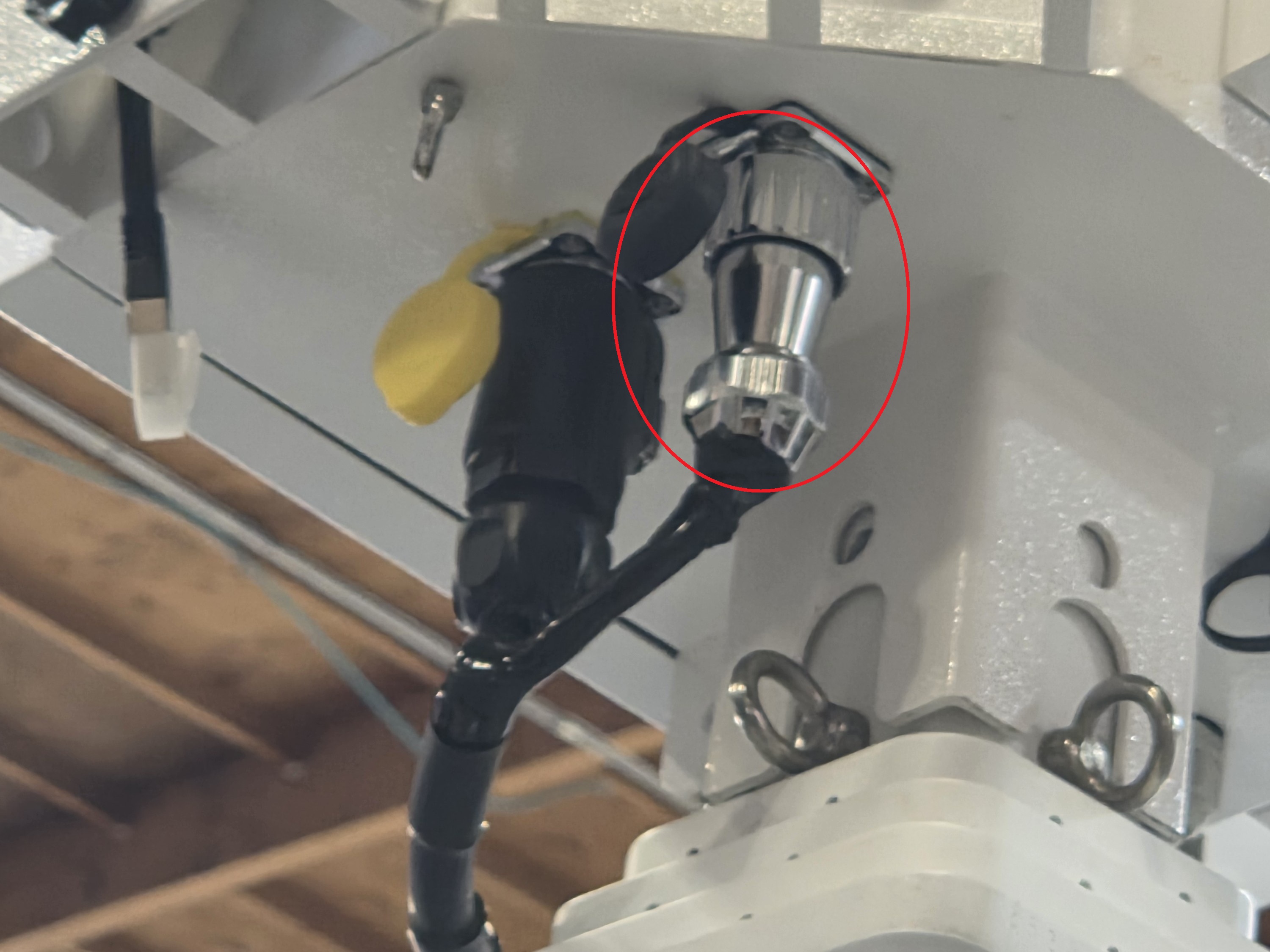
28. Connect the Silver power connector, attached to the black power cable on the side of the mast, to the port with the black cover. Twist the end to lock it in place.
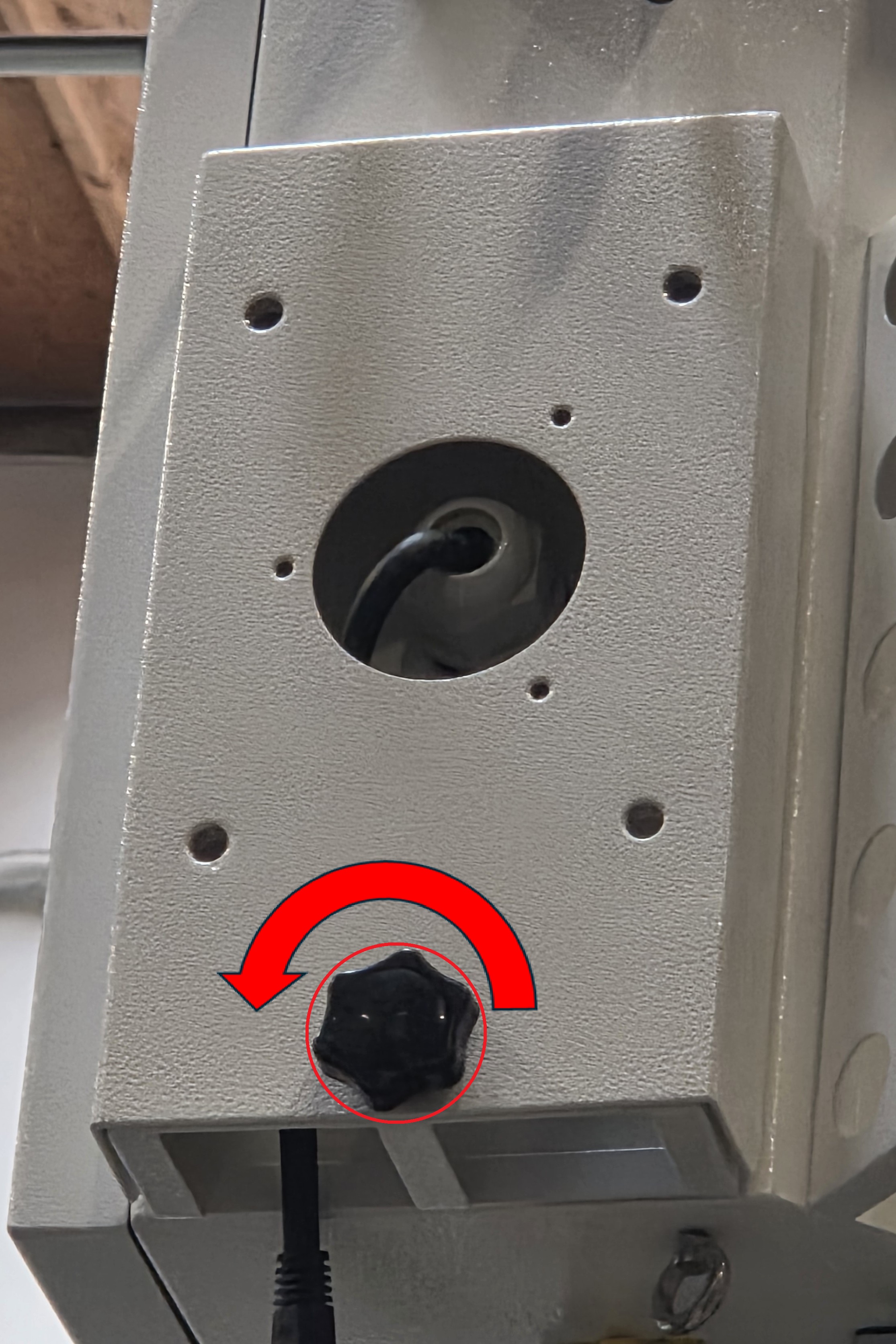
29. Unscrew the black knob screw on one of the camera mounts on the controller box.
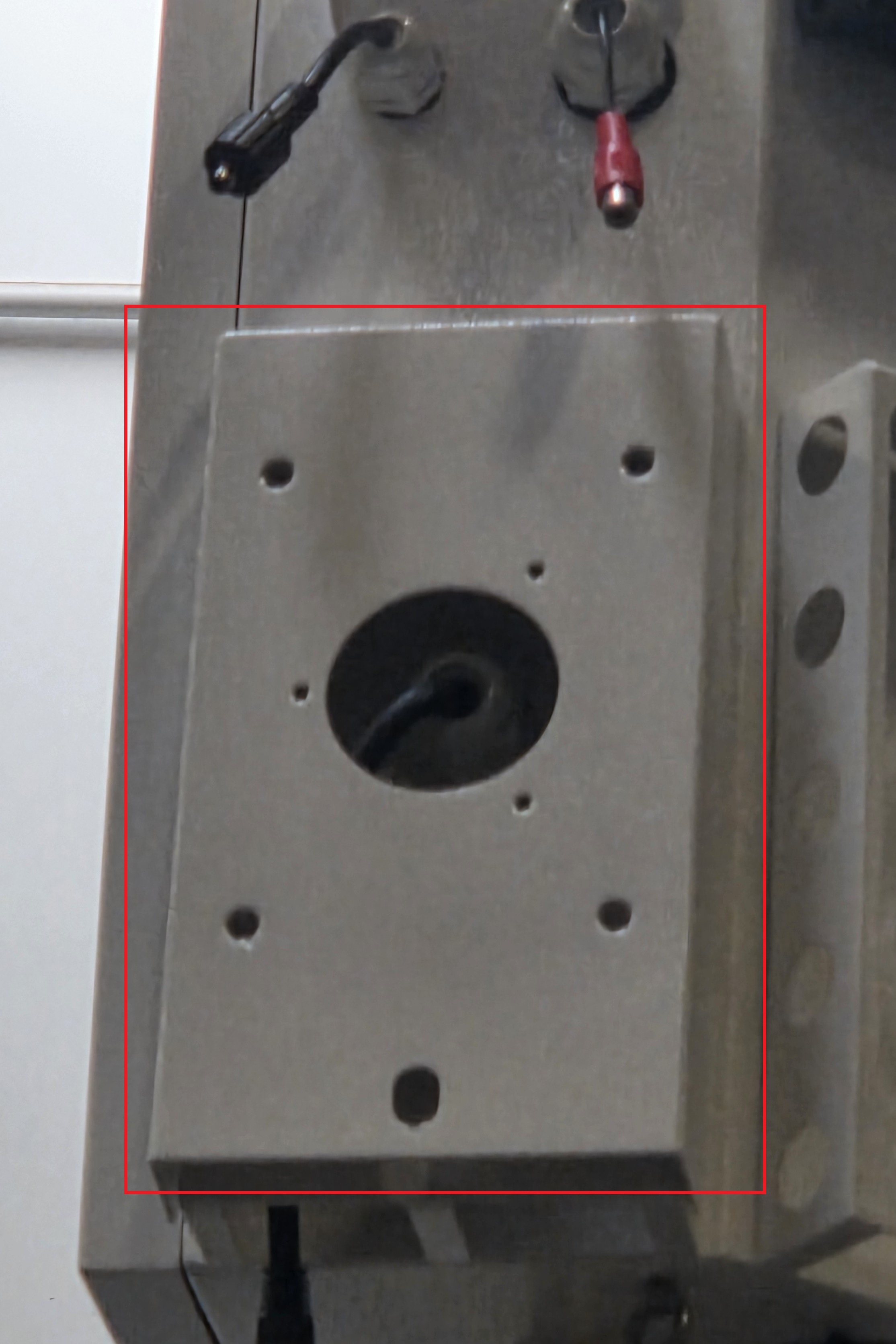
30. Push up and then pull out the camera mounting plate to remove it from the controller box.
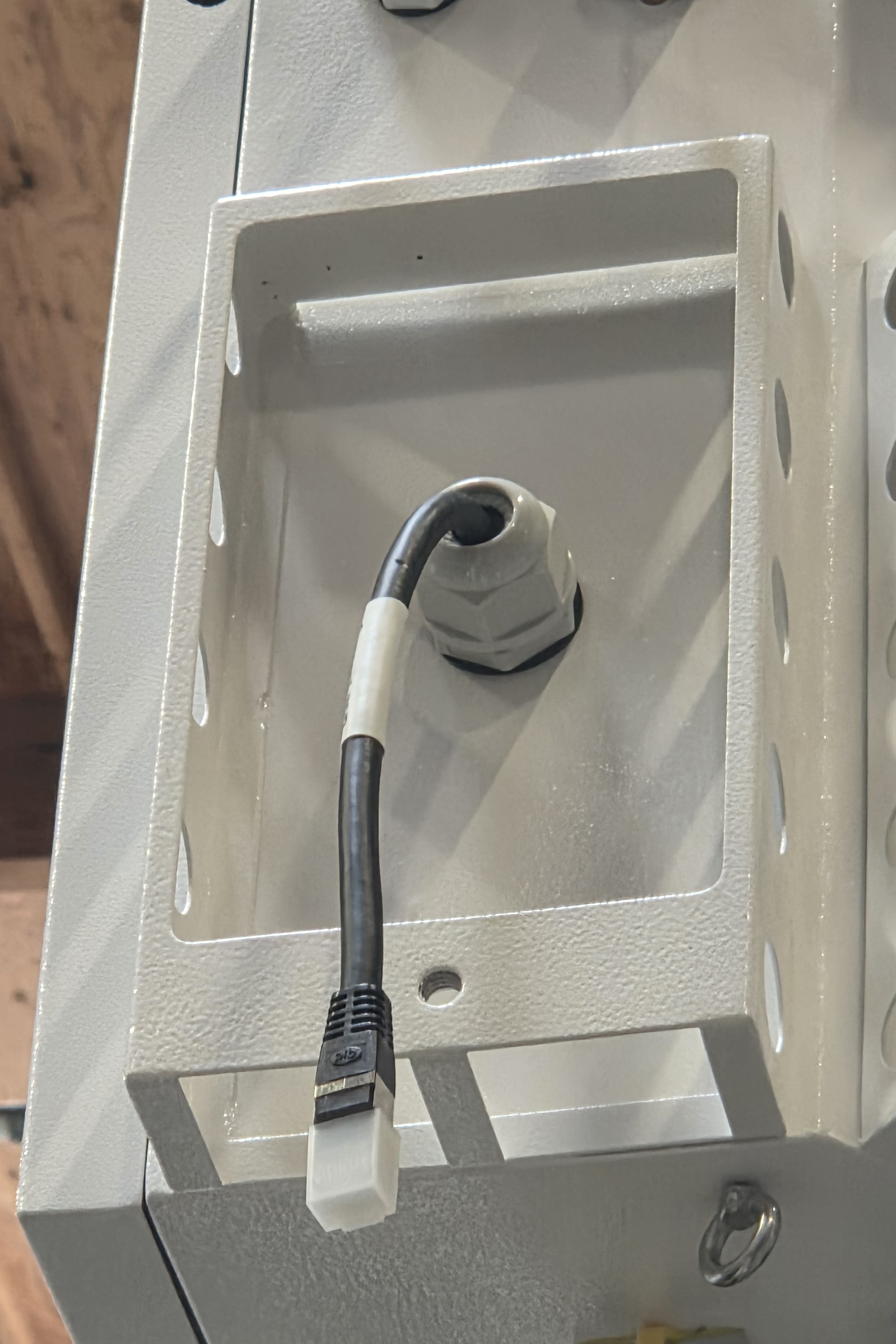
31. Remove the RJ45 cover from the cable
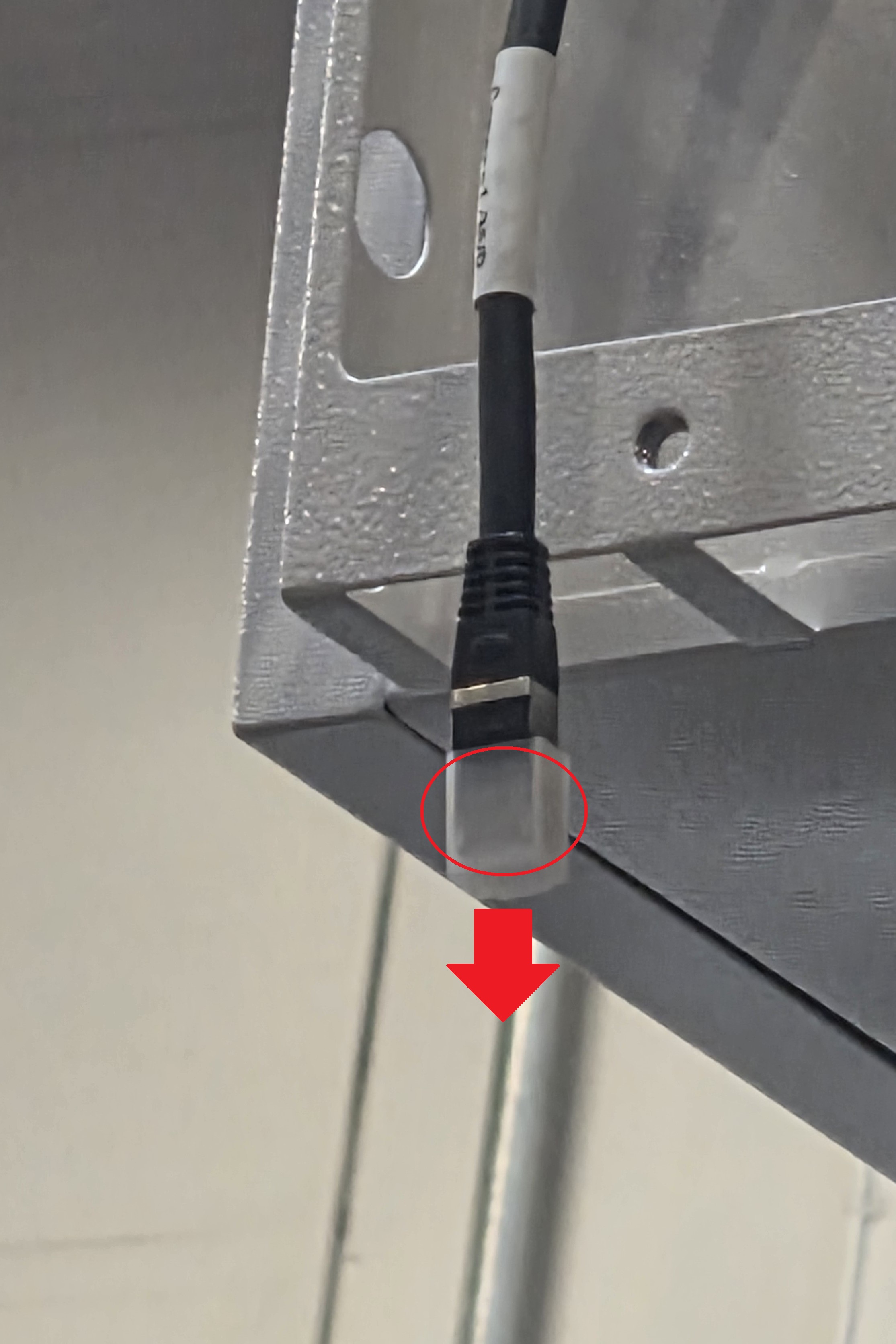
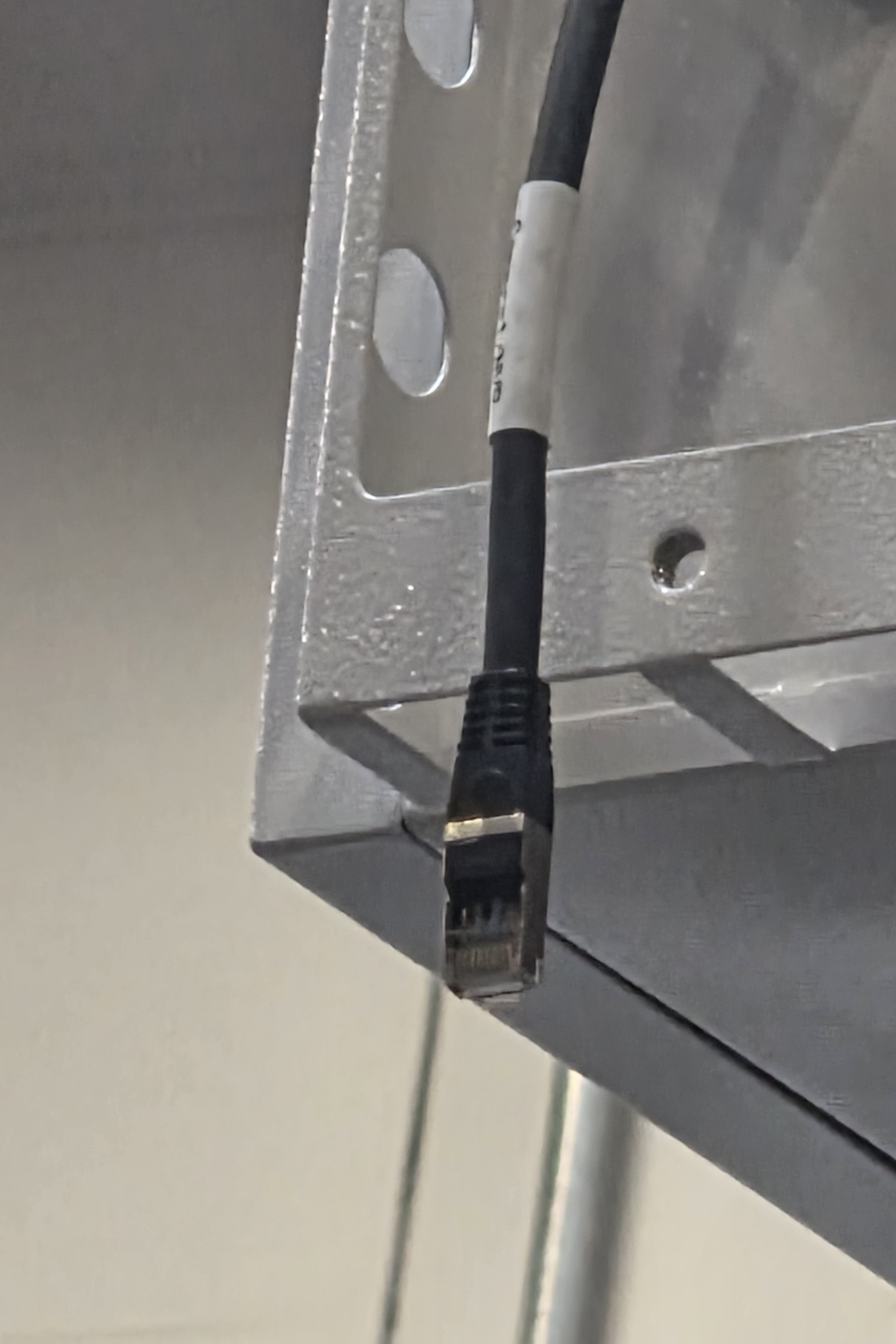
32. Locate and retrieve the bag of Ethernet waterproofing covers.
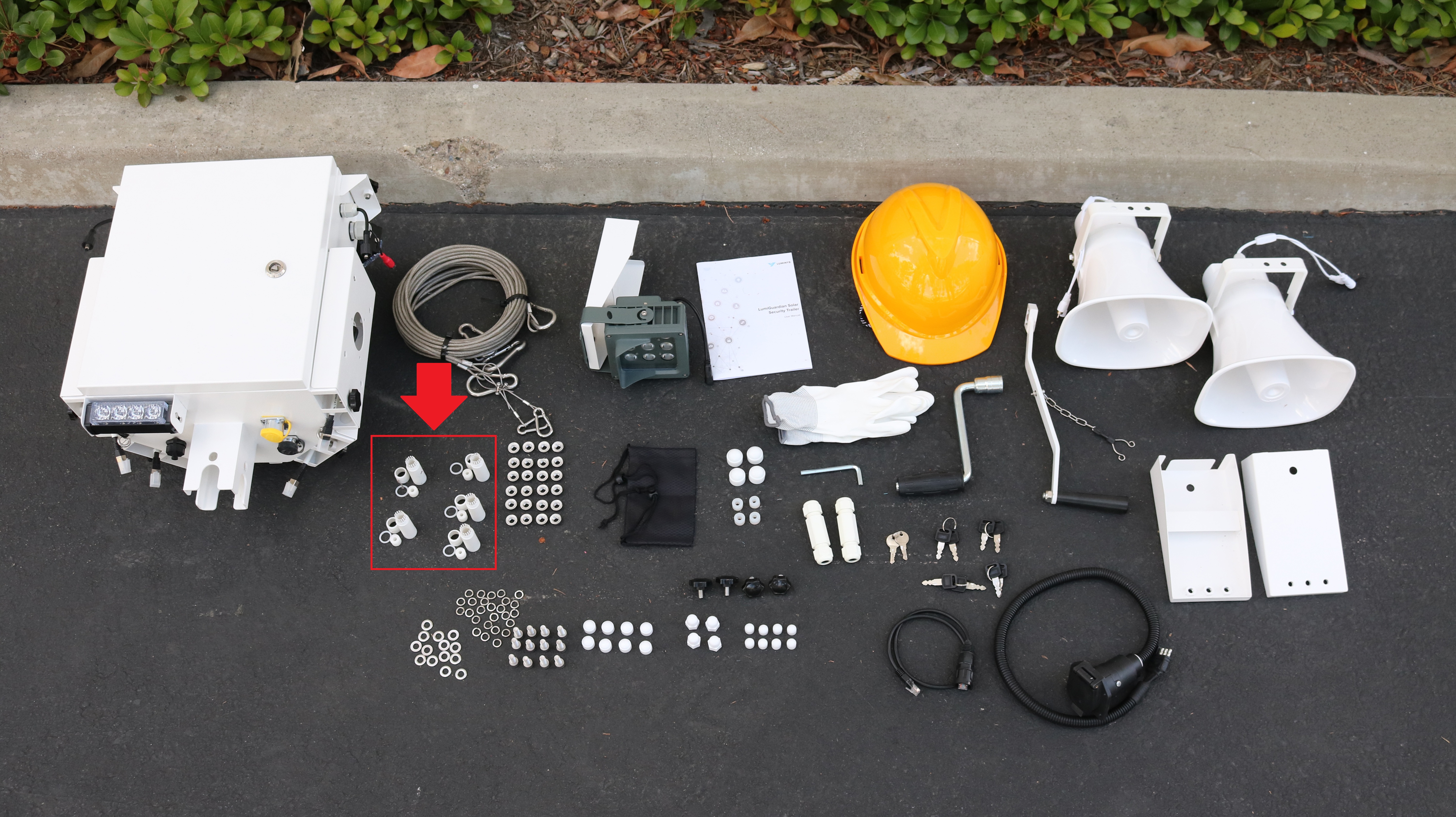
33. Put the plastic waterproof nut over the ethernet cable on the controller box.

34. Put the plastic waterproof connector over the ethernet cable.
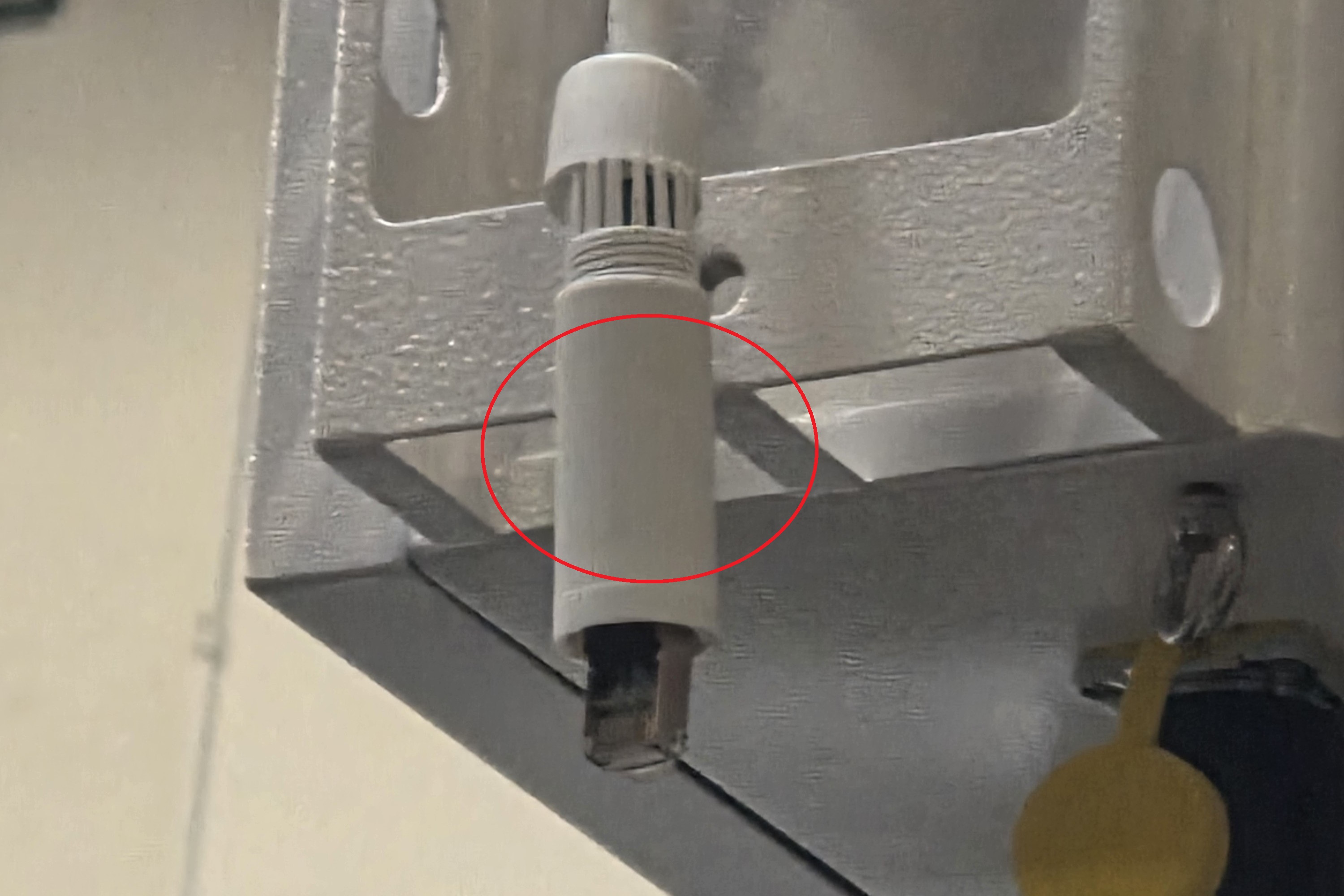
35. Put the rubber O ring over the camera's ethernet connector.
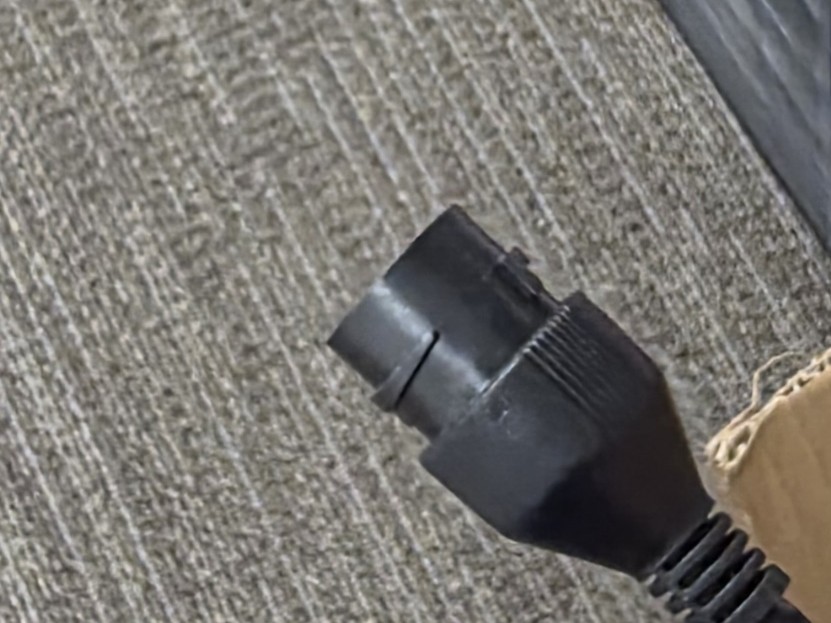

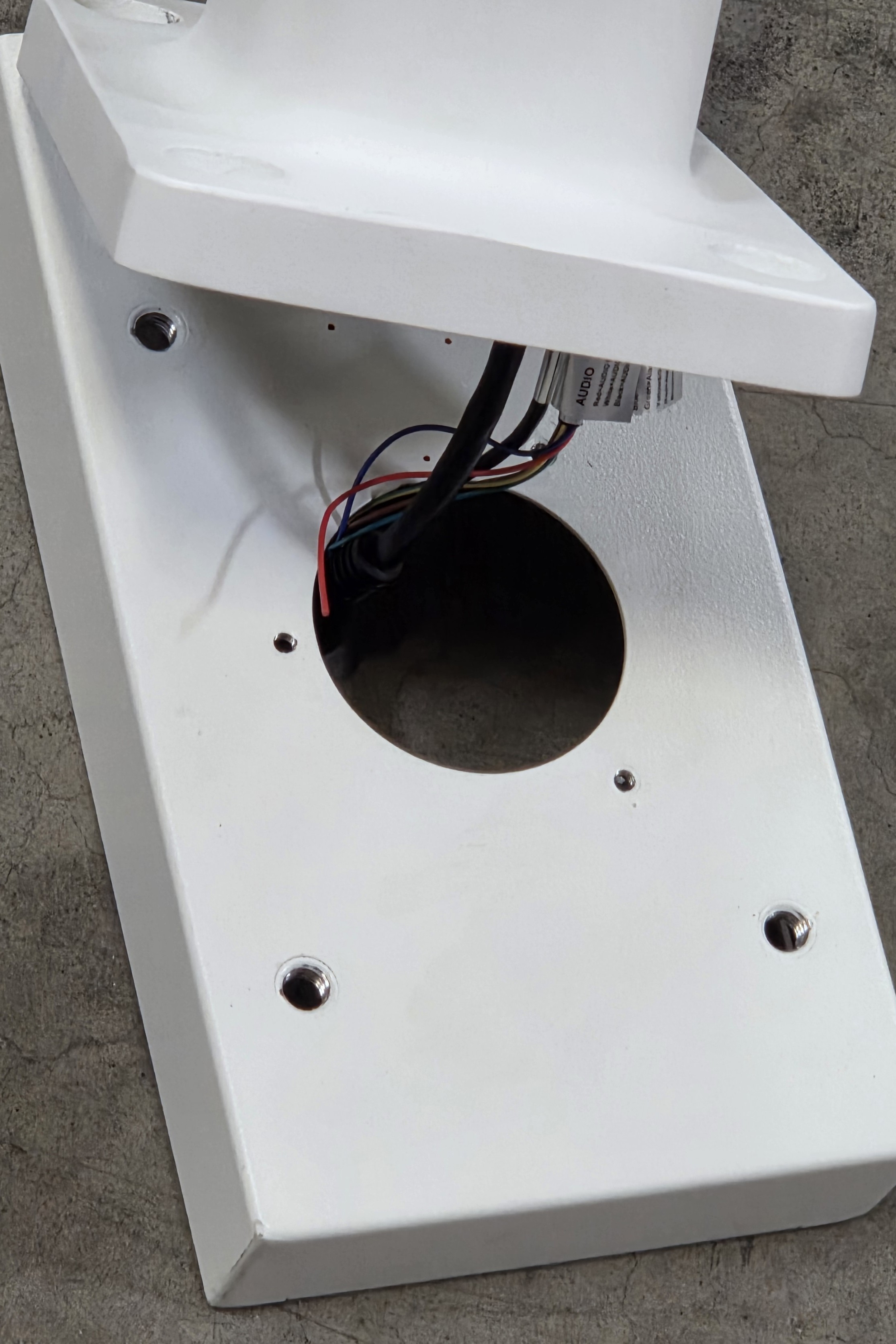
36. Take the camera’s pigtail and side it through the opening in the mounting plate.
37. Locate and retrieve the bag of hex screws, washers, and the hex wrench.
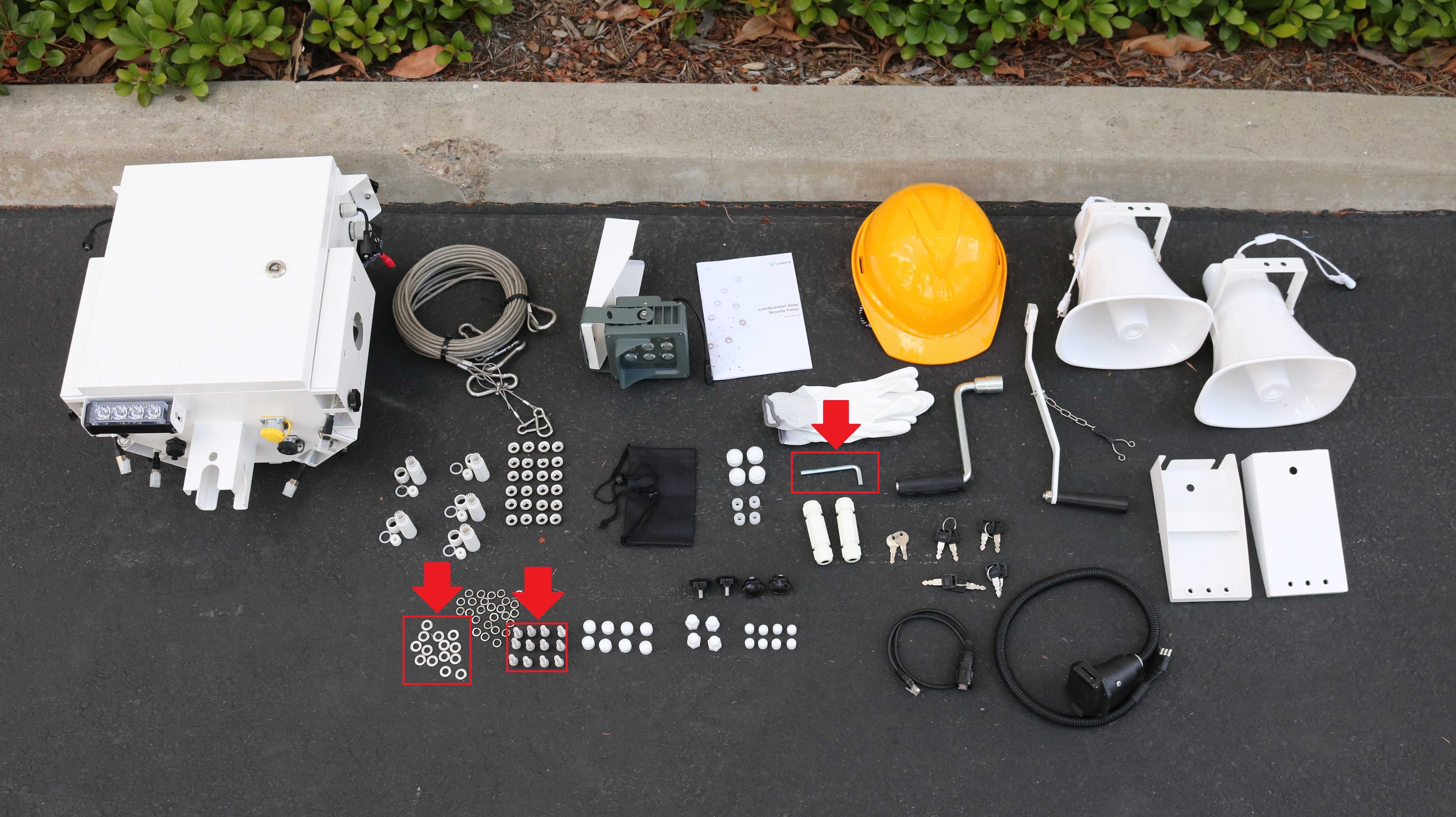
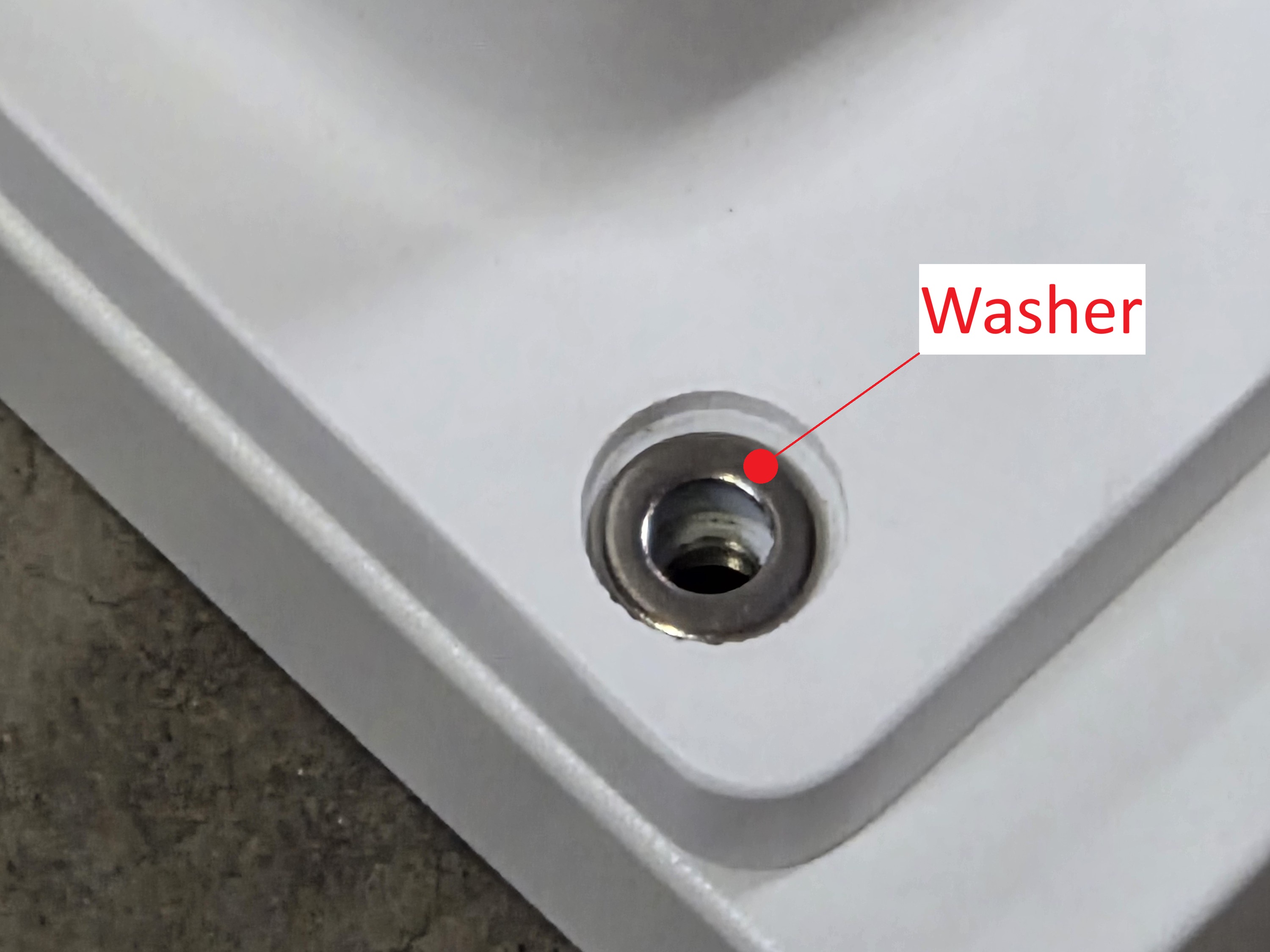
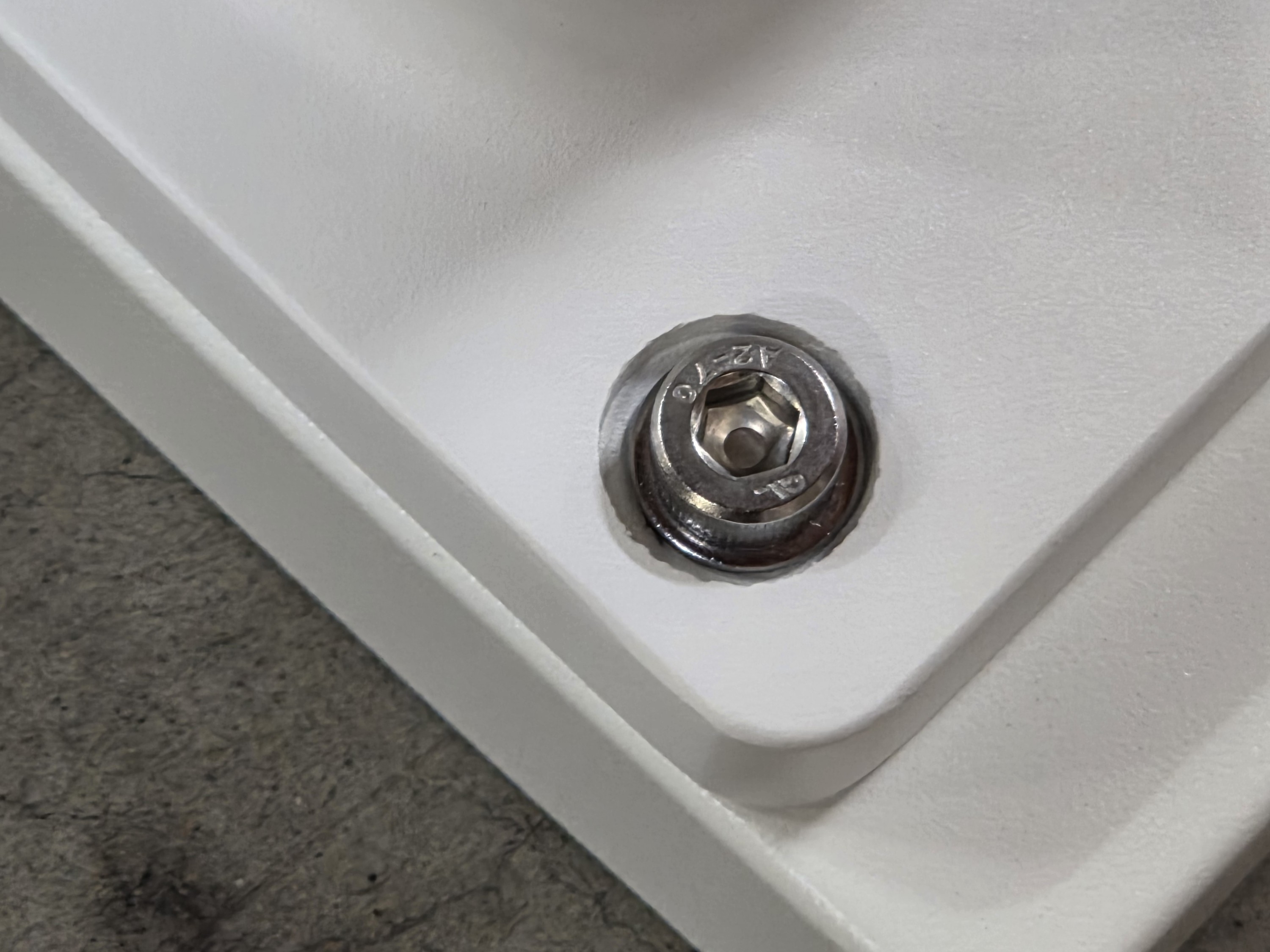
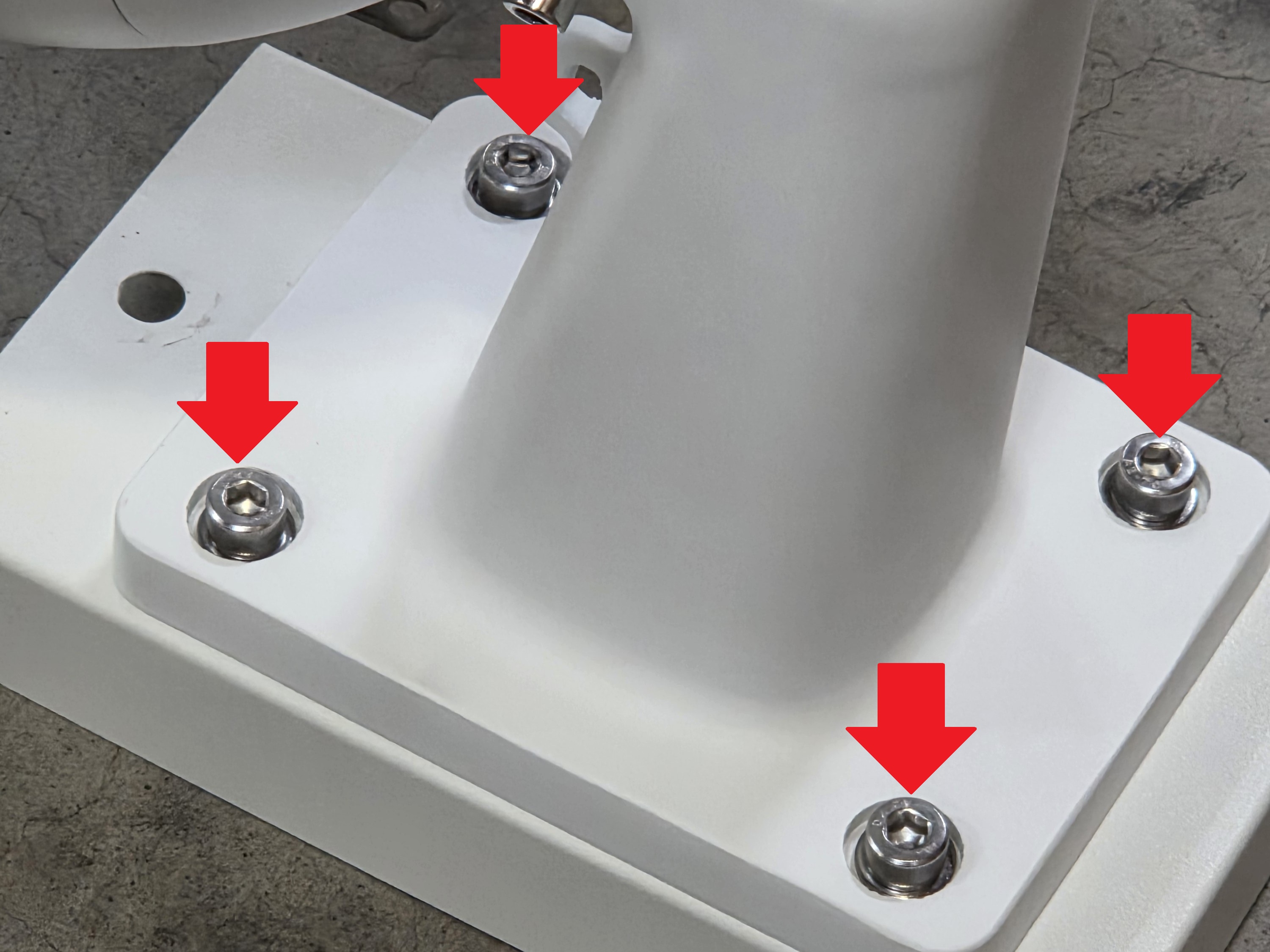
38. Put a washer then a screw through the hole on the camera’s mount and then through the mounting plate. Screw the hex screw in place with the included hex wrench. Repeat on the 3 other holes on the camera’s mount and the mounting plate.
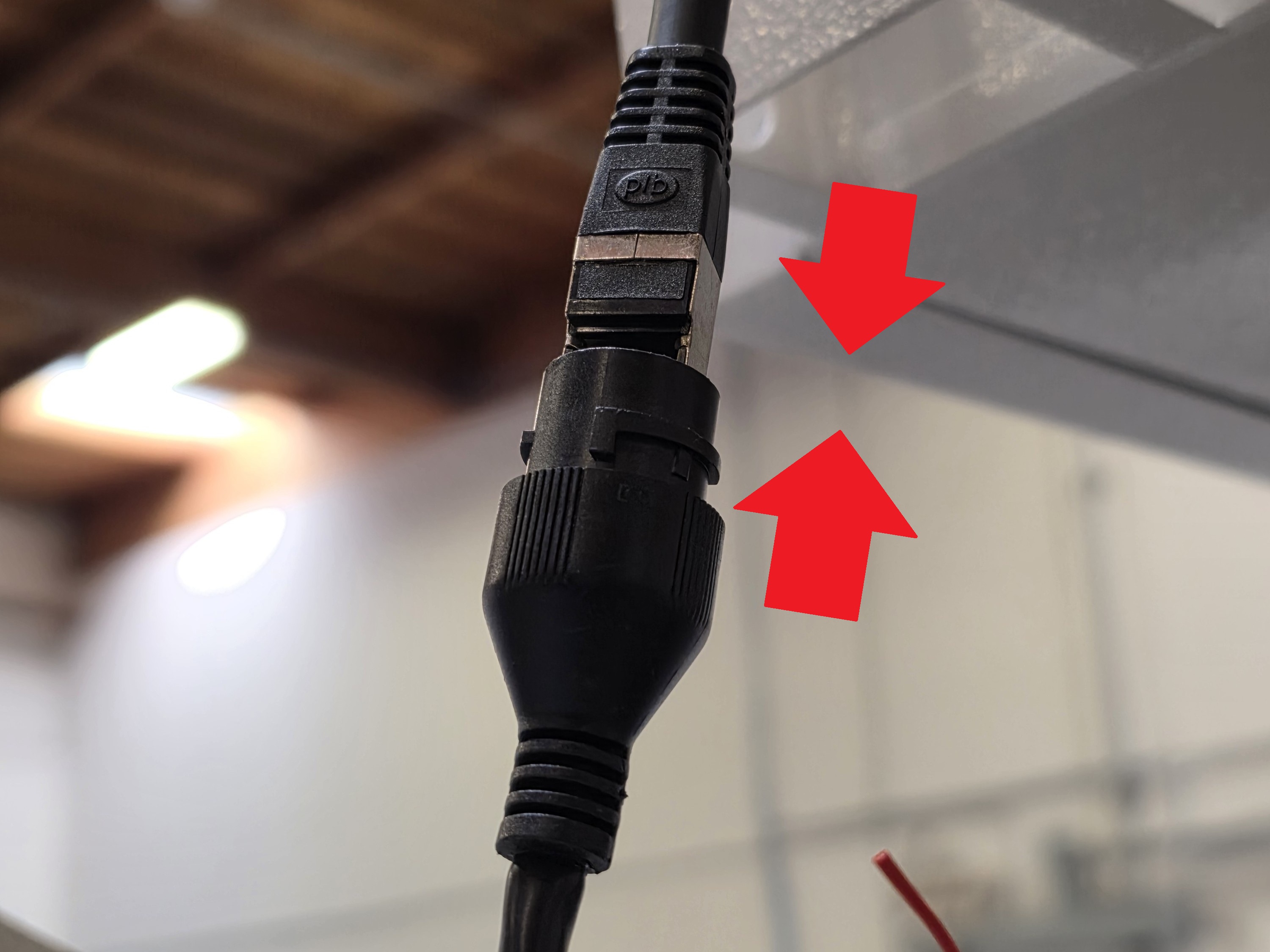
39. Connect the end of the ethernet cable on the control box to the port on the pigtail of the camera. Then push the waterproof connector over the port and twist it to lock it in place.
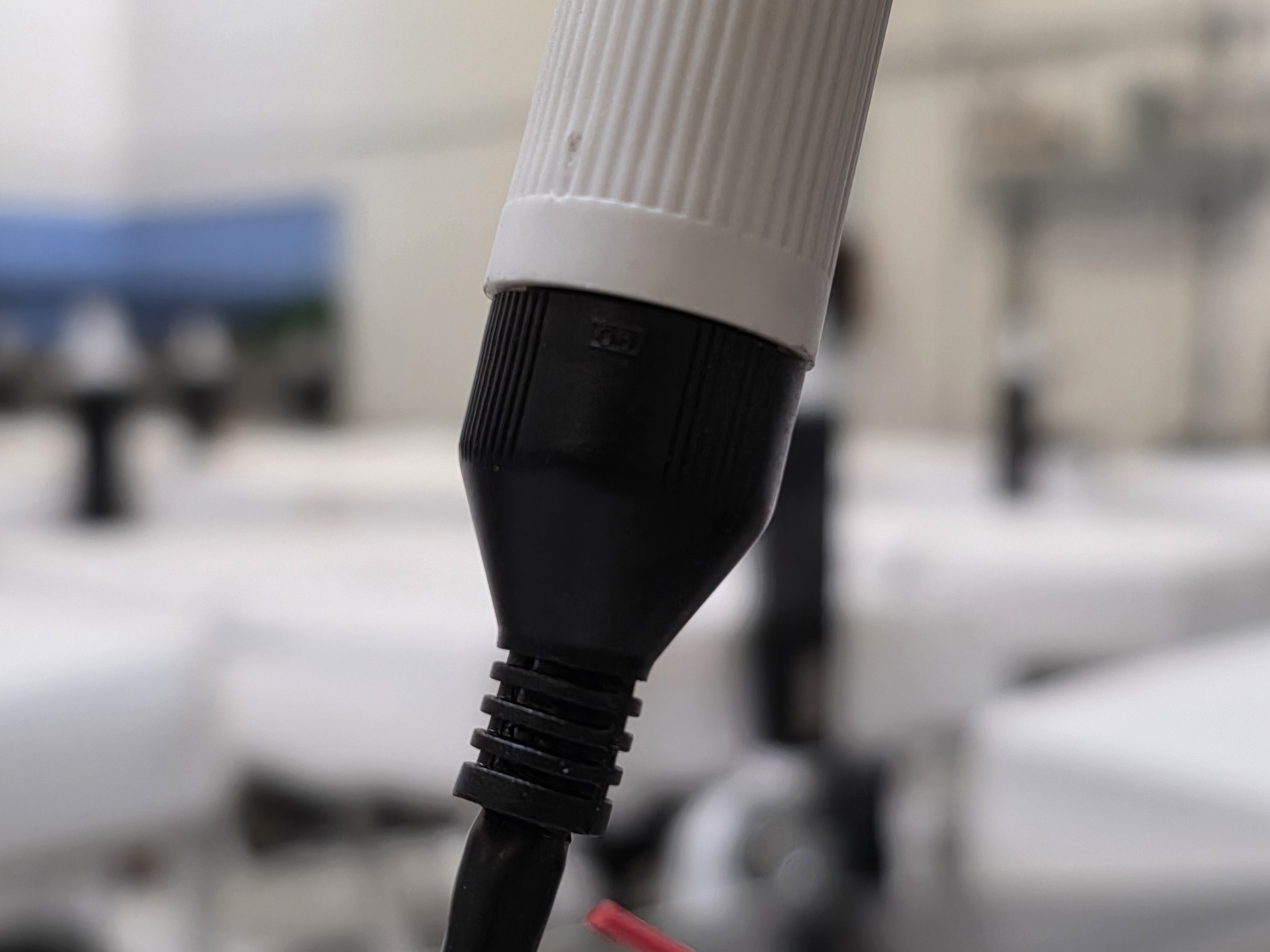
40. Slide the rubber nut onto the controller box cable, positioning it between the weatherproof nut and the outer shell. Push the rubber nut into the shell, ensuring the fins wrap securely around it.
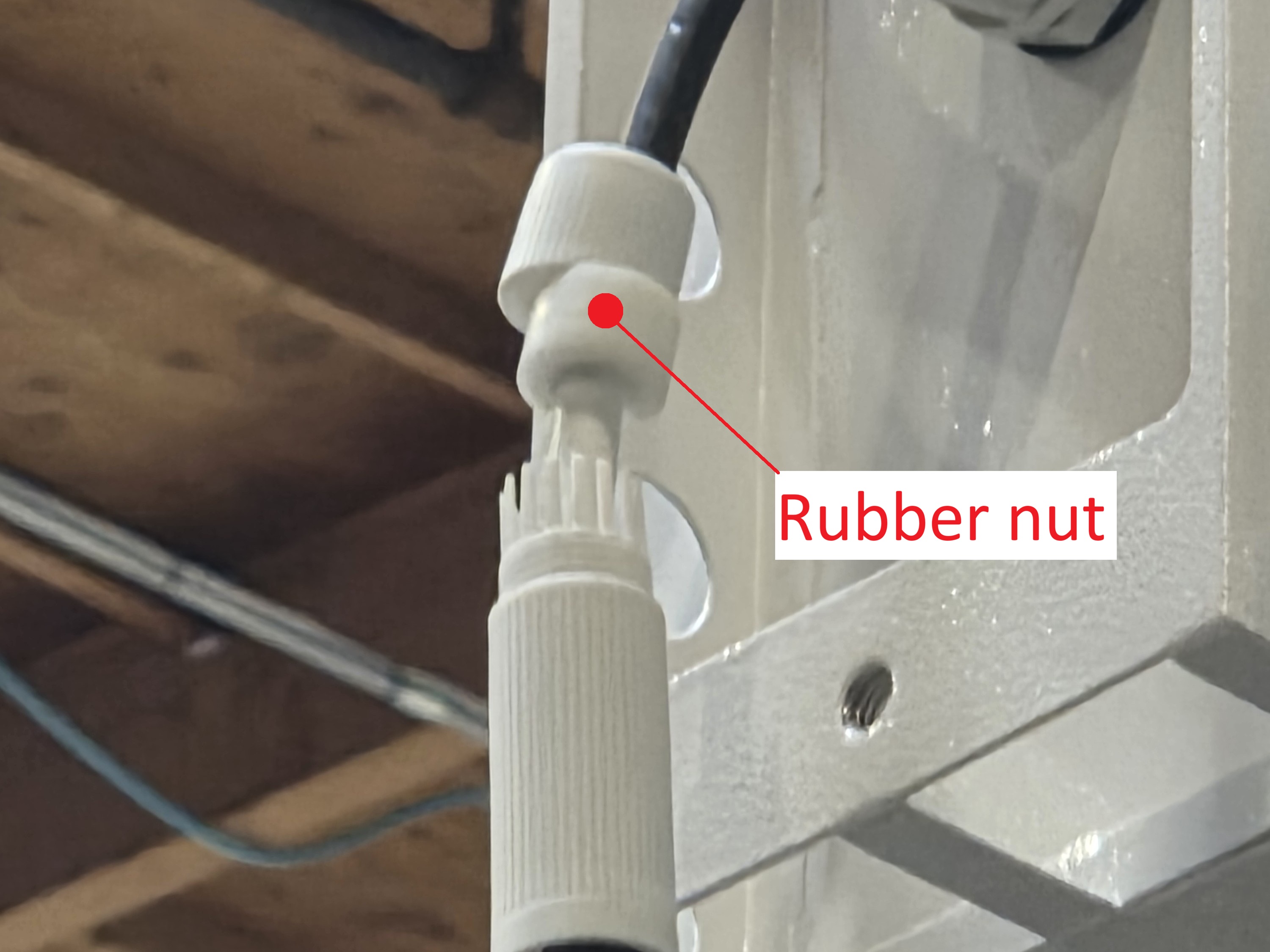
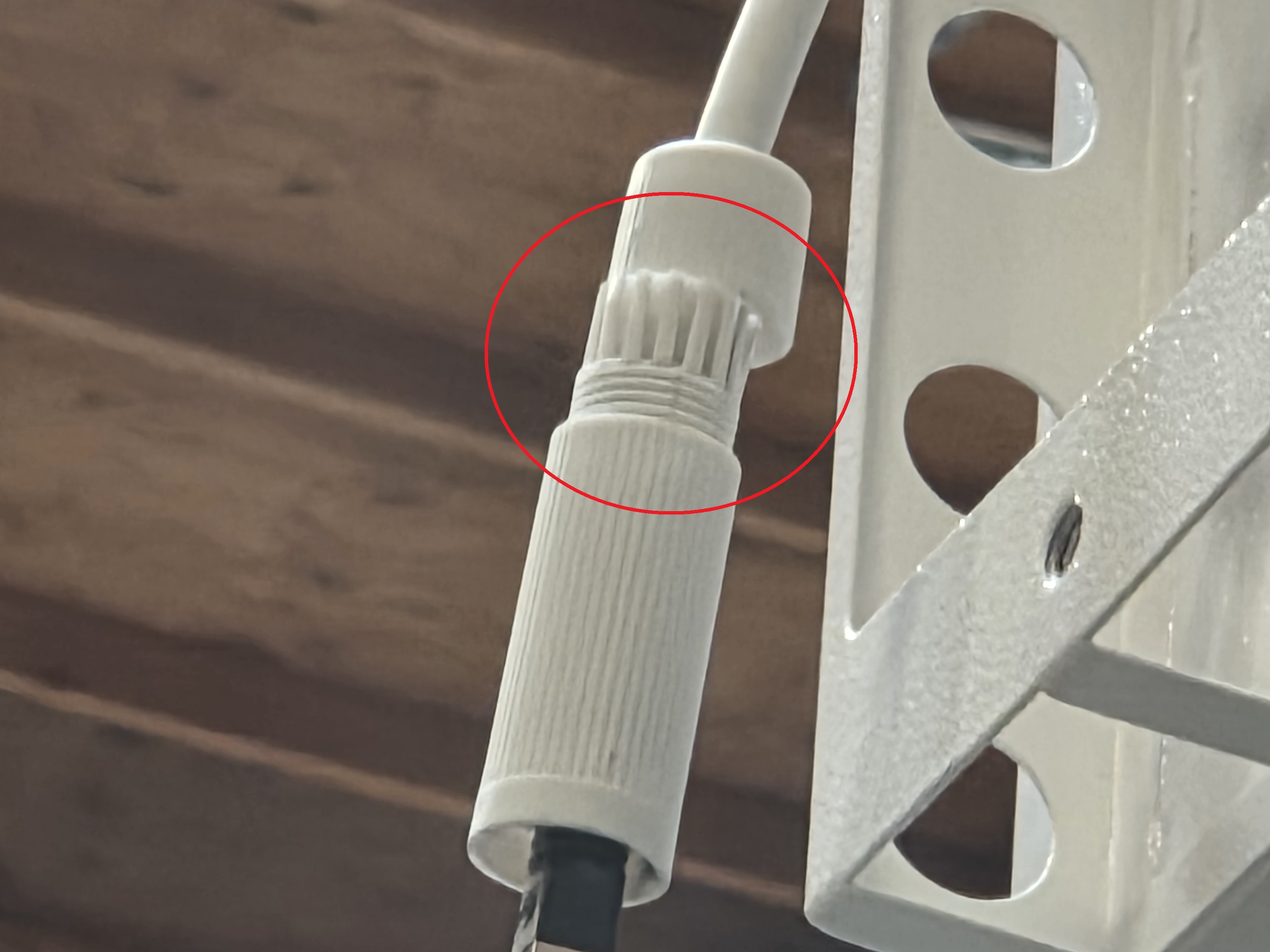
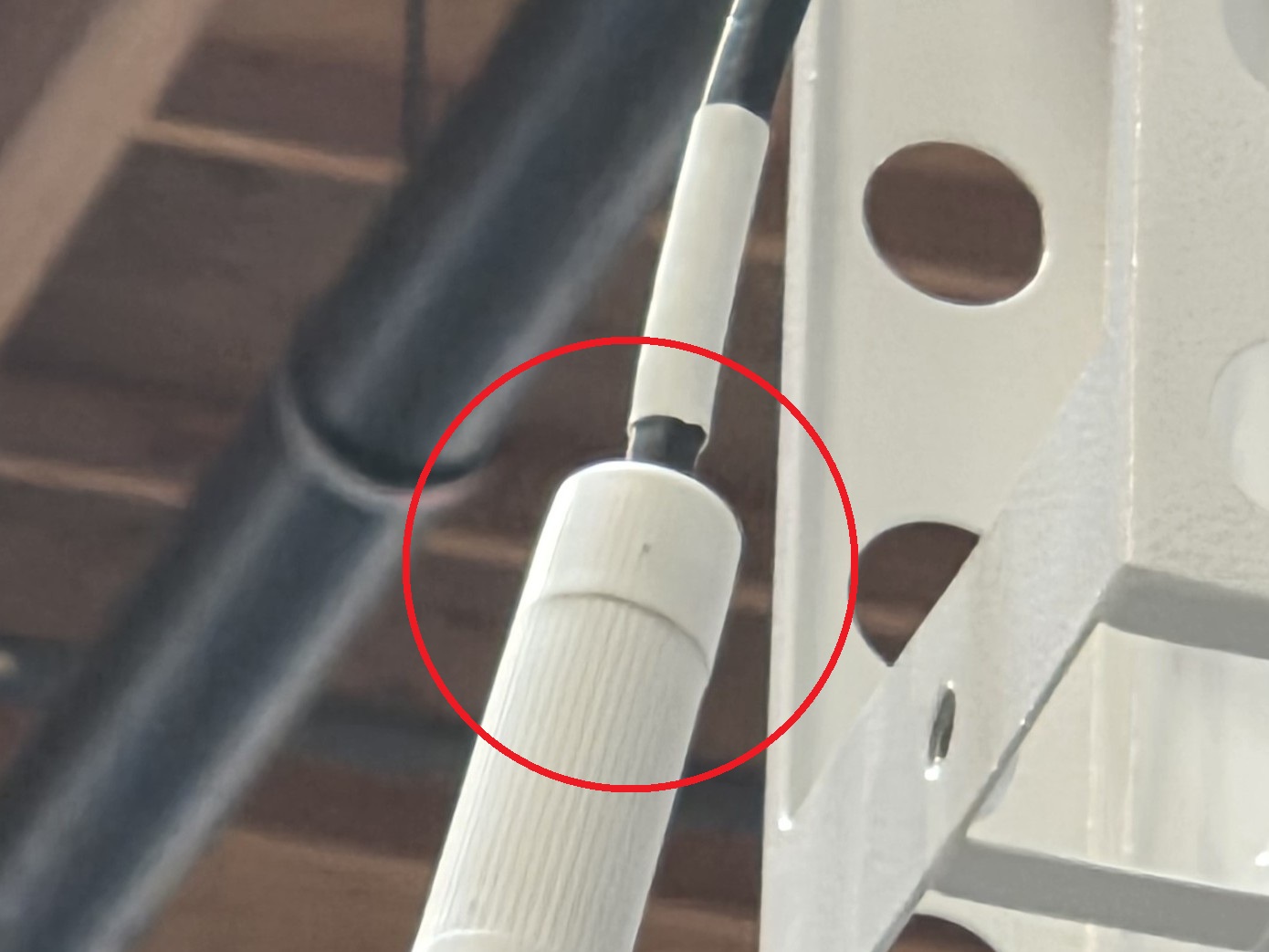
41.Securely tighten the weatherproof nut onto the shell.
42. Slide the mounting plate back onto the control box and screw the black knob screw back on to secure it.
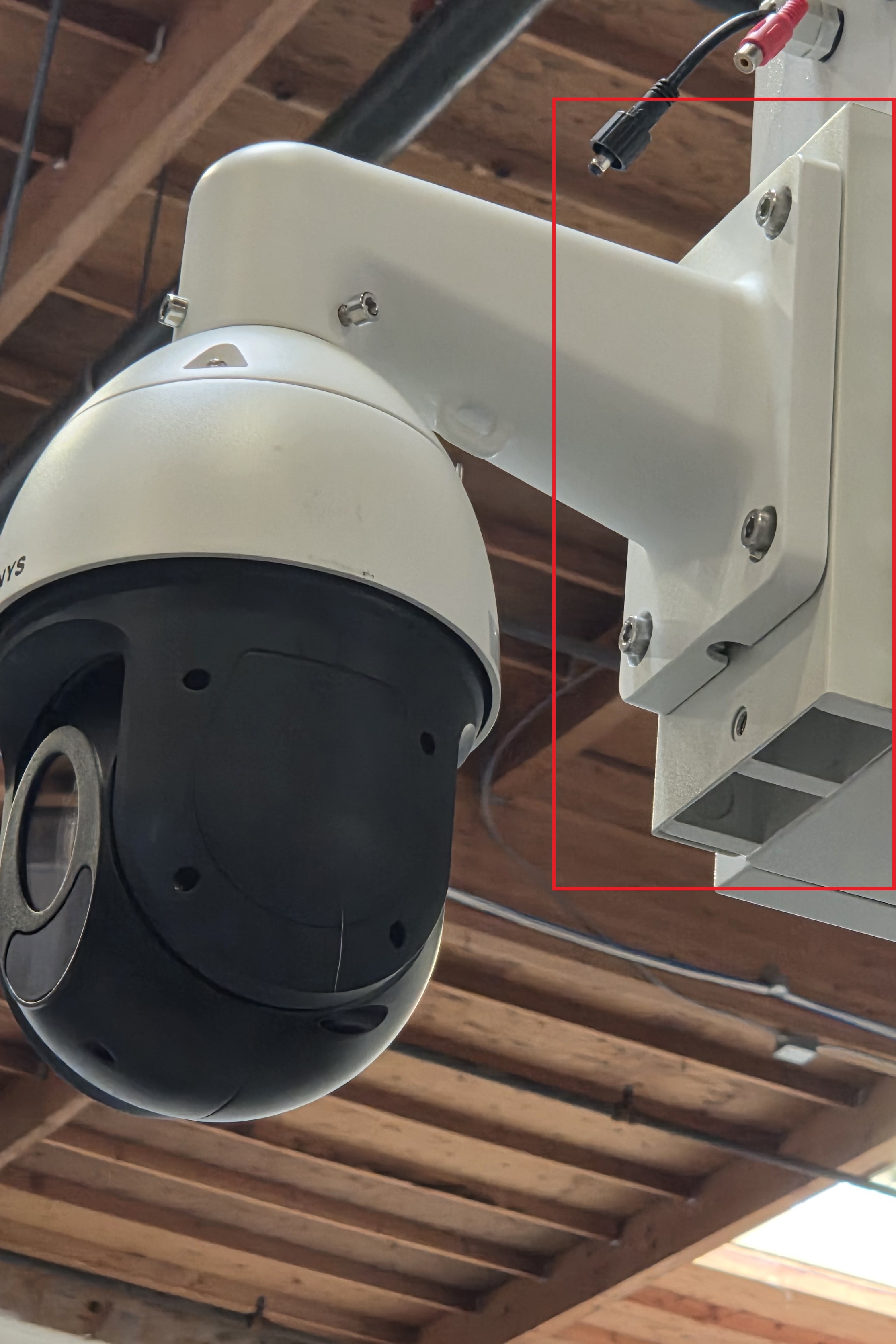
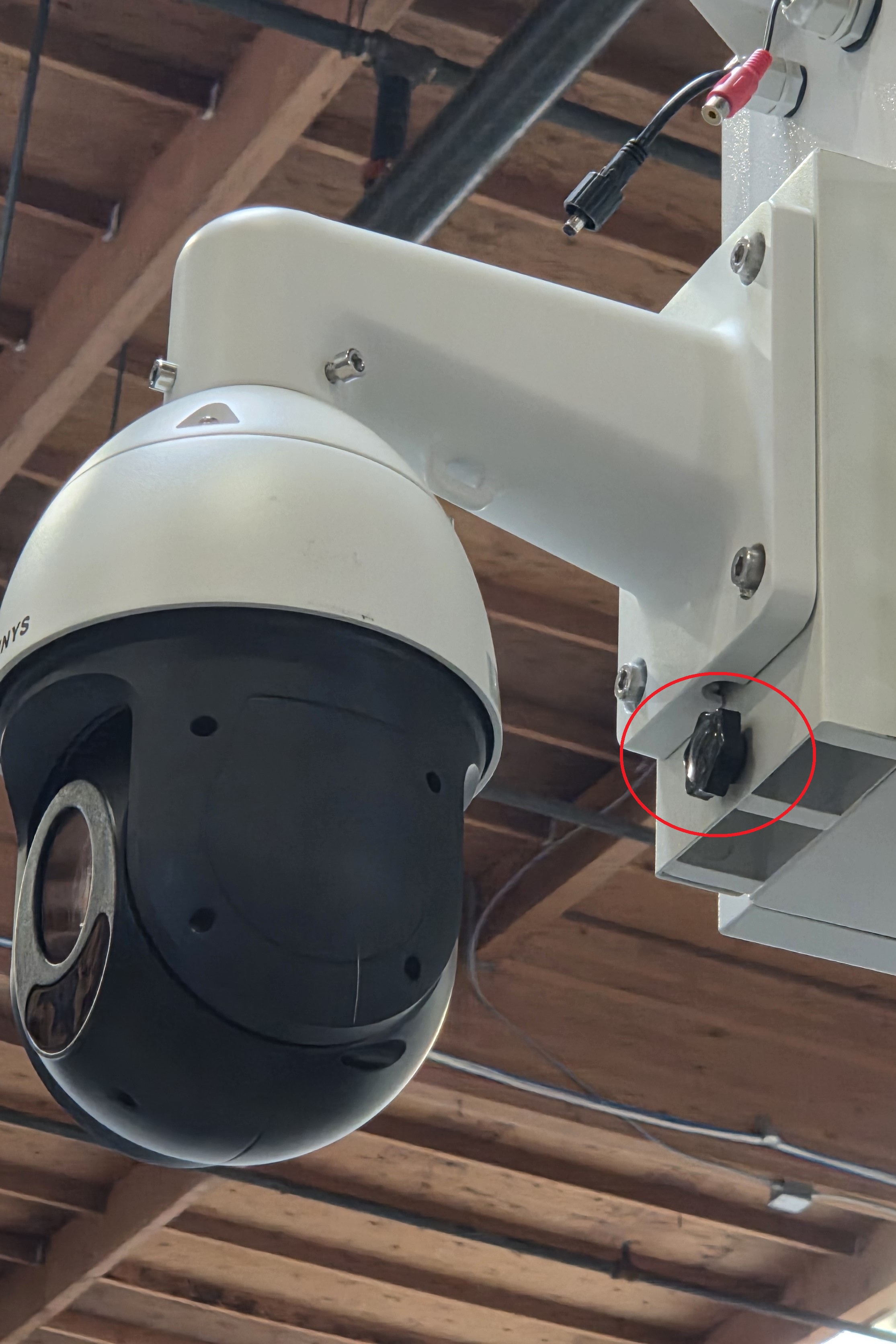
43. Repeat the process for up to 3 other cameras.
44. Locate and retrieve one of the analog speakers, one of the speaker mounting plates, the bag of hex screws, and a hex wrench.
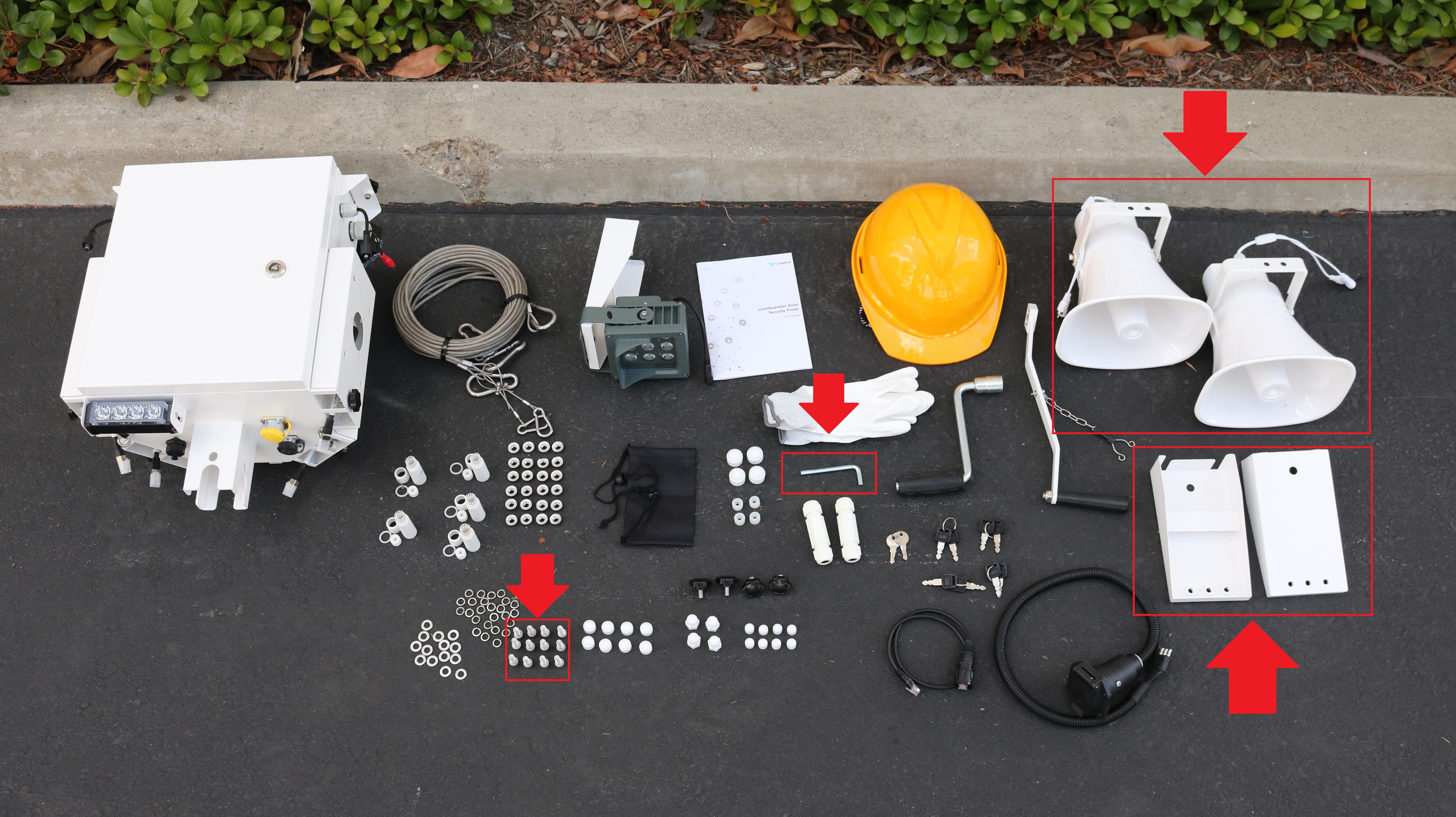
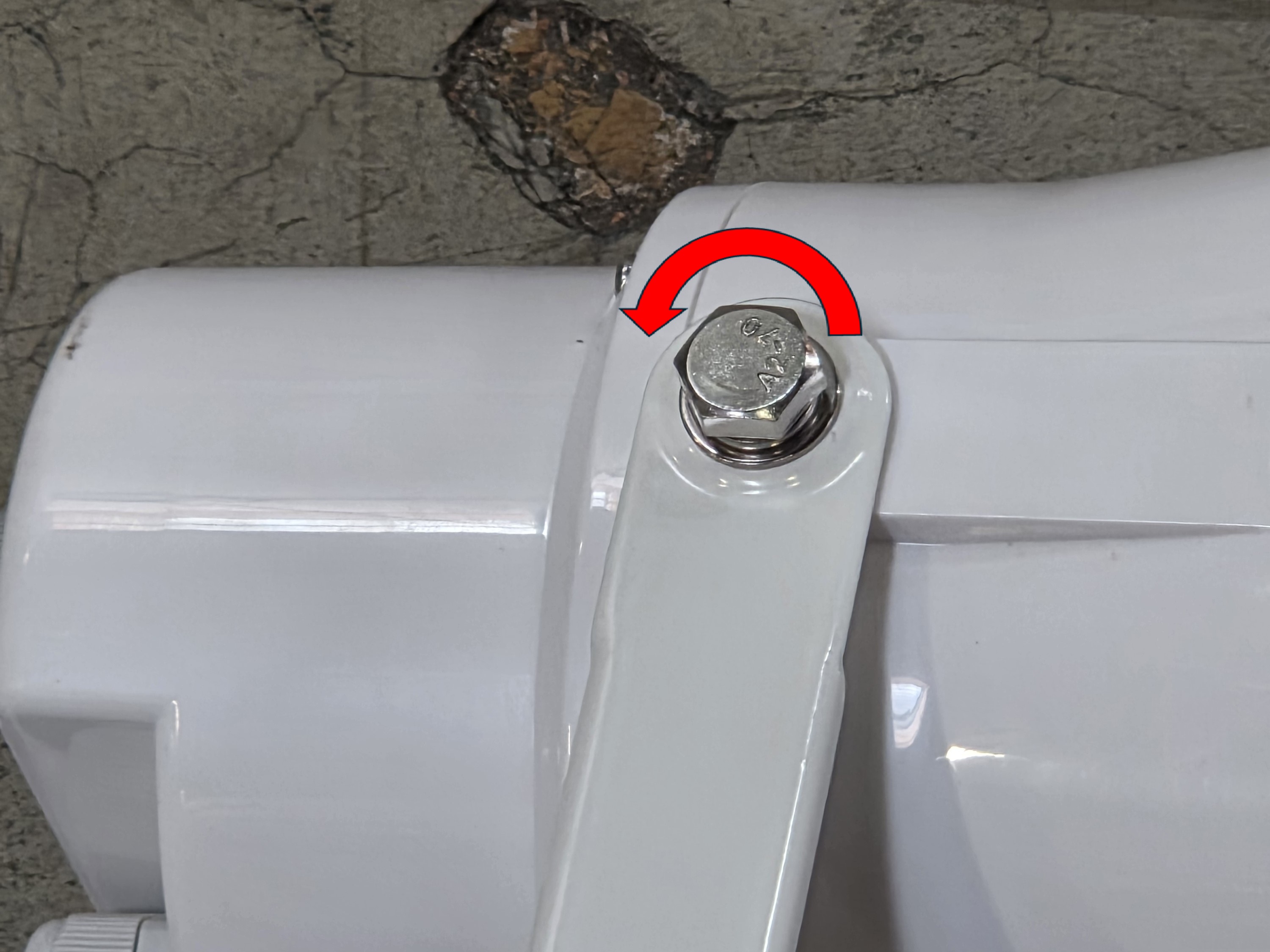
45. Remove the U-Bracket from the speaker.
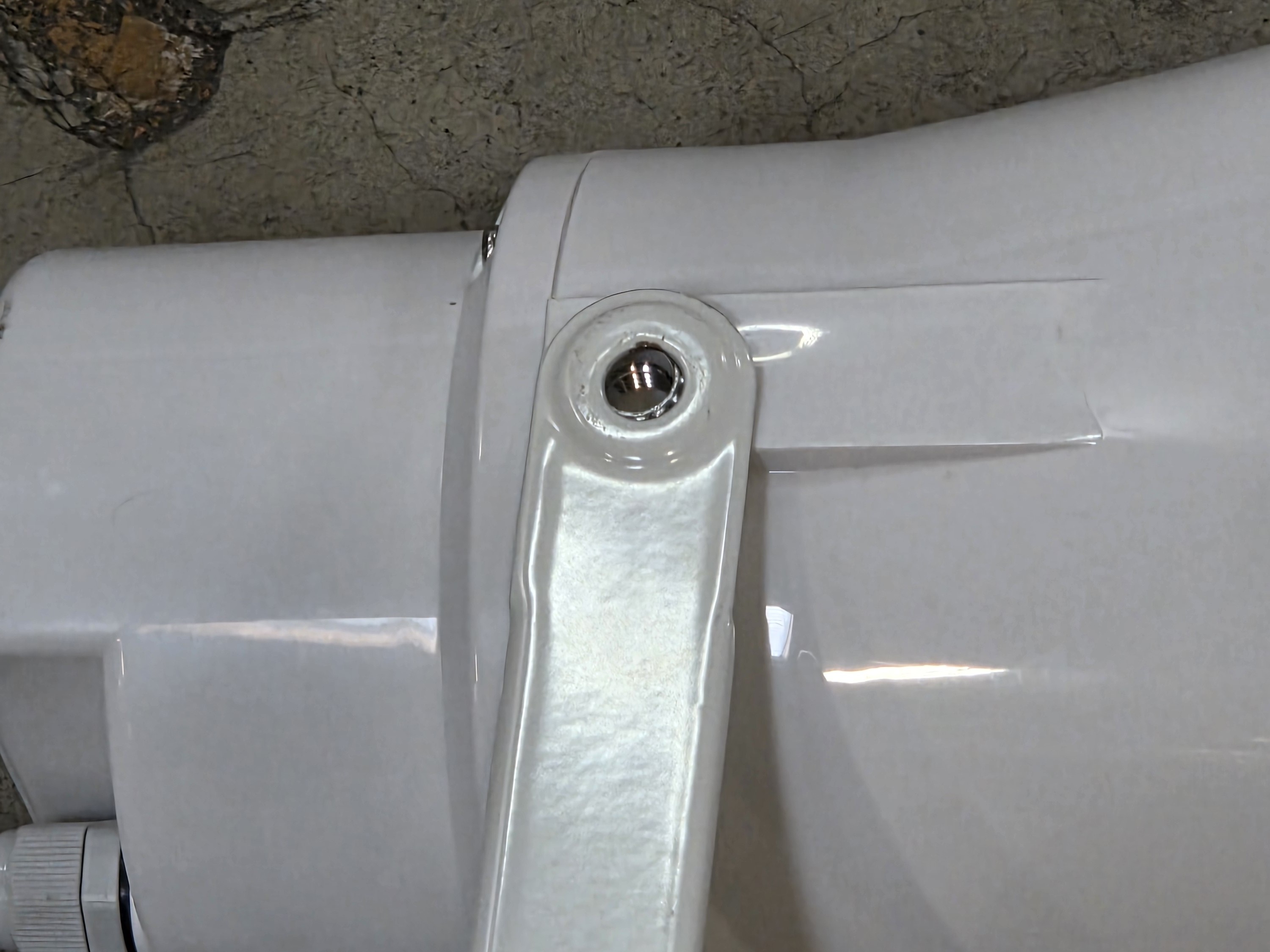
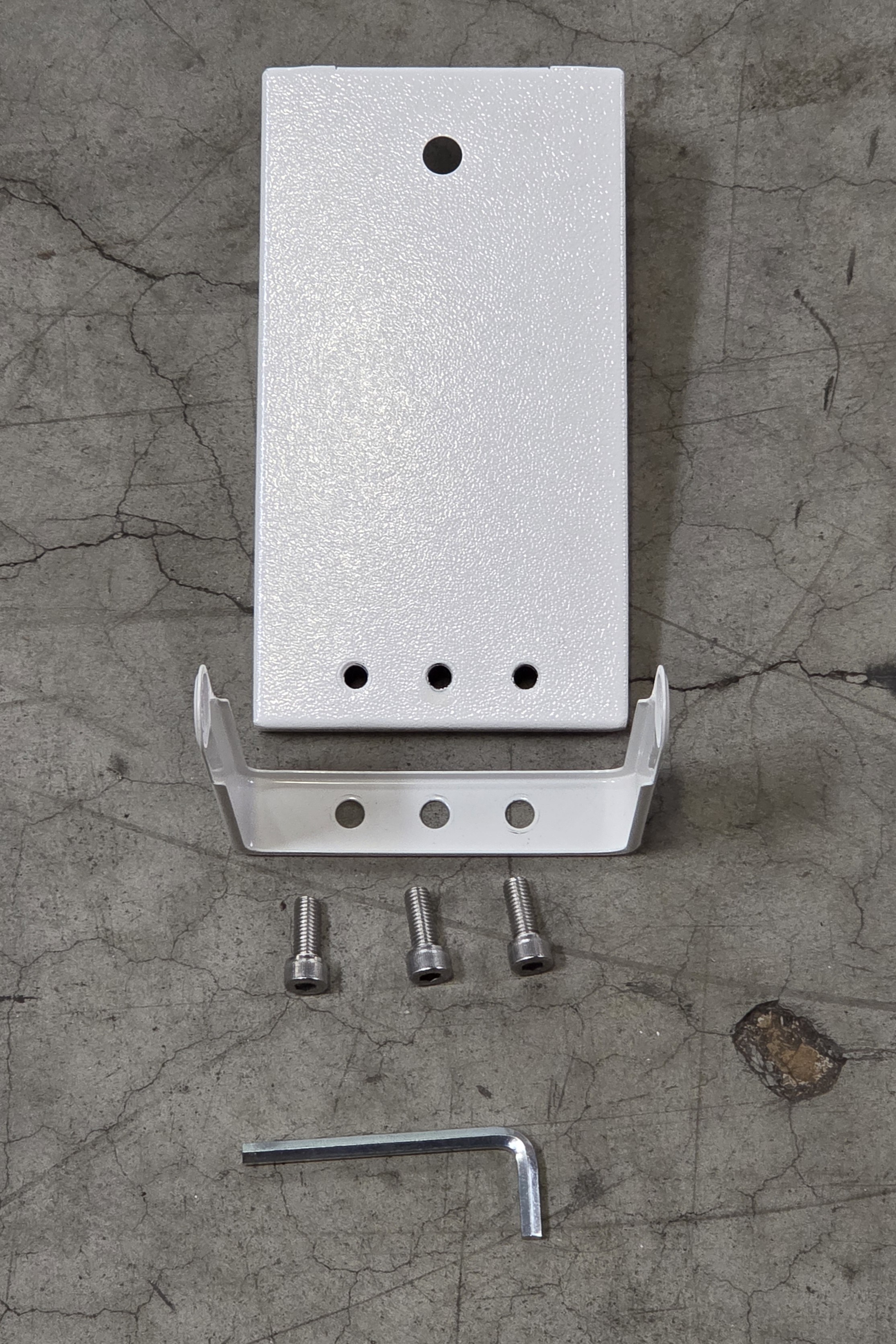
46. Put 3 hex screws through the holes on the speaker’s angle arm and then through the mounting plate. Screw all 3 screws using the included hex wrench until they are secure.
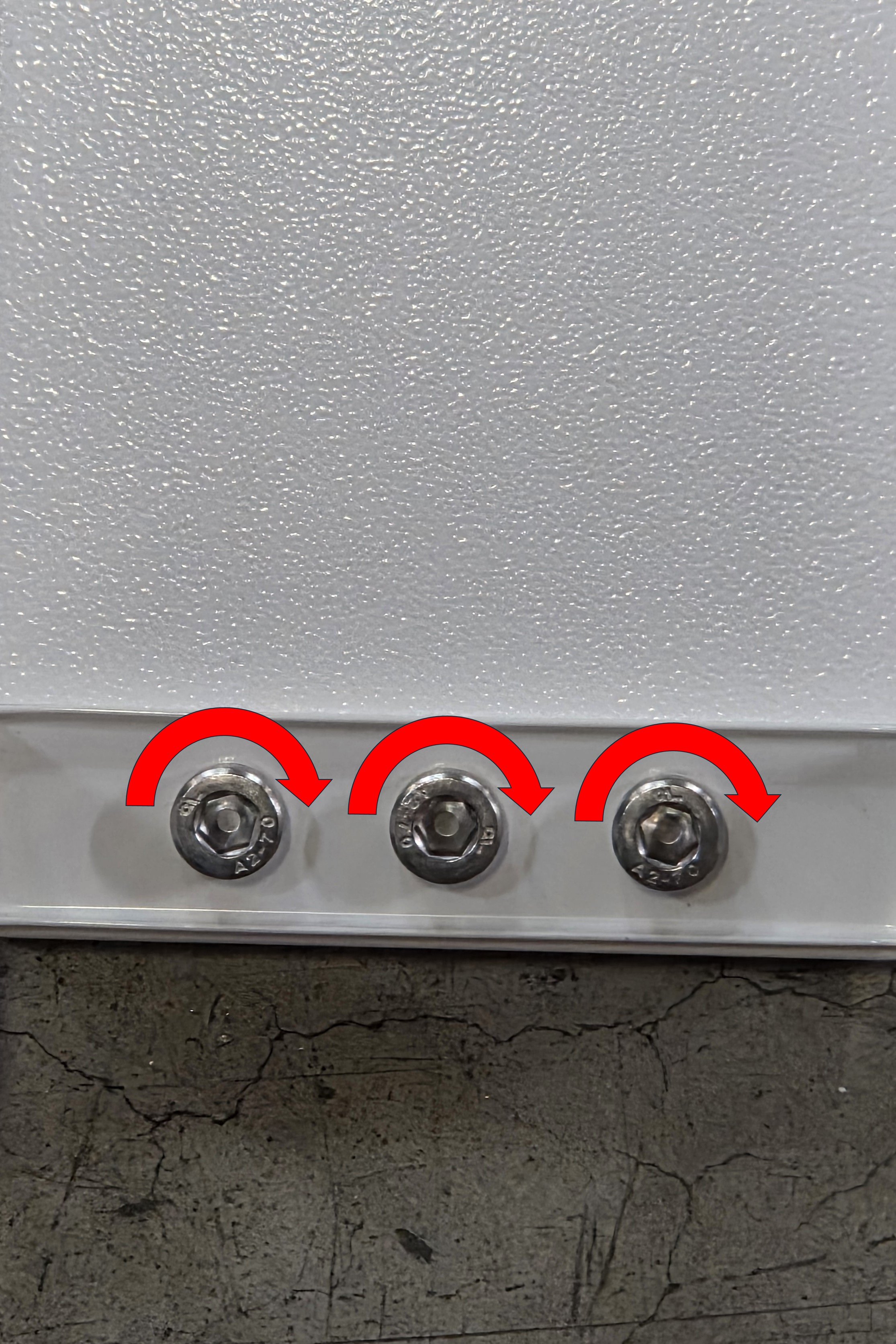
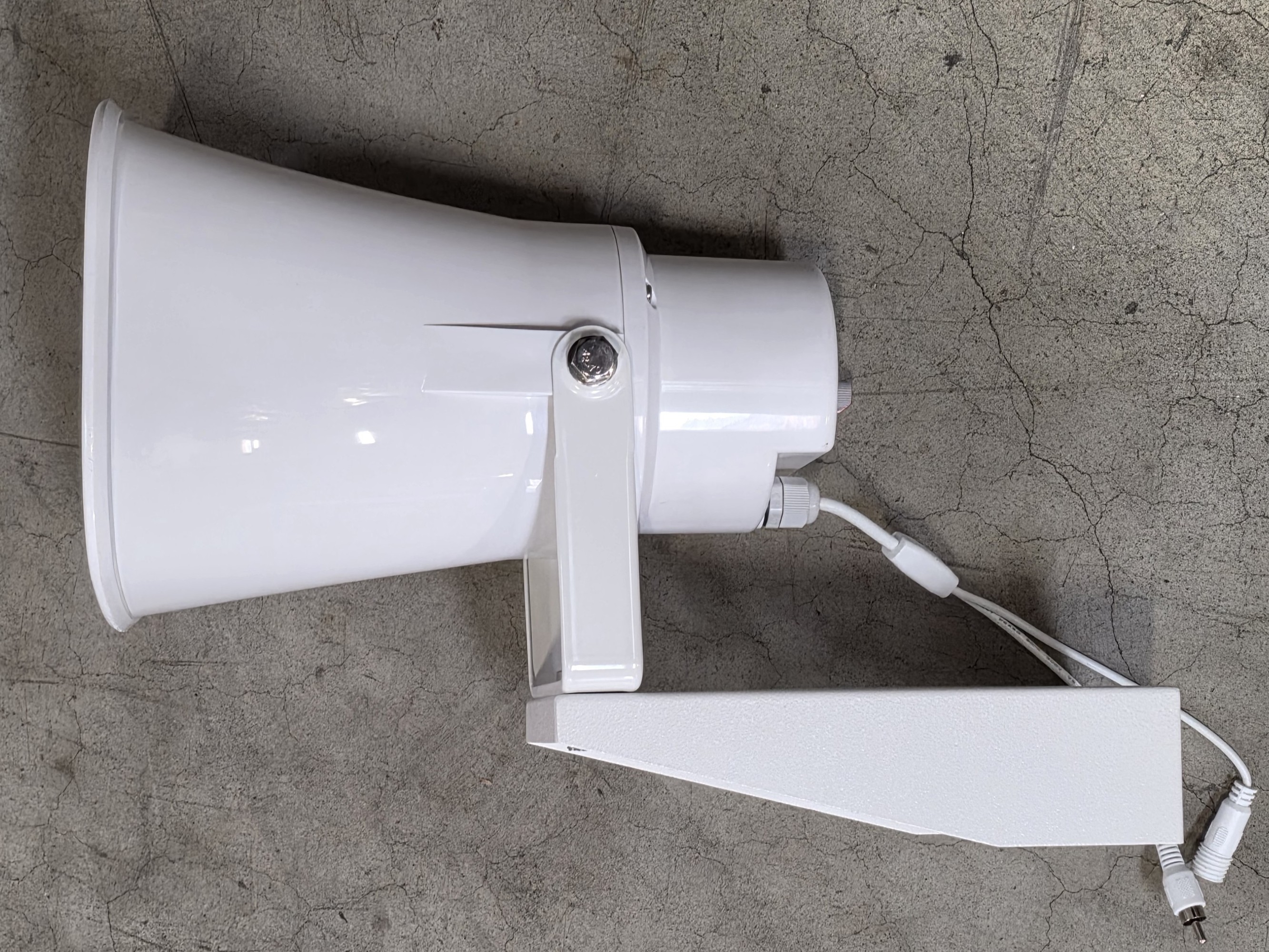
47. Reinstall the speaker onto the U-bracket by tightening the screws shown in Step 45.
48. Unscrew the black knob screw on one of the speaker mounts on the controller box.
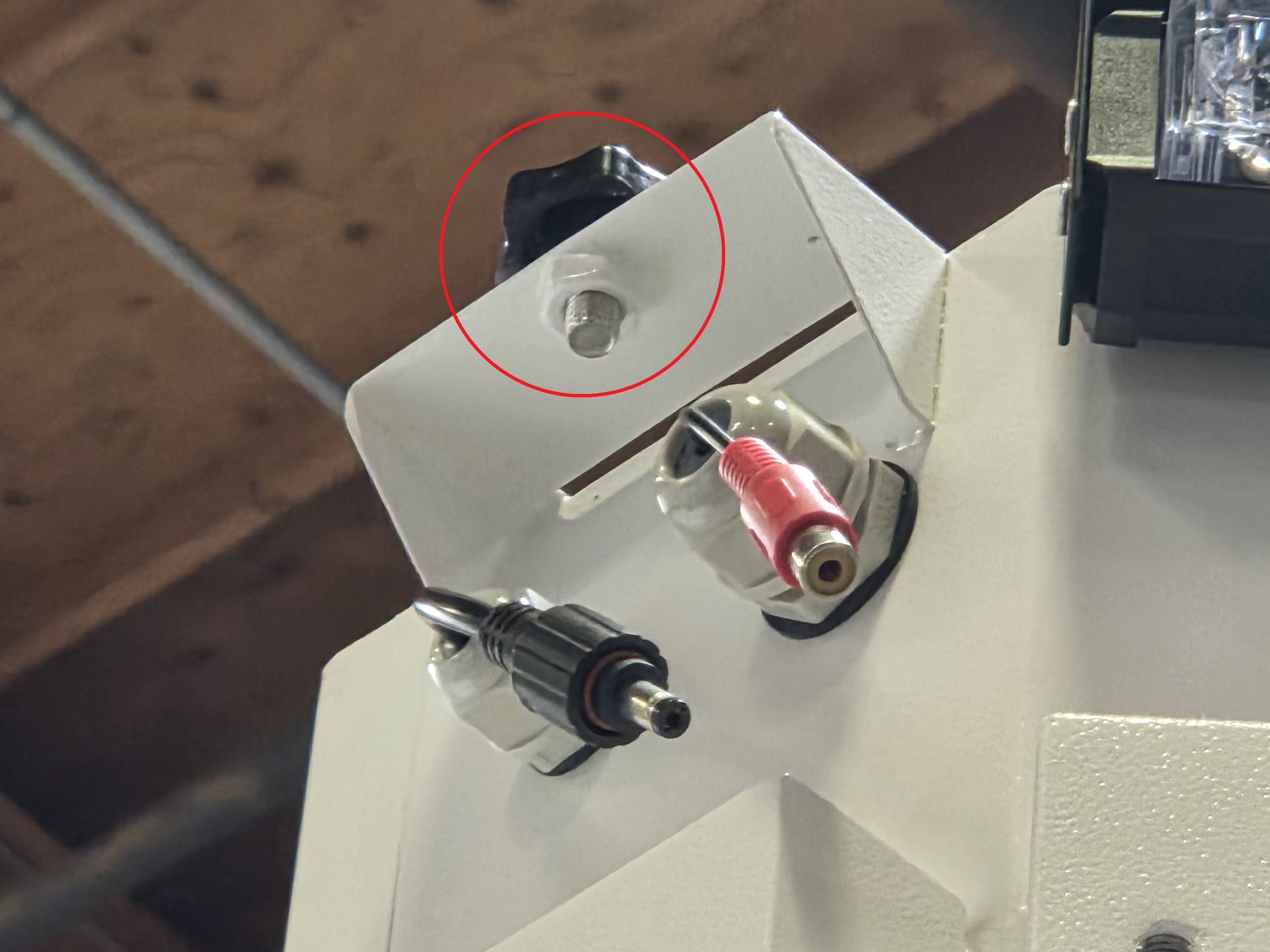
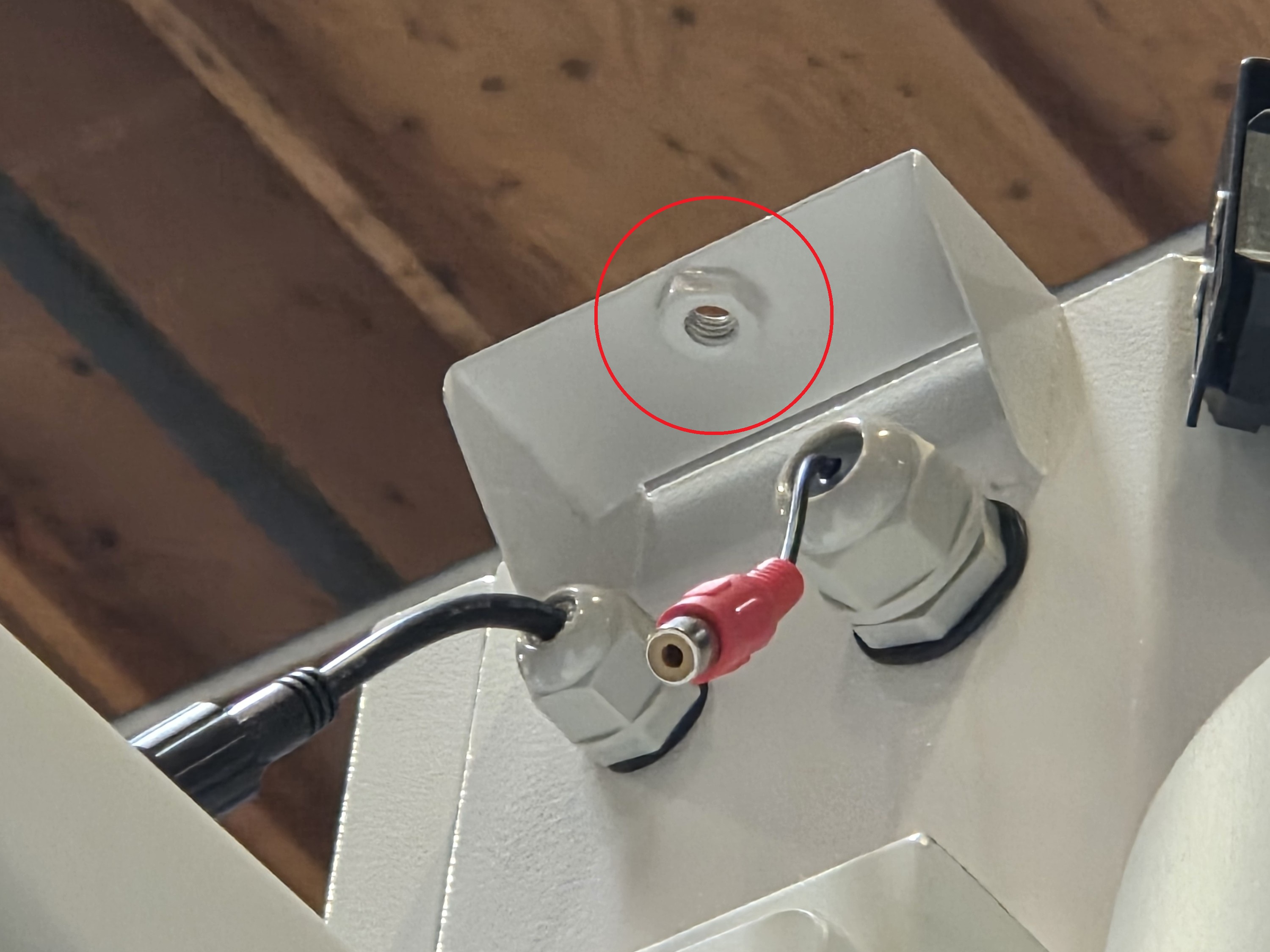
49. Place the speaker mount on the controller box and screw the black knob screw back on to secure it.
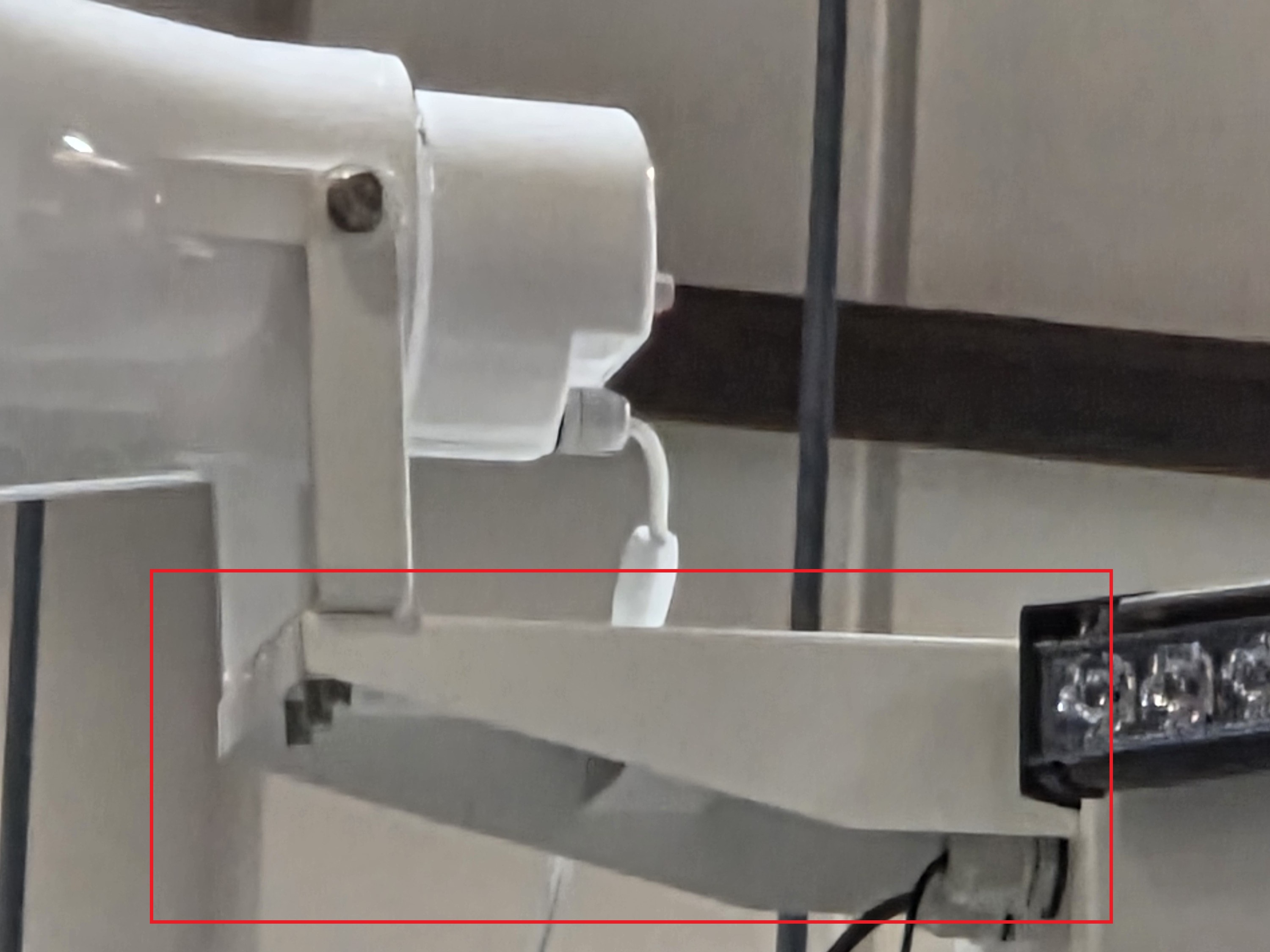
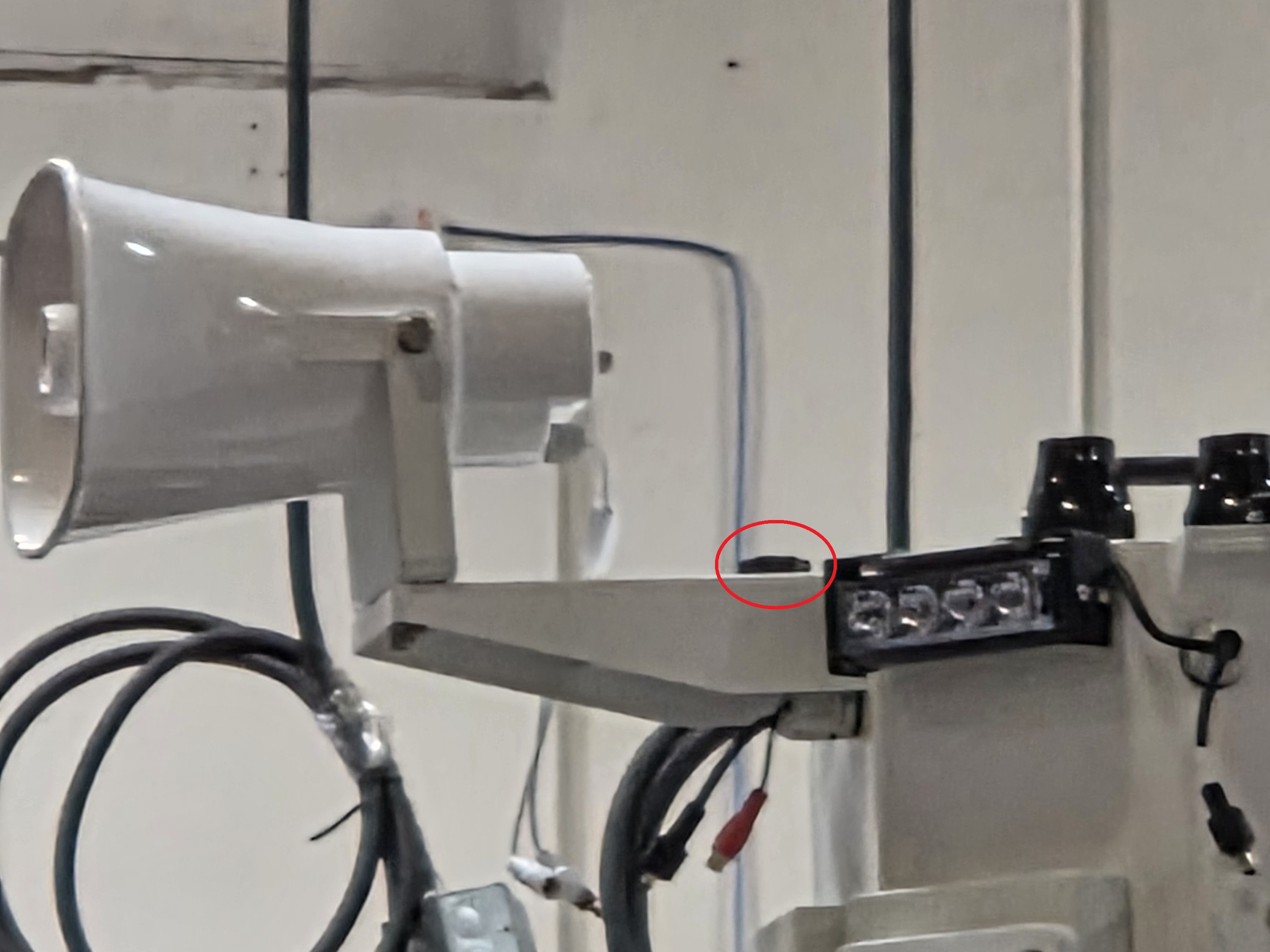
50. Connect the speaker’s audio input cable to the audio output port on the controller box. Then connect the speaker’s power cable to the power connector on the controller box and screw on the plastic cover over the power cable to secure the connection.
Note: Ensure all connections are applied with waterproof electrical tape.
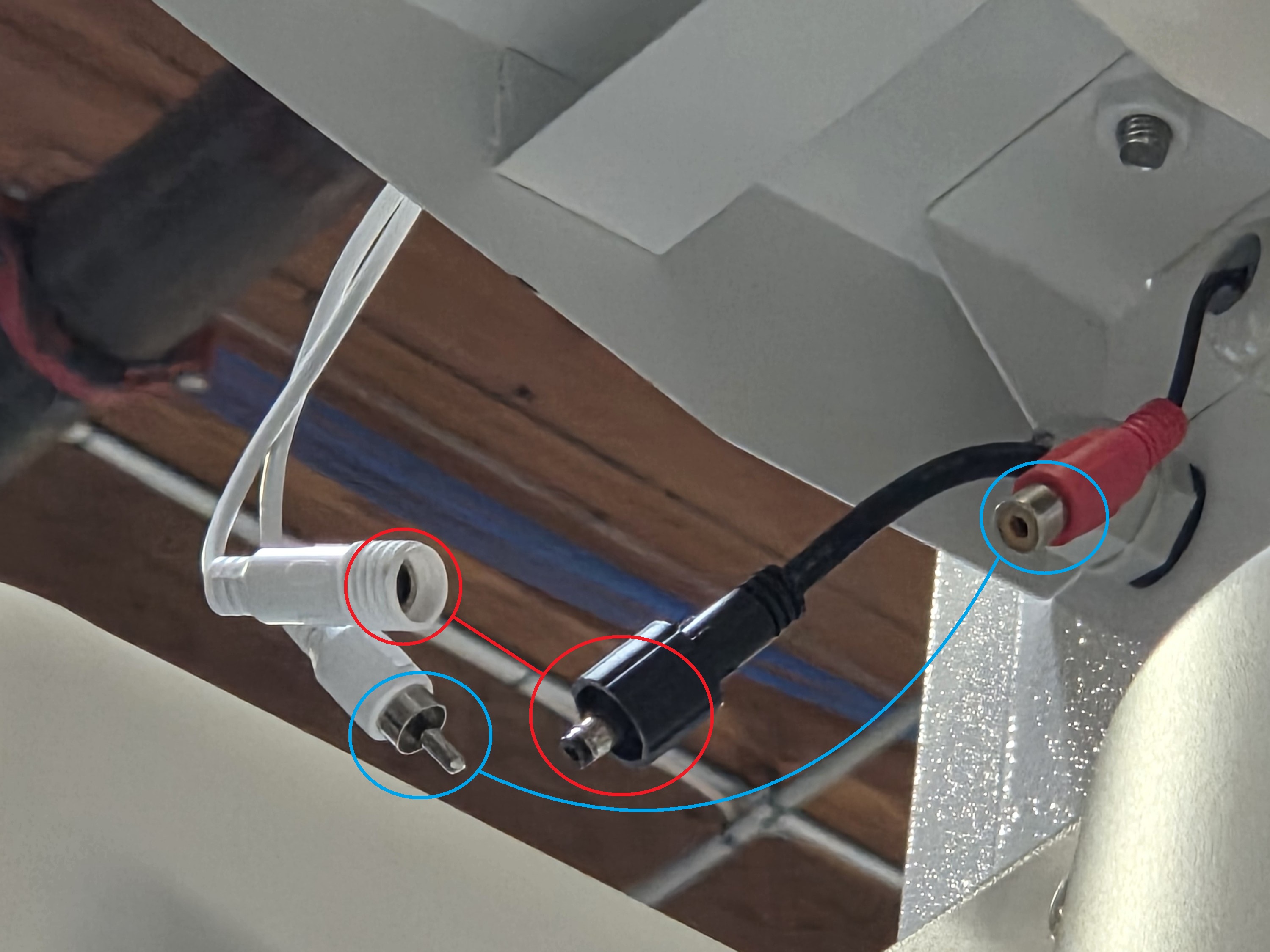
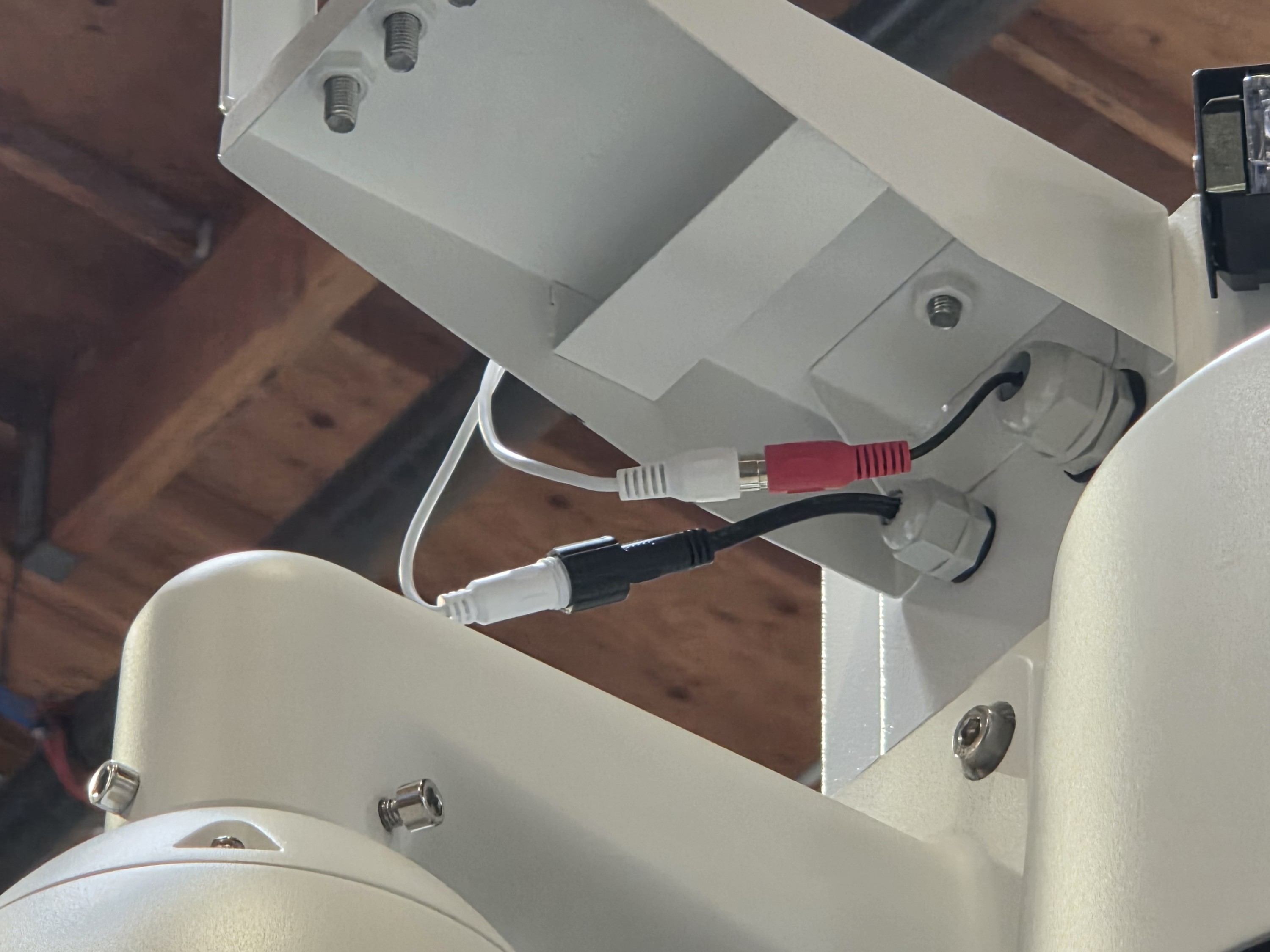
51. Repeat the process for the other speaker.
52. Unscrew the black knob screw on the flood light mount on the controller box.
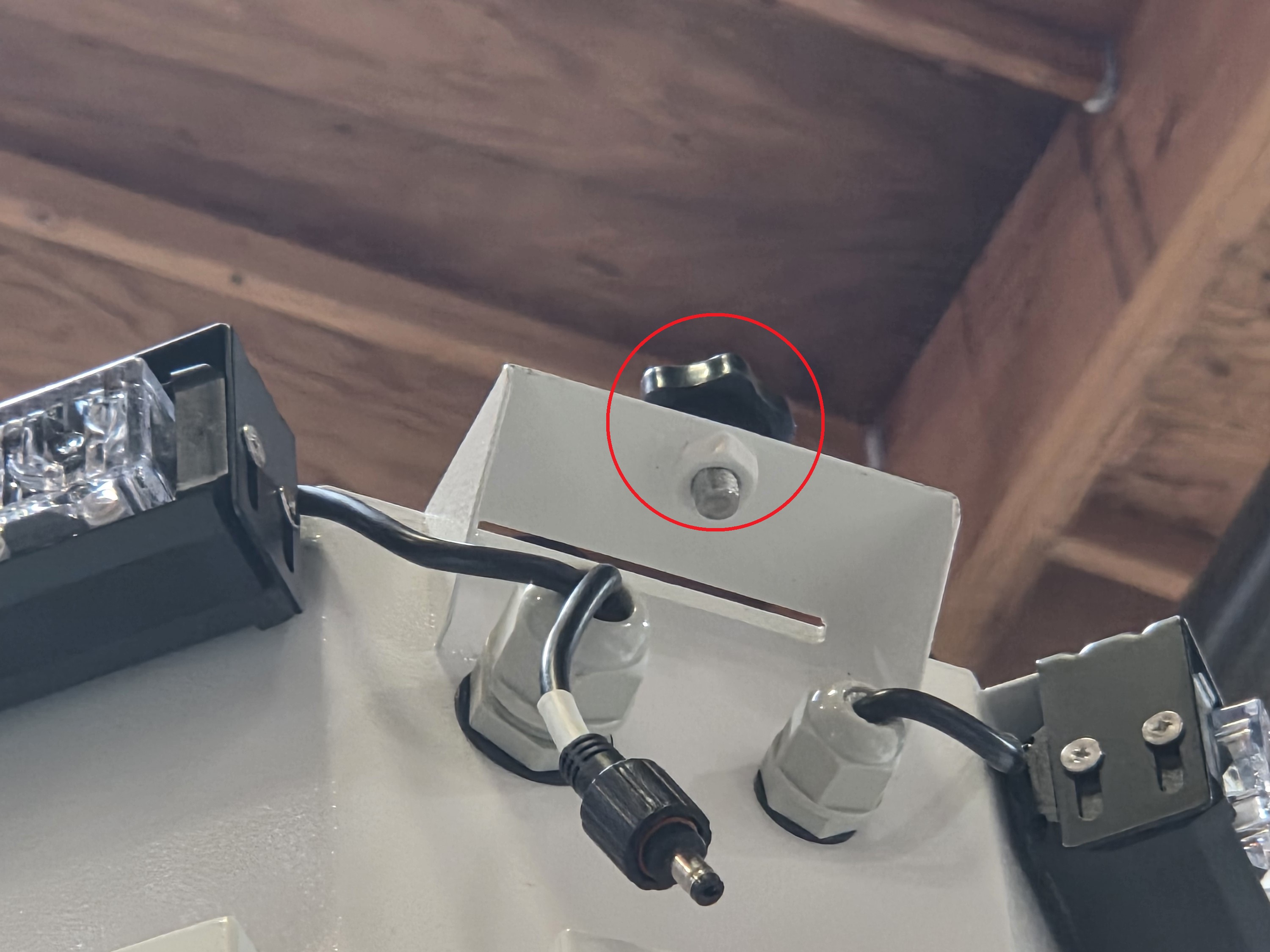
53. Locate and retrieve the pre-mounted floodlight.
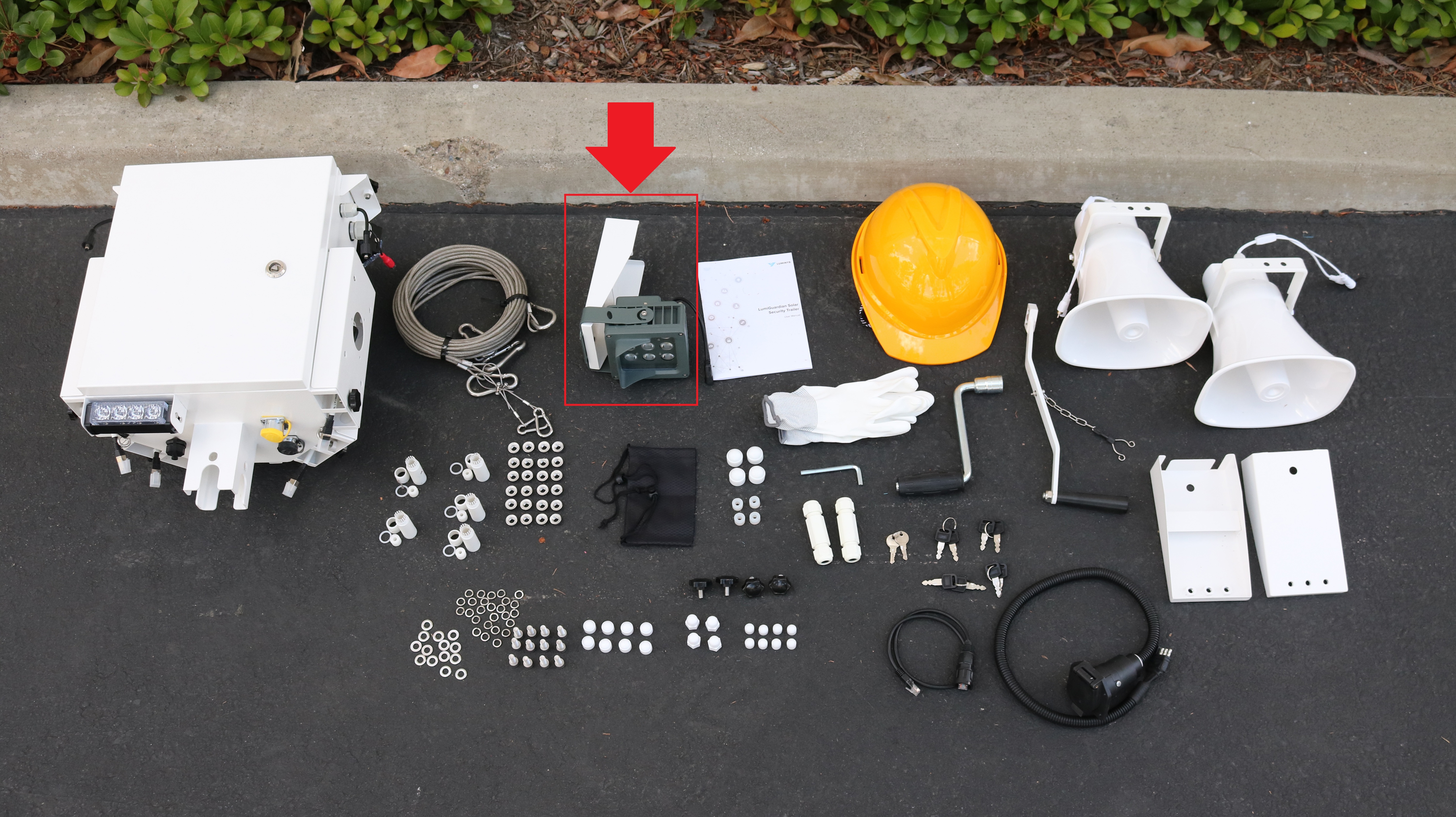
54. Place the floodlight on the controller box. Then screw the black knob screw back onto the controller box to secure the floodlight.
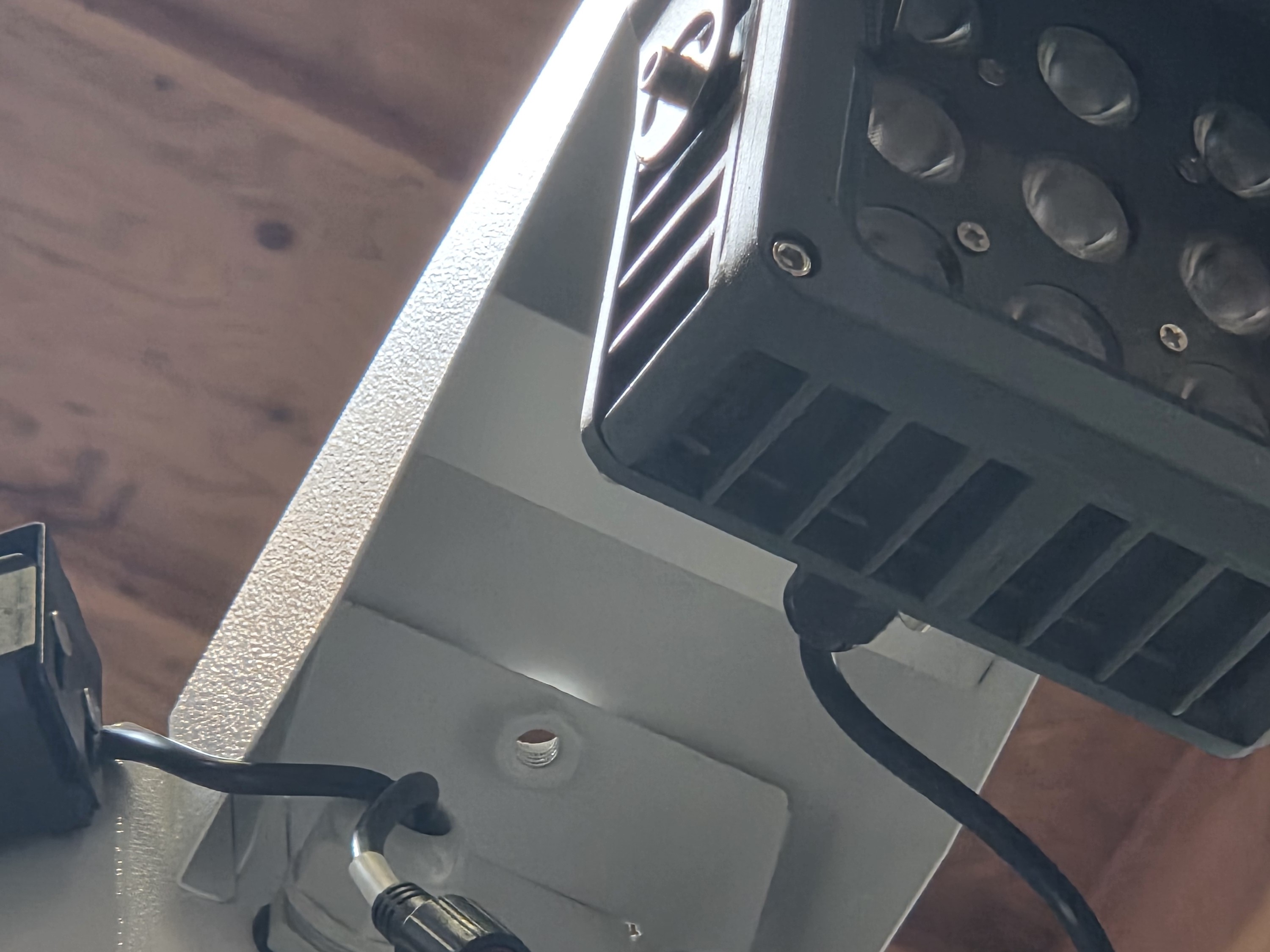
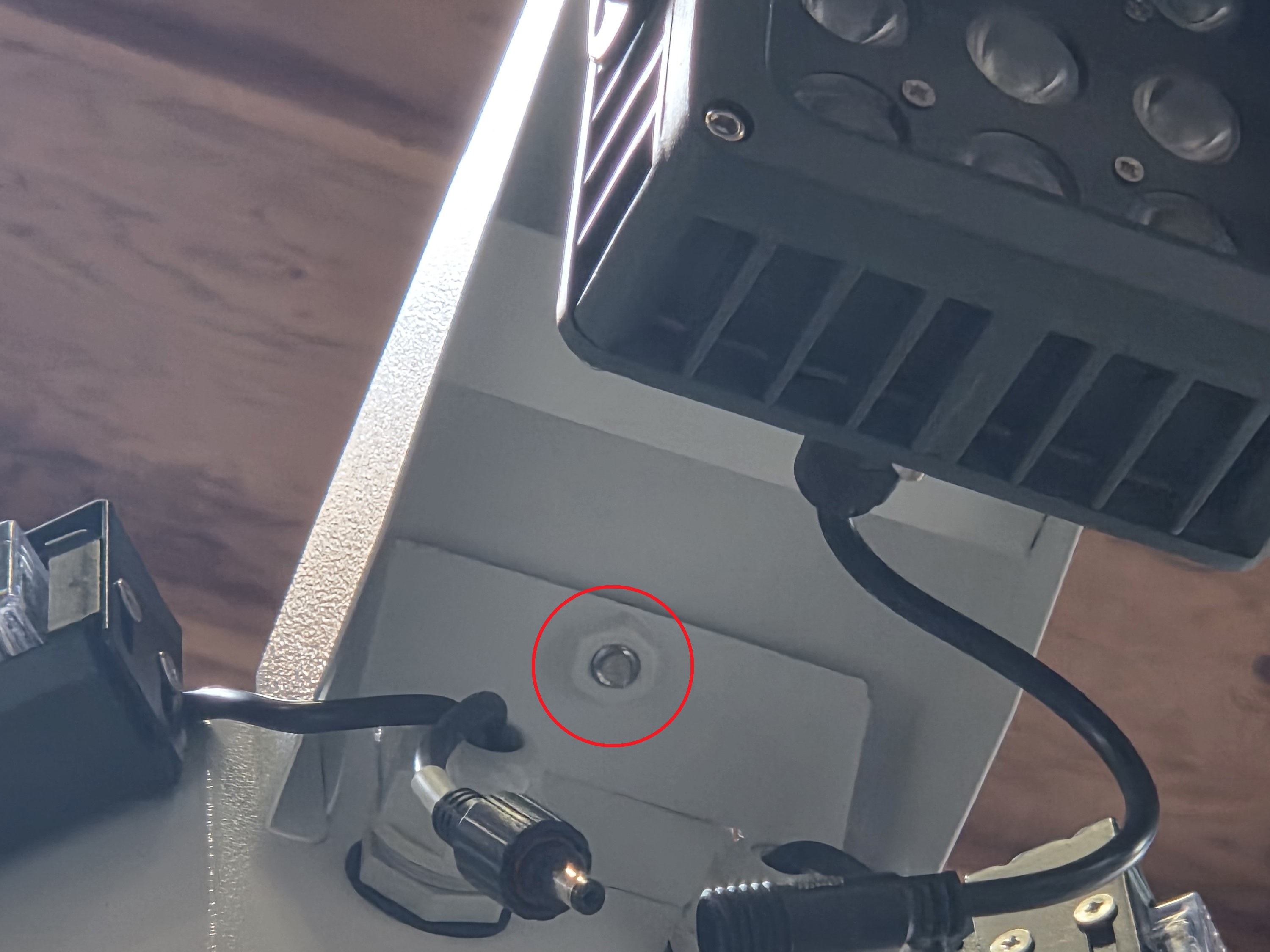
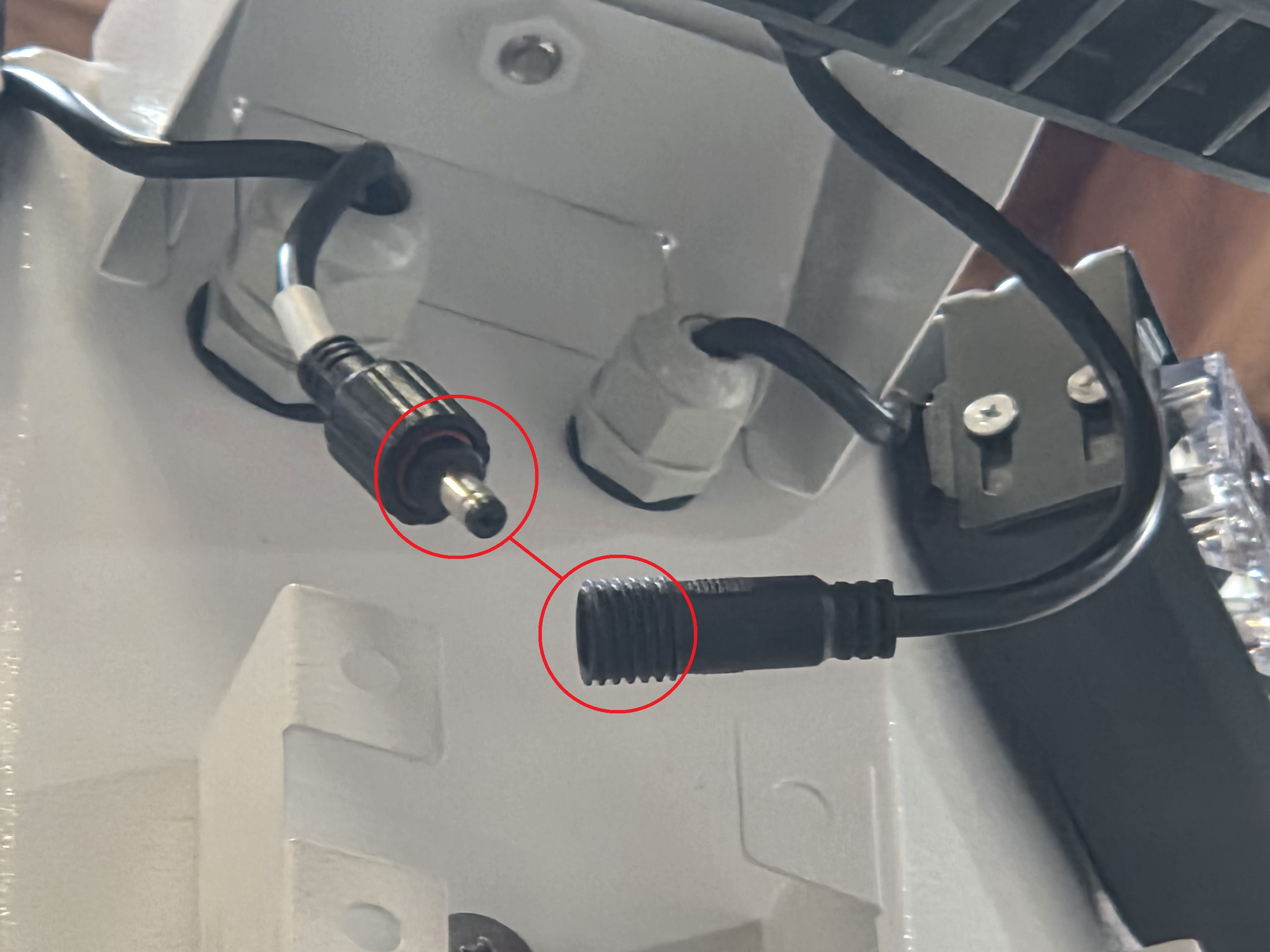
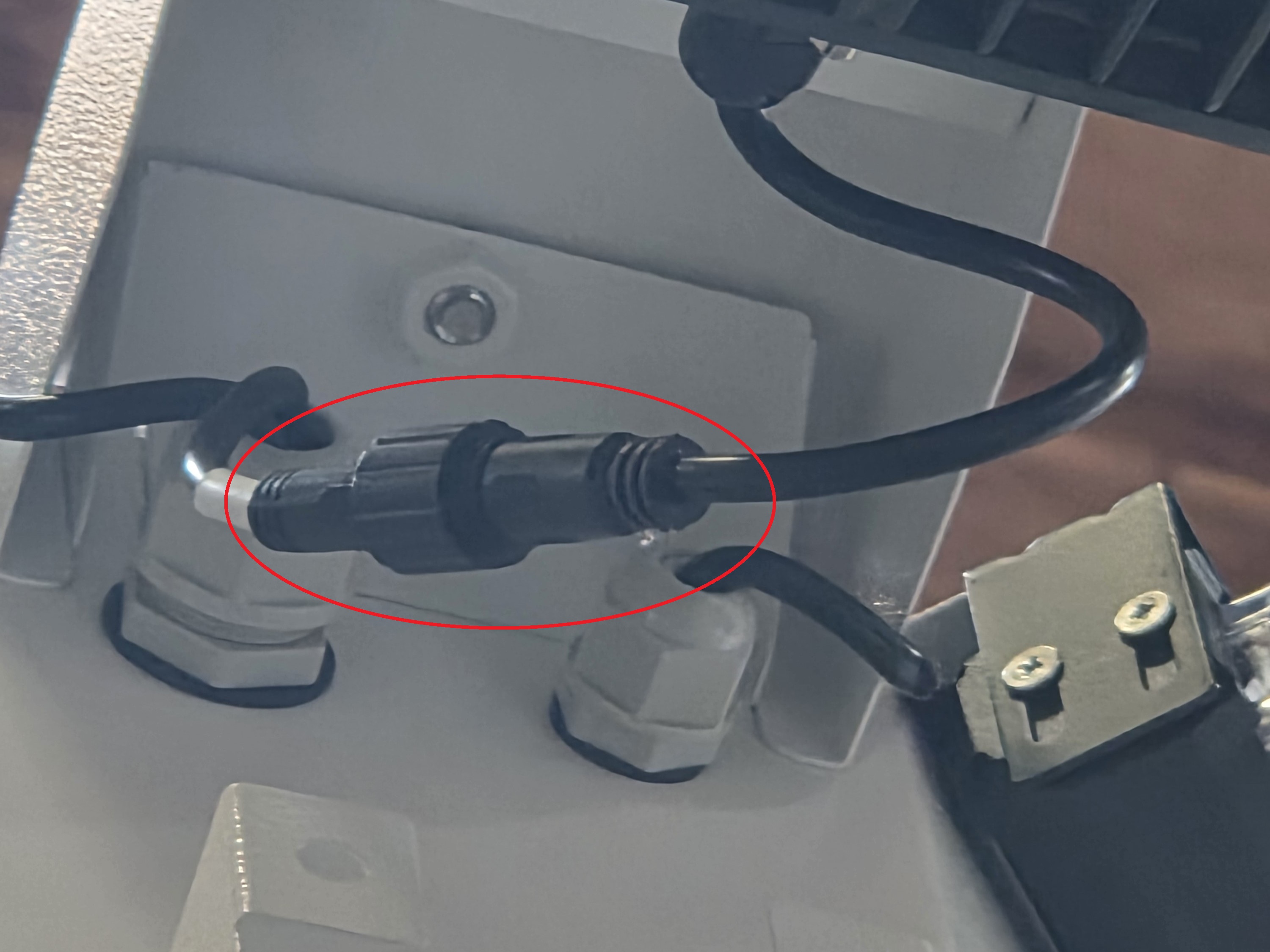
55. Plug the floodlight’s power cable into the power connector on the controller box, then screw on the plastic cover over the power cable to secure the connection.
Note: Ensure all connections are applied with waterproof electrical tape.
56. Locate and retrieve the steel cables.
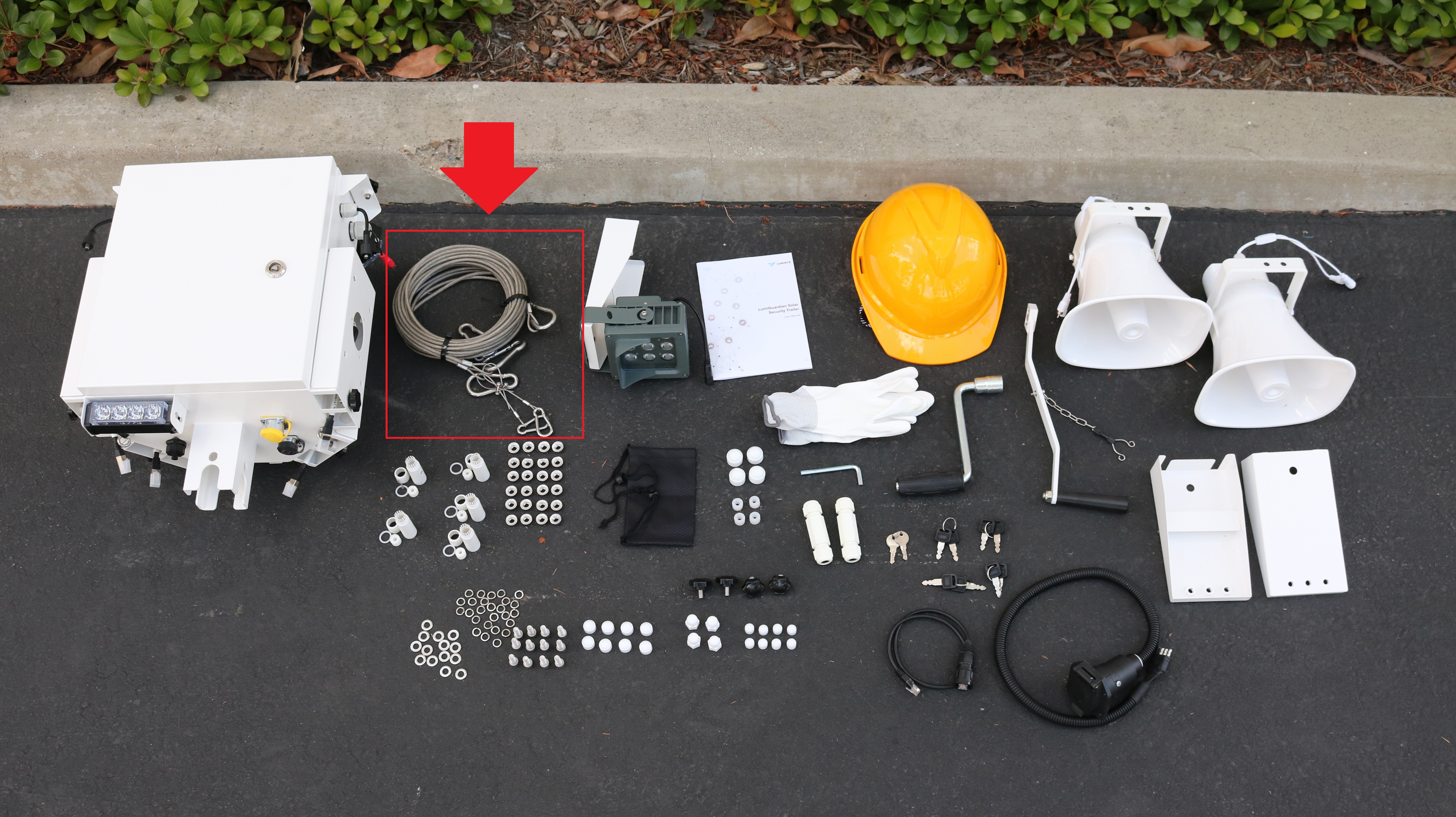
57. Unspool the steel cables. Then connect the single carabiner on one end of one of the cables to one of the supports on the side of the LumiGuardian trailer nearest to the control box.
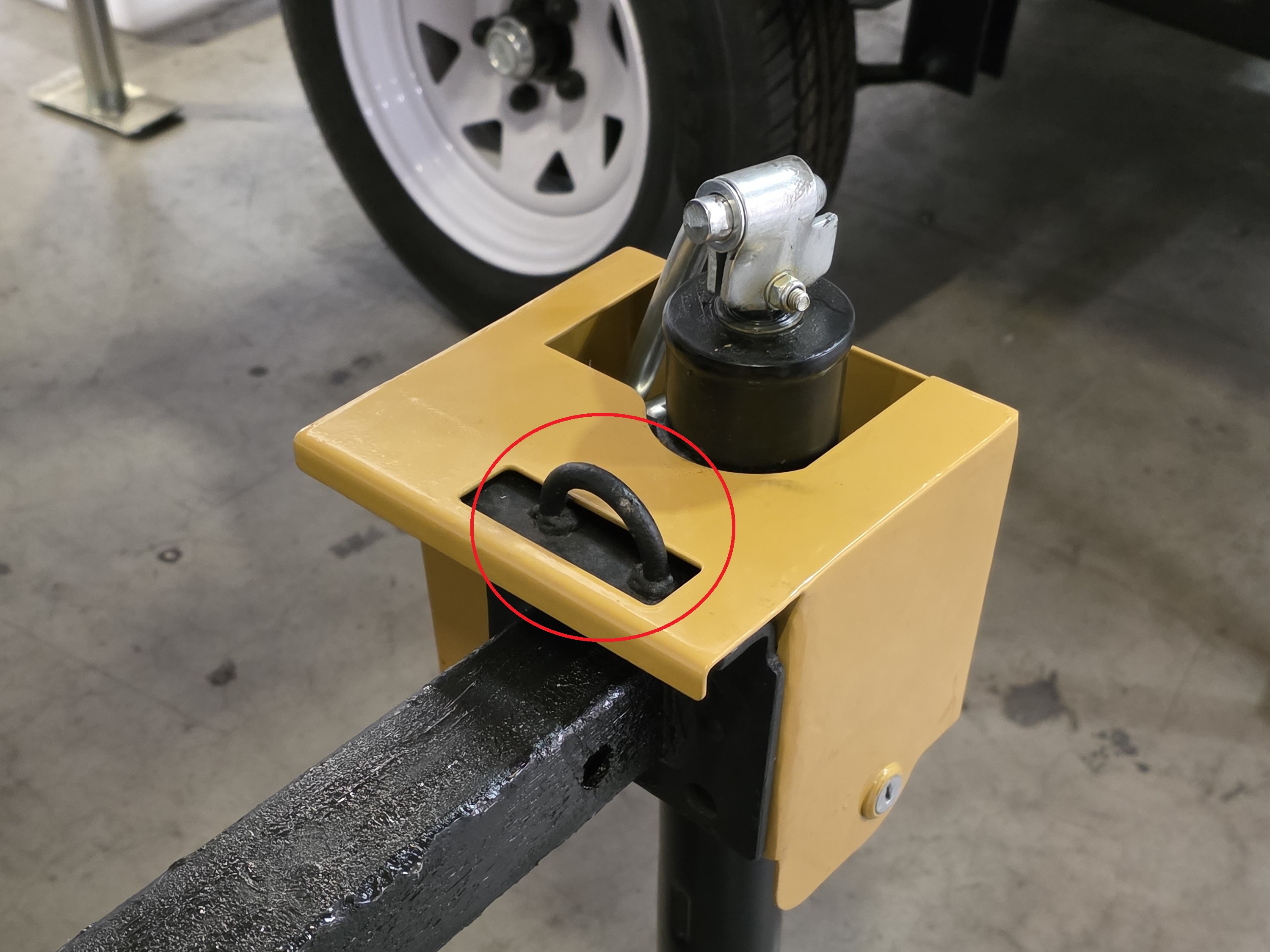
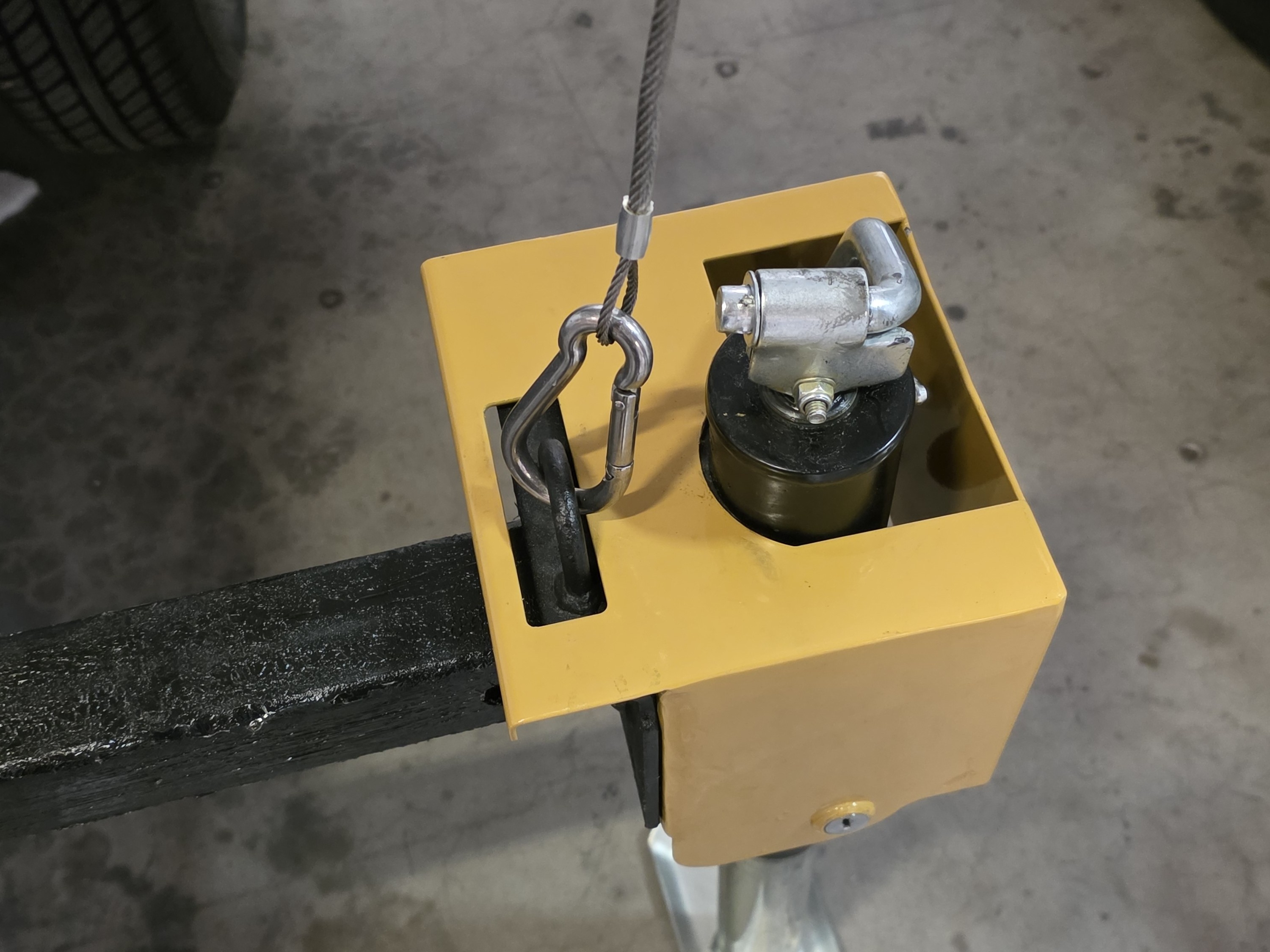
58. Connect the bigger one of the two carabiners on the other end of the steel cable to the O ring on the mast closest to the support, and the smaller carabiner to the bottom of the control box.
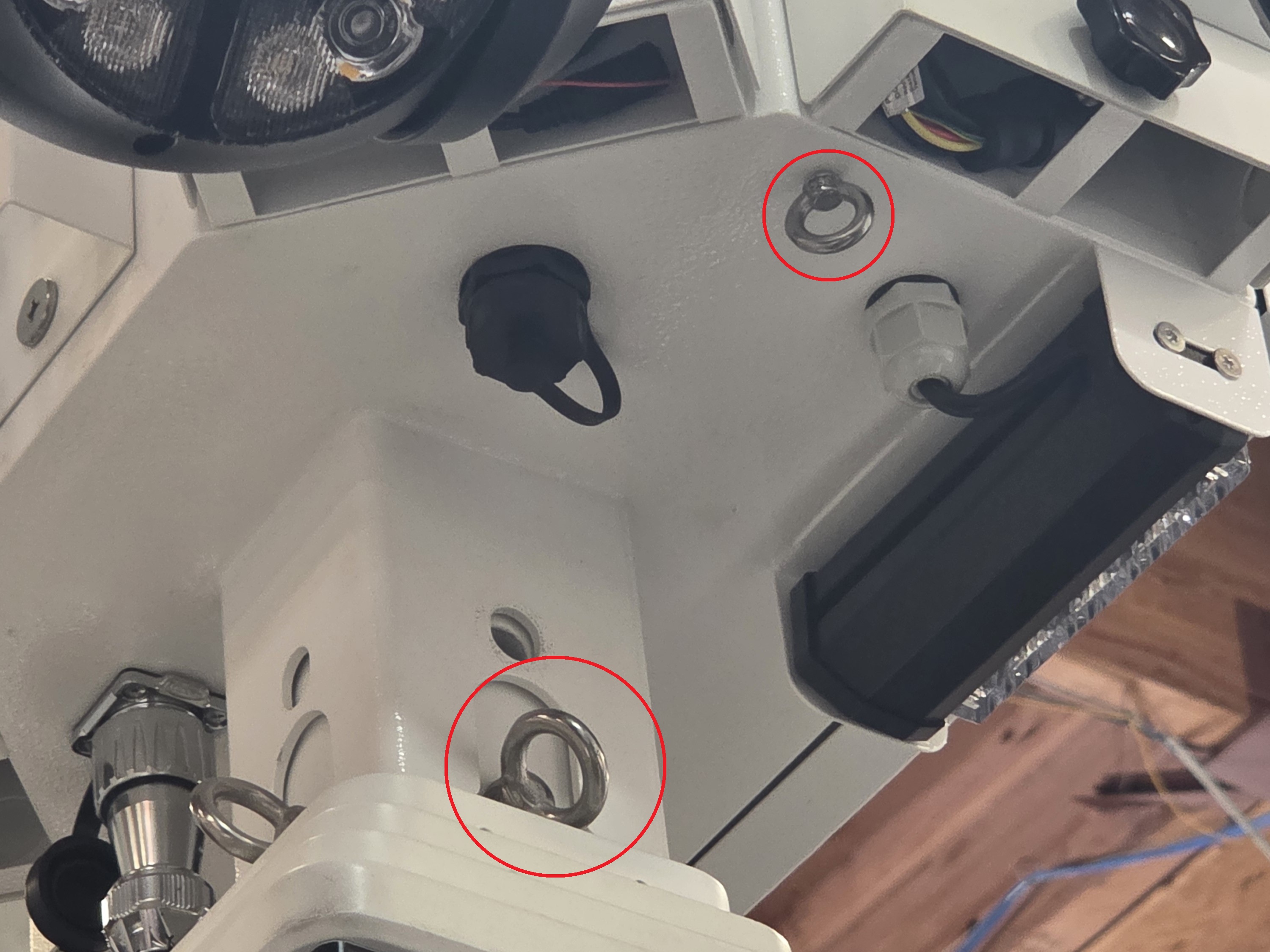
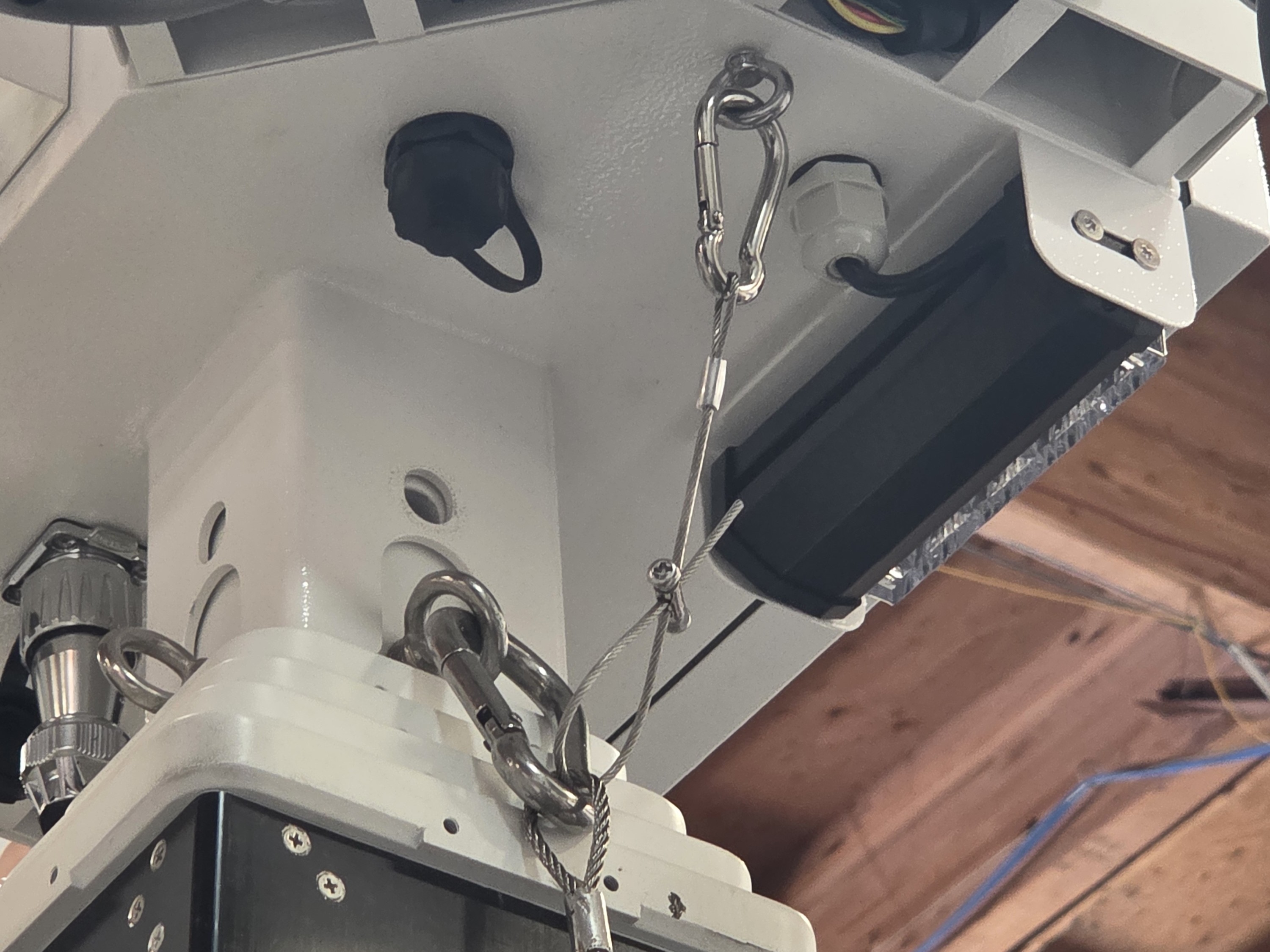
59. Repeat this process for the other support on the other side of the control box.
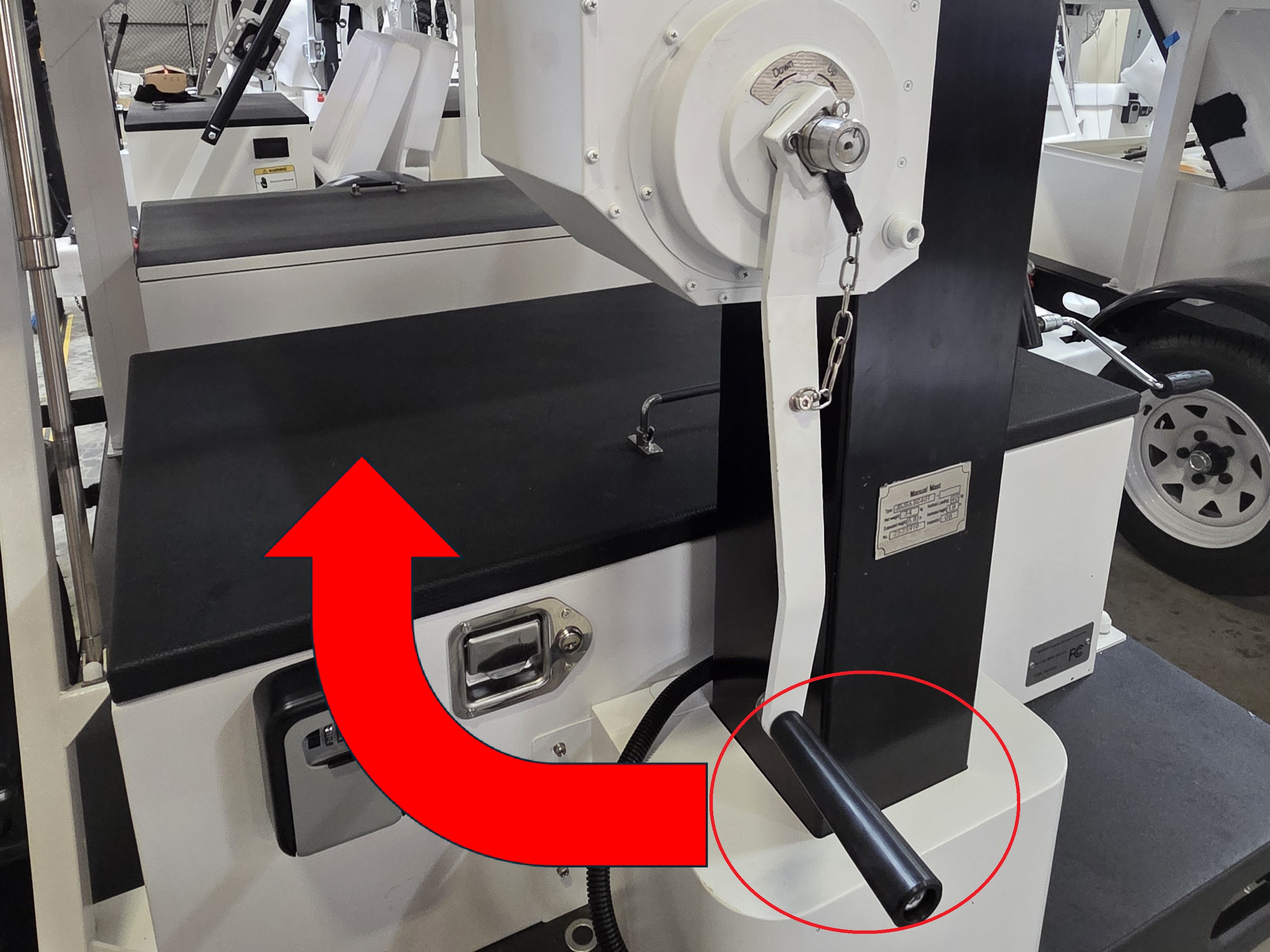
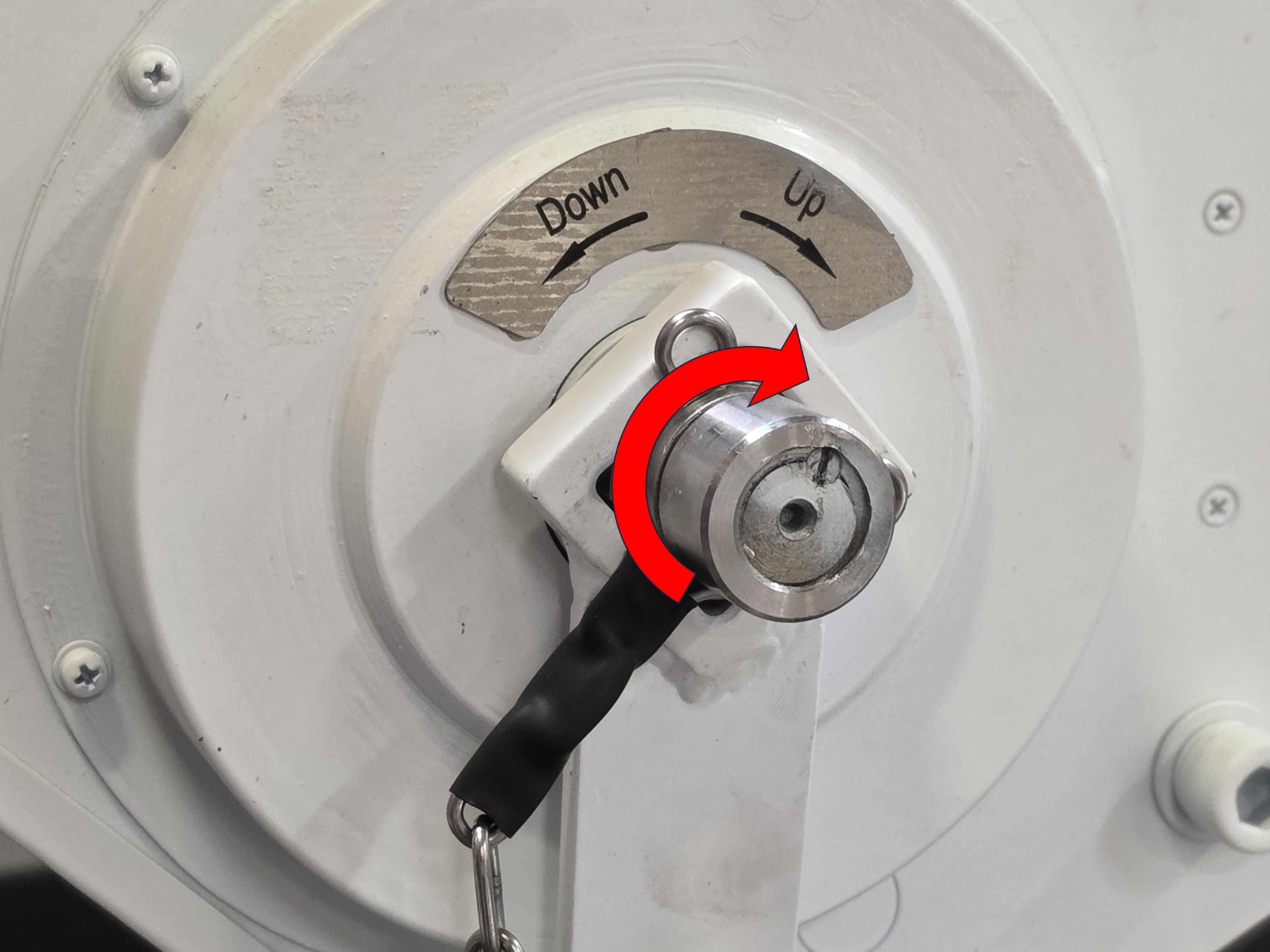
60. Locate and retrieve the white hand crank with the black handle. Place it on the crank connector on the mast, ensuring it fits properly on the silver metal connector. Put on the clip to secure it.
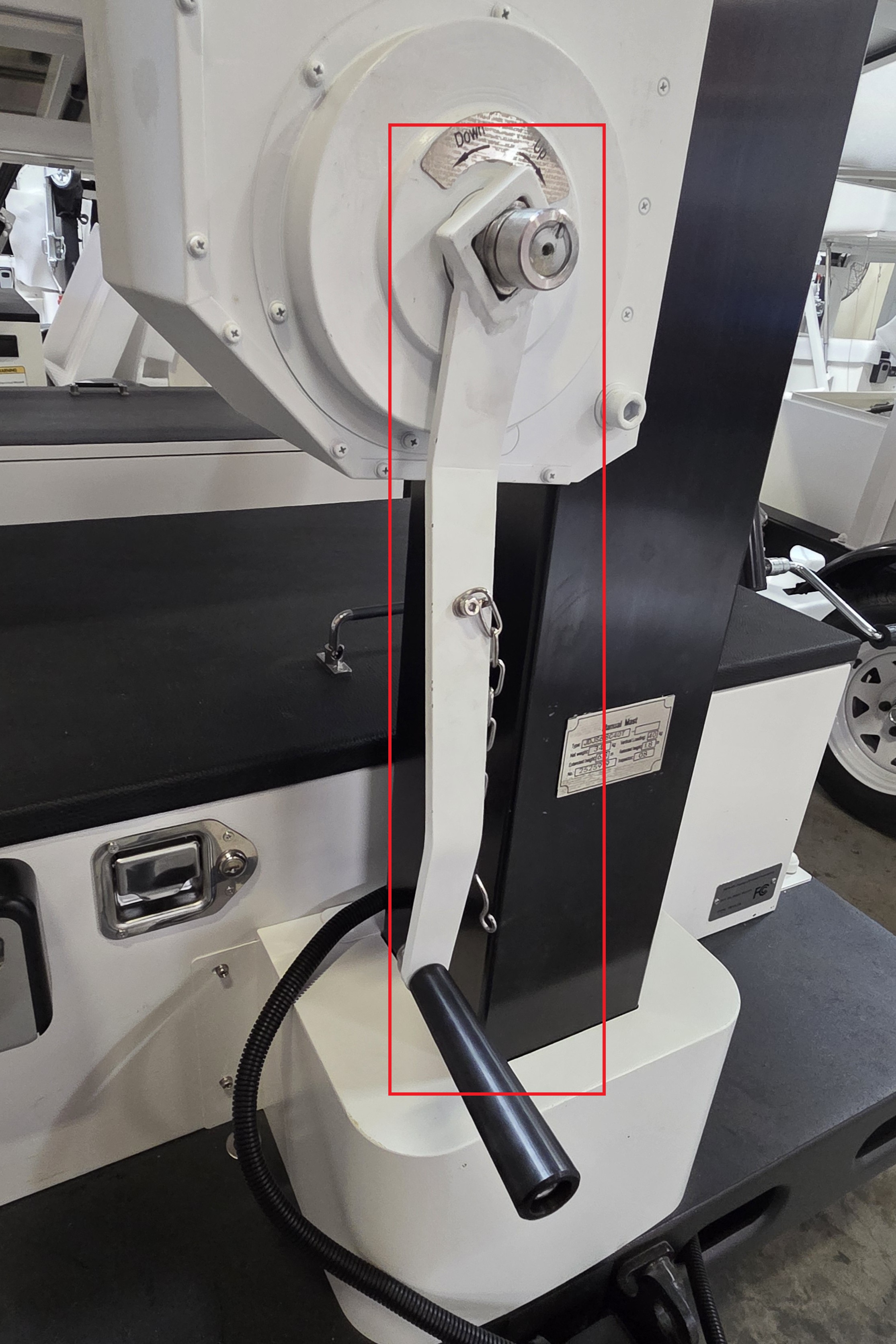
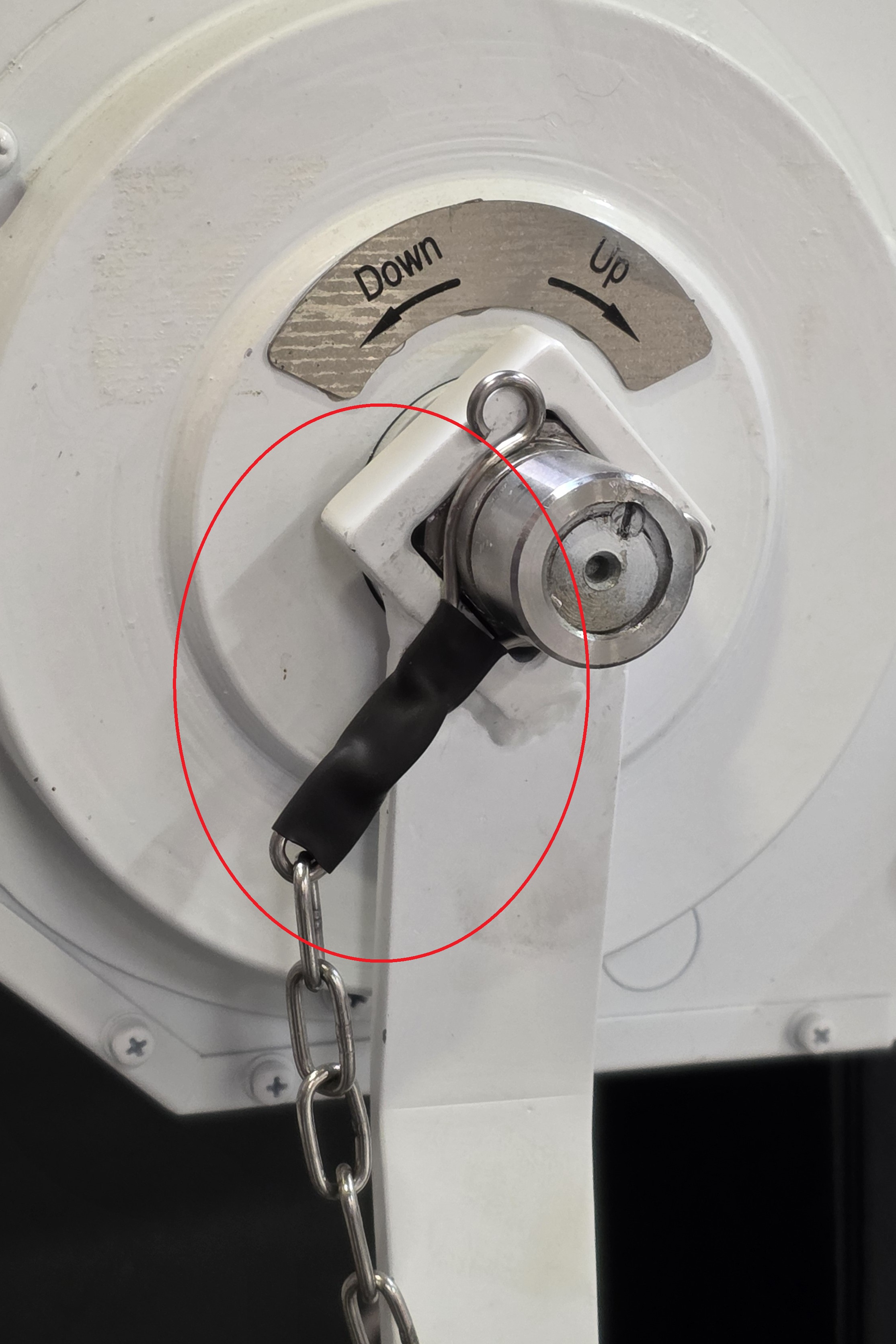
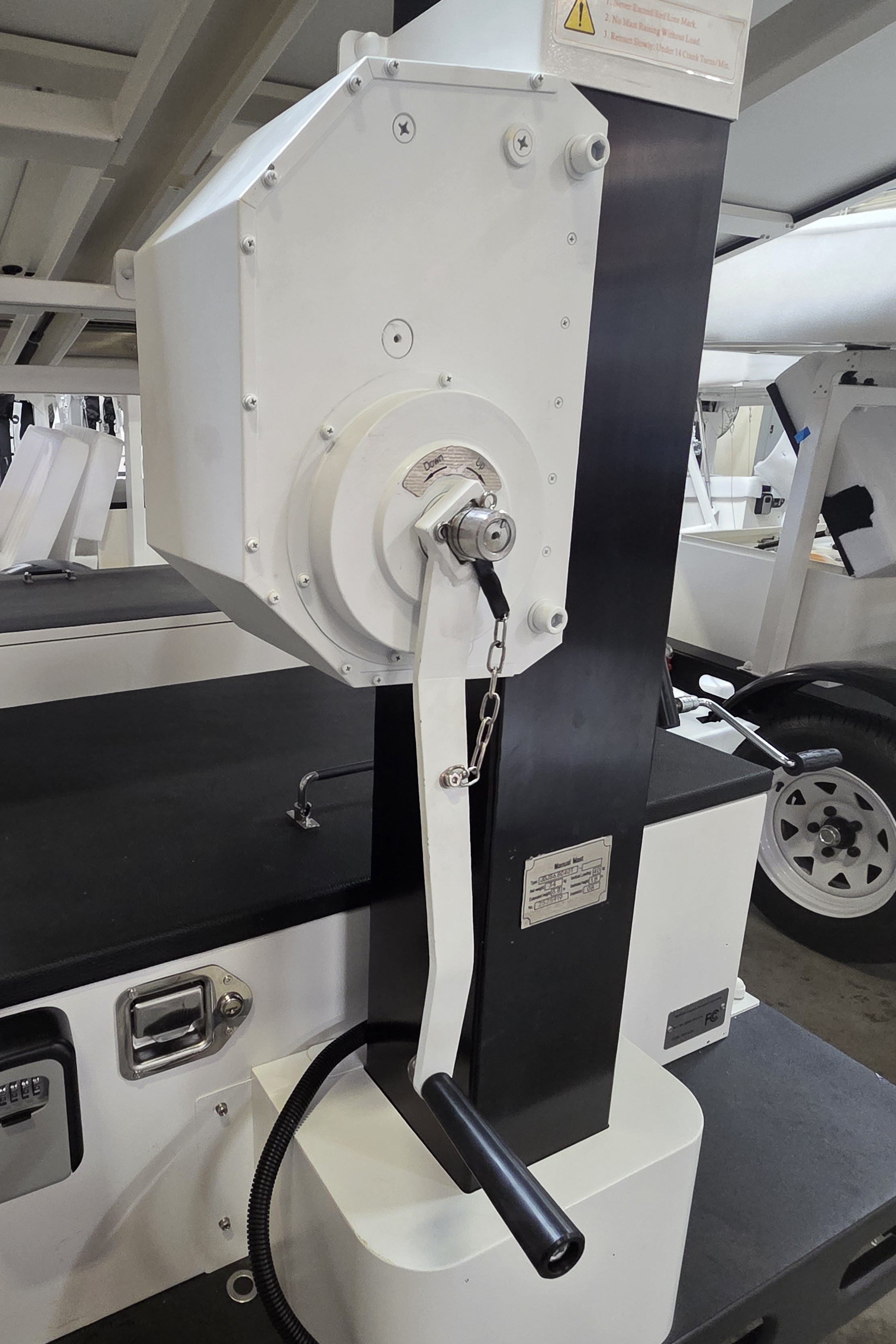
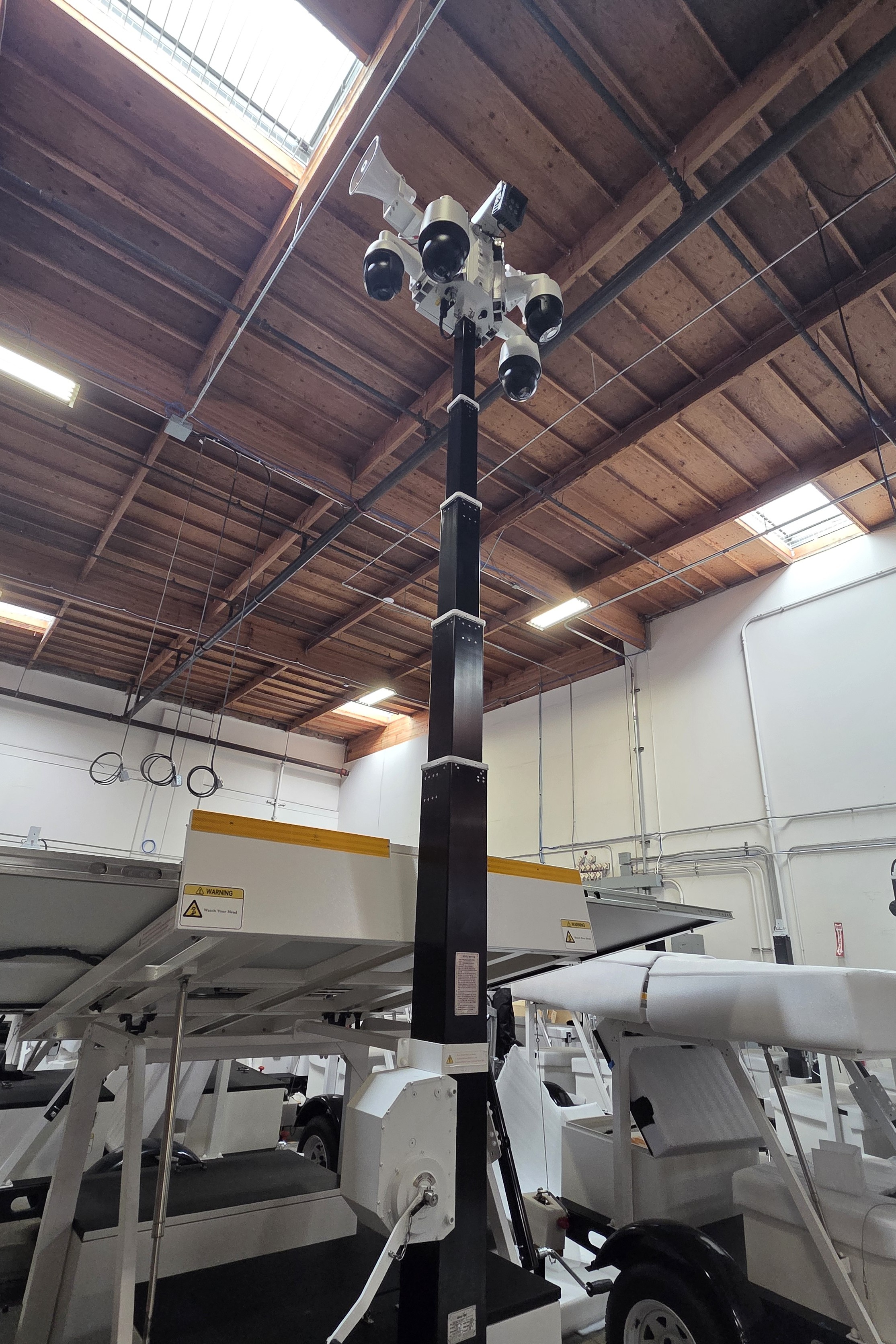
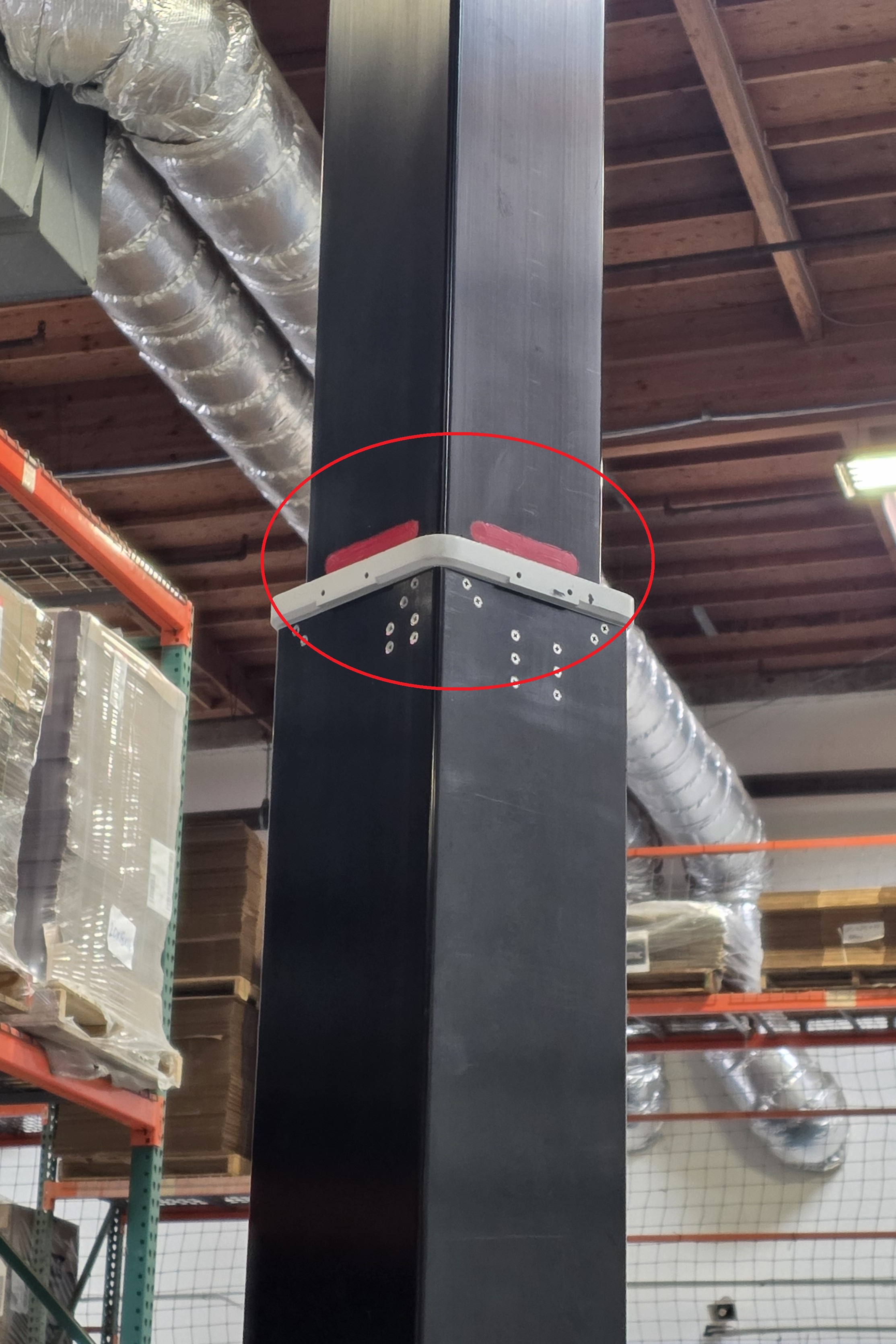
61. Crank the white hand crank with the black handle clockwise to raise the mast. Stop when the red line appears on the mast. Do not crank past that point. Remove and store the hand crank when finish.
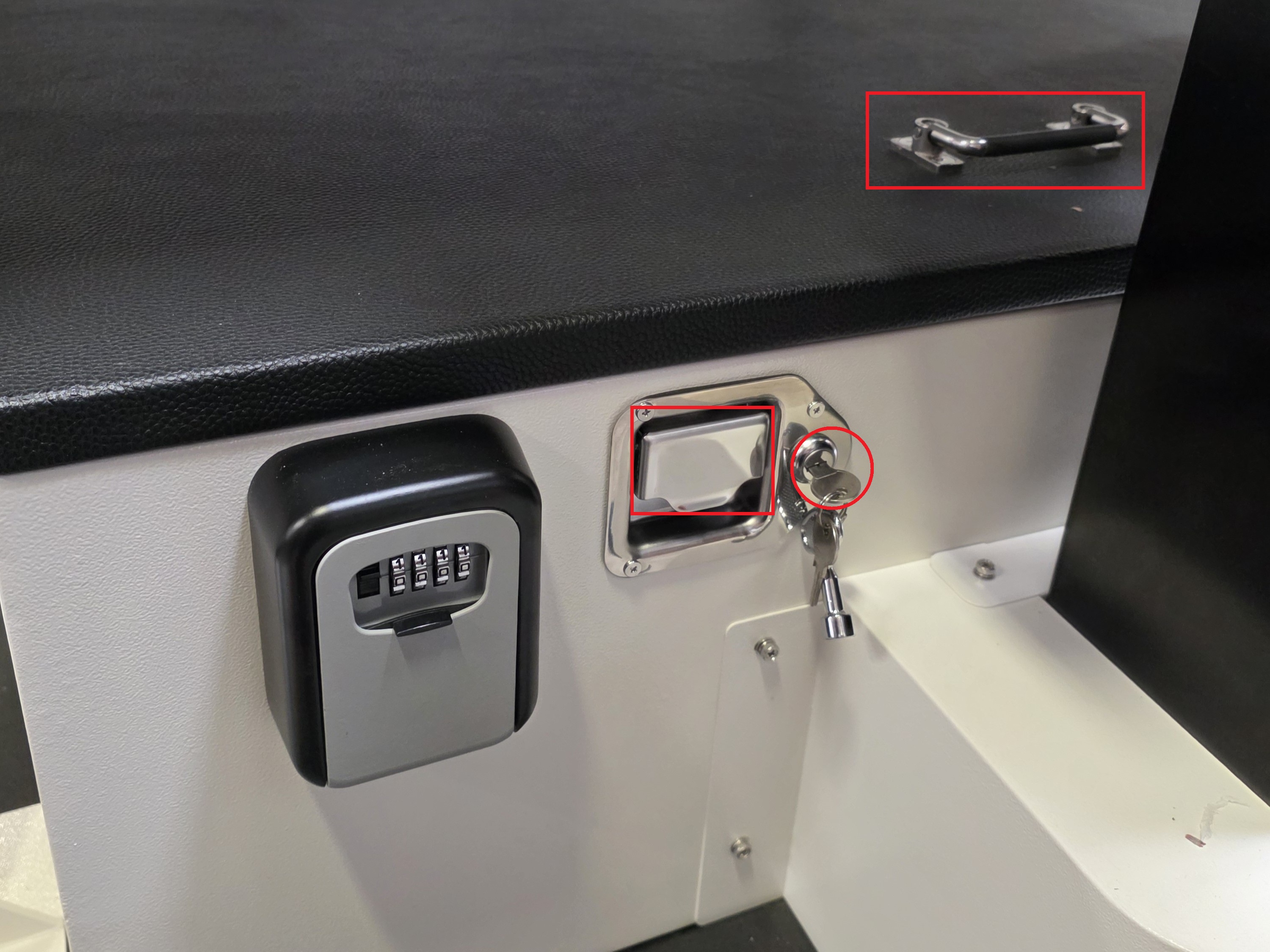
62. Use the small silver key from the lockbox to unlock the electrical box. Pull and hold the metal handle outward with one hand, while using the other hand to lift the plastic black handle upward to open the electrical box. Then locate the power switches.
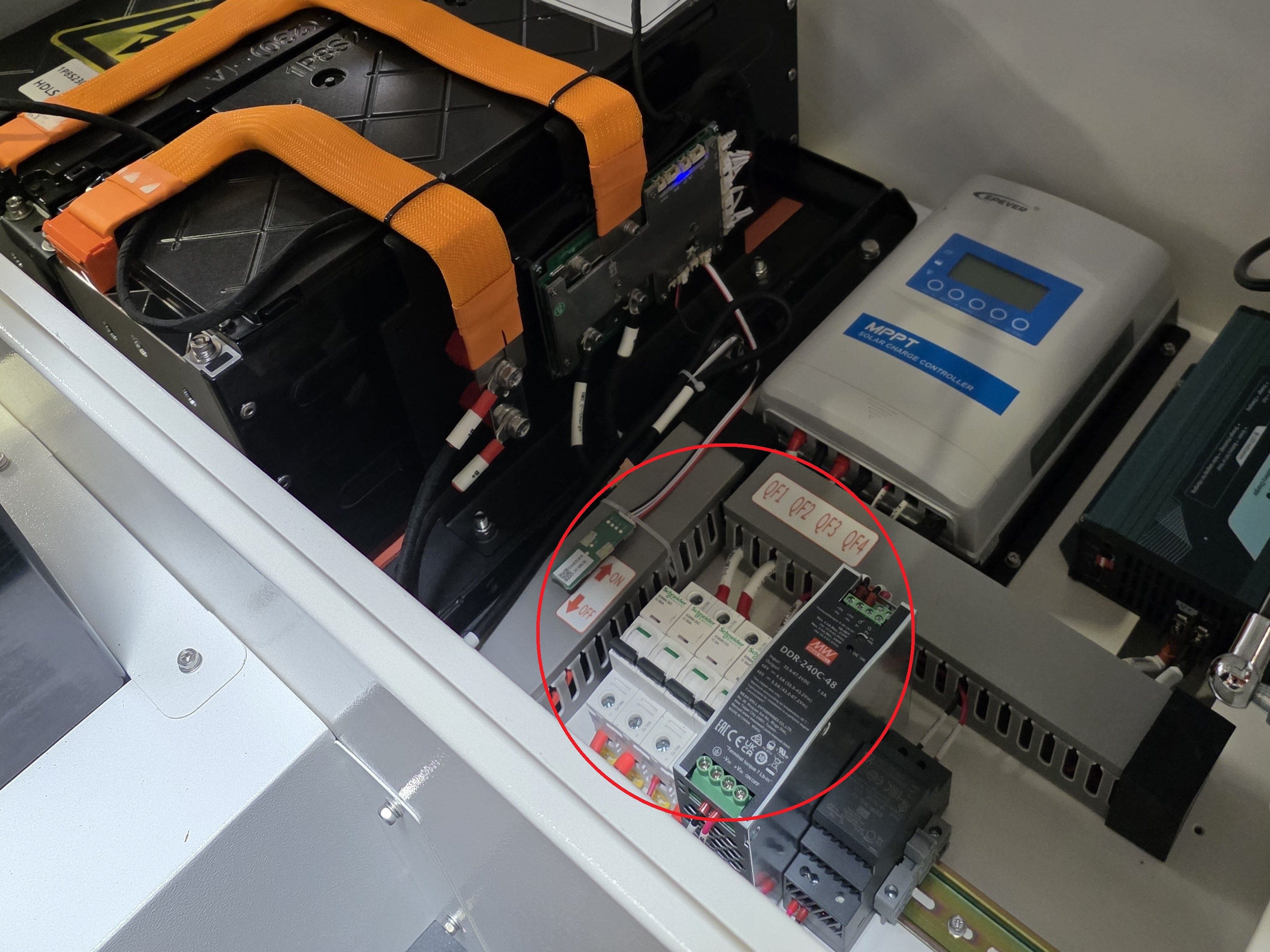
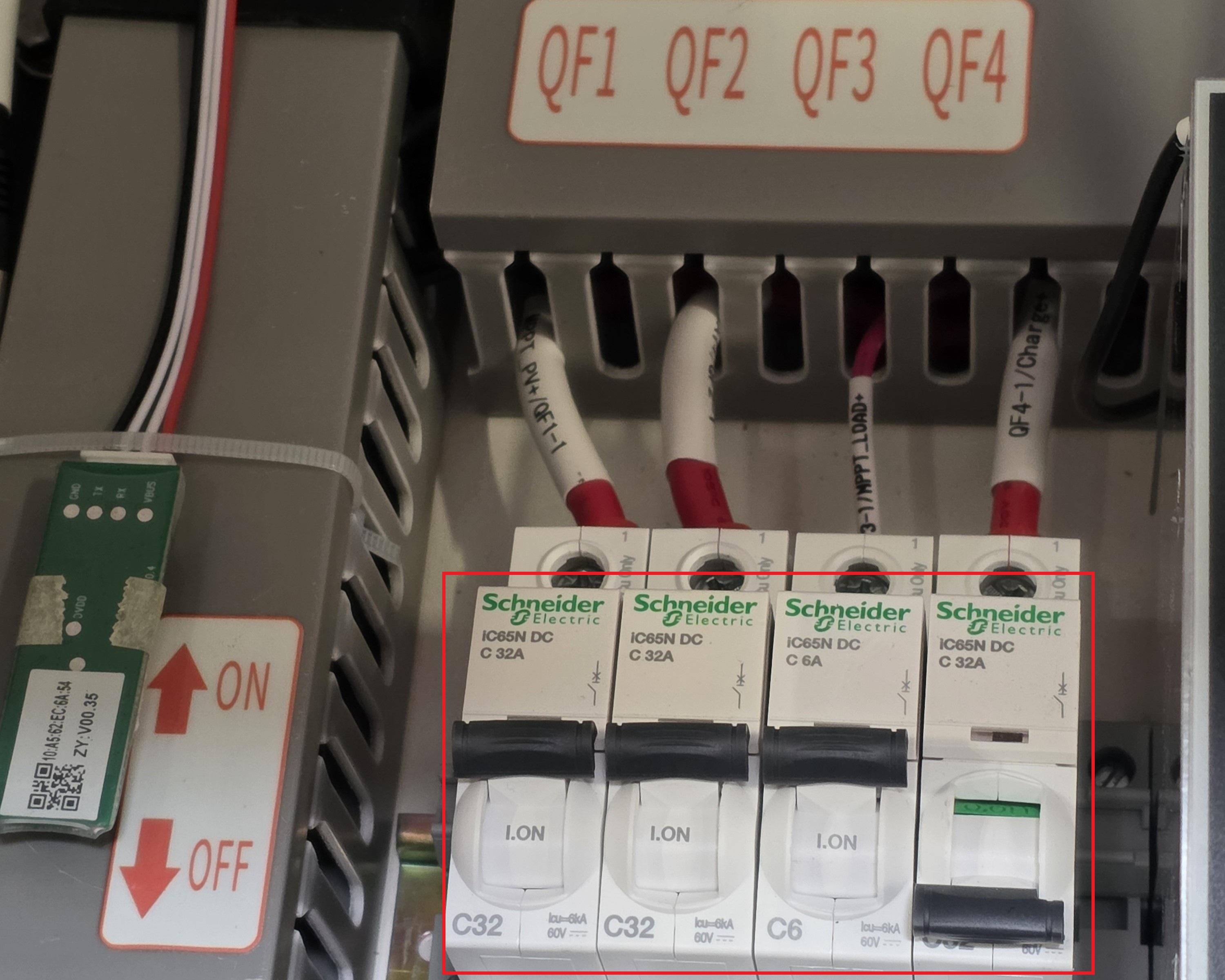
63. Set the Power Mode via the Power Switches:
- To set to Normal Mode (Charging via the Solar Panels and running power to the Controller Box), turn on switches QF1, QF2, and QF3; keep QF4 in the off position.
- To set to AC Charging Mode (Charging via the AC cable, with the Controller Box off), turn on switches QF2, and QF4; keep QF1 in the off position.
Note: Make sure to turn the switches on in order from left to right. Also, do not constantly turn the switches on and off; it could cause damage to the circuit breakers.
Close the cover to the electrical box.
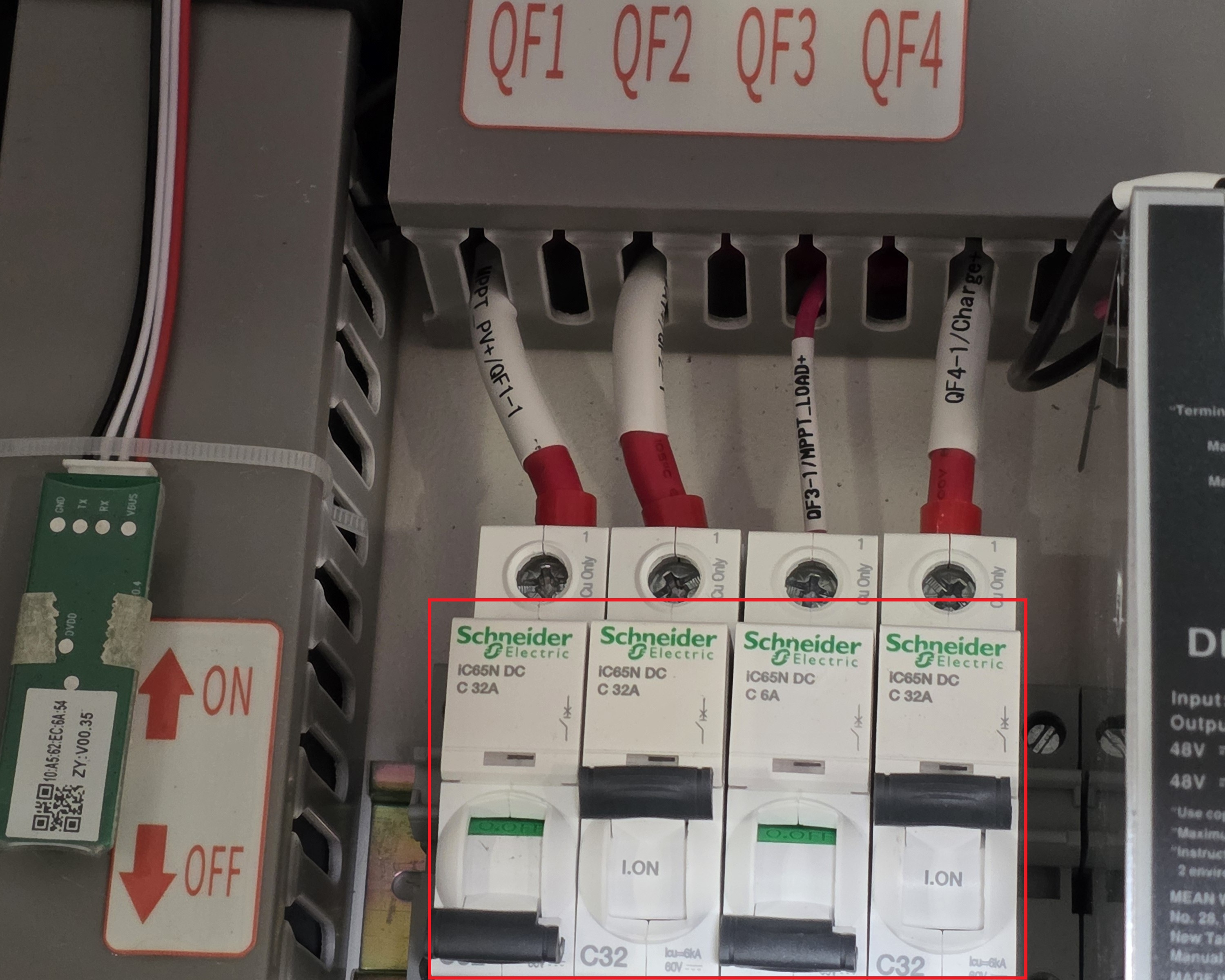
64. Setup is complete.
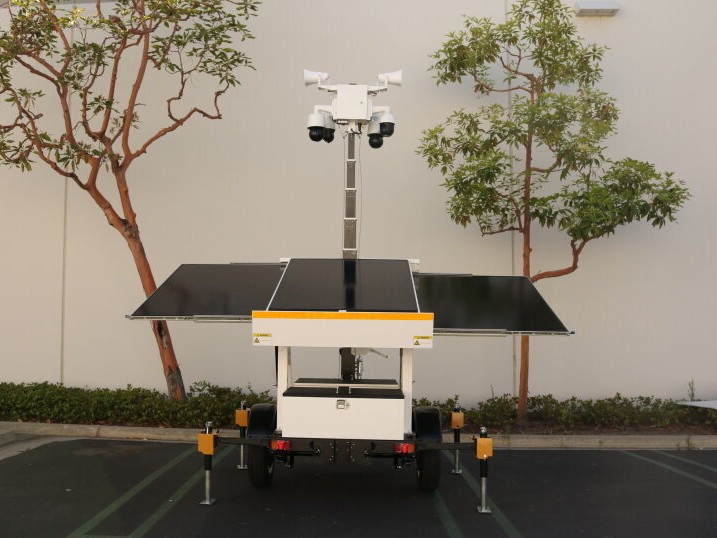
Optional: Charging Mode via Power Cable
Note: Charging via power cable should only be performed if there is little to no light available to charge via the solar panels. LumiGuardian will prioritize charging via only one power source (Solar Panel or Power Cable) based on whichever is inputting more wattage into the system. When there is enough light available, LumiGuardian will charge faster via solar panel.
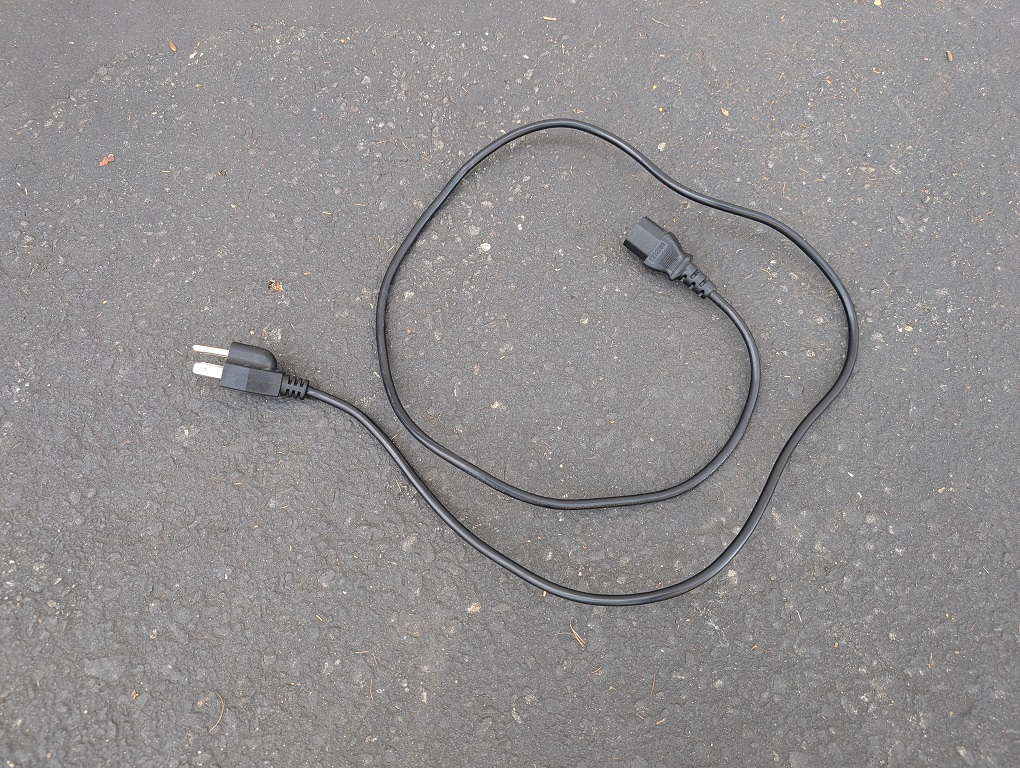
1. Using a C13 power cable (not included) you can charge the LumiGuardian trailer via power from a wall plug.
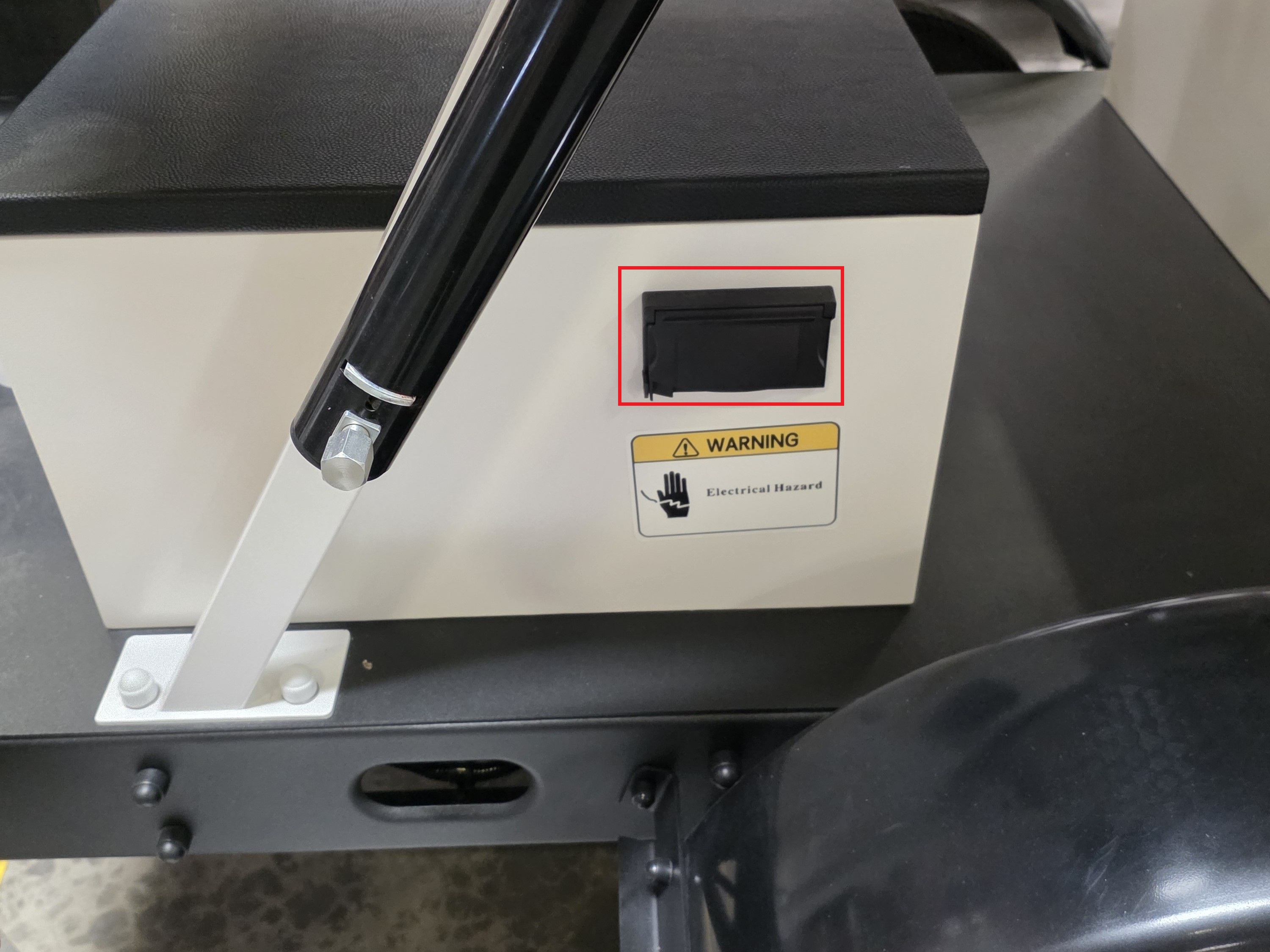
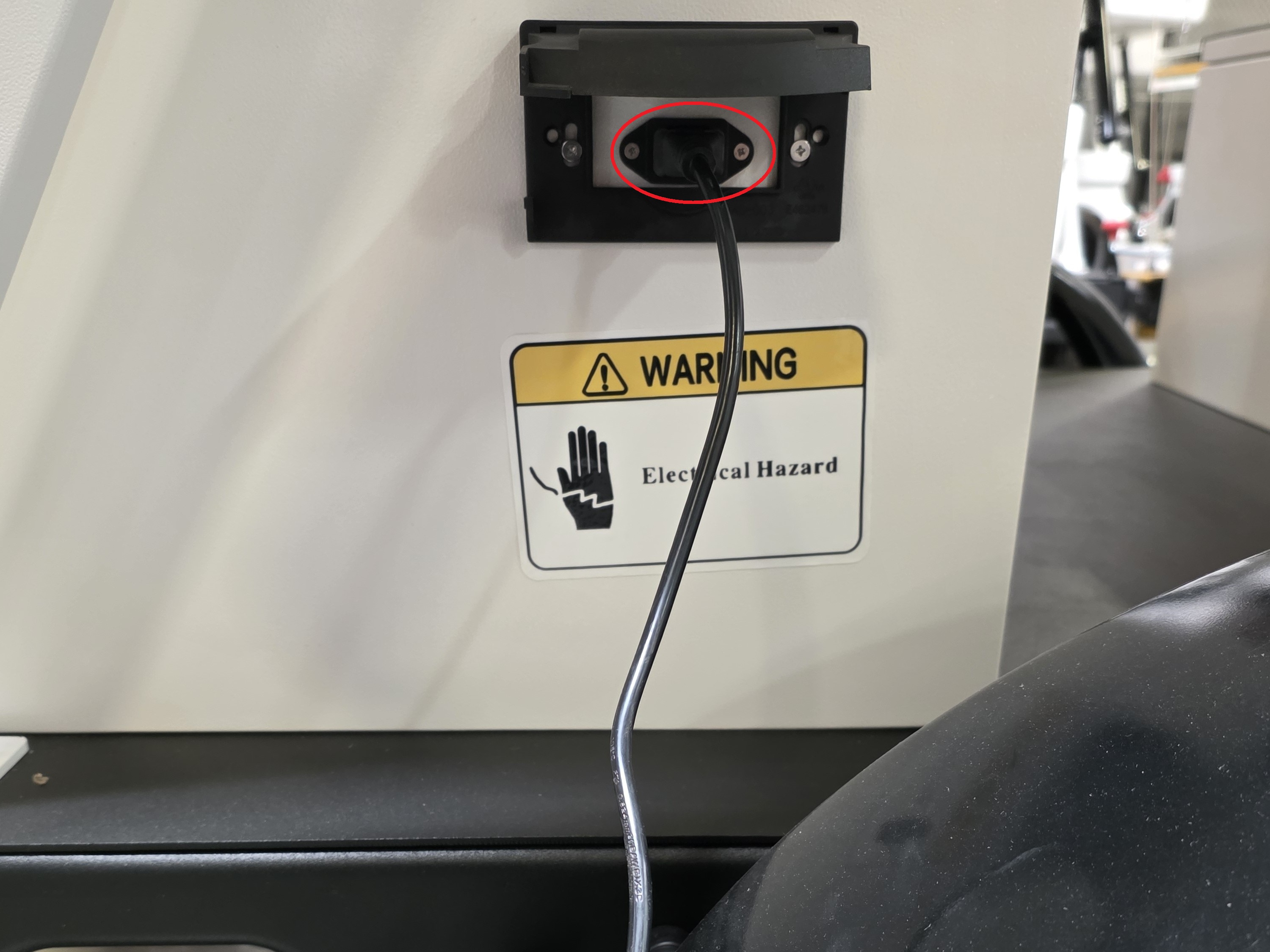
2. Open the cover on the power port on the side of the electrical box.
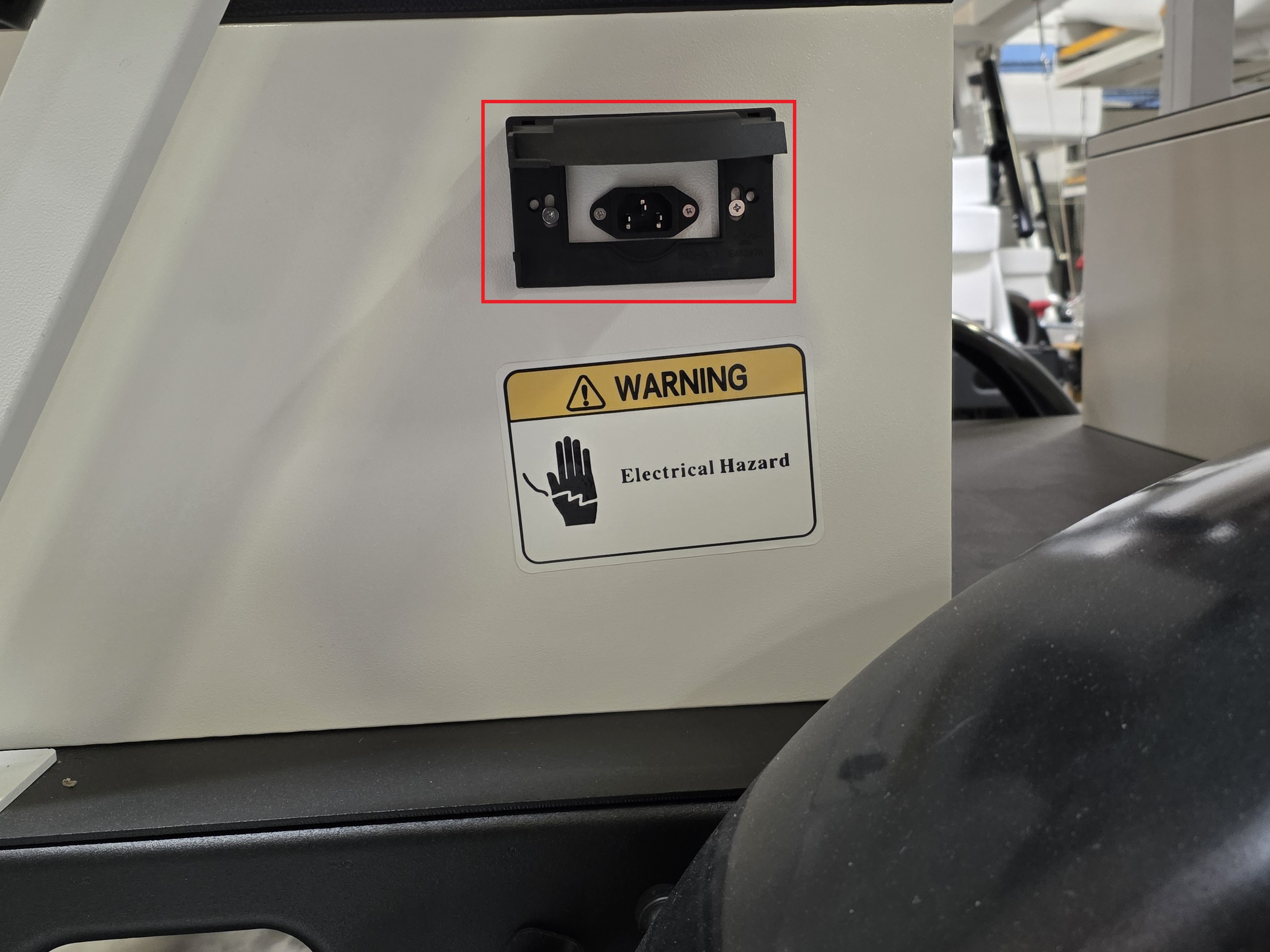
3. Connect the power cable to the power port and then plug it into a wall socket or surge protector.
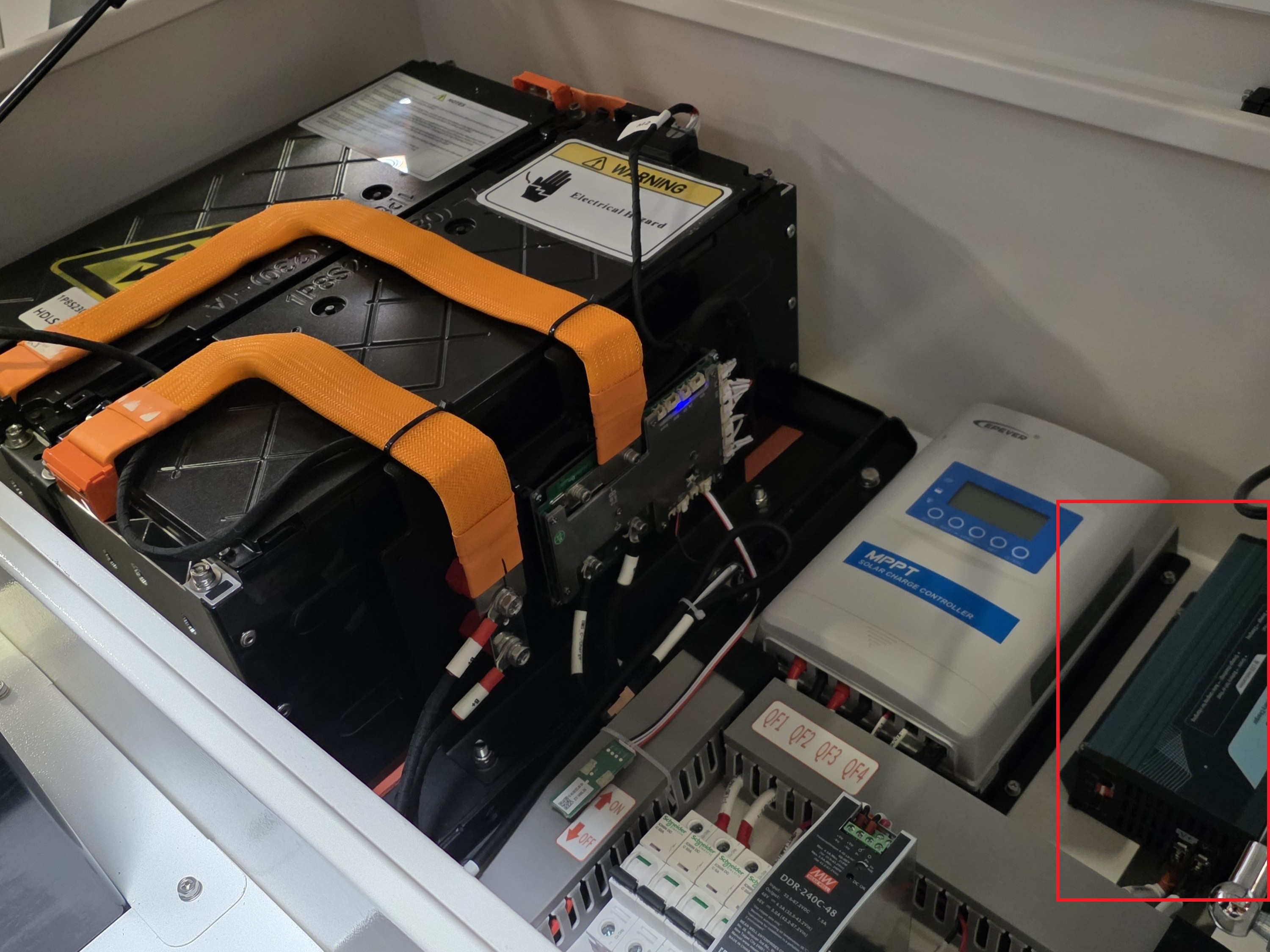
4. Use the small silver key from the lockbox to unlock the electrical box. Pull on the handle to open the electrical box. Then locate the power supply box.
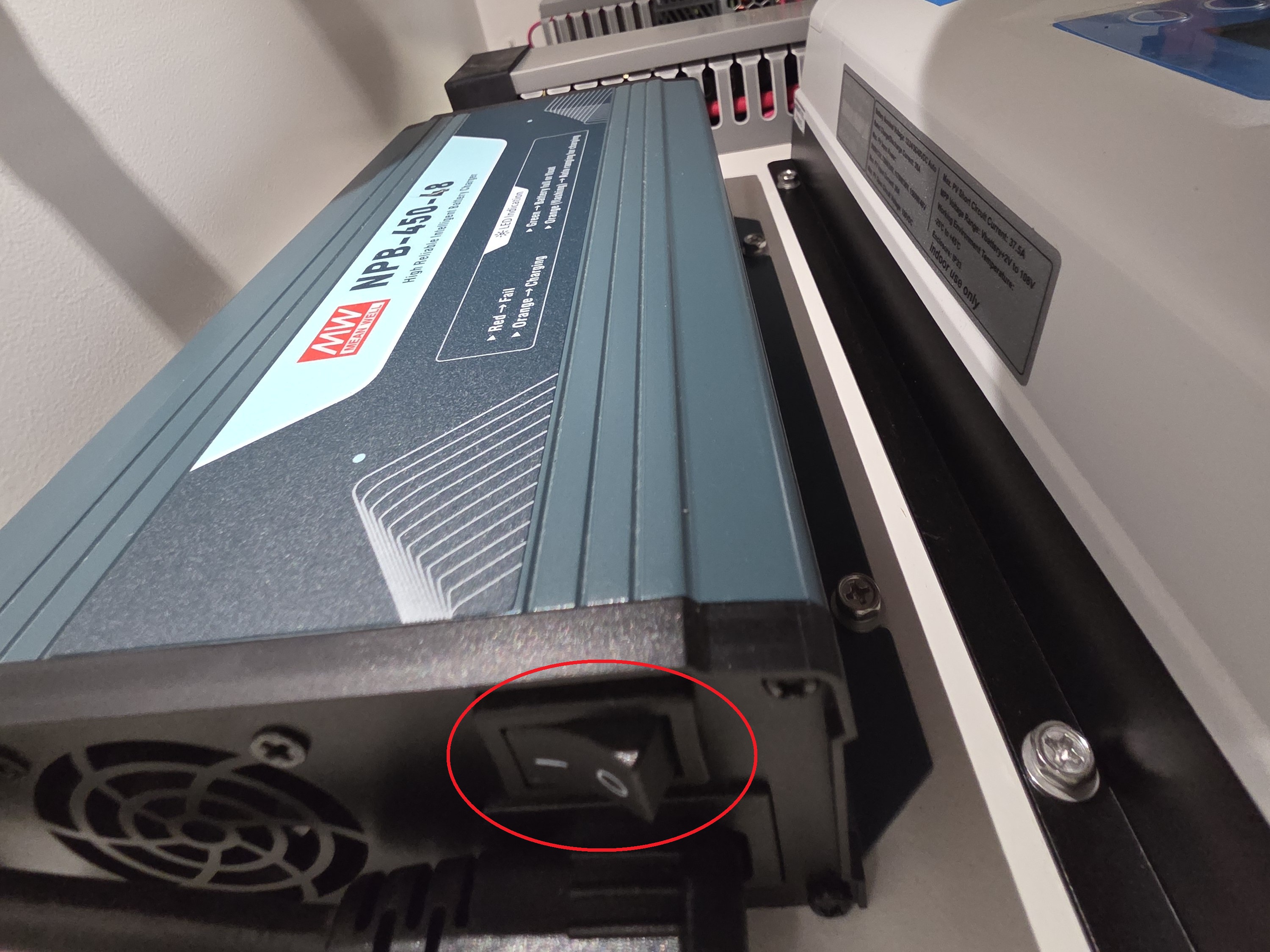
5. Turn the AC Input switch to the On position.
6. Locate the power switches
7. Turn on switches QF2, and QF4; keep QF1 in the off position.
Note: Make sure to turn the switches on in order from left to right. Also, do not constantly turn the switches on and off; it could cause damage to the circuit breakers.
Close the cover to the electrical box.

