LumiCloud/Playback
From Luminys WIKI
Description
This guide will show you how to access the playback page of the D2C camera.
Prerequisite
Instruction
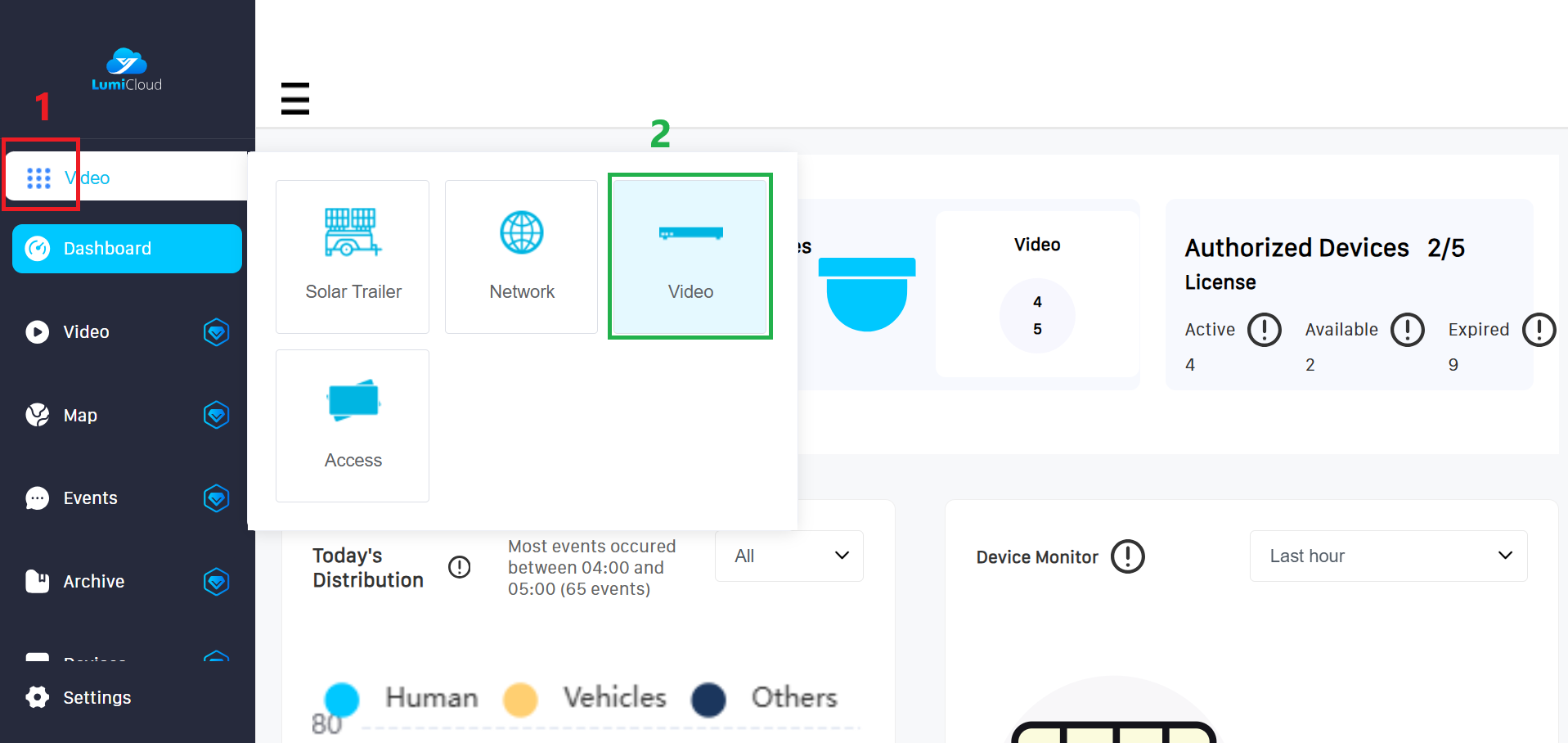
1. After logging in, select launcher (1) icon from the left panel, then choose the "Video" (2) option.
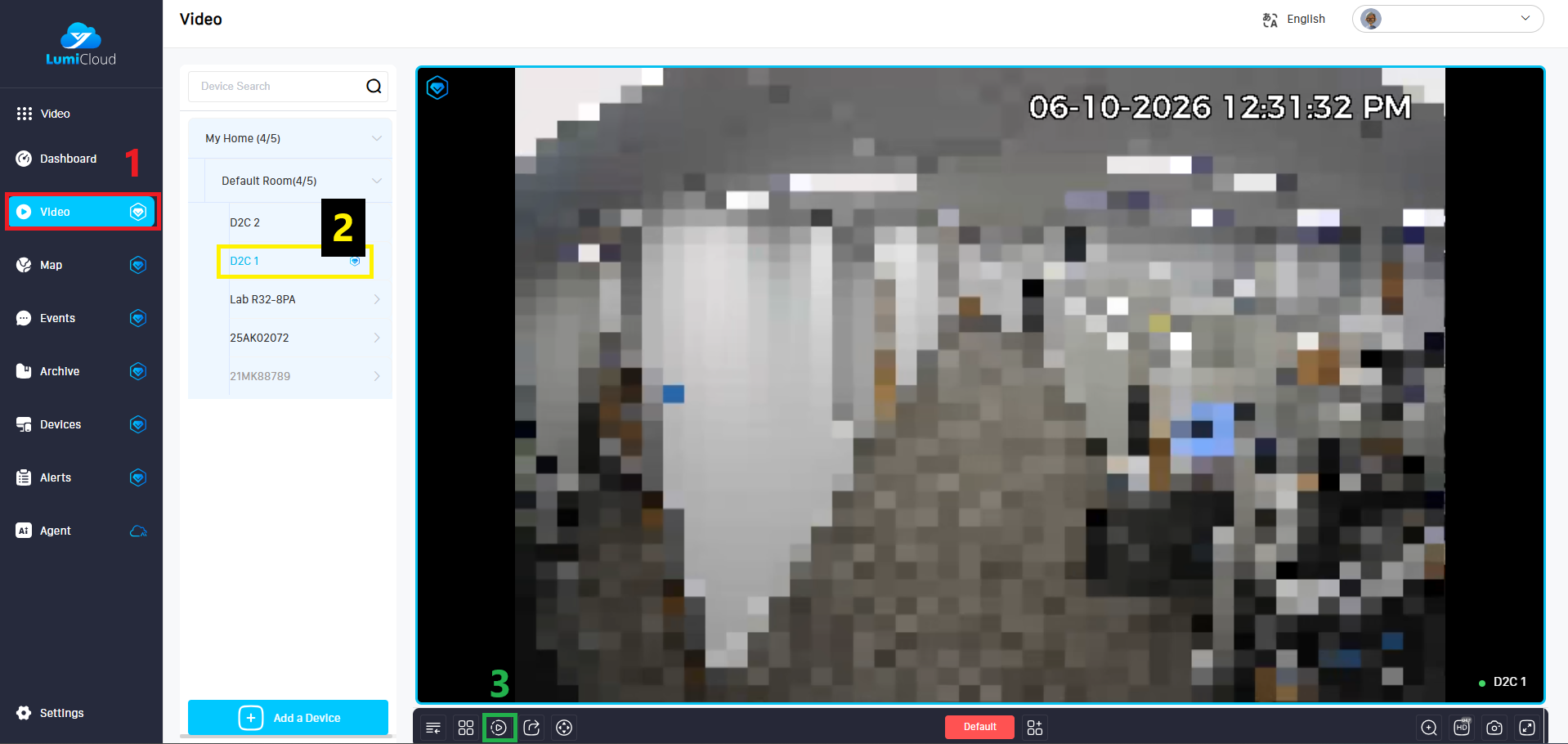
2. Select the “Video” tab (1) on the left panel, locate the PTZ camera (2) for which you want to create a preset, and then click the Playback icon (3) at the bottom.
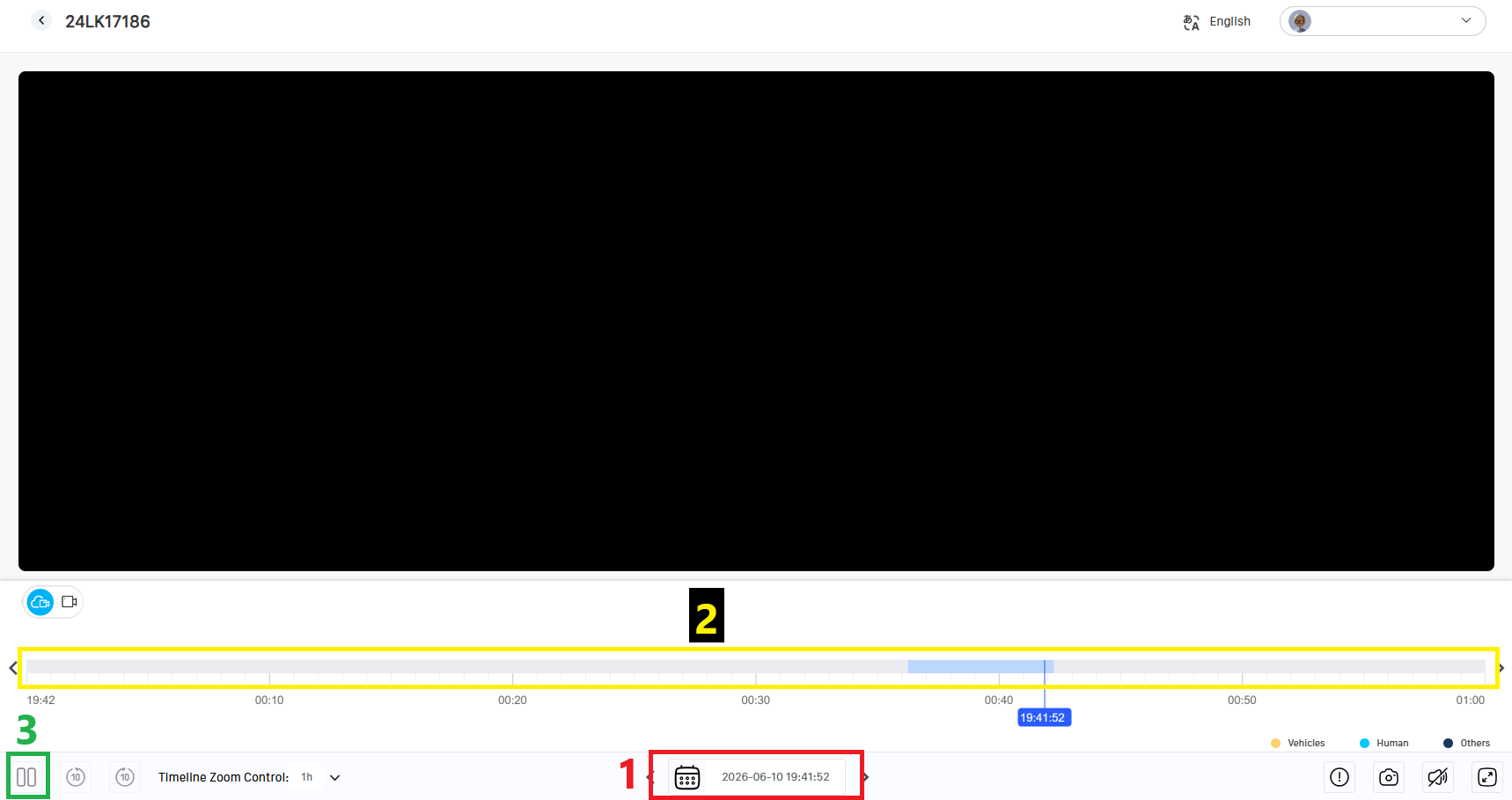
3. On the Playback screen, use the date and time selector (1) to choose the desired date, then use the timeline (2) to select the specific time. After that, use the Play/Pause (3) button to start or pause the playback.