LumiViewer Mobile App/How to Remove Devices in LumiViewer
From Luminys WIKI

How to Remove Devices in LumiViewer Mobile App
Description
This tutorial will go over how to remove devices in LumiViewer mobile app.
Prerequisites
- Devices already added.
Step by Step Instructions
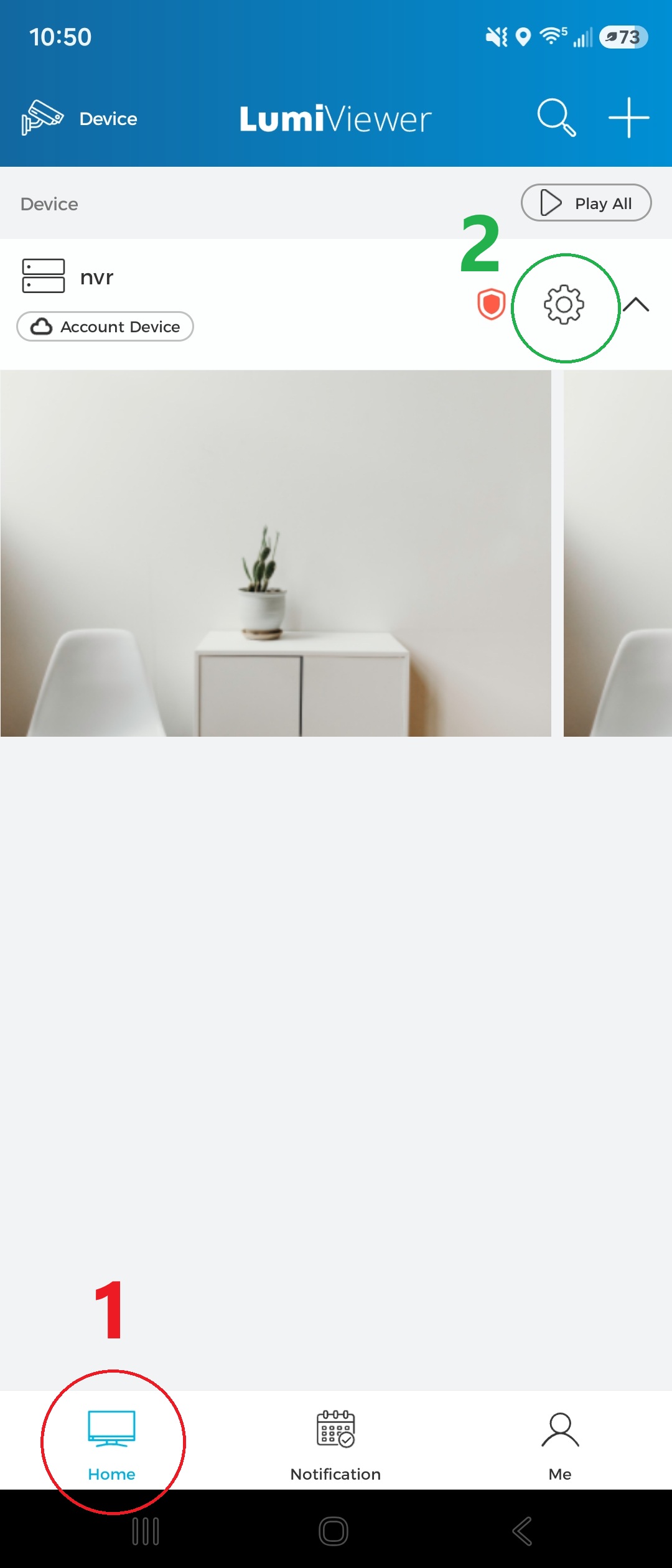
1. On the Home tab (1), tap the gear icon (2) for the device you want to remove from your account.
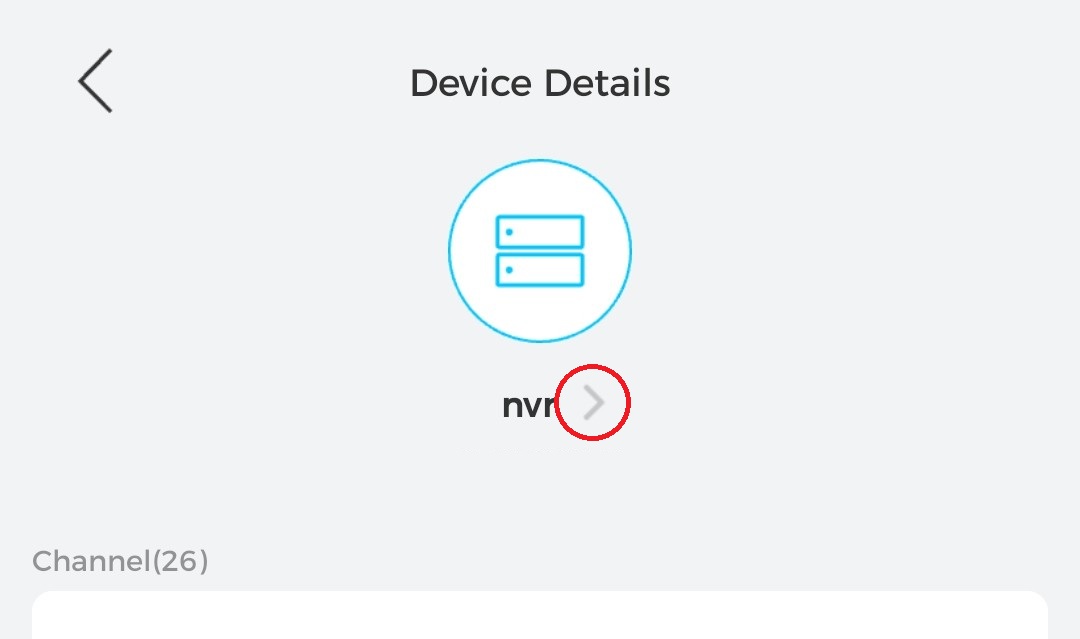
2. Tap the arrow icon to the right of the device name.
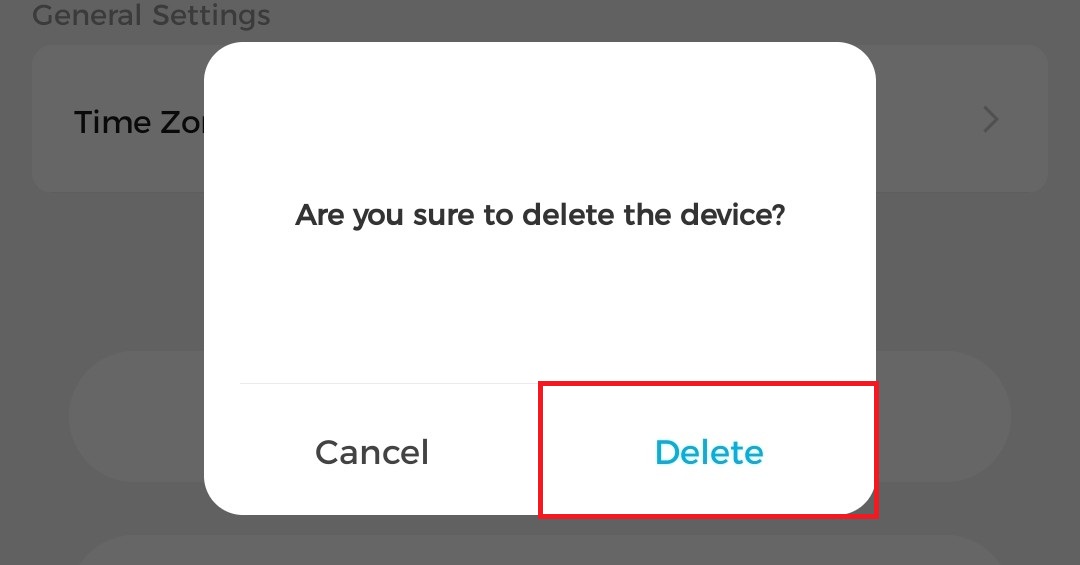
3. Tap "Delete" when the pop-up appears.
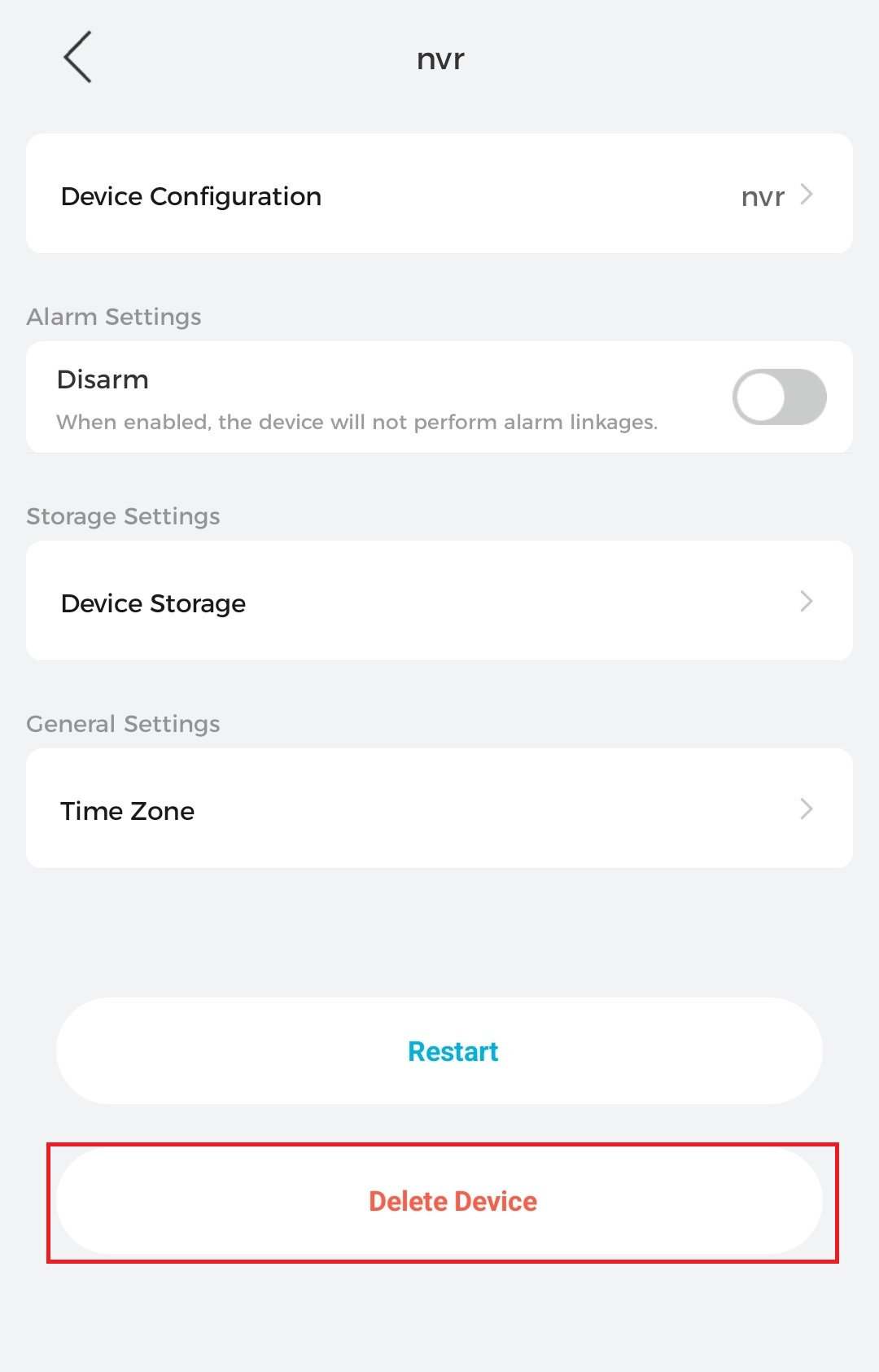
4. Tap "Delete" when the pop-up appears.