Cameras/Dewarping Mode via WebGUI: Difference between revisions
Techsupport (talk | contribs) Created page with "= <div class="center">Dewarping Fisheye Cameras via WebGUI</div> = ===Description=== This tutorial will go over how to dewarp fisheye cameras via webGUI. ===Prerequisites=== * Access the camera via web browser. ===Video Instructions=== <!--<youtube>https://www.youtube.com/watch?v=IQCQncIXNGM&ab_channel=LuminysSystemsCorporation</youtube>--> ===Step by Step Instructions=== <span style=color:black;font-style:italic;>Note: Fisheye typically provides three dewarping mod..." |
Techsupport (talk | contribs) No edit summary |
||
| (2 intermediate revisions by the same user not shown) | |||
| Line 1: | Line 1: | ||
= <div class="center">Dewarping Fisheye Cameras via WebGUI</div> = | = <div class="center">Dewarping Fisheye Cameras Live View via WebGUI</div> = | ||
===Description=== | ===Description=== | ||
This tutorial will go over how to dewarp fisheye cameras | This tutorial will go over how to dewarp fisheye cameras live view in webGUI. | ||
===Prerequisites=== | ===Prerequisites=== | ||
| Line 16: | Line 16: | ||
<span style=color:black;font-weight:bold>Ceiling</span> | <span style=color:black;font-weight:bold>Ceiling</span> | ||
1. This is | 1. This is the default image or view of the fisheye before dewarping is applied. | ||
[[File:Dewarping_Fisheye_Camera_via_WebGUI_1.png|1000px|link=https://wiki.luminyscorp.com/images/1/12/Dewarping_Fisheye_Camera_via_WebGUI_1.png]] | [[File:Dewarping_Fisheye_Camera_via_WebGUI_1.png|1000px|link=https://wiki.luminyscorp.com/images/1/12/Dewarping_Fisheye_Camera_via_WebGUI_1.png]] | ||
2. 360 degree view | 2. 360-degree view displayed at the bottom with the sub-image positioned at the top. | ||
[[File:Dewarping_Fisheye_Camera_via_WebGUI_2.png|1000px|link=https://wiki.luminyscorp.com/images/f/f3/Dewarping_Fisheye_Camera_via_WebGUI_2.png]] | [[File:Dewarping_Fisheye_Camera_via_WebGUI_2.png|1000px|link=https://wiki.luminyscorp.com/images/f/f3/Dewarping_Fisheye_Camera_via_WebGUI_2.png]] | ||
3. This | 3. This is divided into two 180-degree sub-images. | ||
[[File:Dewarping_Fisheye_Camera_via_WebGUI_3.png|1000px|link=https://wiki.luminyscorp.com/images/4/43/Dewarping_Fisheye_Camera_via_WebGUI_3.png]] | [[File:Dewarping_Fisheye_Camera_via_WebGUI_3.png|1000px|link=https://wiki.luminyscorp.com/images/4/43/Dewarping_Fisheye_Camera_via_WebGUI_3.png]] | ||
4. 180 | 4. This is divided into two 180-degree sub-images. | ||
[[File:Dewarping_Fisheye_Camera_via_WebGUI_4.png|1000px|link=https://wiki.luminyscorp.com/images/2/22/Dewarping_Fisheye_Camera_via_WebGUI_4.png]] | [[File:Dewarping_Fisheye_Camera_via_WebGUI_4.png|1000px|link=https://wiki.luminyscorp.com/images/2/22/Dewarping_Fisheye_Camera_via_WebGUI_4.png]] | ||
5. 90 degrees with 3 sub-images. | 5. 90-degrees with 3 sub-images. | ||
[[File:Dewarping_Fisheye_Camera_via_WebGUI_5.png|1000px|link=https://wiki.luminyscorp.com/images/a/a2/Dewarping_Fisheye_Camera_via_WebGUI_5.png]] | [[File:Dewarping_Fisheye_Camera_via_WebGUI_5.png|1000px|link=https://wiki.luminyscorp.com/images/a/a2/Dewarping_Fisheye_Camera_via_WebGUI_5.png]] | ||
6. 90 | 6. Displays four 90-degree sub-images with the original image positioned in the center. | ||
[[File:Dewarping_Fisheye_Camera_via_WebGUI_6.png|1000px|link=https://wiki.luminyscorp.com/images/4/40/Dewarping_Fisheye_Camera_via_WebGUI_6.png]] | [[File:Dewarping_Fisheye_Camera_via_WebGUI_6.png|1000px|link=https://wiki.luminyscorp.com/images/4/40/Dewarping_Fisheye_Camera_via_WebGUI_6.png]] | ||
7. 90 degrees with 4 sub-images with original image on the left side. | 7. 90-degrees with 4 sub-images with original image on the left side. | ||
[[File:Dewarping_Fisheye_Camera_via_WebGUI_7.png|1000px|link=https://wiki.luminyscorp.com/images/e/ea/Dewarping_Fisheye_Camera_via_WebGUI_7.png]] | [[File:Dewarping_Fisheye_Camera_via_WebGUI_7.png|1000px|link=https://wiki.luminyscorp.com/images/e/ea/Dewarping_Fisheye_Camera_via_WebGUI_7.png]] | ||
8. 60 degrees with 4 sub-images with warp image on the bottom. | 8. 60-degrees with 4 sub-images with warp image on the bottom. | ||
[[File:Dewarping_Fisheye_Camera_via_WebGUI_8.png|1000px|link=https://wiki.luminyscorp.com/images/4/4a/Dewarping_Fisheye_Camera_via_WebGUI_8.png]] | [[File:Dewarping_Fisheye_Camera_via_WebGUI_8.png|1000px|link=https://wiki.luminyscorp.com/images/4/4a/Dewarping_Fisheye_Camera_via_WebGUI_8.png]] | ||
9. 45 degrees with 9 sub-images with original image in the middle. | 9. 45-degrees with 9 sub-images with original image in the middle. | ||
[[File:Dewarping_Fisheye_Camera_via_WebGUI_9.png|1000px|link=https://wiki.luminyscorp.com/images/8/81/Dewarping_Fisheye_Camera_via_WebGUI_9.png]] | [[File:Dewarping_Fisheye_Camera_via_WebGUI_9.png|1000px|link=https://wiki.luminyscorp.com/images/8/81/Dewarping_Fisheye_Camera_via_WebGUI_9.png]] | ||
| Line 76: | Line 76: | ||
<span style=color:black;font-weight:bold>Ground</span> | <span style=color:black;font-weight:bold>Ground</span> | ||
15. 360 degrees with 1 sub-image on top. | 15. 360-degrees with 1 sub-image on top. | ||
[[File:Dewarping_Fisheye_Camera_via_WebGUI_15.png|1000px|link=https://wiki.luminyscorp.com/images/c/c0/Dewarping_Fisheye_Camera_via_WebGUI_15.png]] | [[File:Dewarping_Fisheye_Camera_via_WebGUI_15.png|1000px|link=https://wiki.luminyscorp.com/images/c/c0/Dewarping_Fisheye_Camera_via_WebGUI_15.png]] | ||
16. 2 180 degrees (sub-images). | 16. 2 180-degrees (sub-images). | ||
[[File:Dewarping_Fisheye_Camera_via_WebGUI_16.png|1000px|link=https://wiki.luminyscorp.com/images/8/82/Dewarping_Fisheye_Camera_via_WebGUI_16.png]] | [[File:Dewarping_Fisheye_Camera_via_WebGUI_16.png|1000px|link=https://wiki.luminyscorp.com/images/8/82/Dewarping_Fisheye_Camera_via_WebGUI_16.png]] | ||
17. 90 degrees with 3 sub-images with original image on the top left corner. | 17. 90-degrees with 3 sub-images with original image on the top left corner. | ||
[[File:Dewarping_Fisheye_Camera_via_WebGUI_17.png|1000px|link=https://wiki.luminyscorp.com/images/f/f3/Dewarping_Fisheye_Camera_via_WebGUI_17.png]] | [[File:Dewarping_Fisheye_Camera_via_WebGUI_17.png|1000px|link=https://wiki.luminyscorp.com/images/f/f3/Dewarping_Fisheye_Camera_via_WebGUI_17.png]] | ||
18. 90 degrees with 4 sub-images with original image in the middle. | 18. 90-degrees with 4 sub-images with original image in the middle. | ||
[[File:Dewarping_Fisheye_Camera_via_WebGUI_18.png|1000px|link=http://wiki.luminyscorp.com/images/9/90/Dewarping_Fisheye_Camera_via_WebGUI_18.png]] | [[File:Dewarping_Fisheye_Camera_via_WebGUI_18.png|1000px|link=http://wiki.luminyscorp.com/images/9/90/Dewarping_Fisheye_Camera_via_WebGUI_18.png]] | ||
19. 90 degrees with 4 sub-images with original image on the left side. | 19. 90-degrees with 4 sub-images with original image on the left side. | ||
[[File:Dewarping_Fisheye_Camera_via_WebGUI_19.png|1000px|link=https://wiki.luminyscorp.com/images/c/cf/Dewarping_Fisheye_Camera_via_WebGUI_19.png]] | [[File:Dewarping_Fisheye_Camera_via_WebGUI_19.png|1000px|link=https://wiki.luminyscorp.com/images/c/cf/Dewarping_Fisheye_Camera_via_WebGUI_19.png]] | ||
20. 60 degrees with 6 sub-images. | 20. 60-degrees with 6 sub-images. | ||
[[File:Dewarping_Fisheye_Camera_via_WebGUI_20.png|1000px|link=https://wiki.luminyscorp.com/images/2/2f/Dewarping_Fisheye_Camera_via_WebGUI_20.png]] | [[File:Dewarping_Fisheye_Camera_via_WebGUI_20.png|1000px|link=https://wiki.luminyscorp.com/images/2/2f/Dewarping_Fisheye_Camera_via_WebGUI_20.png]] | ||
21. 45 degrees with 8 sub-images with original image in the middle. | 21. 45-degrees with 8 sub-images with original image in the middle. | ||
[[File:Dewarping_Fisheye_Camera_via_WebGUI_21.png|1000px|link=https://wiki.luminyscorp.com/images/3/34/Dewarping_Fisheye_Camera_via_WebGUI_21.png]] | [[File:Dewarping_Fisheye_Camera_via_WebGUI_21.png|1000px|link=https://wiki.luminyscorp.com/images/3/34/Dewarping_Fisheye_Camera_via_WebGUI_21.png]] | ||
Latest revision as of 13:09, 21 November 2025
Dewarping Fisheye Cameras Live View via WebGUI
Description
This tutorial will go over how to dewarp fisheye cameras live view in webGUI.
Prerequisites
- Access the camera via web browser.
Video Instructions
Step by Step Instructions
Note: Fisheye typically provides three dewarping modes: Ceiling, Wall, and Ground. Each mode includes multiple options for selecting a sub-image, which can be repositioned by dragging with the mouse. Thus, depending on how the fisheye is installed (ceiling, wall, or ground), the appropriate type should be selected.
Ceiling
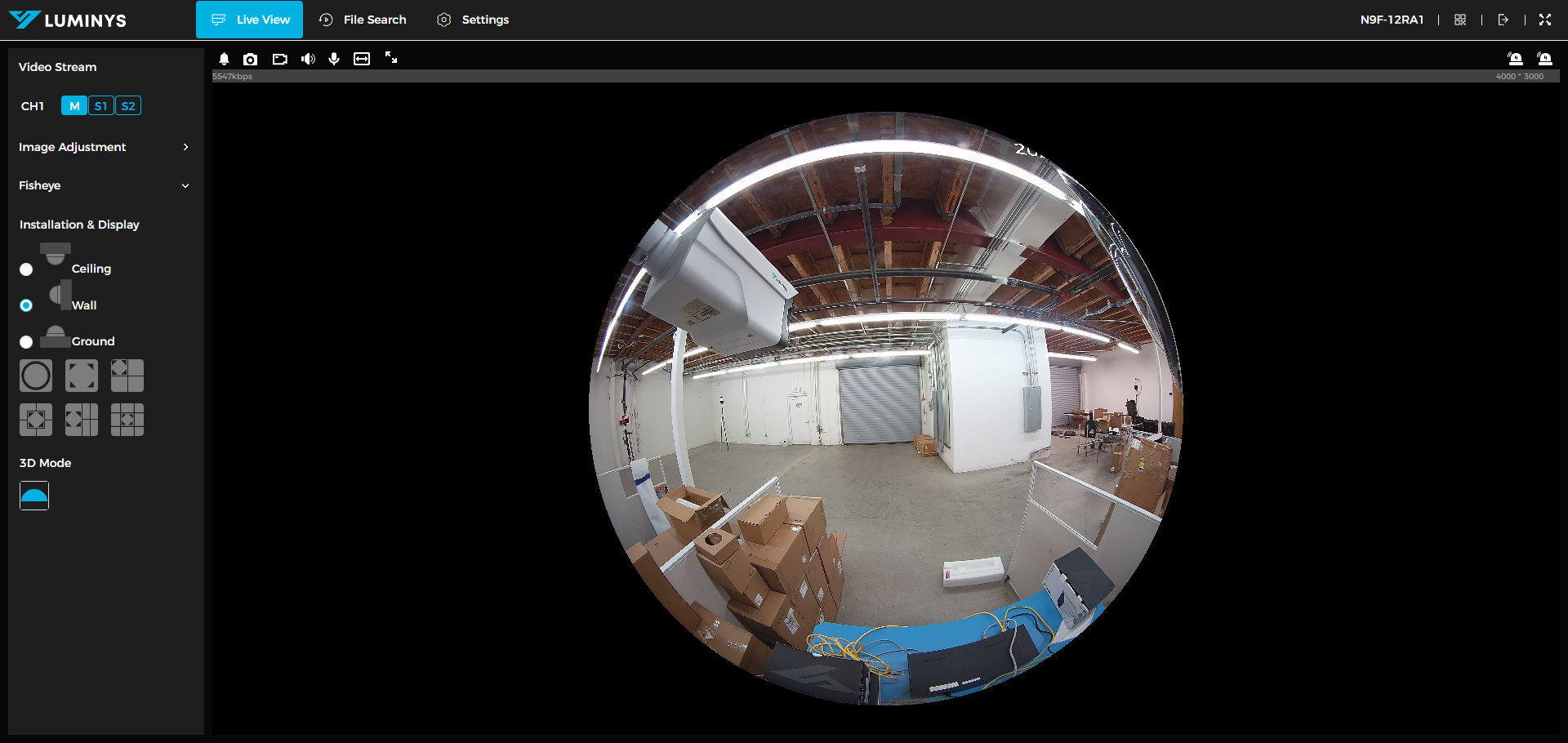
1. This is the default image or view of the fisheye before dewarping is applied.
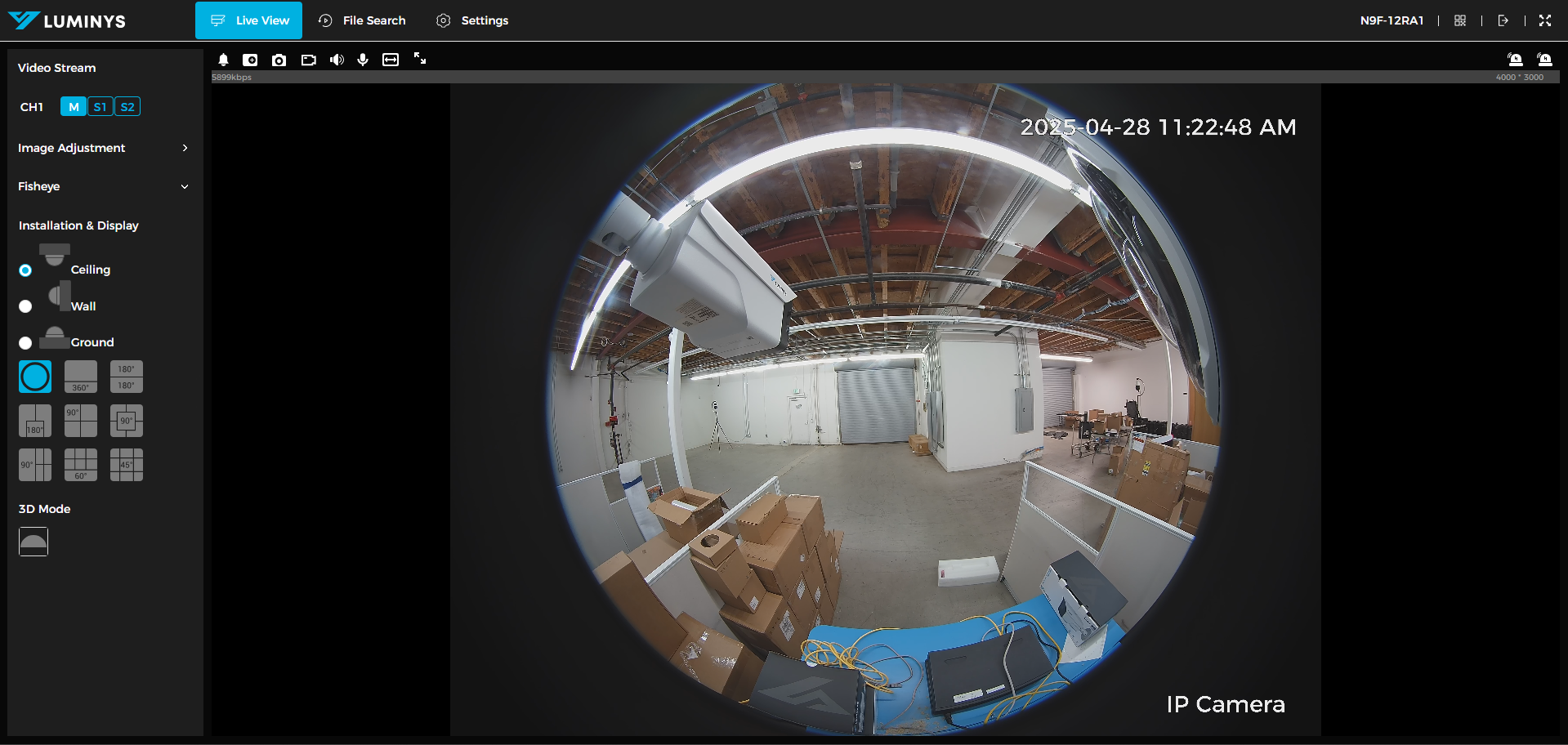
2. 360-degree view displayed at the bottom with the sub-image positioned at the top.
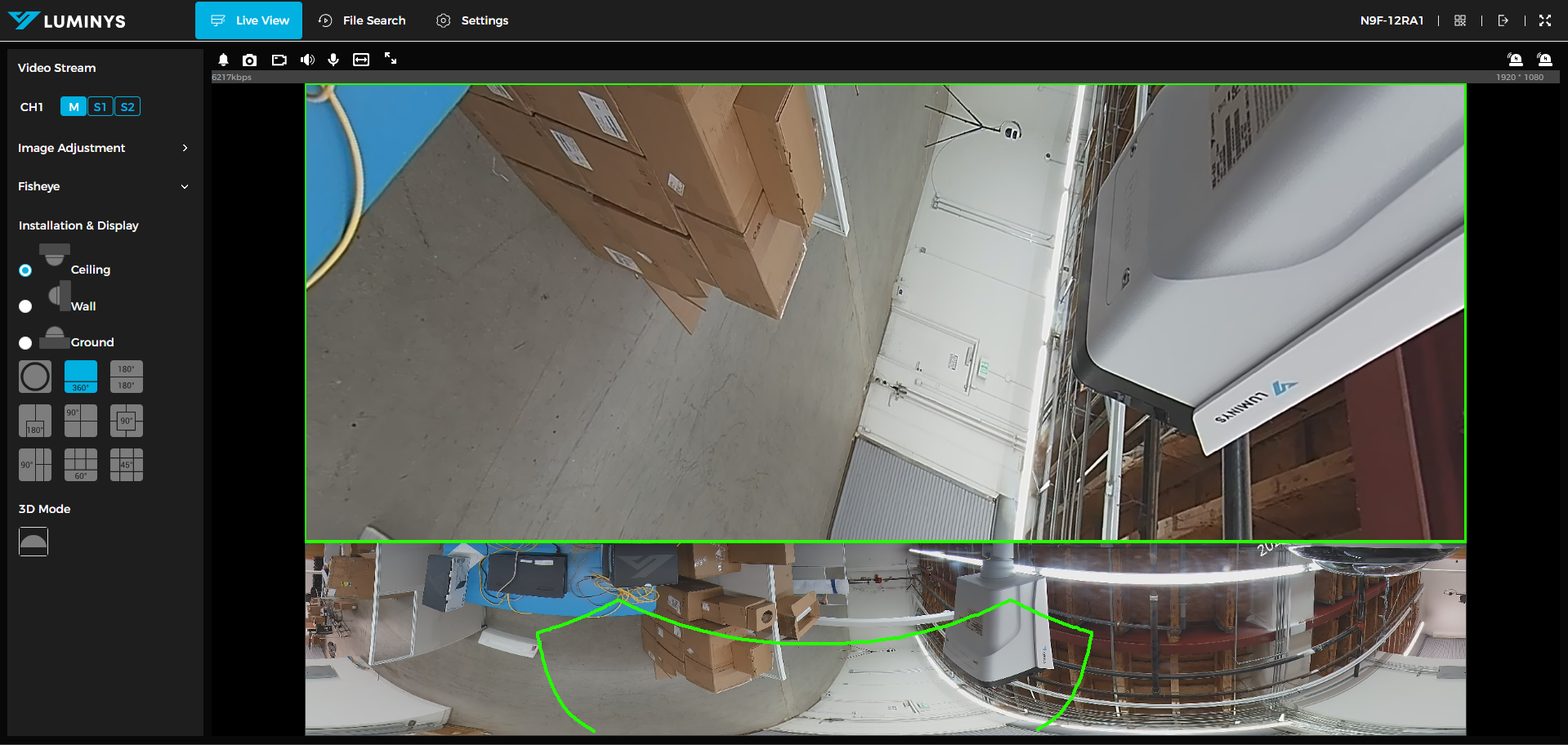
3. This is divided into two 180-degree sub-images.
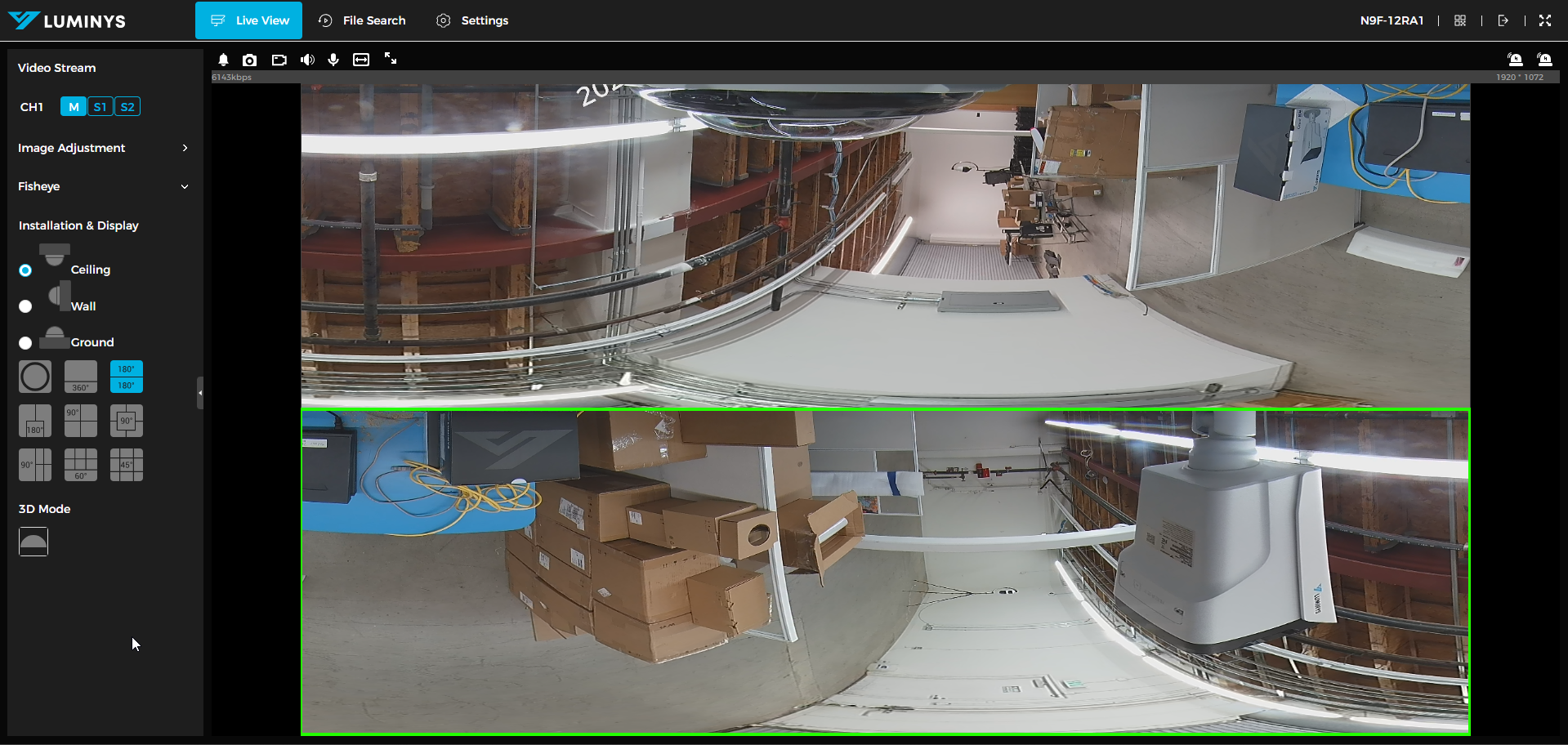
4. This is divided into two 180-degree sub-images.
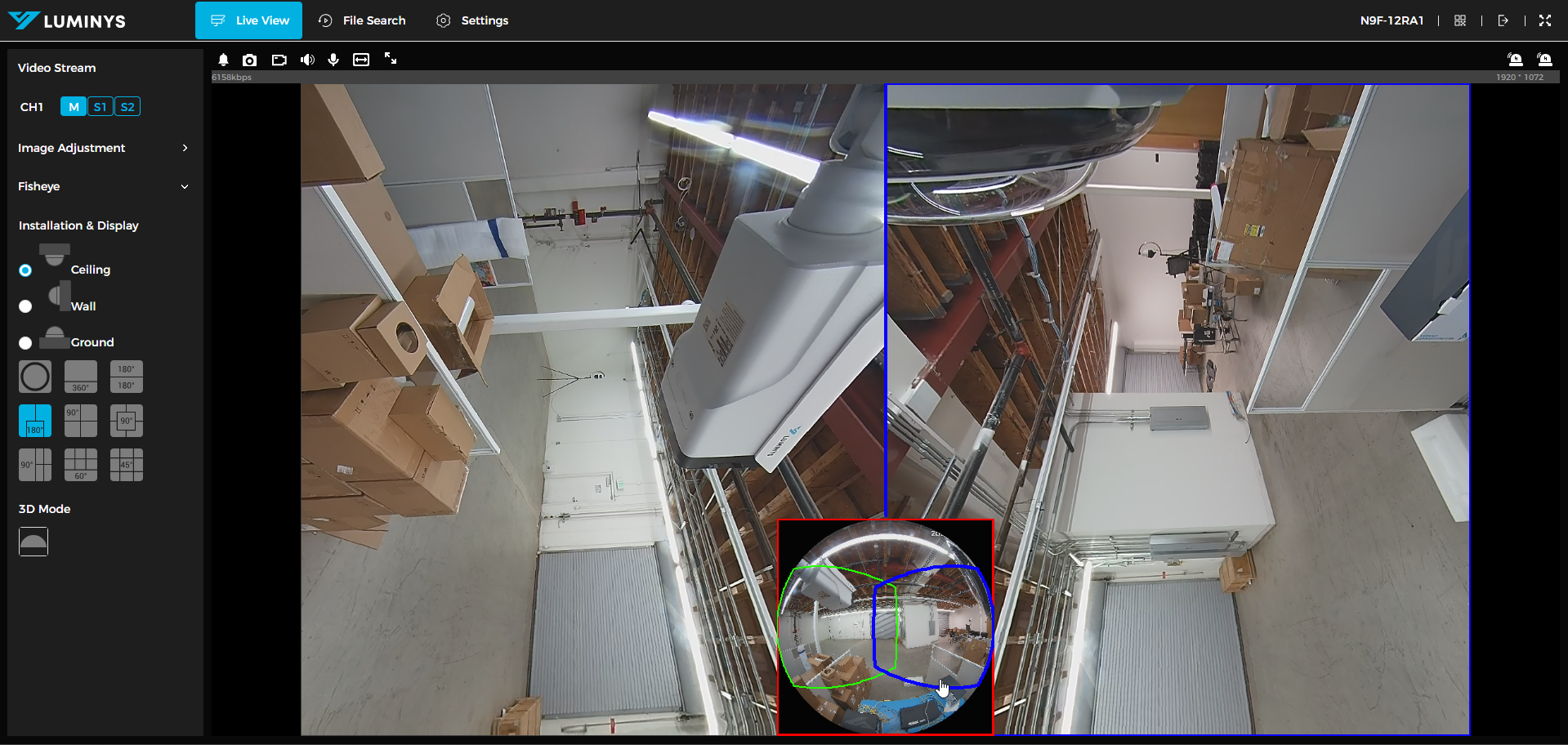
5. 90-degrees with 3 sub-images.
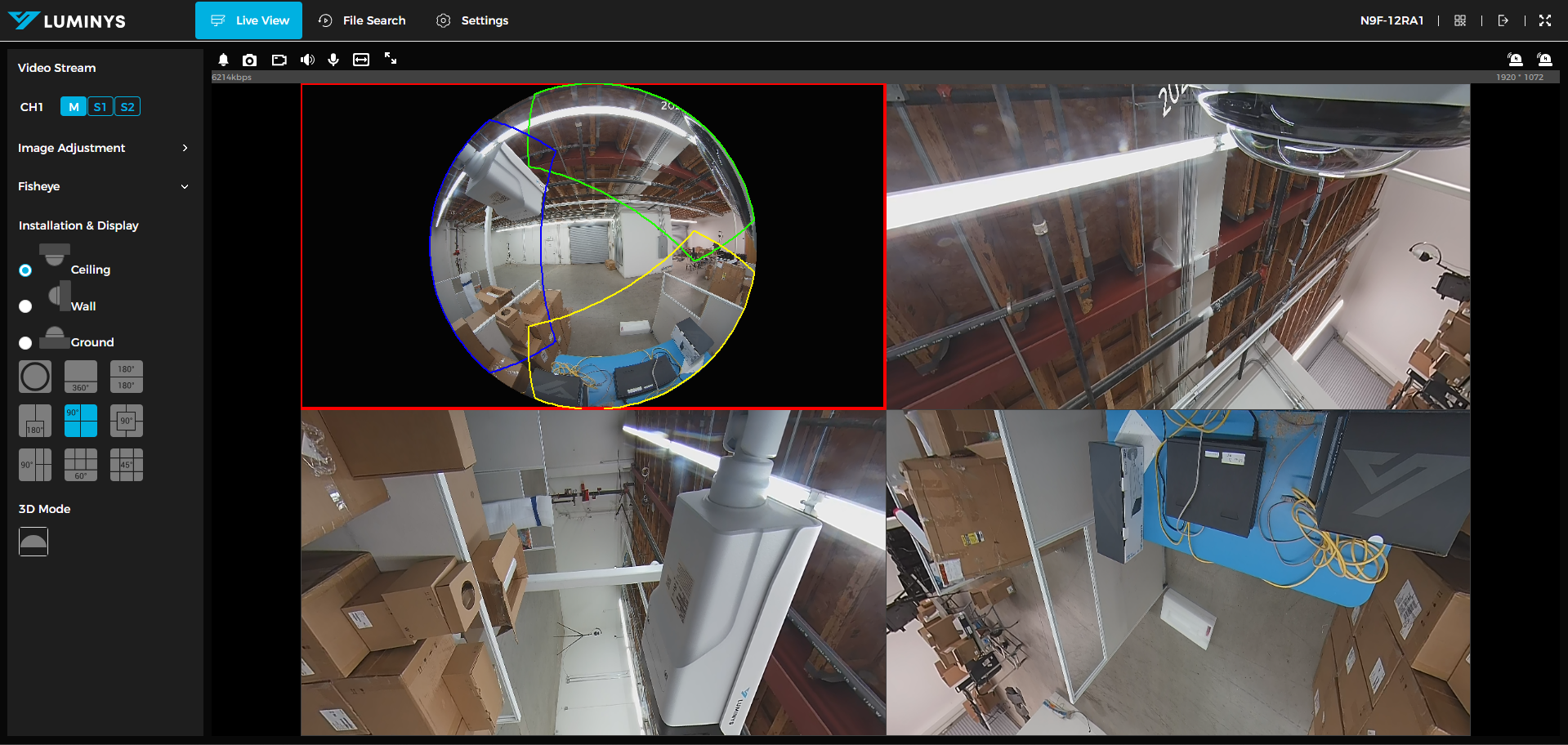
6. Displays four 90-degree sub-images with the original image positioned in the center.
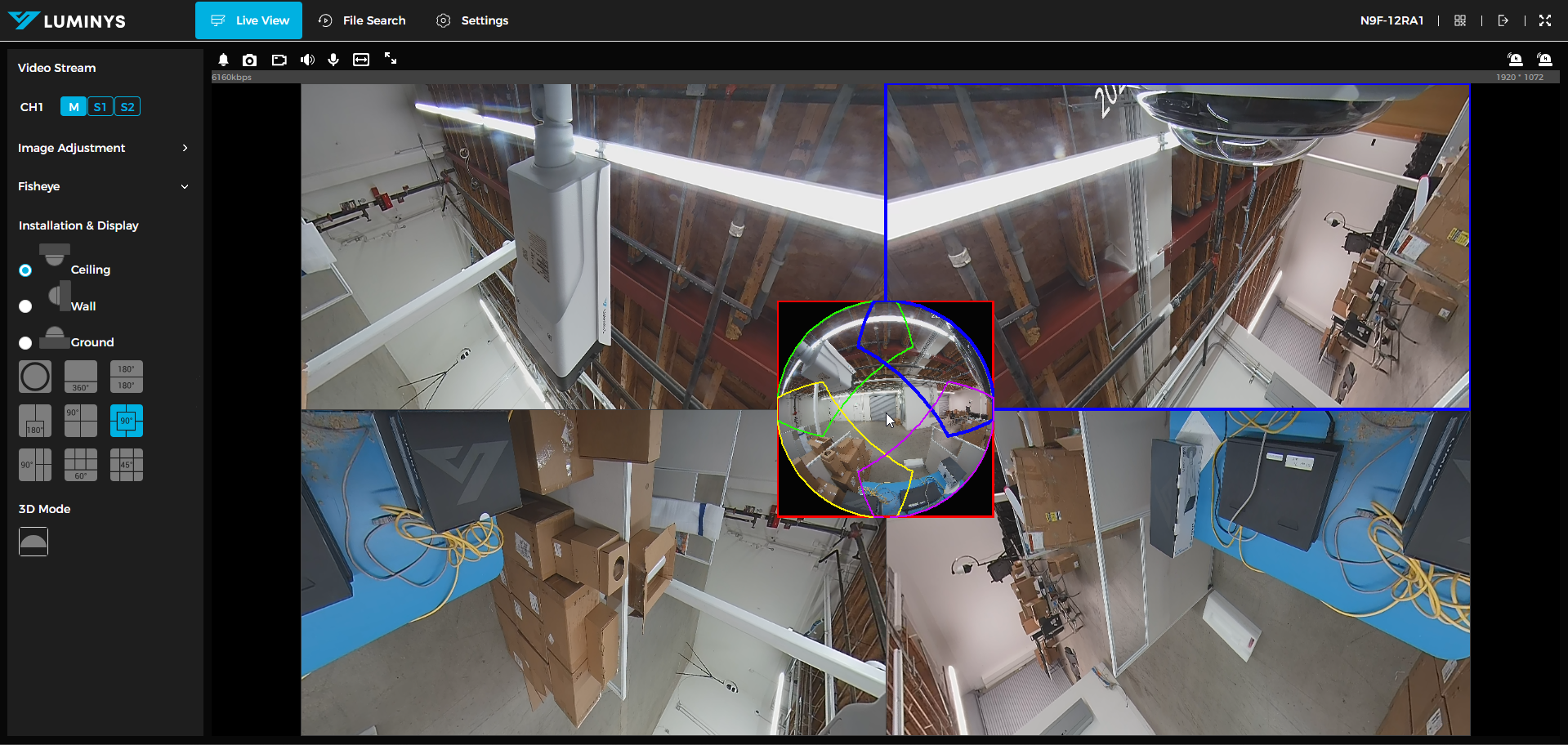
7. 90-degrees with 4 sub-images with original image on the left side.
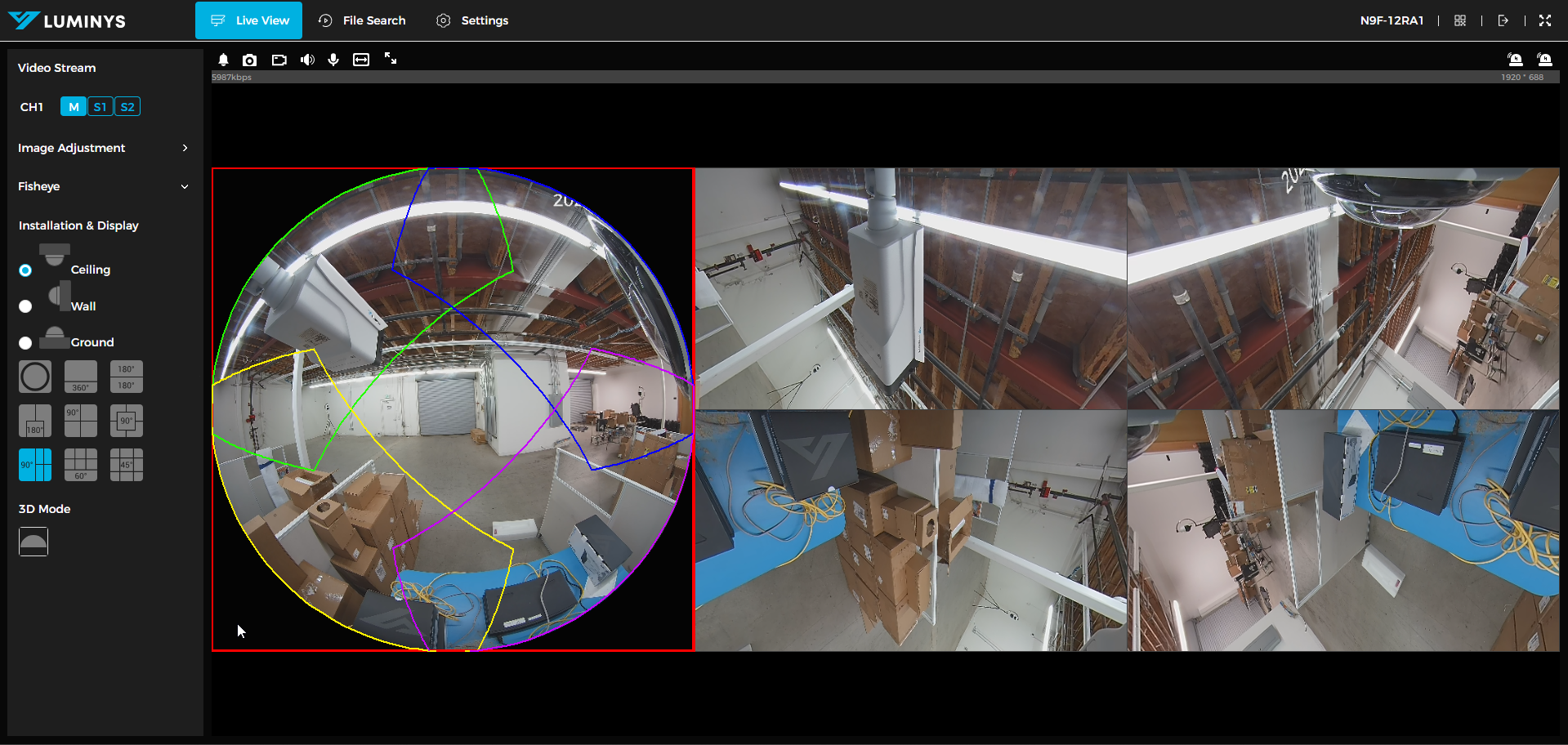
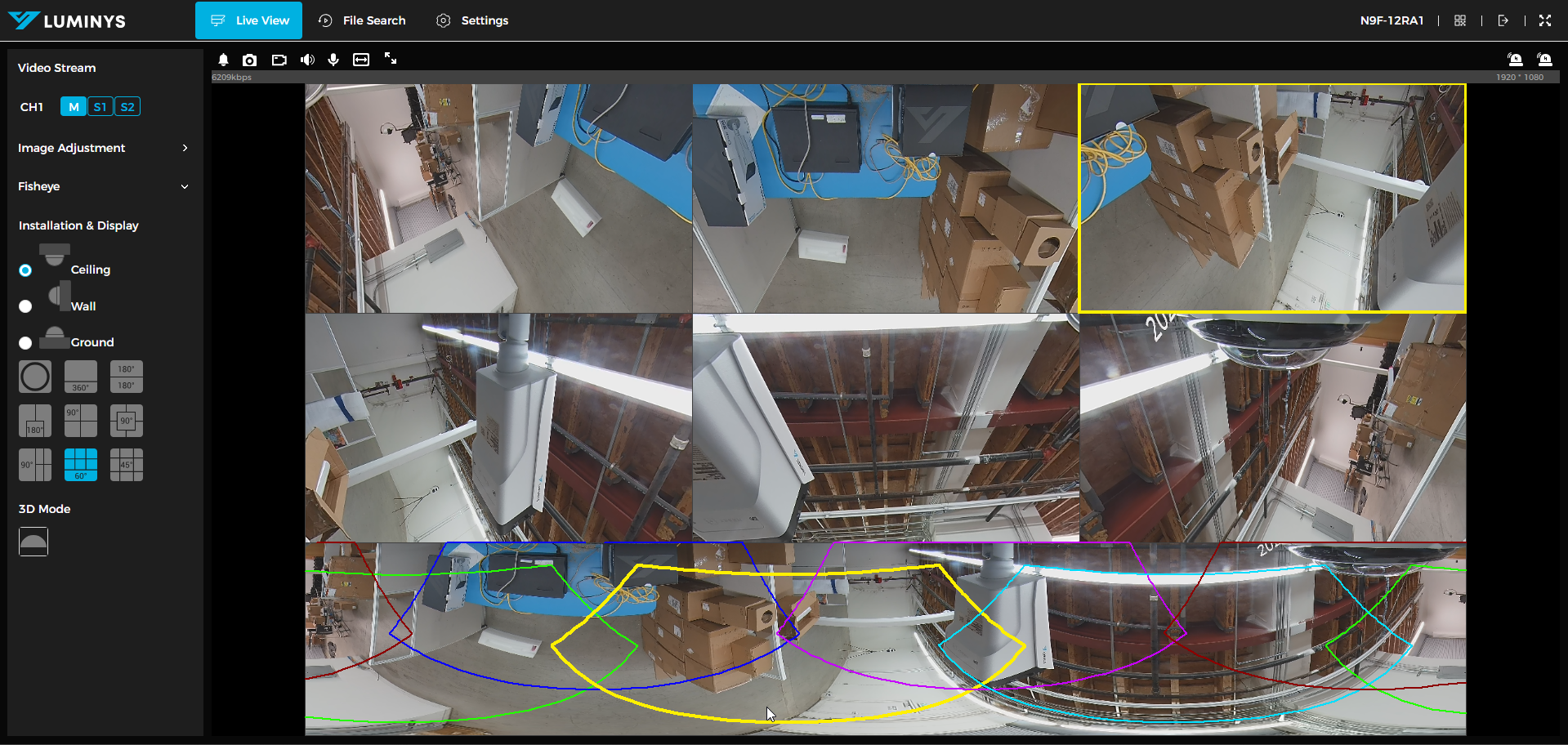
8. 60-degrees with 4 sub-images with warp image on the bottom.
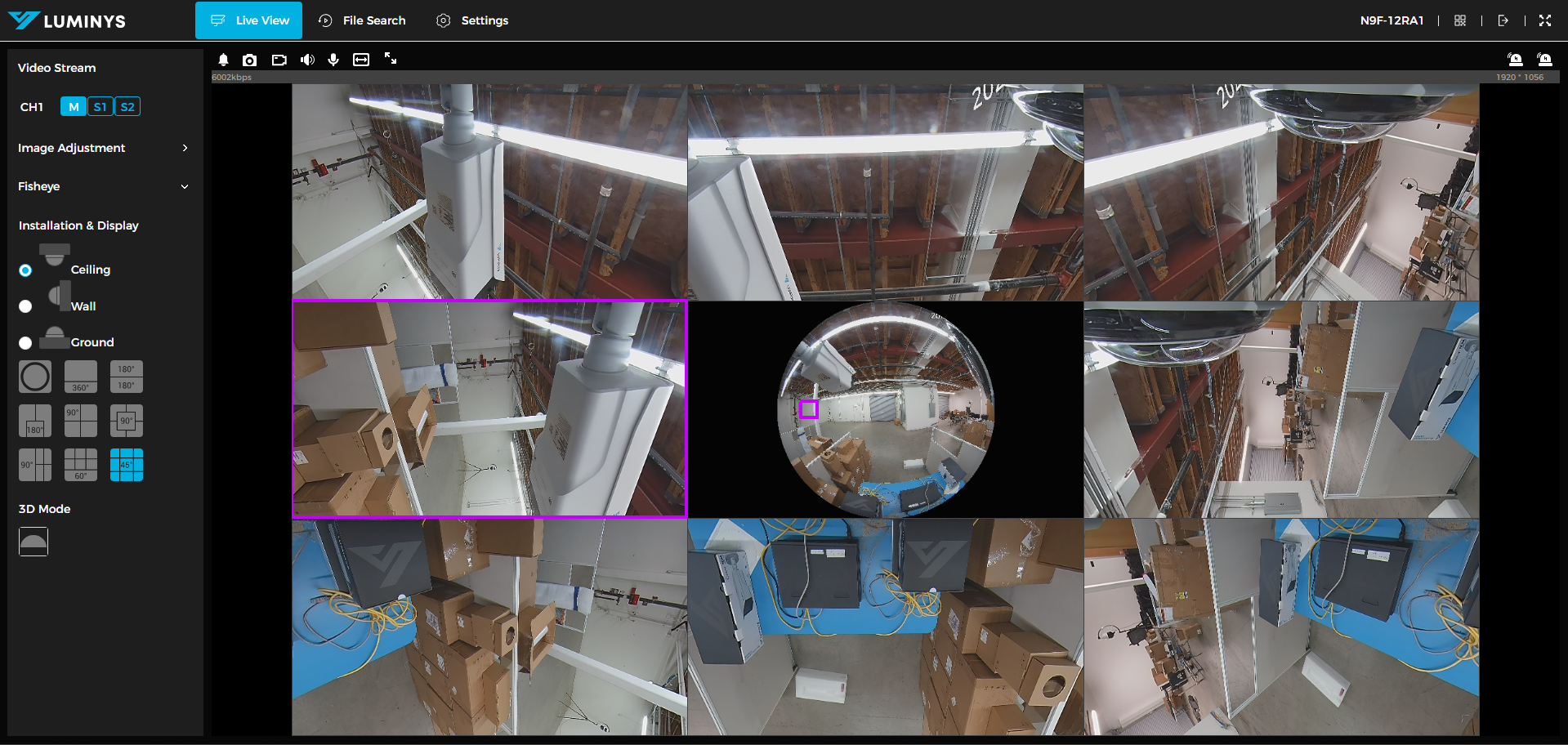
9. 45-degrees with 9 sub-images with original image in the middle.
Wall
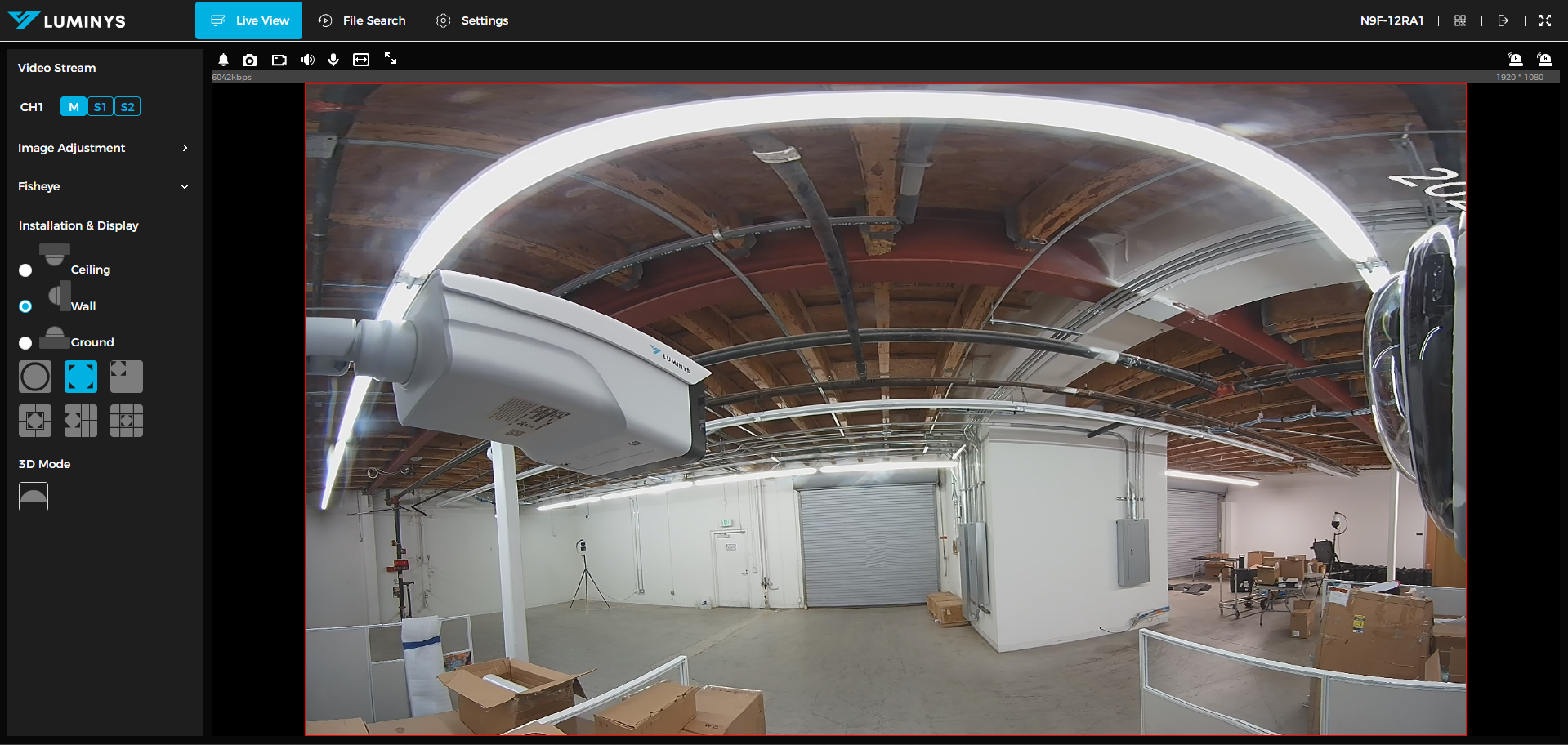
10. This is dewarp mode for wall.
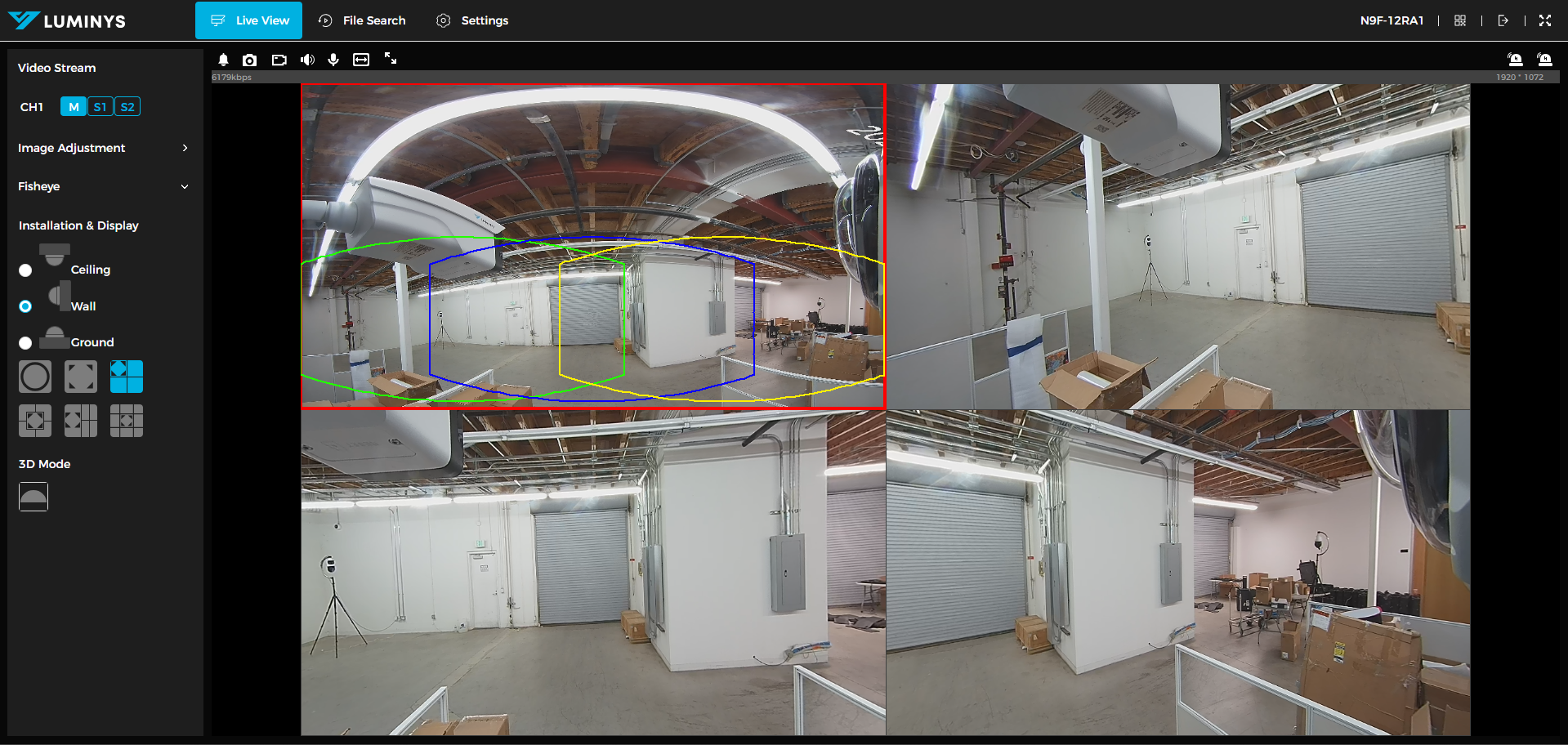
11. Dewarp mode on the top left corner with 3 sub-images.
12. Dewarp mode in the middle with 3 sub-images.
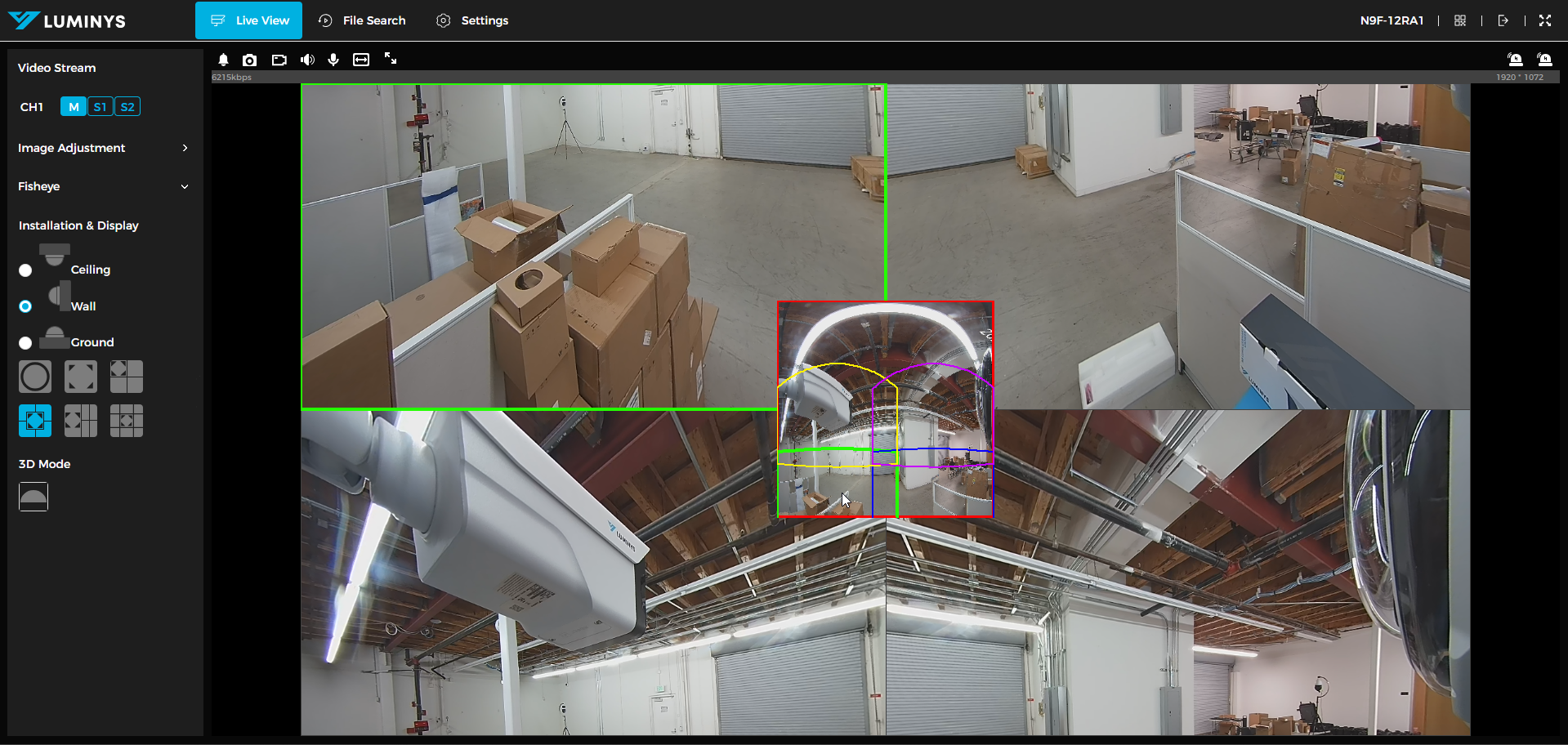
13. Dewarp mode on the left with 4 sub-images.
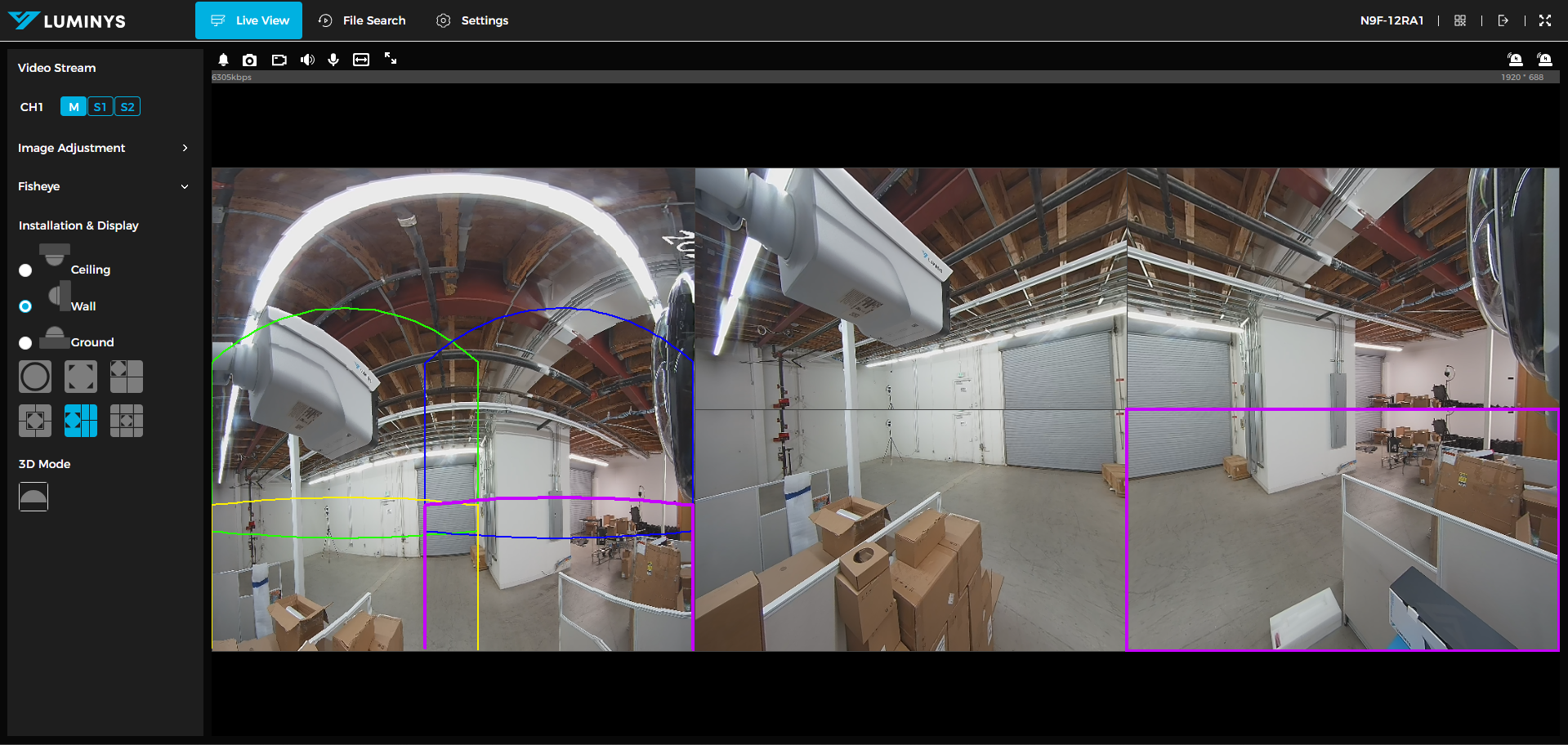
14. Dewarp mode in the middle with 9 sub-images.
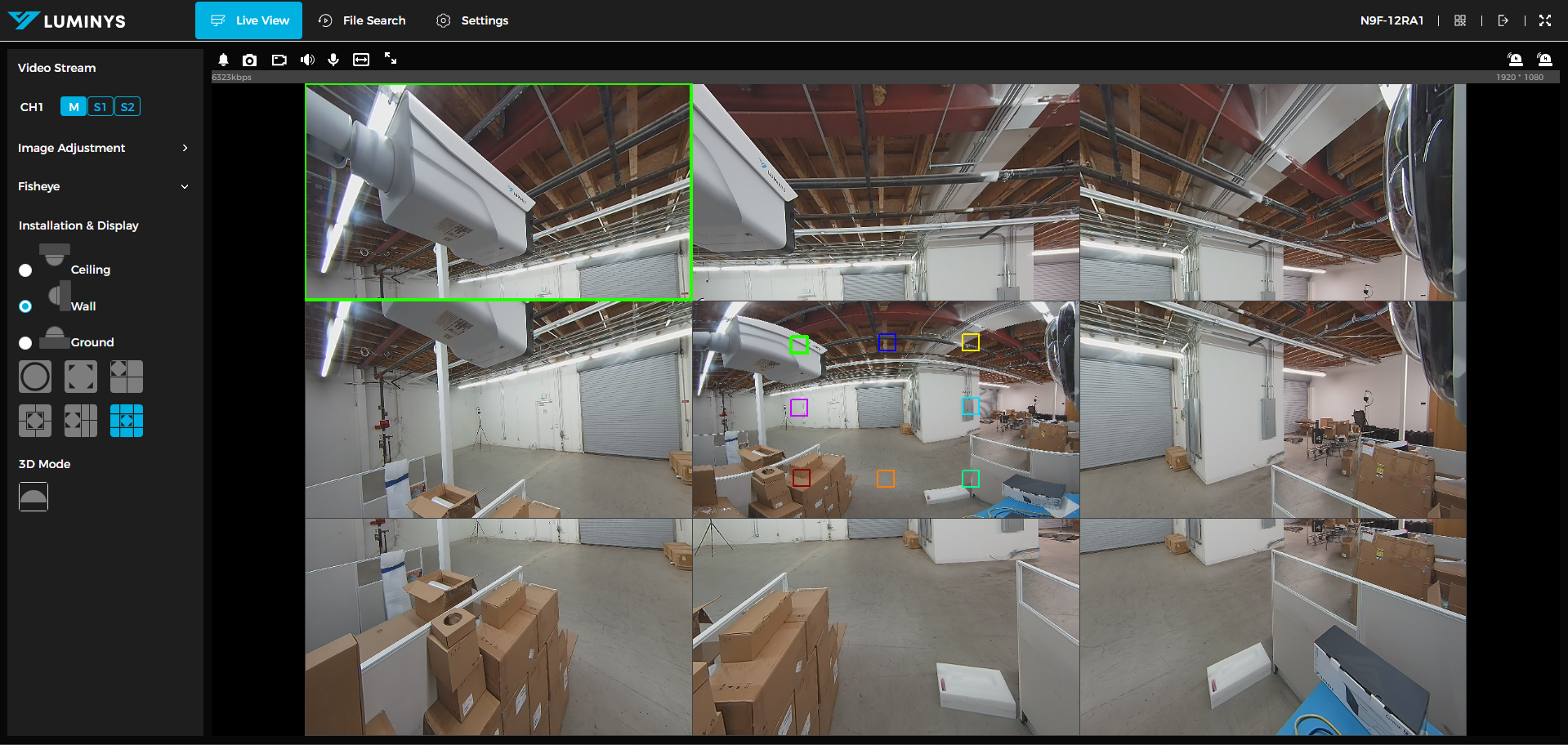
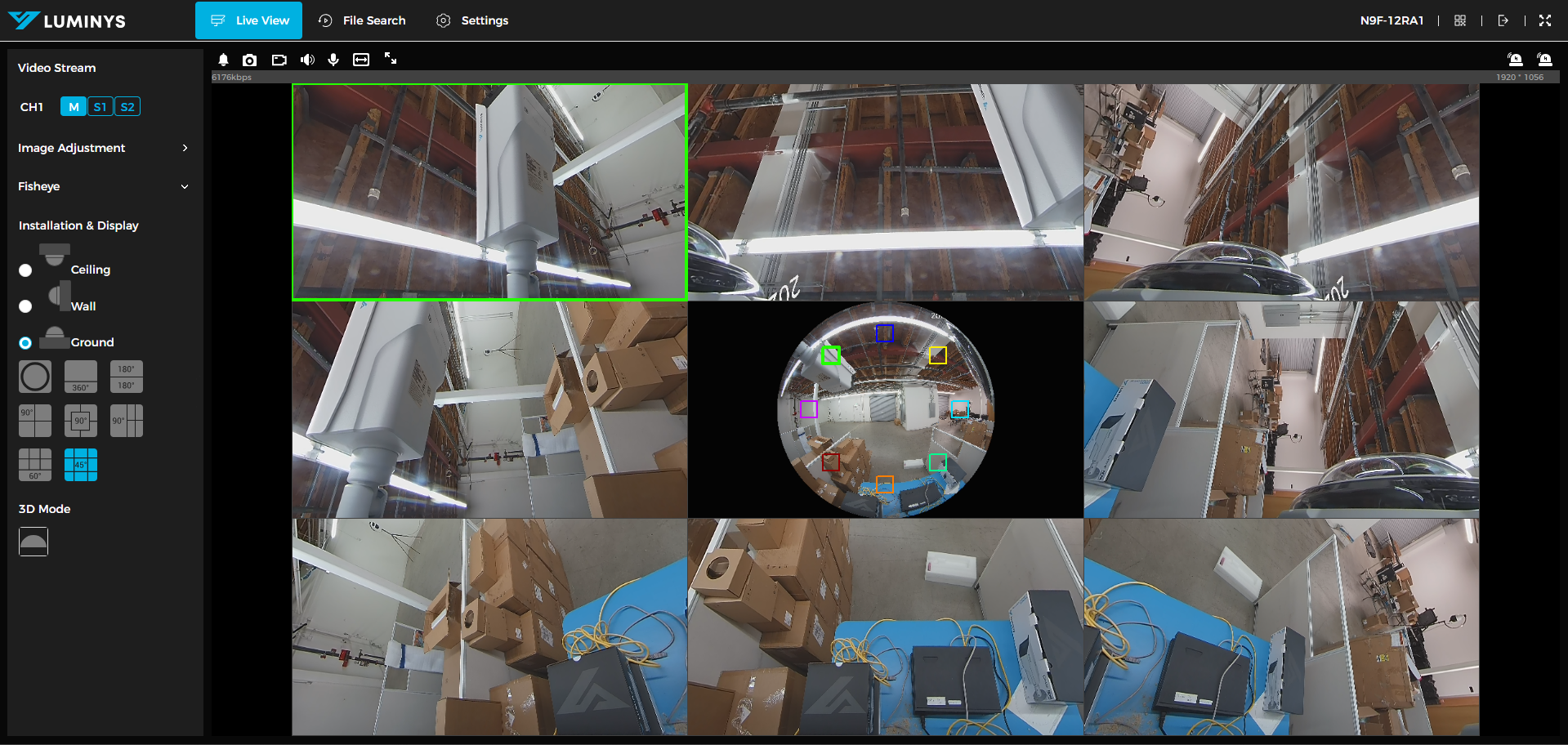
Ground
15. 360-degrees with 1 sub-image on top.
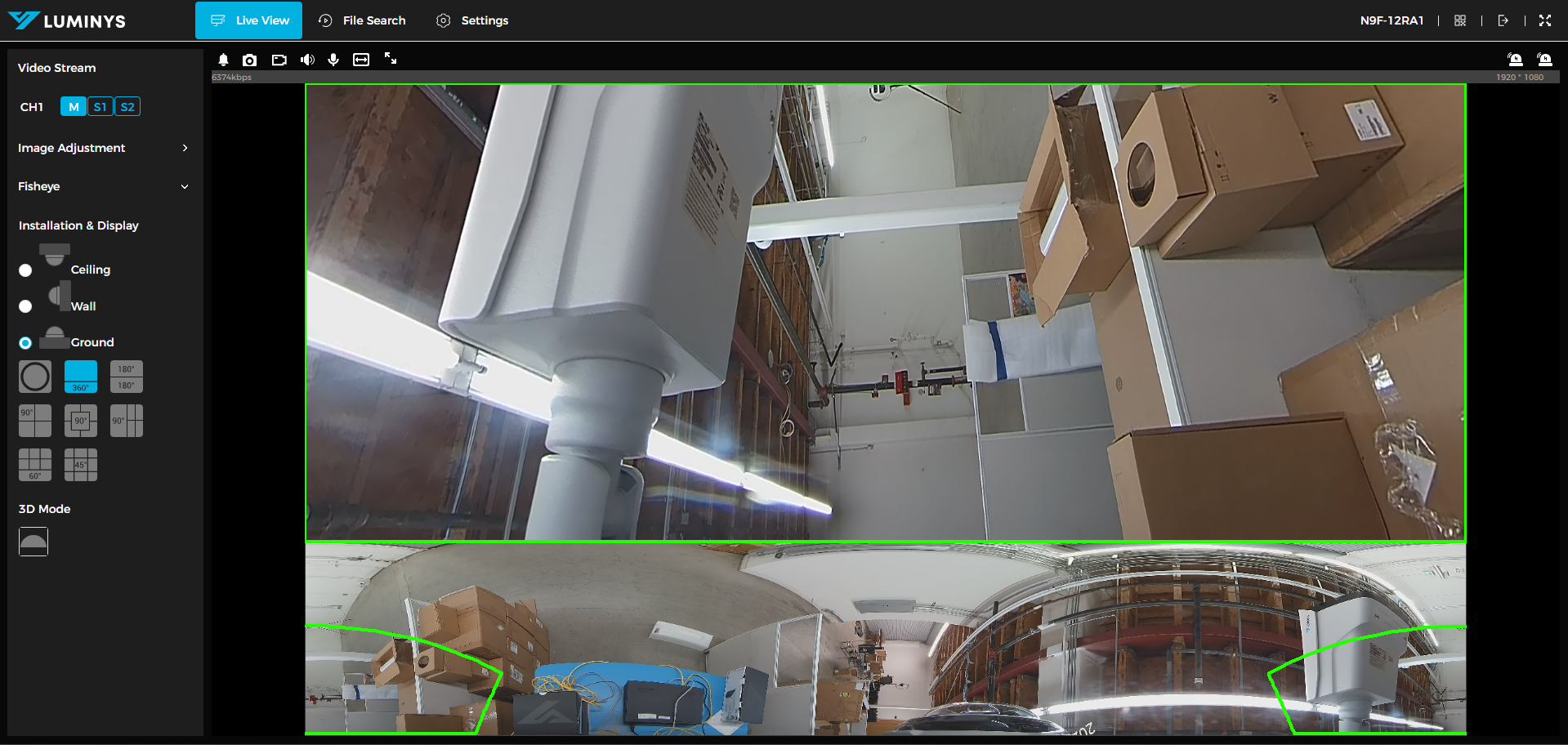
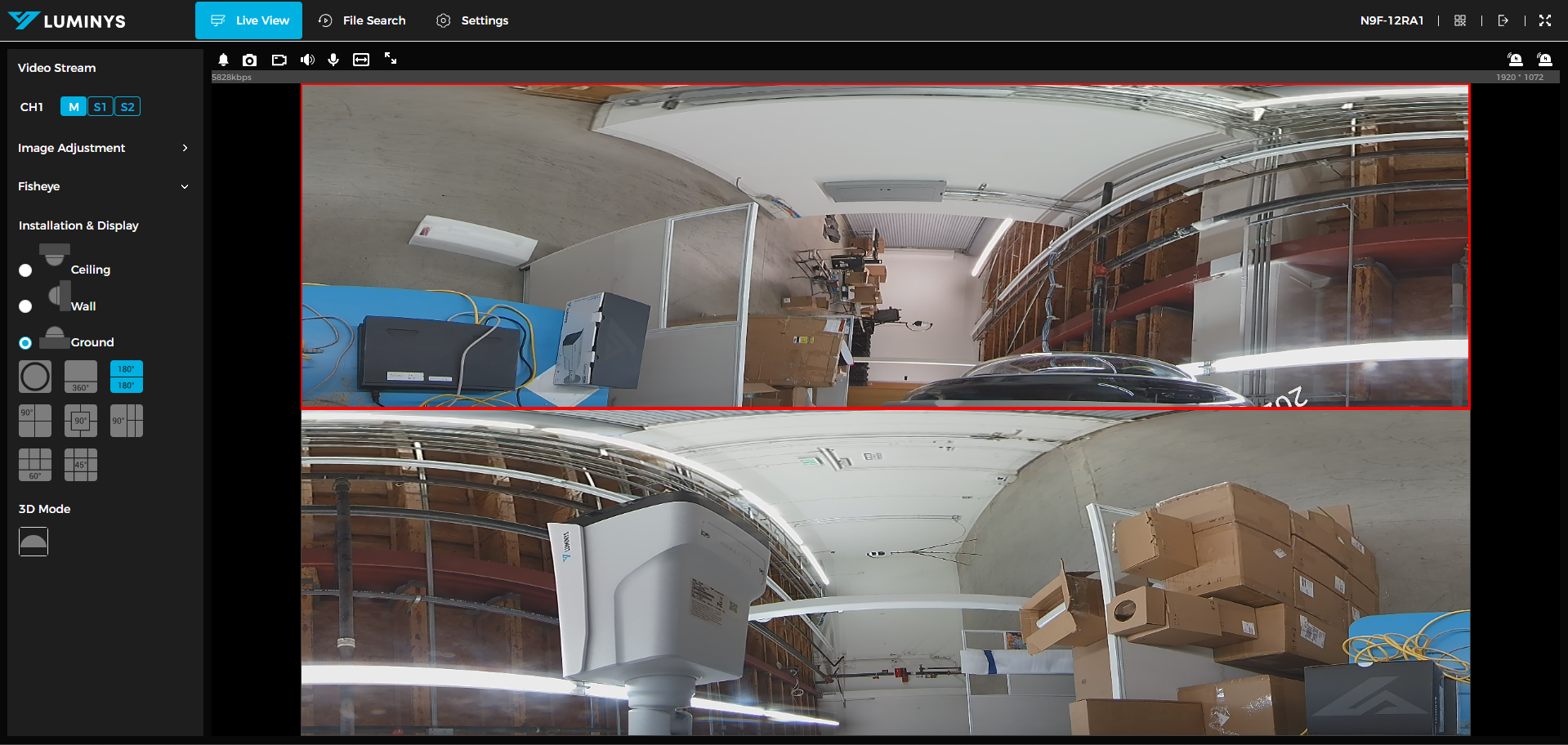
16. 2 180-degrees (sub-images).
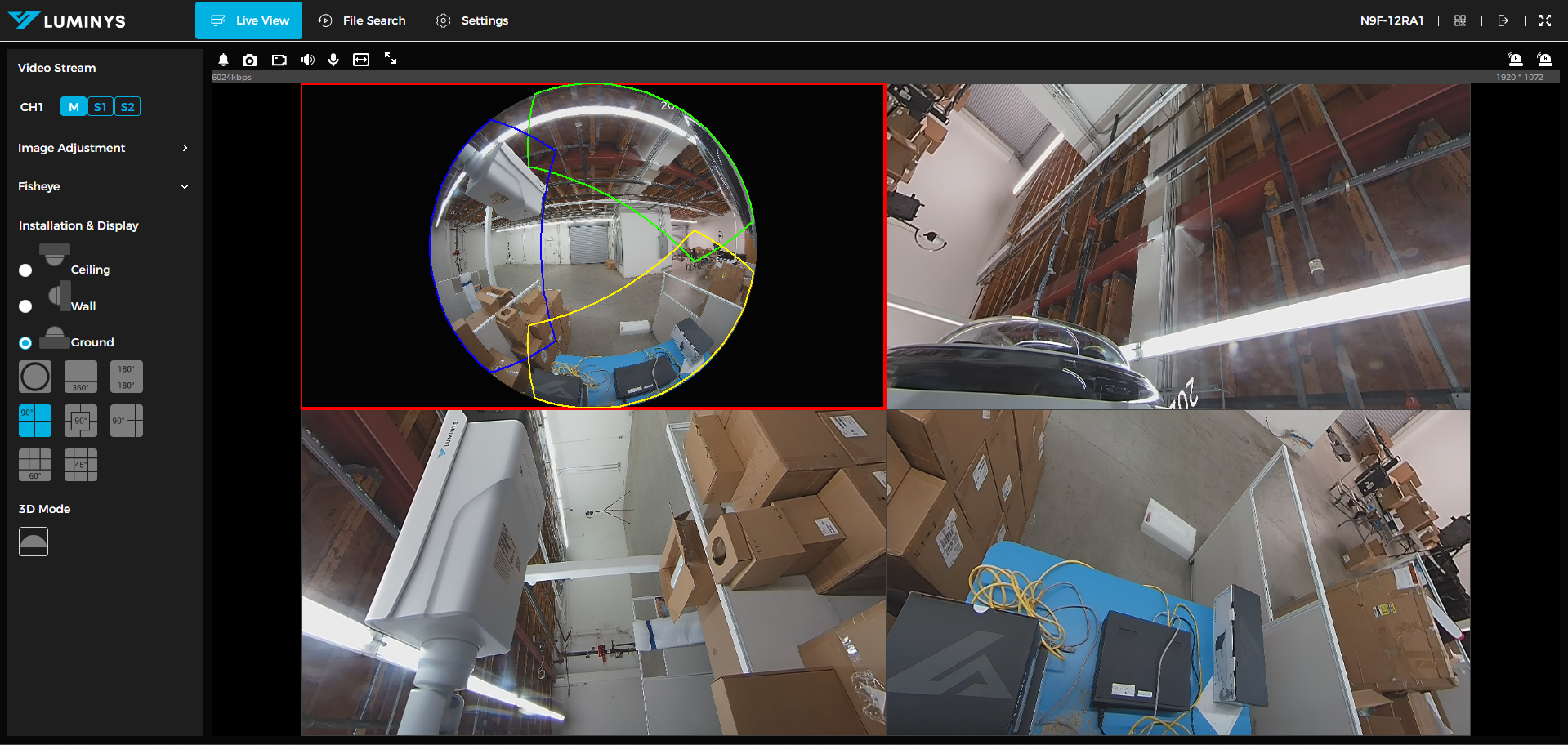
17. 90-degrees with 3 sub-images with original image on the top left corner.
18. 90-degrees with 4 sub-images with original image in the middle.

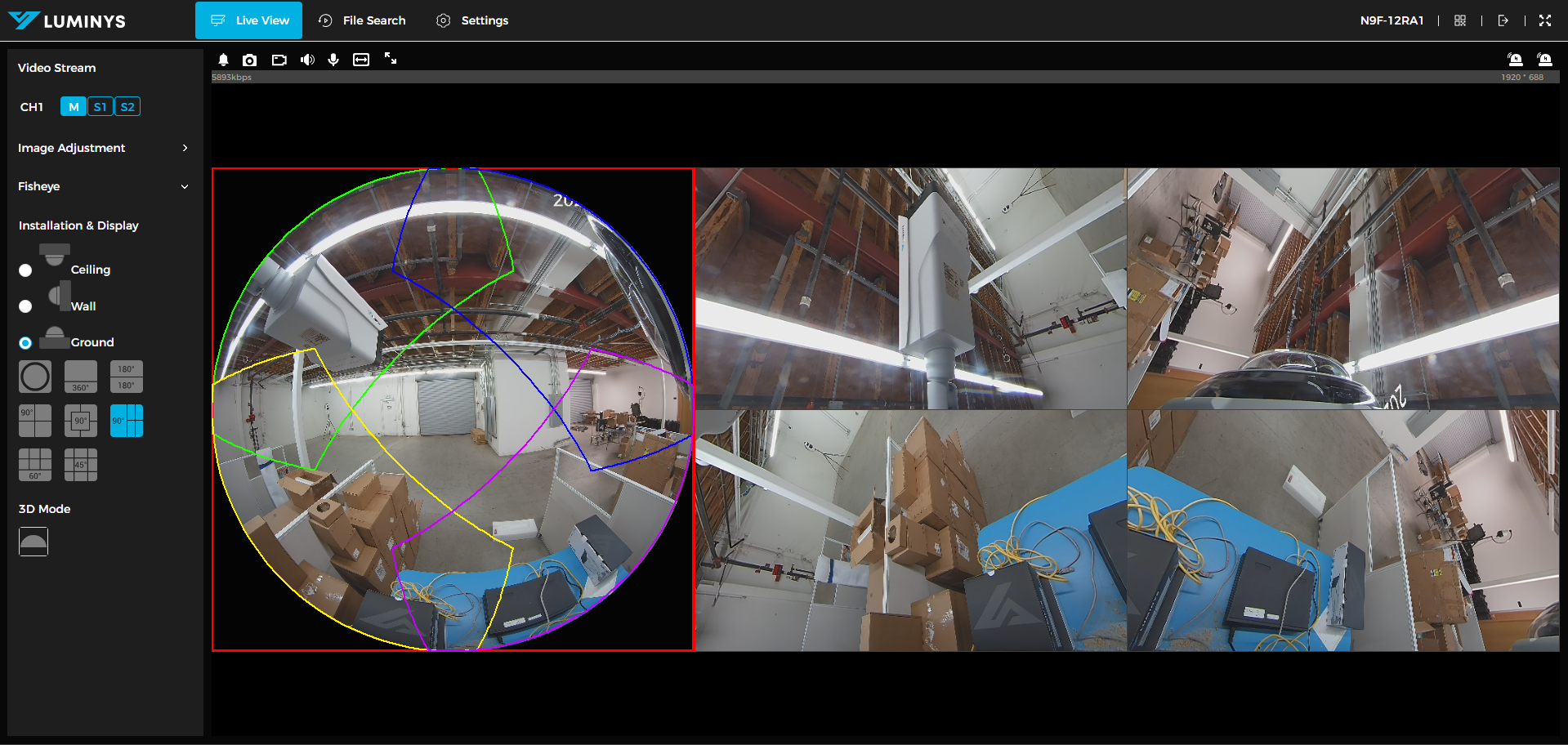
19. 90-degrees with 4 sub-images with original image on the left side.
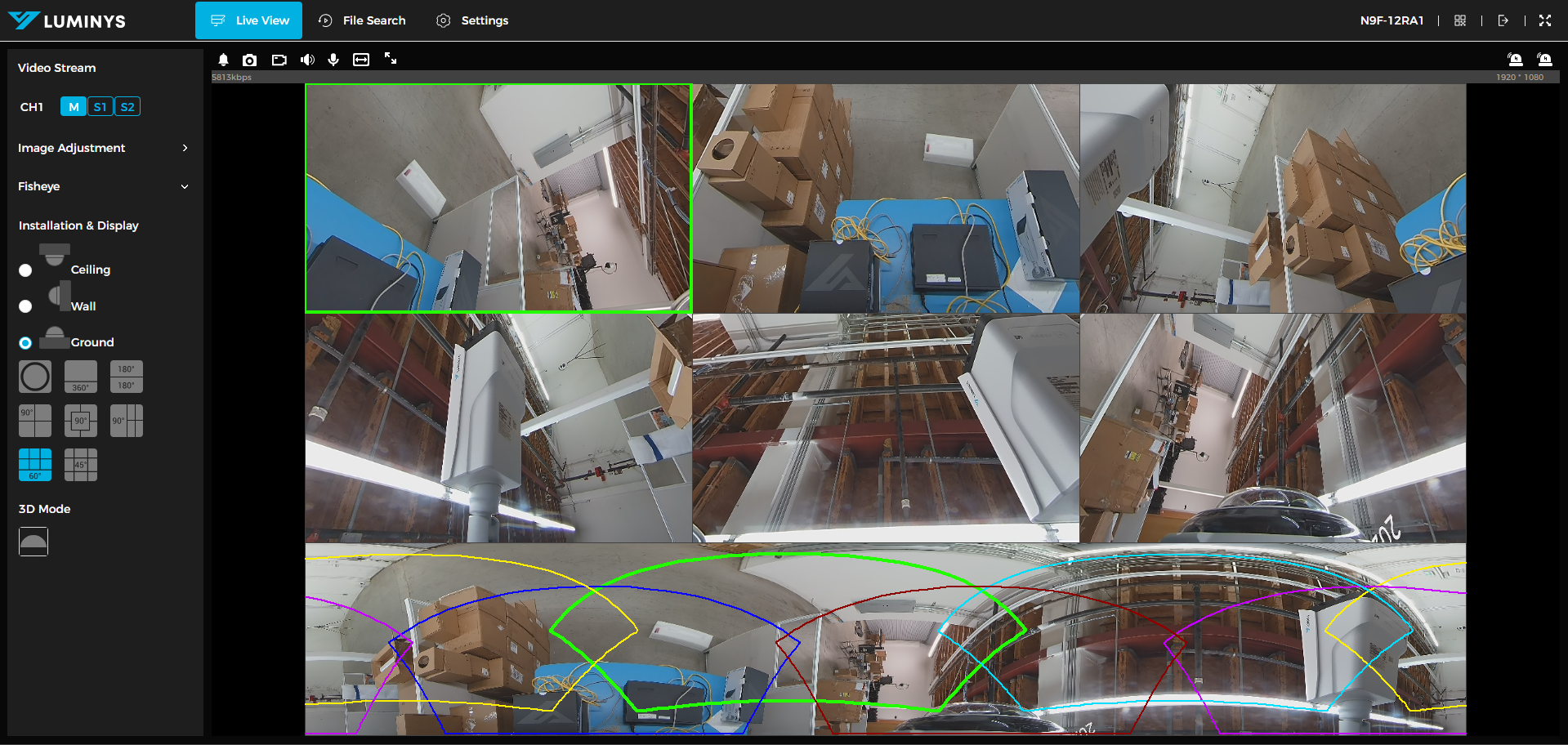
20. 60-degrees with 6 sub-images.
21. 45-degrees with 8 sub-images with original image in the middle.
22. 3D mode allows the user to stay in warp mode, and be able to move the image around.