Video doorbell/Initial Setup Instructions: Difference between revisions
From Luminys WIKI
Techsupport (talk | contribs) |
Techsupport (talk | contribs) Tag: Reverted |
||
| Line 5: | Line 5: | ||
==Prerequisites== | ==Prerequisites== | ||
*[https://wiki.luminyscorp.com/Video_doorbell/Installation_Instruction Installation instruction] | *[https://wiki.luminyscorp.com/Video_doorbell/Installation_Instruction Installation instruction Installation instruction] | ||
*[https://wiki.luminyscorp.com/LumiViewer_Mobile_App/How_to_Register_an_Account_in_LumiViewer] | *[https://wiki.luminyscorp.com/LumiViewer_Mobile_App/How_to_Register_an_Account_in_LumiViewer] | ||
*Power on the doorbell and wait for the blue LED indicator to begin flashing. | *Power on the doorbell and wait for the blue LED indicator to begin flashing. | ||
Revision as of 15:20, 8 June 2026

Description
This guide provides instructions for configuring your video doorbell for first-time use.
Prerequisites
- Installation instruction Installation instruction
- [1]
- Power on the doorbell and wait for the blue LED indicator to begin flashing.
- Download and open LumiViewer app
Step by Step Instructions
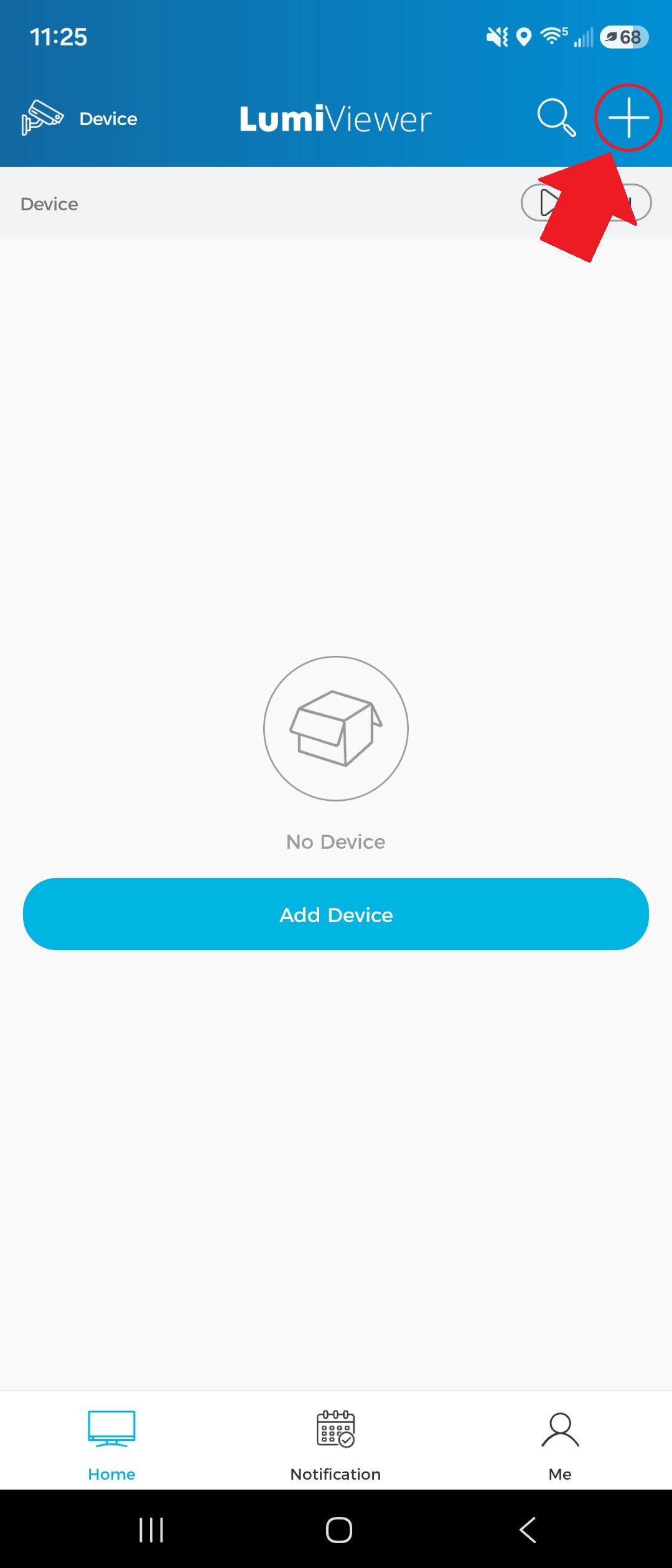
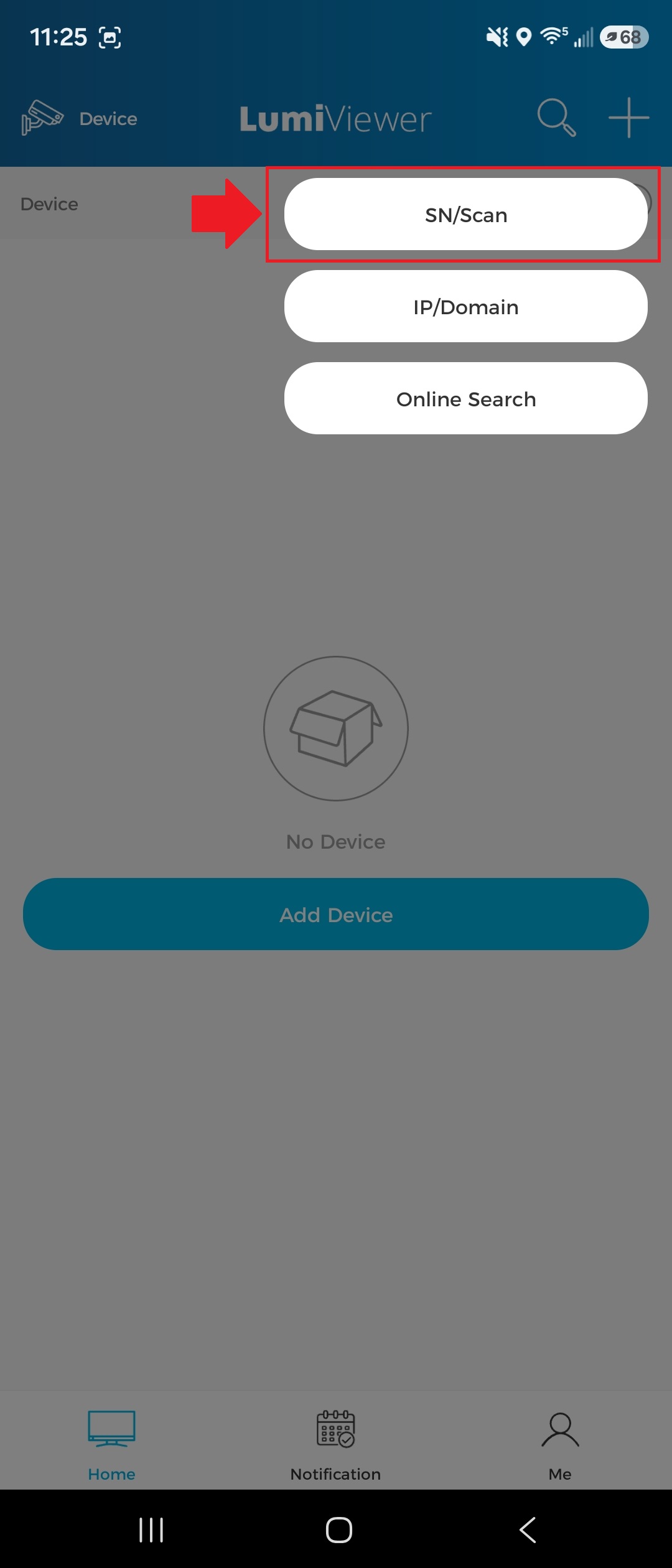
1. Tap the "+" icon in the top-right corner of the app, then select “SN/Scan.”