Access Point
☰ Navigation Menu ▾


APC630 Access Point
| Models | Description |
|---|---|
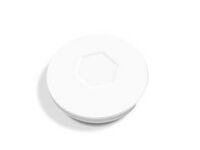
|
Wi-Fi 6 Dual-Band Ceiling-Mount Access Point
Up to 3.0 Gbps aggregate wireless speed Supports up to 128 concurrent devices PoE powered (802.3af/at) or 12 V DC Router, AP, or Mesh deployment modes |
Description
This tutorial will cover initial setup wizard
Prerequisites
Device connected to Network over POE
Instructions
1. First power up the device and in your computers network/wifi settings you should see the SSID APC630-xxxx appear in the list.
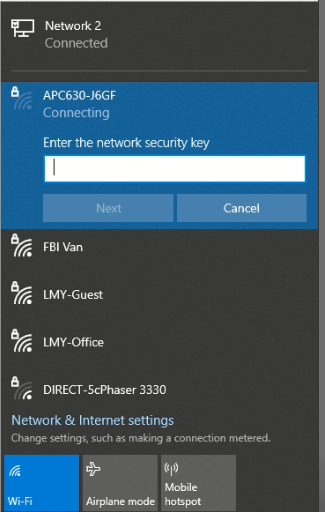
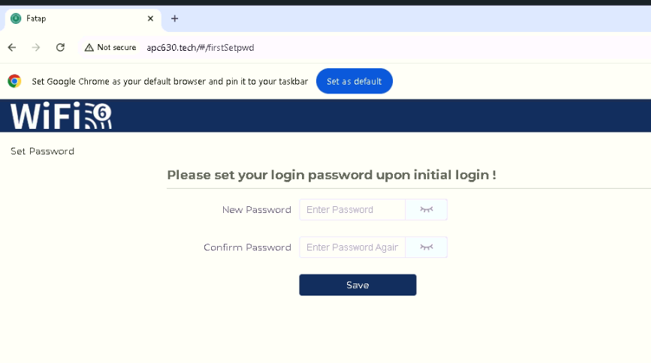
2. Click to connect and enter the default pin 9876543210. Once connected in a web browser enter apc630.tech in the address bar. Page should load up requesting you to create a new password and upon saving we can log back in and complete the initial setup wizard.
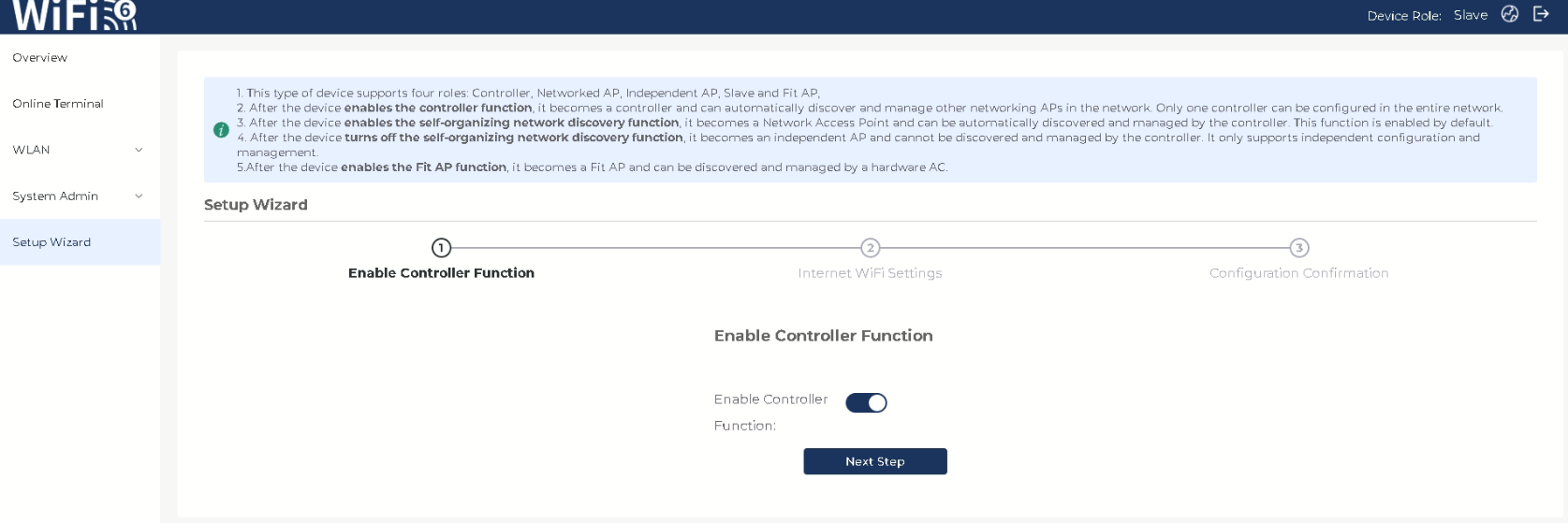
3.This step we will choose to enable controller if using standalone, or as the master of multiple access points, or if joining an already established setup leave it disabled to setup as slave. Once done choosing hit next.
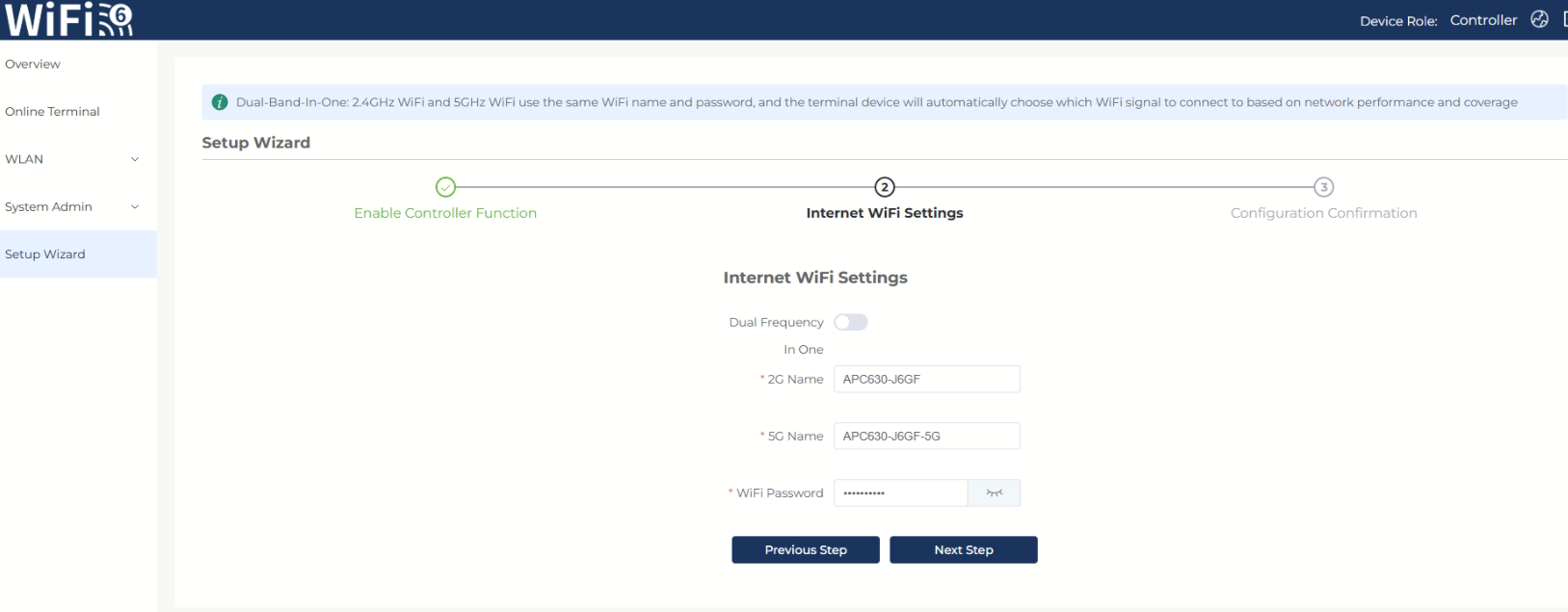
4. Verify 2G/5G Wireless SSID names and password as desired (this will be for device/s that want to join the network). Hit next when complete.
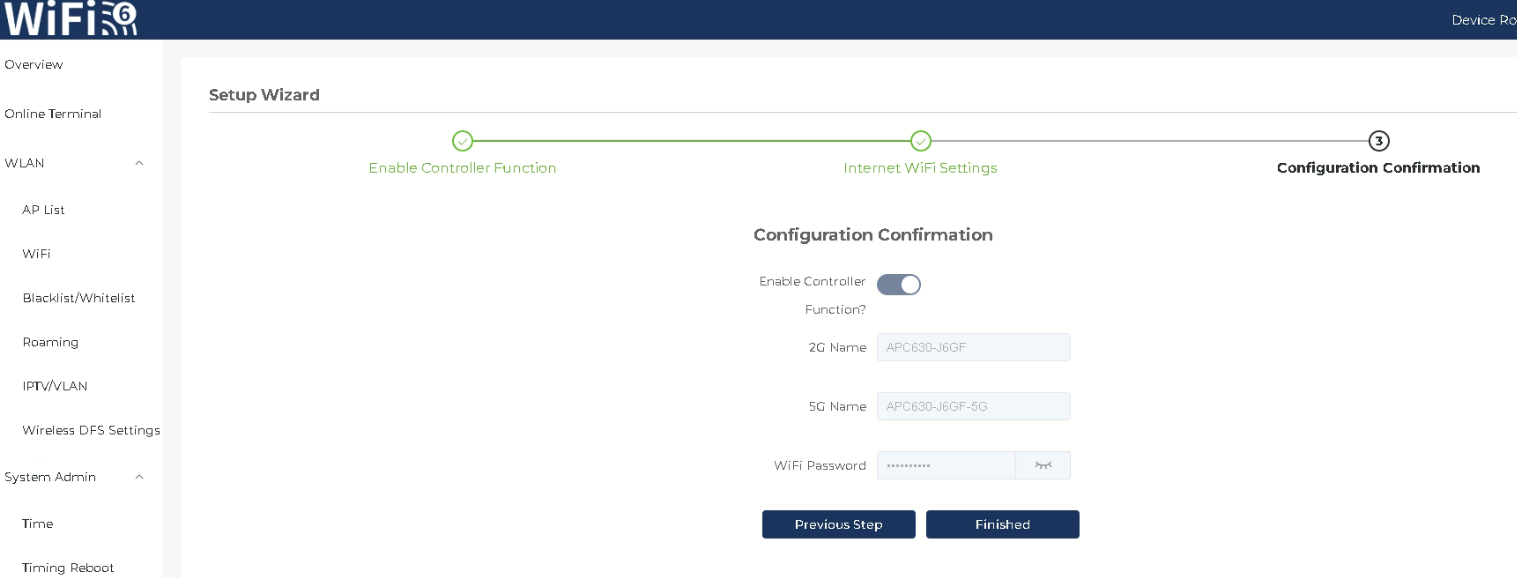
5. You will see a Confirmation of all previous steps. when you have verified everything looks good click finish to confirm. Device will reboot and be active.
You should now be able to search for that access point on your mobile device or PC

