Coax Extender: Difference between revisions
Techsupport (talk | contribs) No edit summary Tag: Manual revert |
Techsupport (talk | contribs) No edit summary |
||
| (2 intermediate revisions by the same user not shown) | |||
| Line 1: | Line 1: | ||
{{Header}} | |||
<div class="lm-banner">[[File:LuminysMainPageBanner2.png]]</div> | <div class="lm-banner">[[File:LuminysMainPageBanner2.png]]</div> | ||
| Line 10: | Line 12: | ||
|! style="text-align:left;"|Ethernet and PoE Over Coax Long-Distance IP transmission Plug-and-Play Deployment | |! style="text-align:left;"|Ethernet and PoE Over Coax Long-Distance IP transmission Plug-and-Play Deployment | ||
|} | |} | ||
<div class="lm-banner">[[File:LuminysMainPageBanner2.png]]</div> | |||
= <div class="center">SAL-1LAB Coax Extender Basic Setup</div> = | |||
===Description=== | |||
This tutorial will go over how to setup the coax extender. | |||
===Step by Step Instructions=== | |||
1. Out of the box you have the pair of baluns, one you will notice has POE IN and the other POE Out. | |||
[[File:POE-IN.jpg|500px|link=https://wiki.luminyscorp.com/images/7/70/POE-IN.jpg]] | |||
2. So from the main POE power source, POE Switch/NVR POE ports run your ethernet cable from there to the POE IN | |||
on the Extender marked POE IN. It should light up the RED power LED. | |||
[[File:POE-OUT.jpg|500px|link=https://wiki.luminyscorp.com/images/9/9d/POE-OUT.jpg]] | |||
3. Next connect your coax cable to this one, then on the other end connect to the 2nd extender marked POE Out, it should then also light up as it has received power. | |||
4. Now you can connect your ethernet cable from this extender to your desired camera and it should power | |||
up and be visible on the network. | |||
5. This method will auto activate Luminys cameras when | |||
direct connected to a Luminys NVR. | |||
Latest revision as of 05:30, 19 August 2026
☰ Navigation Menu ▾


SAL-1LAB Single-Port Ethernet & PoE over Coax Extender
| Models | Description |
|---|---|
|
Ethernet and PoE Over Coax Long-Distance IP transmission Plug-and-Play Deployment |
SAL-1LAB Coax Extender Basic Setup
Description
This tutorial will go over how to setup the coax extender.
Step by Step Instructions
1. Out of the box you have the pair of baluns, one you will notice has POE IN and the other POE Out.
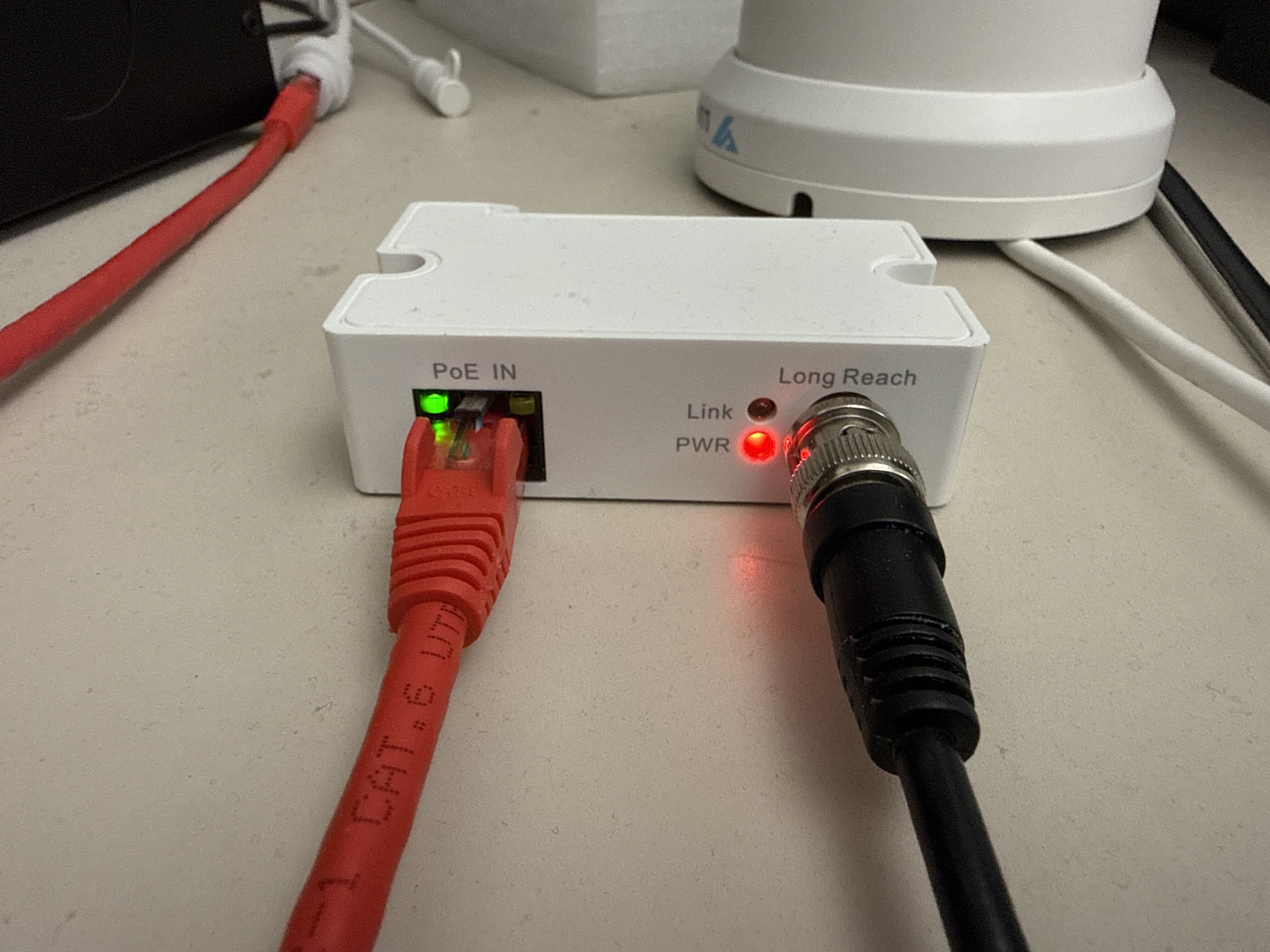
2. So from the main POE power source, POE Switch/NVR POE ports run your ethernet cable from there to the POE IN on the Extender marked POE IN. It should light up the RED power LED.
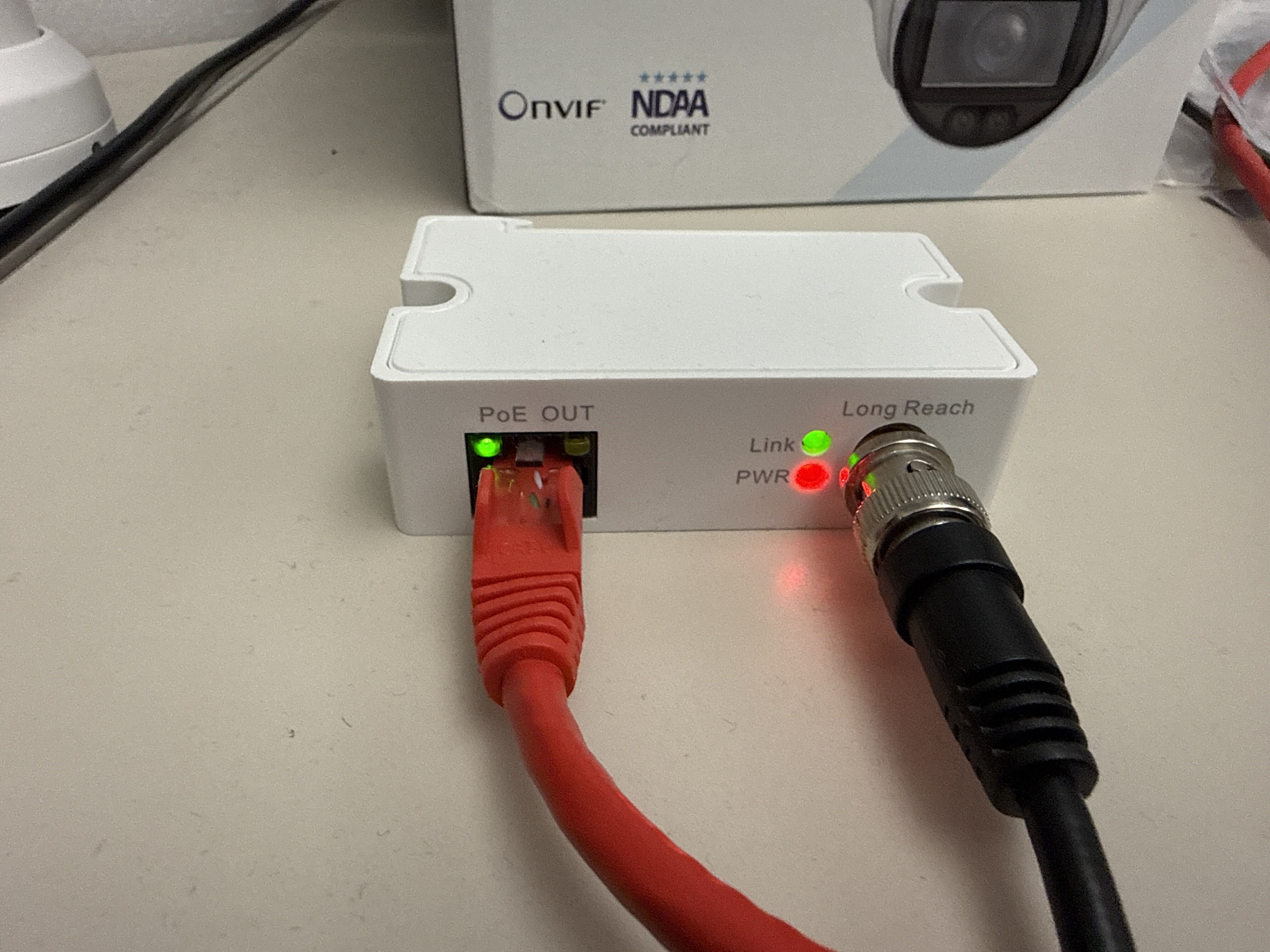
3. Next connect your coax cable to this one, then on the other end connect to the 2nd extender marked POE Out, it should then also light up as it has received power.
4. Now you can connect your ethernet cable from this extender to your desired camera and it should power up and be visible on the network.
5. This method will auto activate Luminys cameras when direct connected to a Luminys NVR.

