NVR: Difference between revisions
From Luminys WIKI
Techsupport (talk | contribs) |
Techsupport (talk | contribs) |
||
| Line 28: | Line 28: | ||
=====Recording===== | =====Recording===== | ||
*[[NVR/NVR_General_Recording_Setup | NVR General Recording Setup]]<br> | *[[NVR/NVR_General_Recording_Setup | NVR General Recording Setup]]<br> | ||
=====Basic Event Setup===== | |||
=====AI Event Setup===== | =====AI Event Setup===== | ||
*[[NVR/NVR_General_Recording_Setup | NVR General Recording Setup]]<br> | |||
=====Encoding/Video Settings===== | =====Encoding/Video Settings===== | ||
| Line 39: | Line 42: | ||
=====Password Reset===== | =====Password Reset===== | ||
*[[NVR/ | *[[NVR/Intelligent Motion Detection (IMD) Setup on NVR | Intelligent Motion Detection (IMD) Setup on NVR]]<br> | ||
=====Backup===== | =====Backup===== | ||
Revision as of 10:58, 12 March 2025

NVR
| Models | Description |
|---|---|
|
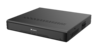
Luminys recorders provide a user-friendly experience for live viewing or playback from the local monitor, web interface, and more. |
Instructions
Q: How come the device is failed to connect to LumiCloud?
A: When devices are configured locally before connecting to the LumiCloud, connection issues may occur. To resolve this, perform a factory reset on the device locally, then complete all necessary steps, including initialization, in LumiCloud.

