LumiGuardian/How to check battery via XiaoXiang Electric mobile app
From Luminys WIKI
☰ Navigation Menu ▾

Description
This tutorial will walk you through the process of checking the battery status of your LumiGuardian device using the XiaoXiang Electric mobile app.
Prerequisites
- LumiGuardian setup and running.
- Android version: https://play.google.com/store/apps/details?id=com.jiabaida.little_elephant&hl=en_US
- iOS version: https://apps.apple.com/us/app/xiaoxiangelectric/id1576622653
Step by Step Instructions
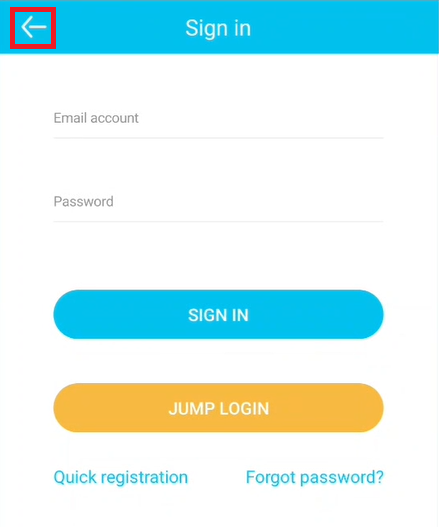
1. After opening the app, you will be prompted to sign in. Tap "Back" to exit the sign-in screen and continue.
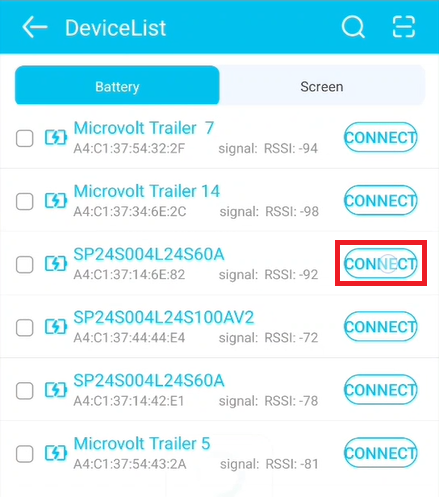
2. Select "Connect" on the device you want to view details for.
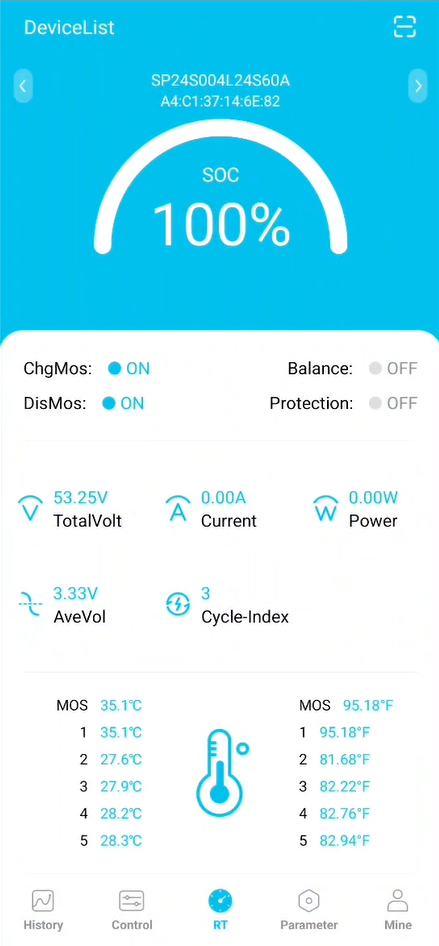
3. Battery info will be displayed.