Access Control/User Management C-4MA
☰ Navigation Menu ▾


User Management
Description
This tutorial provides a brief introduction to user management for the C-4MA 4-door controller.
Prerequisites
Step by Step Instructions
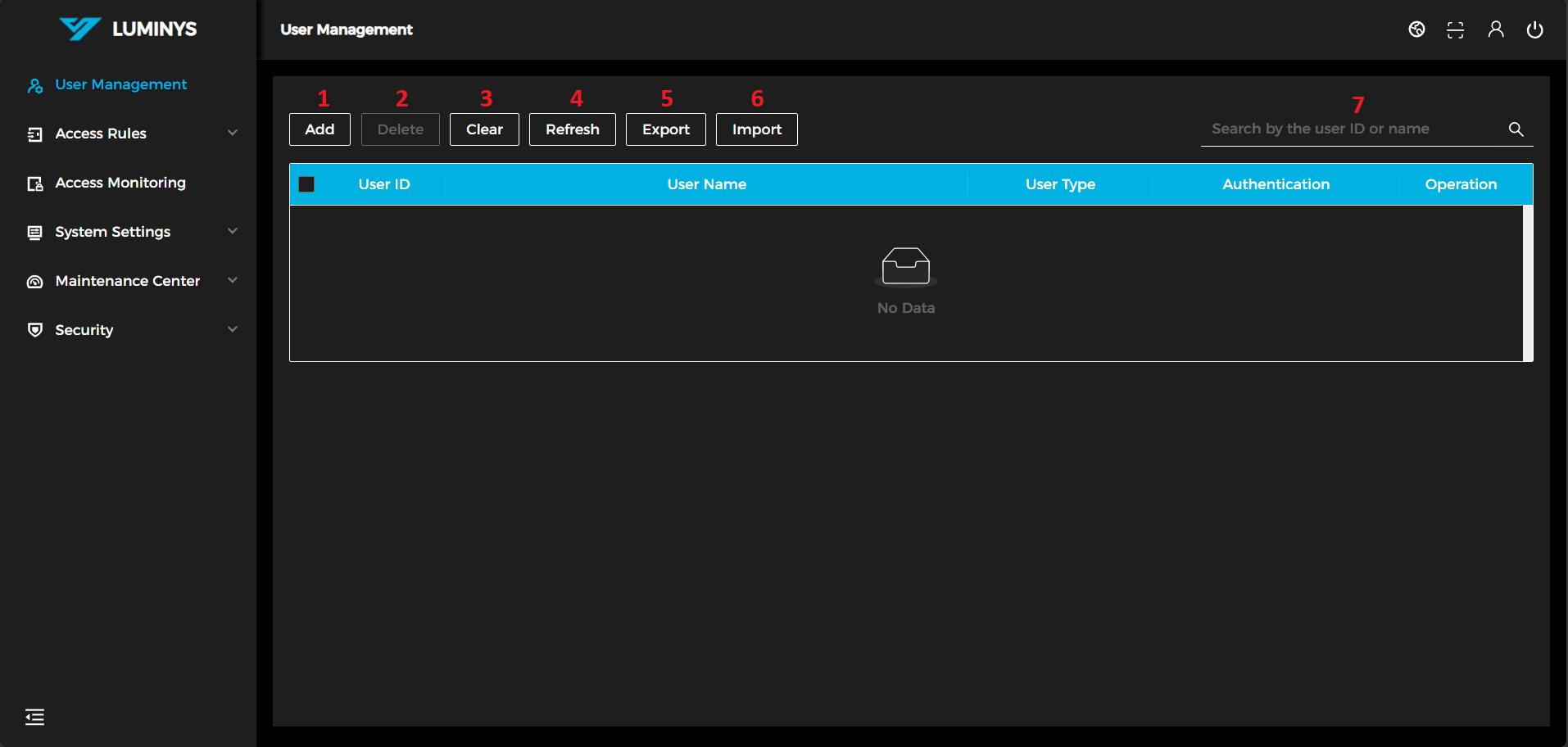
1. After logging in, the following screen will be displayed.
(1) Add: Add a user to the list.
(2) Delete: Delete a user from the list.
(3) Clear: Delete all users from the list.
(4) Refresh: Refresh the user list.
(5) Export: Export the current user list to an Excel spreadsheet.
(6) Import: Import a user list from an Excel spreadsheet using the provided template.
(7) Search: Search users by user ID or name.
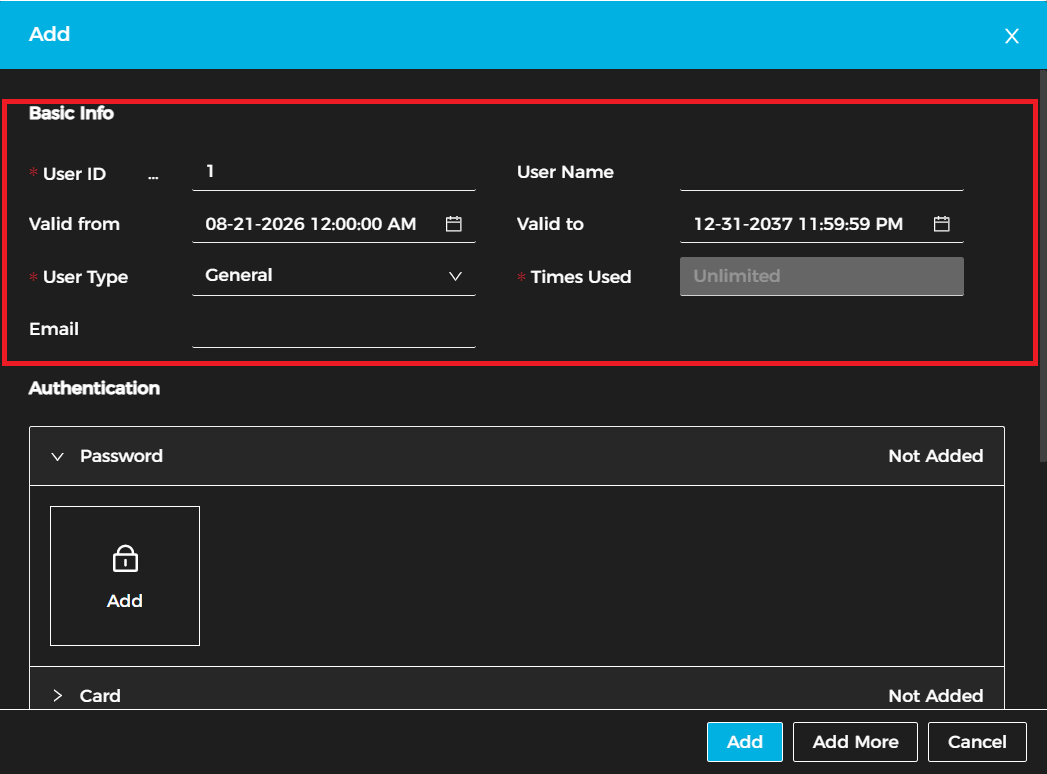
2. After clicking Add, enter the user's basic information.
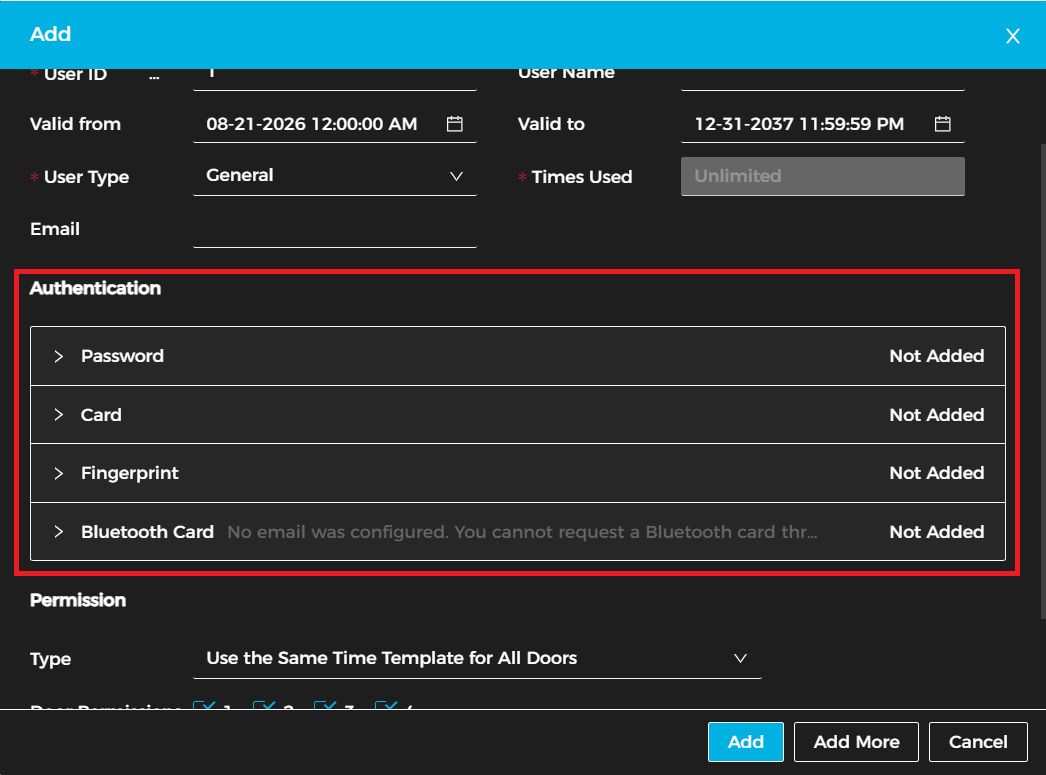
3. Assign an authentication method to the user. The available options are:
a. Password (requires a keypad)
b. Card (requires a proximity card reader)
c. Fingerprint (requires a fingerprint reader)
d. Bluetooth Card (requires a Lumiviewer mobile account)
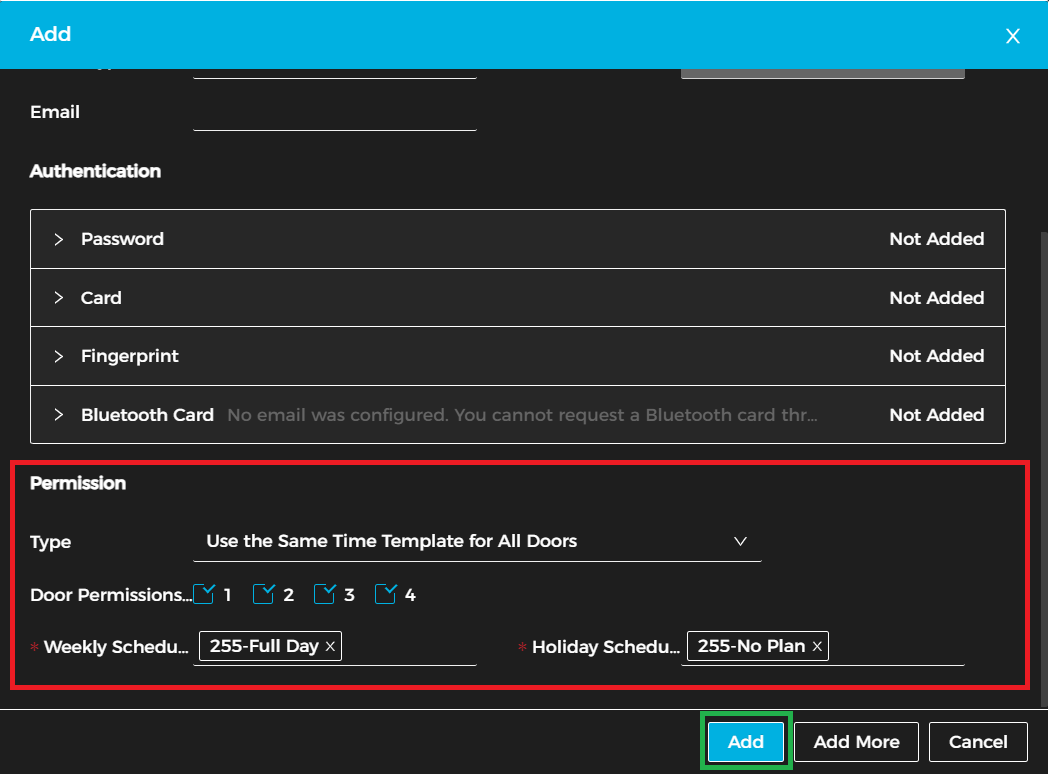
4. Lastly, configure the user's permissions, including: a. Type: Choose whether to use the same schedule for all doors or different schedules for each door. b. Door Permissions: Select the doors the user can access. c. Weekly Schedule: Define the days and times when access is permitted. d. Holiday Schedule: Specify any holiday access restrictions or exceptions.
After all permissions have been configured, click Add to complete the user setup process.