Access Control/Wiring of the Reader and Controller C-4MA
From Luminys WIKI
☰ Navigation Menu ▾

Wiring of the Reader and Controller
Description
This tutorial will go over how to wire reader to access control.
Prerequisites
- Access control and readers
Step by Step Instructions
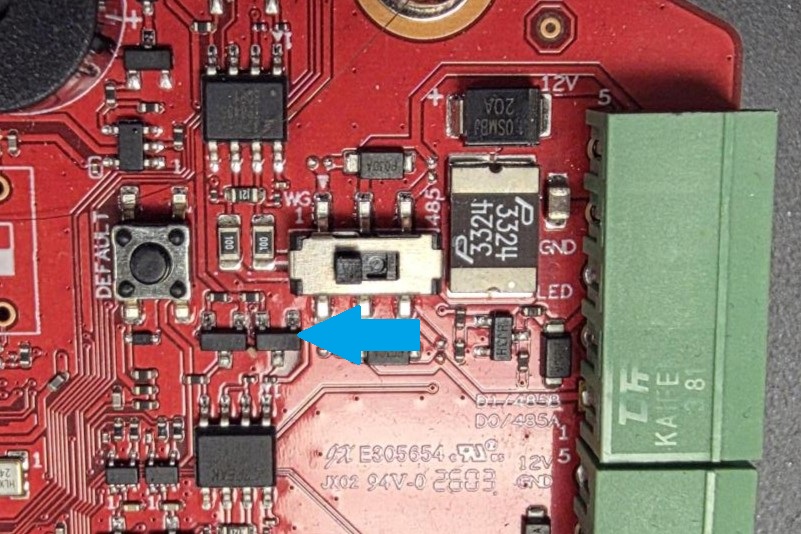
1. Locate the Reader DIP switches & terminal block on the controller.
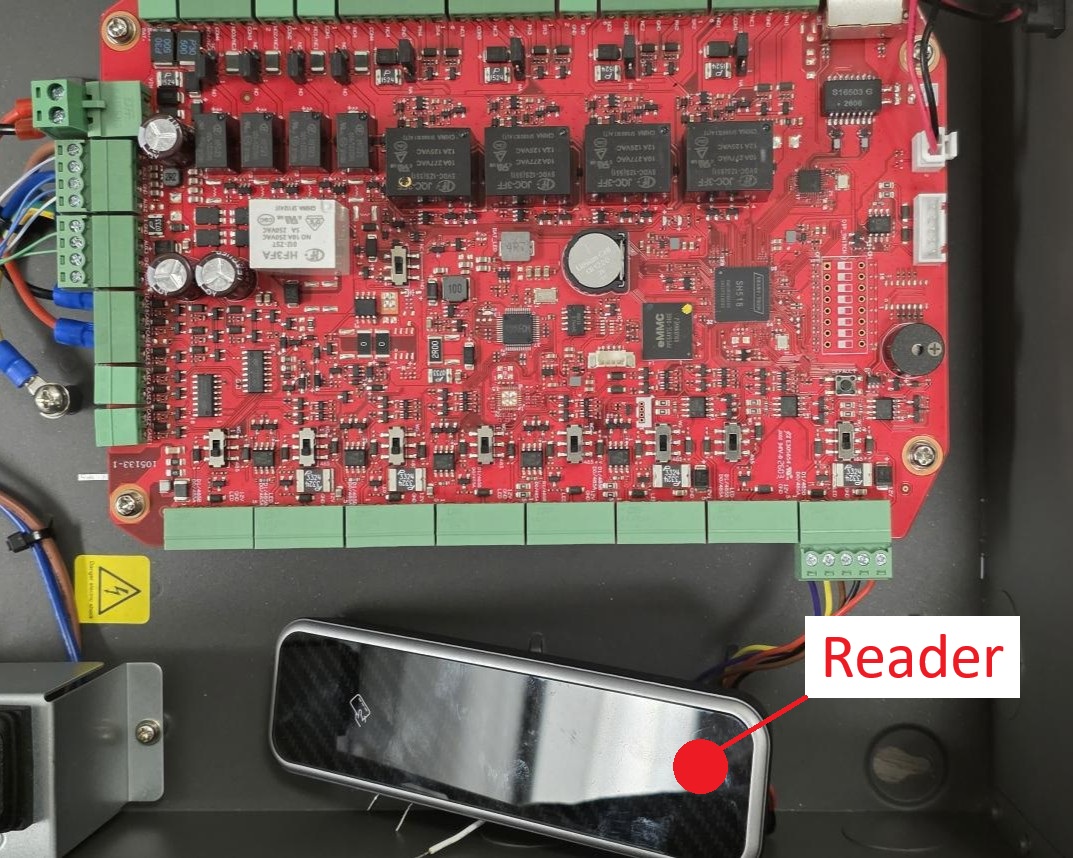
2. For RS485 Turn the DIP switch to R485 then match the wires of the reader and connect them to the corresponding contacts of the access control.
Red = 12V
Black = GND
Blue = CASE
Brown = LED1
Yellow = 485B
Purple = 485A


3. For Wiegand Match the wires of the reader and connect them to the corresponding contacts of the access control.
Red = 12V
Black = GND
Blue = CASE
Brown = LED1
White = Data 1
Green = Data 0

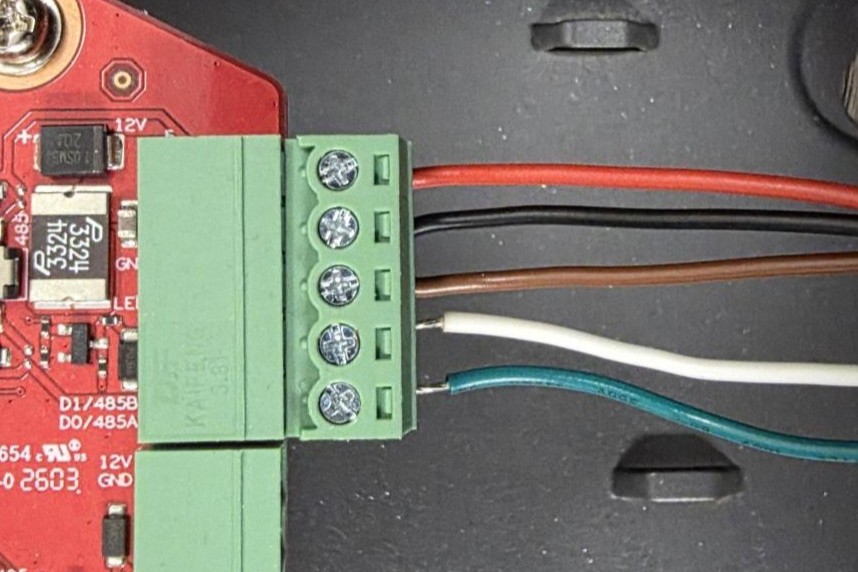
Note: For third-party readers, Wiegand connections are supported.

