Network Switches: Difference between revisions
From Luminys WIKI
Techsupport (talk | contribs) No edit summary |
Techsupport (talk | contribs) No edit summary |
||
| (20 intermediate revisions by the same user not shown) | |||
| Line 1: | Line 1: | ||
{{Header}} | |||
= <div class="center"> | = <div class="center">Network Switches</div> = | ||
{| class="wikitable" | |||
|-| | !|Models | ||
!|Description | |||
|- | |||
|-| | |! style="width:20%;|[[File:Cloud-switches.png|100px|link=]] | ||
|! style="text-align:left;"|Integrated with LumiCloud, these cloud-managed switches offer scalable, secure, and high-performance networking, ideal for modern enterprises. | |||
*[[Network_Switches/ | |} | ||
< | |||
====How-To Instruction==== | |||
*[[Network_Switches/Configuration_via_WebGUI|Configuration via Network Switch WebGUI]]<br> | |||
*[[Network_Switches/Basic VLAN Configuration|How to Set Up a Basic VLAN]]<br> | |||
Latest revision as of 07:35, 19 August 2026
☰ Navigation Menu ▾

Network Switches
| Models | Description |
|---|---|
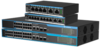
|
Integrated with LumiCloud, these cloud-managed switches offer scalable, secure, and high-performance networking, ideal for modern enterprises. |

