NVR: Difference between revisions
From Luminys WIKI
Techsupport (talk | contribs) No edit summary |
Techsupport (talk | contribs) |
||
| Line 51: | Line 51: | ||
|-| | |-| | ||
FAQs= | FAQs= | ||
<span style=color:black;font-weight:bold>Q: </span> | <span style=color:black;font-weight:bold>Q: </span>Why is my recorder failing to connect to LumiCloud?<br> | ||
<span style=color:black;font-weight:bold>A: </span> | <span style=color:black;font-weight:bold>A: </span>Connection issues may occur if a device is configured locally before being registered with LumiCloud.<br><br> | ||
<span style=color:black;font-weight:bold>Note</span>: LumiCloud compatibility may vary by model and firmware version. Please confirm your NVR (e.g., R3, R5 Series) supports LumiCloud before proceeding. | |||
If supported, we recommend performing a factory reset on the device, followed by completing all necessary steps, including initialization, directly within LumiCloud. | |||
</tabber> | </tabber> | ||
Revision as of 17:02, 6 May 2025

NVR
| Models | Description |
|---|---|
|
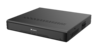
Luminys recorders provide a user-friendly experience for live viewing or playback from the local monitor, web interface, and more. |
Instructions
Q: Why is my recorder failing to connect to LumiCloud?
A: Connection issues may occur if a device is configured locally before being registered with LumiCloud.
Note: LumiCloud compatibility may vary by model and firmware version. Please confirm your NVR (e.g., R3, R5 Series) supports LumiCloud before proceeding.
If supported, we recommend performing a factory reset on the device, followed by completing all necessary steps, including initialization, directly within LumiCloud.

