Access Control/User Management C-4MA: Difference between revisions
From Luminys WIKI
Techsupport (talk | contribs) |
Techsupport (talk | contribs) |
||
| Line 11: | Line 11: | ||
===Step by Step Instructions=== | ===Step by Step Instructions=== | ||
1. After logging in, the following screen will be displayed.<br> | |||
(1) Add: Add a user to the list.<br> | |||
(2) Delete: Delete a user from the list.<br> | |||
(3) Clear: Delete all users from the list.<br> | |||
(4) Refresh: Refresh the user list.<br> | |||
(5) Export: Export the current user list to an Excel spreadsheet.<br> | |||
(6) Import: Import a user list from an Excel spreadsheet using the provided template.<br> | |||
(7) Search: Search users by user ID or name.<br> | |||
[[File:C-4MA_User_Management_1.png|1024px|link=https://wiki.luminyscorp.com/images/6/60/C-4MA_User_Management_1.png]] | |||
Revision as of 17:16, 21 August 2026
☰ Navigation Menu ▾


User Management
Description
This tutorial provides a brief introduction to user management for the C-4MA 4-door controller.
Prerequisites
Step by Step Instructions
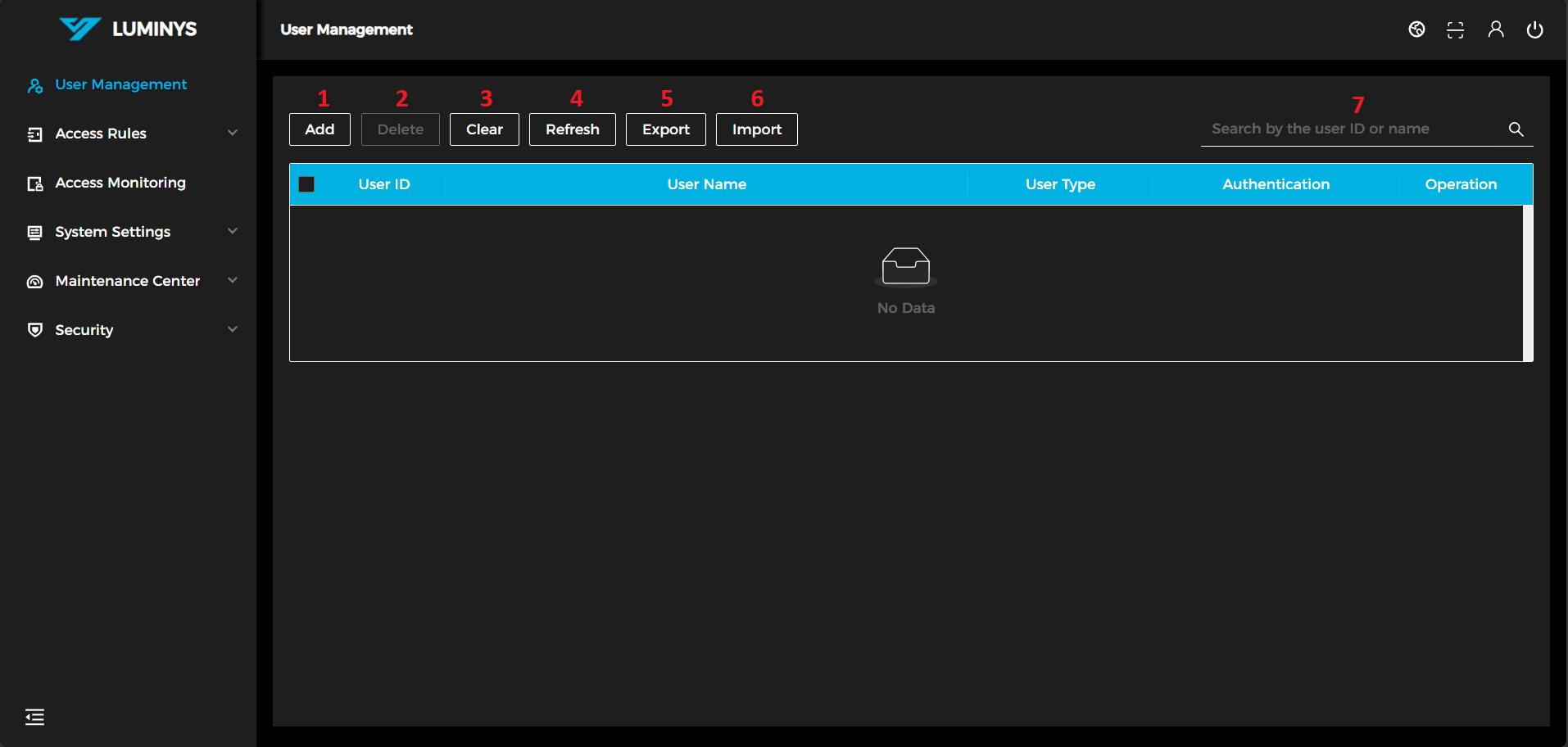
1. After logging in, the following screen will be displayed.
(1) Add: Add a user to the list.
(2) Delete: Delete a user from the list.
(3) Clear: Delete all users from the list.
(4) Refresh: Refresh the user list.
(5) Export: Export the current user list to an Excel spreadsheet.
(6) Import: Import a user list from an Excel spreadsheet using the provided template.
(7) Search: Search users by user ID or name.