Access Control/User Management C-4MA
From Luminys WIKI
☰ Navigation Menu ▾


User Management
Description
This tutorial provides a brief introduction to user management for the C-4MA 4-door controller.
Prerequisites
Step by Step Instructions
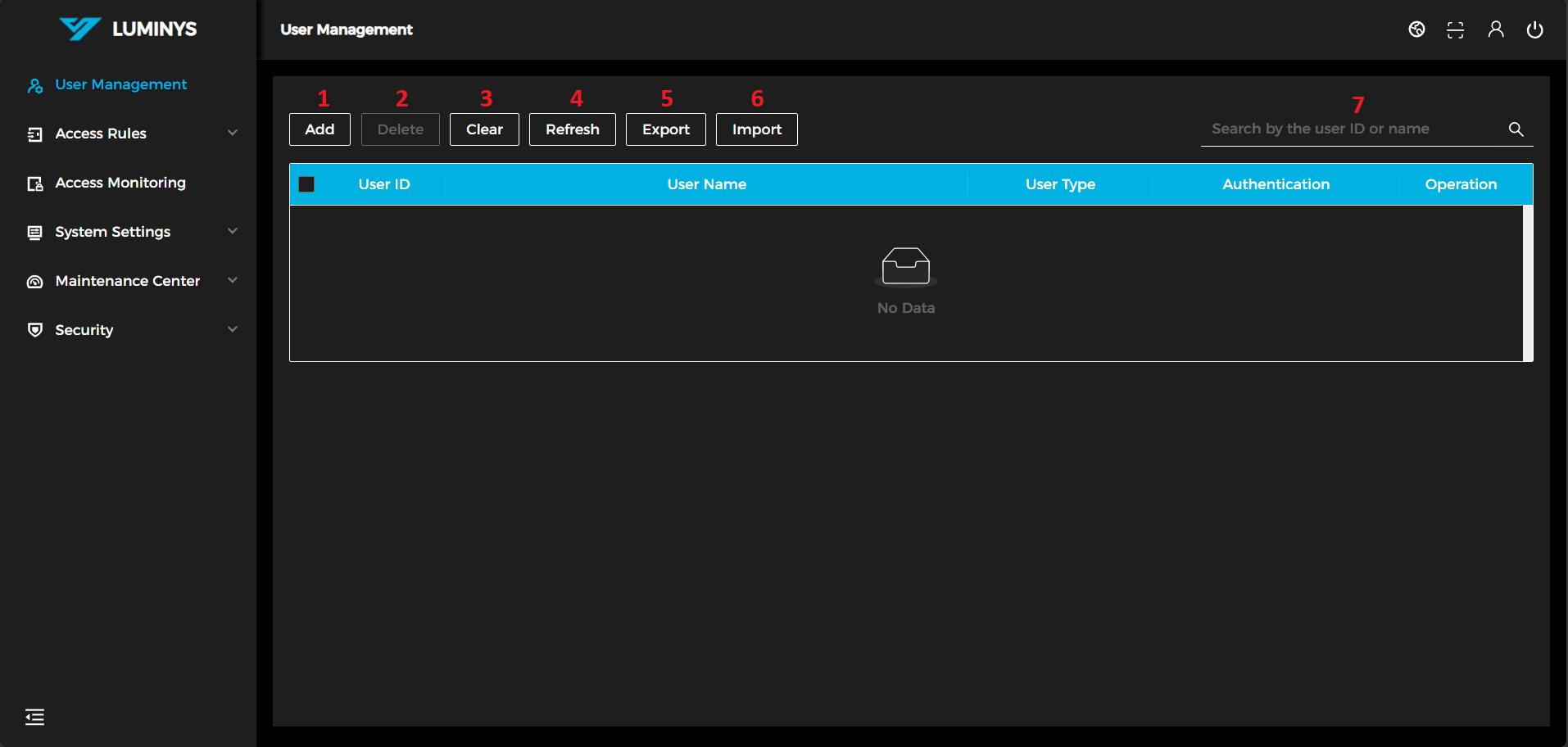
1. After logging in, the following screen will be displayed.
(1) Add: Add a user to the list.
(2) Delete: Delete a user from the list.
(3) Clear: Delete all users from the list.
(4) Refresh: Refresh the user list.
(5) Export: Export the current user list to an Excel spreadsheet.
(6) Import: Import a user list from an Excel spreadsheet using the provided template.
(7) Search: Search users by user ID or name.