Initial Setup
Liveview/Playback/LumiSearch
Storage
Recording
Basic Event Setup
AI Event Setup
- How To Set Up VCA (Video Content Analysis)
- Setup Allow and Block List via NVR
- LPR Setup and Search via NVR
- How To Set Up Face Recognition
No edit summary |
|||
| Line 38: | Line 38: | ||
*[[NVR/NVR_LPR_Allow_and_Block_List_Setup | Setup Allow and Block List via NVR]] | *[[NVR/NVR_LPR_Allow_and_Block_List_Setup | Setup Allow and Block List via NVR]] | ||
*[[NVR/NVR_LPR_Setup_and_Search | LPR Setup and Search via NVR]] | *[[NVR/NVR_LPR_Setup_and_Search | LPR Setup and Search via NVR]] | ||
*[[NVR/How To Set Up Face Recognition | How To Set Up Face Recognition]] | |||
=====Encoding/Video Settings===== | =====Encoding/Video Settings===== | ||

| Models | Description |
|---|---|
|
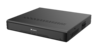
Luminys recorders provide a user-friendly experience for live viewing or playback from the local monitor, web interface, and more. |
Q: Why is my recorder failing to connect to LumiCloud?
A: Connection issues may occur if a device is configured locally before being registered with LumiCloud.
Note: LumiCloud compatibility may vary by model and firmware version. Please confirm your NVR (e.g., R3, R5 Series) supports LumiCloud before proceeding.
If supported, we recommend performing a factory reset on the device, followed by completing all necessary steps, including initialization, directly within LumiCloud.

