|
|
| (39 intermediate revisions by the same user not shown) |
| Line 1: |
Line 1: |
| | {{Header}} |
| <div class="lm-banner">[[File:LuminysMainPageBanner2.png]]</div> | | <div class="lm-banner">[[File:LuminysMainPageBanner2.png]]</div> |
|
| |
| = <div class="center">Access Control</div> = | | = <div class="center">Access Control</div> = |
|
| |
|
| {| class="wikitable" style="width: 100%; text-align:center;" | | {|class="wikitable" |
| ! style="text-align:center; background-color:lightgray; border: 1px solid lightgray;"|Models | | !|Models |
| ! style="text-align:center; background-color:lightgray; border: 1px solid lightgray;"|Description | | !|Description |
| |- | | |- |
| |! style="width:20%; border: 1px solid lightgray;"|[[File:Access-Control-left.png|100px|link=]]
| | |[[File:Access_Control_Solution_Sample.png|100px|link=]] |
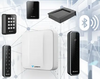
| |! style="text-align:left; border: 1px solid lightgray;"|The access control provides a single-interface access control solution that is accessible anywhere there is an internet connection. | | |! style="text-align:left;"|Luminys Access Control: Secure, Scalable, and Smart Solutions for Modern Facilities. Manage up to 30 doors with the powerful C-2PA Web Access Controller and advanced card readers. Luminys access solutions provide centralized control, real-time monitoring, and flexible credentialing to fit any security environment. |
| |} | | |} |
|
| |
| ===Instructions===
| |
|
| |
|
| <tabber> | | <tabber> |
| Line 17: |
Line 15: |
| C-2PA= | | C-2PA= |
|
| |
|
| | =====Device Setup===== |
| *[[Access_Control/Wiring_of_the_Reader_and_Controller | Wiring of the Reader and Controller]] | | *[[Access_Control/Wiring_of_the_Reader_and_Controller | Wiring of the Reader and Controller]] |
| *[[Access_Control/Initialization | Initialization]] | | |
| *[[test10| Device and User Management]] | | =====WebUI Configuration (Stand Alone)===== |
| *[[test10 | Time Plan and Permission Settings]] | | *[[Access_Control/Initialization | WebUI Initialization]] |
| *[[test10 | Door Parameter Settings]] | | *[[Access_Control/Device_and_User_Management | Device and User Management via WebUI]] |
| *[[test10 | Pin Code Unlocking]] | | *[[Access_Control/Time_Plan_and_Permission_Settings | Basic Setup - Time Plan and Permission Settings via WebUI]] |
| *[[test10 | USB Card Reader]] | | *[[Access_Control/USB Card Issuer - WebUI| Using a USB Card Issuer via WebUI]] |
| *[[test10 | Bluetooth Functions]] | | *[[Access_Control/PIN Unlocking - WebUI| Setting Up PIN Unlocking via WebUI]] |
| *[[test10 | Advanced Functions]] | | *[[Access_Control/Door Parameters - WebUI | Modifying Door Parameters via WebUI]] |
| *[[test10 | Other Functions]] | | *[[Access_Control/Time Templates - WebUI| Creating Time Templates (Weekly Schedules) via WebUI]] |
| | *[[Access_Control/Bluetooth_Functions | Bluetooth Setup and Functions via WebUI]] |
| | *[[Access_Control/First Person Unlock - WebUI| Setting Up First Person Unlock via WebUI]] |
| | *[[Access_Control/Multi-Card Unlock - WebUI| Setting Up Multi-Card Unlock via WebUI]] |
| | *[[Access_Control/Inter-Door Lock - WebUI| Setting Up Inter-Door Lock via WebUI]] |
| | |
| | =====LumiViewer Configuration===== |
| | *[[Access_Control/Basic Setup - LumiViewer| Basic Setup via LumiViewer (Person and Permission Management)]] |
| | *[[Access_Control/USB Card Issuer - LumiViewer | Using a USB Card Issuer via LumiViewer]] |
| | *[[Access_Control/Add Card to User - LumiViewer | Registering a Card to a User With a Controller via LumiViewer]] |
| | *[[Access_Control/PIN Unlocking - LumiViewer | Setting Up PIN Unlocking via LumiViewer]] |
| | *[[Access_Control/Door Parameters - LumiViewer | Modifying Door Parameters via LumiViewer]] |
| | *[[Access_Control/Time Templates - LumiViewer | Creating Time Templates via LumiViewer]] |
| | *[[Access_Control/First Person Unlock - LumiViewer| Setting Up First Person Unlock via LumiViewer]] |
| | *[[Access_Control/Multi-Card Unlock - LumiViewer | Setting Up Multi-Card Unlock via LumiViewer]] |
| | *[[Access_Control/Inter-Door Lock - LumiViewer | Setting Up Inter-Door Lock via LumiViewer]] |
| | *[[Access_Control/Anti-Pass Back - LumiViewer | Setting Up Anti-Pass Back via LumiViewer]] |
| | *[[Access_Control/Link Video - LumiViewer | Link Access Control Events to Video Channels via LumiViewer]] |
| | |-| |
| | |
| | C-4MA= |
| | |
| | =====Device Setup===== |
| | *[[Access_Control/Wiring_of_the_Reader_and_Controller_C-4MA | Wiring of the Reader and Controller]] |
| | |
| | =====WebUI Configuration (Stand Alone)===== |
| | *[[Access_Control/Initialization_C-4MA | WebUI Initialization]] |
| | *[[Access_Control/Device_and_User_Management_C-4MA | Device and User Management via WebUI]] |
| | |-| |
| | |
| | LumiCloud For Access Control= |
| | |
| | ====LumiCloud Partner Portal==== |
| | |
| | ====LumiCloud End User Portal==== |
| | *[[LumiCloud For Access Control/Add AC to LumiCloud via Web|Adding Access Controllers to LumiCloud via Website]] |
| | *[[LumiCloud For Access Control/Basic AC Setup for LumiCloud via Web|Basic Access Controller Setup for LumiCloud via Website]] |
|
| |
|
| |-| | | |-| |