|
|
| Line 42: |
Line 42: |
| =====LumiFlex===== | | =====LumiFlex===== |
| *[[IPC/Enable and Use LumiFlex | How to Enable and Use LumiFlex]] | | *[[IPC/Enable and Use LumiFlex | How to Enable and Use LumiFlex]] |
|
| |
| |-|
| |
|
| |
| Fisheye=
| |
| </br>
| |
| {|class="wikitable" style="width:90%; margin:auto;"
| |
| !|Models
| |
| !|Description
| |
| |-
| |
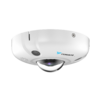
| |[[File:Fisheye.png|100px|link=]]
| |
| |! style="text-align:left;"|Luminys Fisheye are specialty security cameras, and they offer high-resolution 360° or 180° panoramic surveillance in a compact design.
| |
| |}
| |
|
| |
| =====Dewarping=====
| |
| *[[Cameras/Dewarping_Mode_via_WebGUI | How to Dewarp Fisheye Cameras in WebGUI]]
| |
| *[[Cameras/Fisheye Record Mode | Change Fisheye Camera Record Mode via WebUI]]
| |
|
| |
|
| |-| | | |-| |
| Line 82: |
Line 66: |
| |-| | | |-| |
|
| |
|
| LPR=
| | Specialty= |
| </br> | | </br> |
| | {|class="wikitable" style="width:90%; margin:auto;" |
| | !|Models |
| | !|Description |
| | |- |
| | |[[File:Fisheye.png|100px|link=]] |
| | |! style="text-align:left;"|Luminys Fisheye are specialty security cameras, and they offer high-resolution 360° or 180° panoramic surveillance in a compact design. |
| | |} |
| | |
| | ====Fisheye Dewarping==== |
| | *[[Cameras/Dewarping_Mode_via_WebGUI | How to Dewarp Fisheye Cameras in WebGUI]] |
| | *[[Cameras/Fisheye Record Mode | Change Fisheye Camera Record Mode via WebUI]] |
| | |
| {| class="wikitable" style="width:90%; margin:auto;" | | {| class="wikitable" style="width:90%; margin:auto;" |
| ! |Models | | ! |Models |
| Line 92: |
Line 88: |
| |} | | |} |
|
| |
|
| ====WebGUI==== | | ====LPR Setup==== |
| *[[Cameras/LPR Physical Installation Guide | LPR Physical Installation Guide]] | | *[[Cameras/LPR Physical Installation Guide | LPR Physical Installation Guide]] |
| *[[Cameras/LPR Initial Setup | LPR Camera Initial Setup]] | | *[[Cameras/LPR Initial Setup | LPR Camera Initial Setup]] |