|
|
| (54 intermediate revisions by the same user not shown) |
| Line 1: |
Line 1: |
| <div class="lm-banner">[[File:LuminysMainPageBanner2.png]]</div>
| | {{Header}} |
|
| |
|
| = <div class="center">Camera Instructions</div> = | | = <div class="center">Camera Instructions</div> = |
|
| |
|
| {|class="wikitable" | | <tabber> |
| !|Models | | IPC= |
| | </br> |
| | {|class="wikitable" style="width:90%; margin:auto;" |
| | !|IPC |
| !|Description | | !|Description |
| |- | | |- |
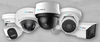
| |[[File:Camera-left.png|100px|link=]] | | |[[File:Network_Cameras_Sample.png|100px|link=]] |
| |! style="text-align:left;"|Luminys provides a comprehensive selection of network security cameras. With advanced video analytics and innovative lighting technologies, including LumiLightBand, LumiDeterrent, LumiColor, and LumiLuxSmart, operators can respond quickly and proactively to potential incidents. | | | style="text-align:left;"|Luminys provides a comprehensive selection of network security cameras. With advanced video analytics and innovative lighting technologies, including LumiLightBand, LumiDeterrent, LumiColor, and LumiLuxSmart, operators can respond quickly and proactively to potential incidents. |
| |} | | |} |
|
| |
|
| <tabber>
| |
| Camera Setup=
| |
| =====Initial Setup===== | | =====Initial Setup===== |
| *[[IPC/Initializing_Cameras| How to Initialize Cameras]] | | *[[IPC/Initializing_Cameras| How to Initialize Cameras]] |
| *[[IPC/IP_Camera_TCP/IP_Network_Settings | IP Camera TCP/IP Network Settings]]<br> | | *[[IPC/IP_Camera_TCP/IP_Network_Settings | IP Camera TCP/IP Network Settings]]<br> |
| | *[[NVR/RTSP_URL_Formatting | RTSP URL Formatting]]</br> |
| | *[[NVR/Port Forwarding | Port Forwarding Luminys Devices]] |
|
| |
|
| =====Password Reset===== | | =====Password Reset===== |
| *[[IPC/IP_Camera_Password_Reset | IP Camera Password Reset]]<br> | | *[[IPC/IP_Camera_Password_Reset | IP Camera Password Reset]]<br> |
| | *[[LumiUtility/Password_Reset | LumiUtility Password Reset]]<br> |
|
| |
|
| =====iMD===== | | =====iMD===== |
| | *[[IPC/Intelligent_Motion_Detection_(IMD)_Setup_on_IP_Cameras | Intelligent Motion Detection (IMD) Setup on IP Cameras]]<br> |
|
| |
|
| | =====LumiCloud===== |
| | *[[LumiCloud/Set Up VCA | Set Up VCA for Cameras via LumiCloud]] |
|
| |
|
| =====LumiLuxSmart===== | | =====LumiLuxSmart===== |
| | *[[IPC/LumiLuxSmart Setup on IPC | LumiLuxSmart Setup on IPC]]<br> |
| | |
| | =====LumiDeterrent===== |
| | *[[IPC/LumiDeterrent Setup on IP Camera | LumiDeterrent Setup on IP Camera]]<br> |
| | |
| | =====LumiAnalytics===== |
| | *[[IPC/Video Content Analytics (VCA) Setup on IP Camera | Video Content Analytics (VCA) Setup on IP Camera]]<br> |
| | |
| | =====LumiLuxLite===== |
| | *[[IPC/LumiLuxLite_Kit_IP_Camera_Firmware_Upgrade | LumiLuxLite Kit IP Camera Firmware Upgrade]] |
| | |
| | =====LumiFlex===== |
| | *[[IPC/Enable and Use LumiFlex | How to Enable and Use LumiFlex]] |
| | |
| | |-| |
| | |
| | PTZ= |
| | </br> |
| | {|class="wikitable" style="width:90%; margin:auto;" |
| | !|PTZ |
| | !|Description |
| | |- |
| | |[[File:PTZ-left.png|100px]] |
| | |! style="text-align:left;"|Luminys PTZ cameras utilize LumiTracking technology to track people or vehicles in real time throughout a scene. |
| | |} |
| | |
| | ====WebGUI==== |
| | *[[Cameras/Setting_Up_PTZ_Presets | PTZ Presets Setup]] |
| | *[[Cameras/Tour_Setup | PTZ Tour Setup]] |
| | *[[Cameras/IP_PTZ_LumiTracking_Setup | PTZ LumiTracking Setup]] |
| | *[[Cameras/180 Camera Linkage | Setting Up PTZ 180° Camera Linkage (For P54-4DA25 and Similar Models)]] |
| | |
| | ====LumiCloud==== |
| | *[[LumiCloud/Set_Up_VCA_for_PTZs|Setup VCA for PTZs in LumiCloud]] |
|
| |
|
| | |-| |
|
| |
|
| =====LumiDeterrent===== | | Specialty= |
| | </br> |
| | {|class="wikitable" style="width:90%; margin:auto;" |
| | !|Fisheye |
| | !|Description |
| | |- |
| | |[[File:Fisheye.png|100px|link=]] |
| | |! style="text-align:left;"|Luminys Fisheye are specialty security cameras, and they offer high-resolution 360° or 180° panoramic surveillance in a compact design. |
| | |} |
| | |
| | ====Fisheye Dewarping==== |
| | *[[Cameras/Dewarping_Mode_via_WebGUI | How to Dewarp Fisheye Cameras in WebGUI]] |
| | *[[Cameras/Fisheye Record Mode | Change Fisheye Camera Record Mode via WebUI]] |
| | </br> |
| | {| class="wikitable" style="width:90%; margin:auto;" |
| | ! |LPR |
| | ! |Description |
| | |- |
| | |! style="width:15%";|[[File:LPR_Left.png|100px|link=]] |
| | |! style="text-align:left;"|Luminys LPR cameras are specialized surveillance devices designed to detect, capture, and interpret vehicle license plates in real-time. Utilizing high-resolution sensors and infrared (IR) illumination, these cameras can accurately read plates under various conditions, including low light, adverse weather, and at high vehicle speeds. |
| | |} |
|
| |
|
| | ====LPR Setup==== |
| | *[[Cameras/LPR Physical Installation Guide | LPR Physical Installation Guide]] |
| | *[[Cameras/LPR Initial Setup | LPR Camera Initial Setup]] |
| | *[[Cameras/LPR Blocklist_and_Allowlist_Setup | LPR Camera Blocklist and Allowlist Setup]] |
|
| |
|
| =====LumiSearch===== | | ====LPR Usage via NVR==== |
| | *[[NVR/NVR_LPR_Allow_and_Block_List_Setup | NVR License Plate Recognition Allowlist/Blocklist Setup]] |
| | *[[NVR/NVR_LPR_Setup_and_Search | LPR Setup and Search via NVR]] |
| | </br> |
| | {| class="wikitable" style="width:90%; margin:auto;" |
| | ! |LumiFlex |
| | ! |Description |
| | |- |
| | |! style="width:15%";|[[File:LPR_Left.png|100px|link=]] |
| | |! style="text-align:left;"|LumiFlex technology delivers the comprehensive, flexible coverage of multiple single-sensor cameras using a single camera housing. LumiFlex cameras have multiple camera sensors that can be individually positioned to capture different areas of a scene. The footage from each sensor can then be combined to create one continuous stream to reduce the number of licenses required for a higher return on investment. |
| | |} |
|
| |
|
| | =====LumiFlex===== |
| | *[[IPC/Enable and Use LumiFlex | How to Enable and Use LumiFlex]] |
| | </br> |
| | |-| |
|
| |
|
| =====LumiAnalytics===== | | Direct-to-Cloud= |
| | </br> |
| | {| class="wikitable" style="width:90%; margin:auto;" |
| | !| Direct-to-Cloud |
| | !| Description |
| | |- |
| | |! style="width:15%;" | [[File:N5D-4LAV_N5D-8LAV_DTC.png|100px|link=]] |
| | |! style="text-align:left;" | Luminys LumiCloud cameras combine best-in-class analytics and low-light technolgy with the power of cloud technology. These cameras are powered by LumiCloud, a Video Surveillance as a Service (VSaaS) platform, powered by advanced algorithms that enable users to search video, receive alerts, and analyze detection patterns across multiple locations and historical data. Access live and playback video from a web-browser or the LumiCloud app. |
| | |} |
| | </br> |
| | |
| | ====LumiCloud Partner Portal==== |
|
| |
|
| | ====LumiCloud End User Portal==== |
| | *[[LumiCloud/Add_Device_To_Account | Adding Devices to an Account via LumiCloud Web]] |
| | *[[LumiCloud/iMD_Setup_for_a_D2C_Camera_via_LumiCloud_Web | iMD Setup for a Direct to Cloud Camera via LumiCloud Web]] |
| | *[[LumiCloud/VCA_Setup_for_a_D2C_Camera_via_LumiCloud_Web | VCA Setup for a Direct to Cloud Camera via LumiCloud Web]] |
| | *[[LumiCloud/SD_Card_Setup_for_D2C_Camera_via_LumiCloud_Web | SD Card and Recording Setup for a Direct to Cloud Camera via LumiCloud Web]] |
| | *[[LumiCloud/Playback | Playback]] |
| | *[[LumiCloud/Adv_Events_Searching_and_AI_Filtering_Setup | Event Searching and AI Filtering via LumiCloud Web]] |
|
| |
|
| =====LumiPower=====
| | |-| |
|
| |
|
| | Analog= |
| | </br> |
| | {|class="wikitable" style="width:90%; margin:auto;" |
| | !|HD Analog |
| | !|Description |
| | |- |
| | |[[File:AnalogCam.jpg|100px]] |
| | |! style="text-align:left;"|For many businesses, the biggest obstacle to upgrading an analog system isn’t the cameras—it’s the wire. Replacing existing coax can mean opening ceilings and walls, pulling new cable, scheduling additional labor, disrupting operations, and increasing installation costs. The Luminys HD Analog series provide a smarter path: reuse the coax already in place and upgrade the security system with modern, higher-resolution technology. |
| | |} |
|
| |
|
| | ====Analog Setup==== |
| </tabber> | | </tabber> |