Recorders: Difference between revisions

From Luminys WIKI
No edit summary
No edit summary
 
(2 intermediate revisions by the same user not shown)
Line 1: Line 1:
<div class="lm-banner">[[File:LuminysMainPageBanner2.png]]</div>


= <div class="center">NVR</div> =
= <div class="center">Recorders</div> =


{| class="wikitable"
Line 15: Line 15:
<tabber>
<tabber>


NVR Setup=
NVR=
=====General Info=====
*[[NVR/Compare Models | Compare NVR Models]]<br>
Line 85: Line 85:
*[[NVR/Alarm Output | Wiring Alarm Outputs on an NVR]]  


|-|
DVR=
====DVR Setup====


|-|
|-|

Latest revision as of 06:28, 13 August 2026

Recorders

Models Description
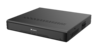
Luminys recorders provide a user-friendly experience for live viewing or playback from the local monitor, web interface, and more.

Instructions

General Info
Initial Setup
Liveview/Playback
LumiSearch
Storage
Recording
Basic Event Setup
AI Event Setup
Encoding/Video Settings
System Settings
Password Reset
Firmware Upgrade
Backup
Networking
Physical Wiring

DVR Setup

Q: Why is my recorder failing to connect to LumiCloud?
A: Connection issues may occur if a device is configured locally before being registered with LumiCloud.

Note: LumiCloud compatibility may vary by model and firmware version. Please confirm your NVR (e.g., R3, R5 Series) supports LumiCloud before proceeding. If supported, we recommend performing a factory reset on the device, followed by completing all necessary steps, including initialization, directly within LumiCloud.