NVR Recorders: Difference between revisions
From Luminys WIKI
Techsupport (talk | contribs) No edit summary |
Techsupport (talk | contribs) |
||
| (One intermediate revision by the same user not shown) | |||
| Line 8: | Line 8: | ||
|- | |- | ||
|! style="width:15%;"|[[File:NVR-left.png|100px|link=]] | |! style="width:15%;"|[[File:NVR-left.png|100px|link=]] | ||
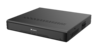
|! style="text-align:left;"|Luminys | |! style="text-align:left;"|Luminys NVRs provide a user-friendly experience for live viewing or playback from the local monitor, web interface, and more. | ||
|} | |} | ||
| Line 36: | Line 36: | ||
*[[NVR/Hard_Drive_Configurations | Setup Hard Drives via WebGUI]]<br> | *[[NVR/Hard_Drive_Configurations | Setup Hard Drives via WebGUI]]<br> | ||
*[[NVR/RAID_Setup | RAID Setup via WebGUI]]<br> | *[[NVR/RAID_Setup | RAID Setup via WebGUI]]<br> | ||
*[[NVR/Disk_Groups | Setting Up Disk Groups]]<br> | |||
*[[NVR/Recommended_HDDs | Recommended HDDs]]<br> | *[[NVR/Recommended_HDDs | Recommended HDDs]]<br> | ||
*[[NVR Timelapse | Timelapse (R5 series only)]]<br> | *[[NVR Timelapse | Timelapse (R5 series only)]]<br> | ||
Latest revision as of 08:49, 20 August 2026
☰ Navigation Menu ▾

NVR Recorders
| NVR | Description |
|---|---|
|
Luminys NVRs provide a user-friendly experience for live viewing or playback from the local monitor, web interface, and more. |
General Info
Initial Setup
- NVR Initialization and Setup Wizard
- Adding IP Cameras to NVR
- Adding Video Doorbell to NVR
- Adding Channels via RTSP
Liveview/Playback
- Live View in NVR via WebGUI
- Playback in NVR via WebGUI
- Setting up Auxiliary Displays
- Setting up Custom Liveview Layouts (Favorites)
LumiSearch
- Enabling and Using LumiSearch via WebGUI
- LumiSearch Features via WebGUI
- LumiSearch Using Target Attributes or Images
- LumiSearch Via Smart Search Results
Storage
- Setup Hard Drives via WebGUI
- RAID Setup via WebGUI
- Setting Up Disk Groups
- Recommended HDDs
- Timelapse (R5 series only)
Recording
Basic Event Setup
AI Event Setup
- How To Set Up VCA (Video Content Analysis)
- Setup LPR Allow and Block List via NVR
- LPR Setup and Search via NVR
- How To Set Up Face Recognition
- How To Set Up and Use Face Detection
- How To Set Up Heat Maps
- How To Set Up People Counting
- How to set up LumiTracking-E through recorder for N5P-8DA2
Encoding/Video Settings
System Settings
Password Reset
Firmware Upgrade
Backup
- How to Backup Video Recordings from Playback via NVR
- How to Backup Video Recordings from Search Menu via WebUI
- How to Backup Video Recordings from Playback via WebUI

